
In the rapidly evolving landscape of modern computing, few components are as vital—yet frequently misunderstood—as Video Random Access Memory, or VRAM. Whether you are a hardcore gamer, a professional video editor, or an enthusiast exploring the frontier of local Artificial Intelligence, VRAM is the silent engine driving your visual experience. As software becomes more complex and visual fidelity reaches near-photorealistic levels, understanding the nuances of VRAM is essential for anyone looking to build, upgrade, or optimize a computer system.
Decoding VRAM: The Engine Behind Your Visual Experience
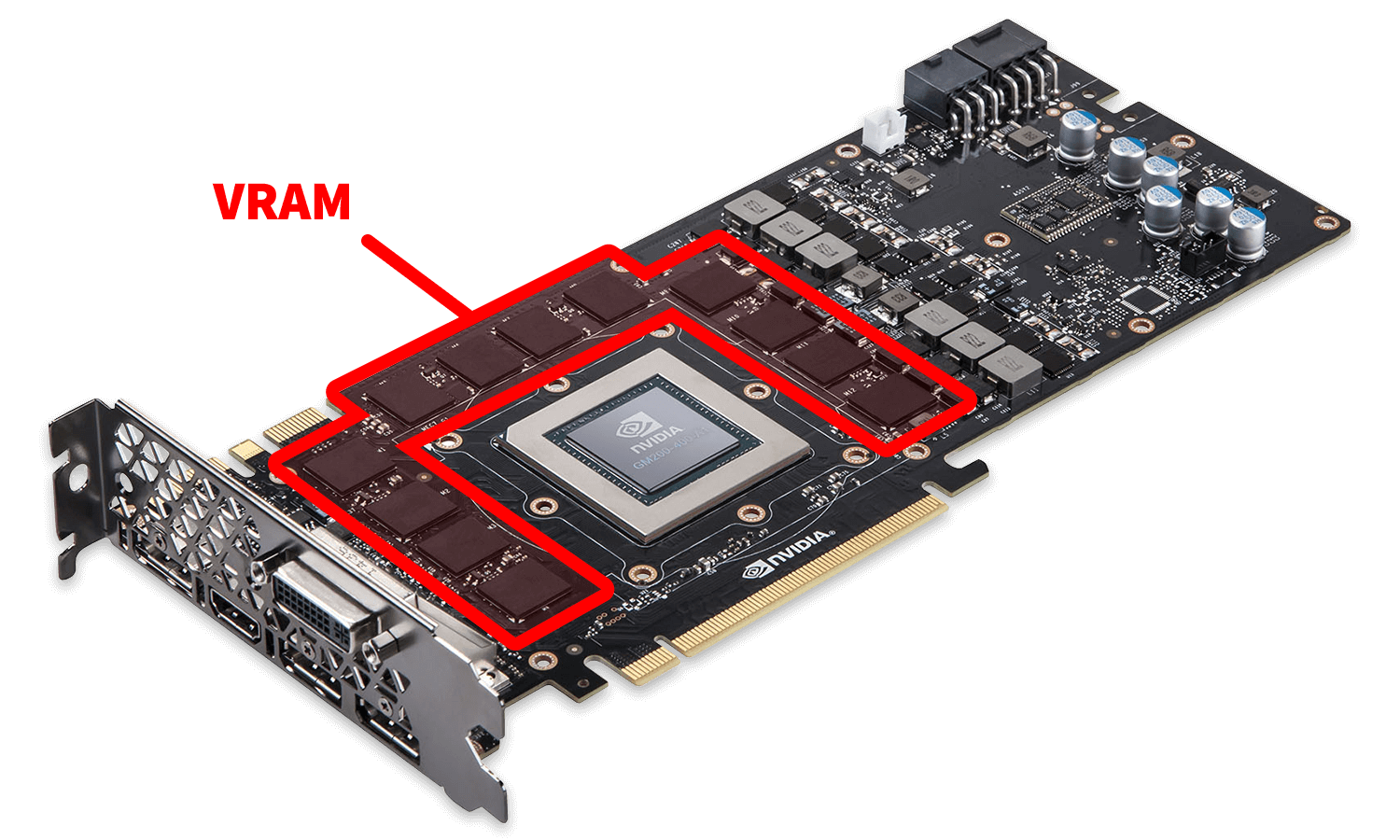
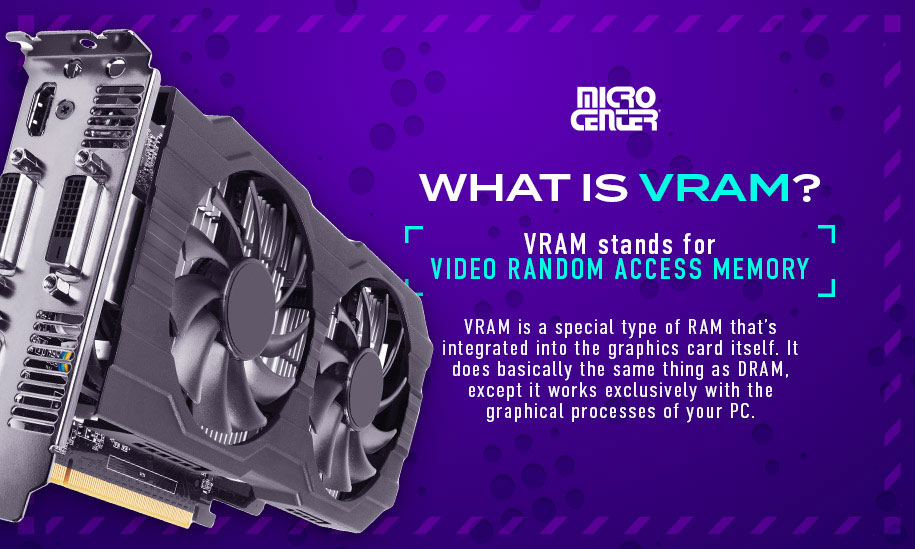
At its core, VRAM is a specialized type of high-speed memory dedicated specifically to your Graphics Processing Unit (GPU). While your computer’s system RAM (Random Access Memory) handles general tasks and stores data for the Central Processing Unit (CPU), VRAM acts as a high-bandwidth workspace for the GPU to store and access the data it needs to render images on your screen.
Definition and Fundamental Purpose
VRAM is “volatile” memory, meaning it only retains data while the device is powered on. Its primary purpose is to act as a buffer between the GPU and the display. When a computer renders an image, the GPU calculates the mathematics of the scene, but it needs a place to store those calculated pixels, textures, and geometric maps before they are sent to the monitor. Because the speed at which images must be generated is incredibly high—often 60 to 144 times per second—the GPU requires memory that is much faster and more localized than standard system RAM.
How VRAM Differs from System RAM
The distinction between system RAM and VRAM is often compared to a “Jack of all trades” versus a “specialist.” System RAM is designed for low latency; it handles millions of small, varied tasks from your operating system and open applications. VRAM, conversely, is designed for massive bandwidth. It is optimized to move large chunks of data—like 4K textures or complex 3D models—very quickly.
Furthermore, VRAM is physically located on the graphics card itself, positioned millimeters away from the GPU chip. This proximity reduces the time it takes for data to travel (latency) and allows for a wider “bus width,” which determines how much data can be transferred at once. Using system RAM for graphics tasks (as seen in integrated graphics) is significantly slower because the data must travel across the motherboard through the CPU’s memory controller.
The Anatomy of GDDR: Graphics Double Data Rate
The most common type of VRAM used today is GDDR (Graphics Double Data Rate). We are currently in the era of GDDR6 and GDDR6X. These iterations represent significant leaps in “clock speed” and “transfer rate.” For instance, GDDR6X, developed by Micron in partnership with NVIDIA, utilizes PAM4 signaling technology to transmit data even faster than standard GDDR6. This technical evolution is what allows modern GPUs to handle the staggering data requirements of modern ray-tracing and high-resolution rendering.
The Critical Roles of VRAM in Modern Computing
VRAM does not simply “make things faster.” It performs specific, heavy-lifting tasks that define the quality of the visual output. Understanding these roles helps explain why a game might stutter or why a 3D render might fail.
Texture Mapping and Geometry Data
The most significant consumer of VRAM is texture data. In modern video games and 3D applications, every surface—from the bark on a tree to the metallic sheen of a car—is covered in a high-resolution image called a texture. As you move through a virtual world, the GPU must keep all nearby textures loaded in the VRAM. If you run out of space, the GPU must fetch textures from the much slower system RAM or SSD, leading to “texture pop-in” or significant frame rate drops.
Resolution and the Frame Buffer
The higher the resolution of your display, the more VRAM you require. This is due to the “frame buffer.” To display a single 1080p frame, the GPU must store roughly 2 million pixels. At 4K, that number jumps to 8.3 million. Each of those pixels contains data regarding color, depth, and transparency. A 4K image requires four times the memory footprint of a 1080p image just to hold the final frame before it is sent to your monitor.
Anti-Aliasing and Post-Processing Effects
Modern graphics use various “post-processing” techniques to make images look better. Anti-aliasing (which smoothes jagged edges) and Ray Tracing (which simulates realistic light behavior) are incredibly VRAM-intensive. Ray tracing, in particular, requires the GPU to store complex “Bounding Volume Hierarchy” (BVH) data in the VRAM to calculate where light rays intersect with objects in the scene. Without sufficient VRAM capacity, these advanced features simply cannot be enabled.
Assessing Your Requirements: How Much VRAM Do You Actually Need?
One of the most common questions in the tech world is, “How much VRAM is enough?” The answer depends entirely on your specific workload and the resolution at which you operate.
The Casual User and 1080p Gaming (4GB – 8GB)
For users who primarily use their computers for office work, web browsing, and casual 1080p gaming, 4GB to 6GB of VRAM is usually sufficient. Most modern titles will run comfortably at medium-to-high settings at 1080p with an 8GB card, which has become the de facto standard for entry-level and mid-range gaming in the current market.
High-End 4K Gaming and Ray Tracing (10GB – 16GB+)
As we move into 1440p and 4K territory, the demand for VRAM skyrockets. High-end titles using “Ultra” textures can easily consume 10GB to 12GB of VRAM. For enthusiasts who want to enable heavy ray tracing or use “frame generation” technologies (like NVIDIA’s DLSS 3), a card with 16GB of VRAM provides the necessary headroom to avoid performance bottlenecks.
Content Creation: Video Editing and 3D Rendering
Professional workflows operate under different rules. Video editors working with 4K or 8K RAW footage need massive amounts of VRAM to cache timeline previews. Similarly, 3D artists using engines like Octane or Redshift render entirely on the GPU. If a 3D scene exceeds the available VRAM, the render will often crash or “out-of-core” to system RAM, slowing the process by 10x or more. For these professionals, 24GB cards (like the RTX 3090 or 4090) are often considered the baseline.
The AI Frontier: Why LLMs are VRAM Hungry
A new and surging demand for VRAM comes from the world of Artificial Intelligence. Running Large Language Models (LLMs) or Image Generators (like Stable Diffusion) locally requires loading the entire model “weights” into the VRAM. For example, a 7-billion parameter model typically requires at least 8GB of VRAM just to load, while larger, more capable models may require 24GB, 48GB, or even dual-GPU setups. In the niche of AI, VRAM capacity is often more important than the actual speed of the GPU chip itself.
Diagnosing and Solving VRAM Bottlenecks
What happens when your software demands more memory than your hardware can provide? Understanding the symptoms of a VRAM bottleneck can save you hours of troubleshooting.
Symptoms of Insufficient VRAM
The most common sign of VRAM exhaustion is “stuttering” or “hitch-frames.” This occurs when the GPU is forced to clear old data to make room for new data, creating a momentary pause in processing. Other symptoms include:
-
Low-resolution textures: The system automatically lowers texture quality to stay within memory limits.
-
Crashing to desktop: Software (especially creative suites) may simply close if it cannot allocate enough memory.
-
Visual Artifacts: Strange colors or missing geometry in a scene.
Software Optimization and Settings Adjustment
If you are hitting VRAM limits, the most effective solution is to lower the “Texture Quality” setting. This has the largest impact on VRAM usage with the smallest impact on actual processing power. Additionally, reducing the resolution (e.g., from 4K to 1440p) or turning off features like Ray Tracing or Ambient Occlusion can drastically free up memory.
The Concept of “Shared Memory”
When a dedicated GPU runs out of VRAM, Windows (and other operating systems) will allow it to borrow from your system RAM. This is called “Shared GPU Memory.” While this prevents the application from crashing, it results in a massive performance penalty because system RAM is significantly slower and farther away from the GPU than dedicated VRAM.
Future Trends: The Evolution of Graphics Memory Architecture
As we look toward the future of technology, VRAM is evolving to meet the demands of even more immersive digital worlds and complex AI computations.
GDDR7 and Beyond
The tech industry is already preparing for the transition to GDDR7. This next generation of memory promises to double the bandwidth of GDDR6, allowing for speeds up to 32 Gbps per pin. This will be crucial as 8K gaming and more complex real-time simulations become mainstream.

The Shift Toward Unified Memory Architectures
Apple’s “M-series” silicon has popularized a different approach: Unified Memory Architecture (UMA). In this setup, the CPU and GPU share a single pool of high-speed memory. This eliminates the need to copy data back and forth between system RAM and VRAM, potentially offering massive efficiency gains for specific tasks like video editing and AI. While traditional PCs still rely on discrete VRAM, the industry is closely watching to see if unified memory becomes a broader trend.
In conclusion, VRAM is far more than just a number on a spec sheet. It is the fundamental canvas upon which modern digital experiences are painted. By understanding how VRAM impacts resolution, texture quality, and professional workloads, you can make more informed decisions when purchasing hardware and ensure that your system remains capable of handling the high-fidelity demands of tomorrow’s technology.
aViewFromTheCave is a participant in the Amazon Services LLC Associates Program, an affiliate advertising program designed to provide a means for sites to earn advertising fees by advertising and linking to Amazon.com. Amazon, the Amazon logo, AmazonSupply, and the AmazonSupply logo are trademarks of Amazon.com, Inc. or its affiliates. As an Amazon Associate we earn affiliate commissions from qualifying purchases.