
When shopping for a new television, the alphabet soup of technical specifications—4K, HDR, OLED, HDMI 2.1—can feel overwhelming. Among these, the refresh rate remains one of the most misunderstood and impactful features for your viewing experience. Whether you are a competitive gamer, a cinema purist, or a casual Sunday afternoon sports viewer, the refresh rate dictates the fluidity of motion on your screen. Understanding this metric is essential to ensuring your investment delivers the performance you expect.
Understanding Refresh Rate: The Mechanics of Motion
At its simplest, the refresh rate refers to how many times per second your television updates the image on the screen. This is measured in Hertz (Hz). If a television has a refresh rate of 60Hz, it refreshes the image 60 times every second. A 120Hz television doubles that, refreshing the image 120 times every second.
Why Hertz Matters
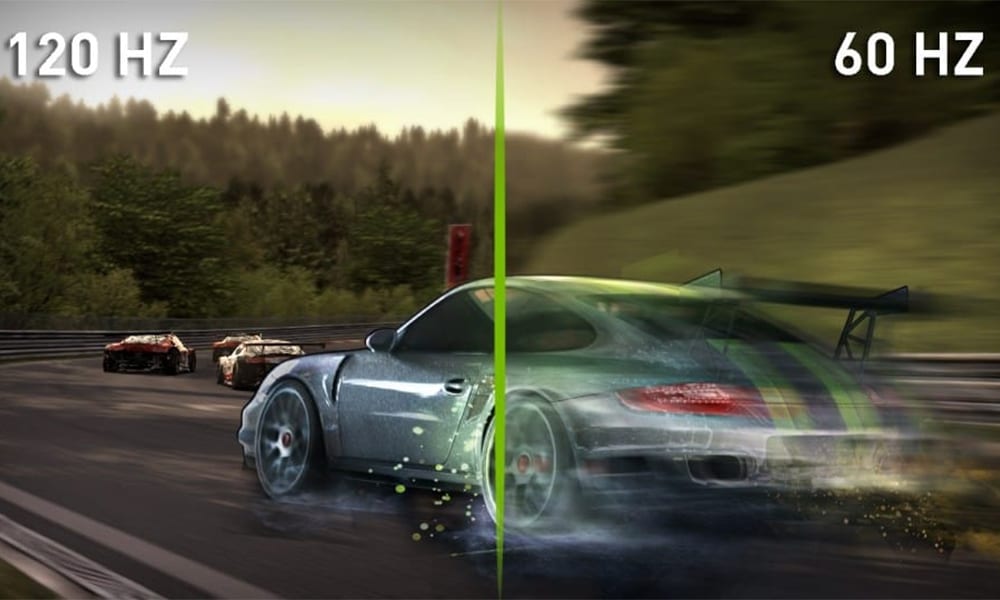
The primary purpose of a higher refresh rate is to reduce motion blur and improve the clarity of fast-moving objects. When you watch a high-speed camera pan during a football game or a rapidly moving character in an action-heavy video game, the display must redraw those frames quickly to keep the image crisp. If the refresh rate is too low, the pixels may struggle to keep up with the changing data, resulting in a “ghosting” effect or blurry edges.
The Refresh Rate vs. Frame Rate Distinction
It is critical to distinguish between the display’s refresh rate and the content’s frame rate. The frame rate (measured in frames per second, or fps) refers to the speed at which the source device—such as a gaming console, Blu-ray player, or streaming box—sends images to the TV.
If your source content is recorded at 24fps (the industry standard for films), a 60Hz television will display those frames using a technique called 3:2 pulldown to fit them into the 60-cycle refresh window. A 120Hz display handles this more elegantly, as 120 is a direct multiple of 24, allowing for smoother motion processing without the “judder” sometimes associated with lower-end panels.
The Standard Tiers: 60Hz vs. 120Hz
Most modern televisions on the market fall into two distinct performance brackets. Understanding which one you need depends entirely on your usage habits.
The 60Hz Baseline: Casual Viewing
For the average viewer whose primary consumption consists of cable television news, scripted dramas, and occasional streaming, 60Hz is the industry standard. Most television shows and movies are filmed at 24 or 30 frames per second. Because these sources do not exceed 60 frames per second, a 60Hz panel is more than capable of handling the data load without significant visual degradation.
If you are setting up a TV for a secondary room, like a kitchen or a guest bedroom, 60Hz is the most economical choice. You will see minimal difference between a 60Hz and 120Hz panel when watching a standard sitcom or a documentary.
The 120Hz Advantage: Gaming and Sports
If you identify as a “power user,” the 120Hz threshold is where the magic happens. This tier is essential for two primary demographics:
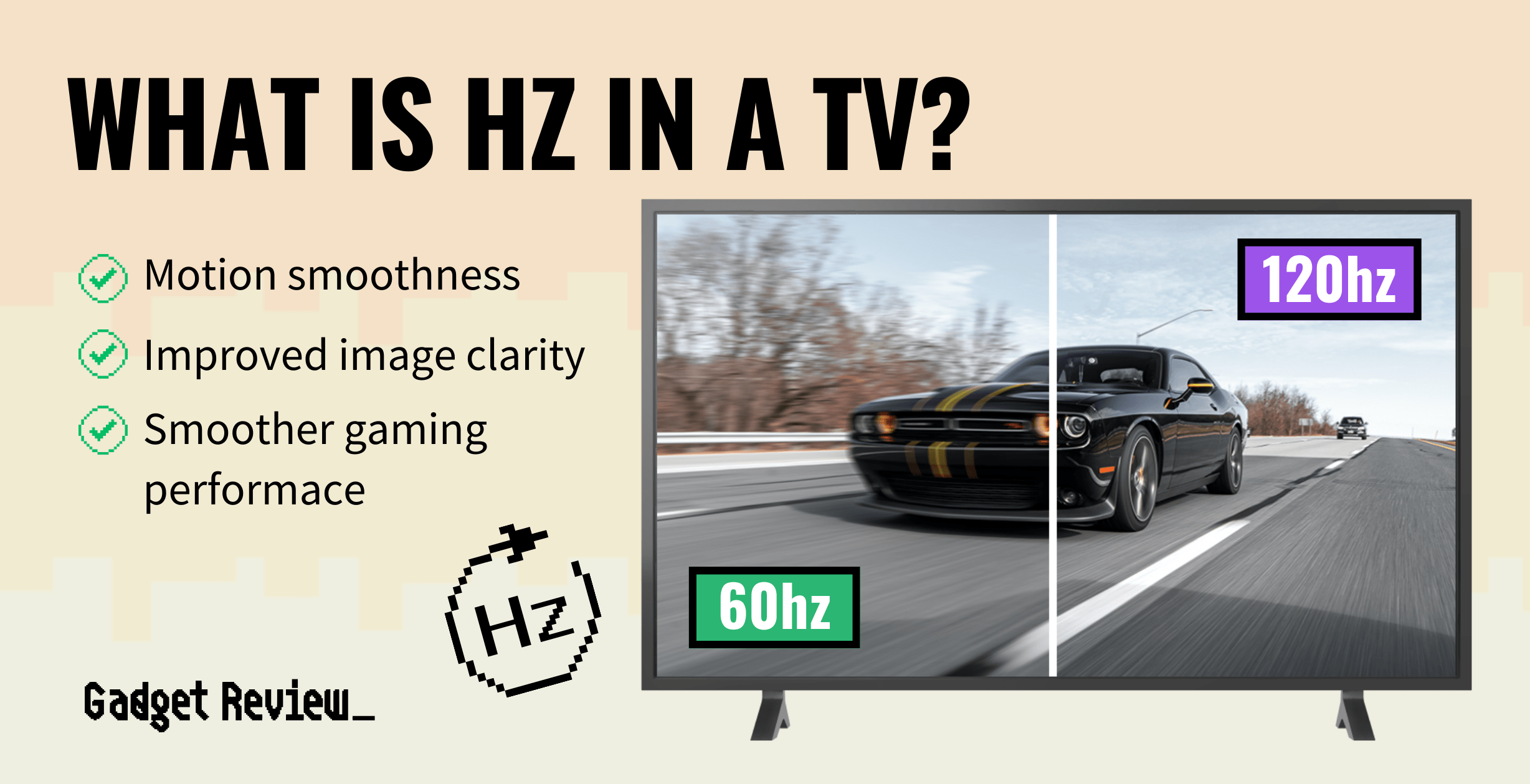
- Competitive Gamers: Modern consoles like the PlayStation 5 and Xbox Series X are capable of pushing 120 frames per second in supported titles. A 120Hz display allows the gamer to see those frames in real-time, providing a significant advantage in reaction-based games like first-person shooters or racing simulators. The responsiveness—the time between your button press and the action on screen—is significantly tighter.
- Sports Enthusiasts: Fast-paced sports like hockey, basketball, and Formula 1 racing involve rapid camera movement and erratic ball or puck travel. A 120Hz display utilizes advanced motion interpolation to ensure that the puck or the athlete remains sharp rather than becoming a smear of pixels as they traverse the field.
Advanced Features and Technologies
Beyond the raw Hertz number, television manufacturers integrate additional software and hardware to further enhance motion clarity. When shopping, it is important to separate marketing buzz from functional technology.
Variable Refresh Rate (VRR)
Variable Refresh Rate is a game-changing feature for gamers. In the past, if a game’s frame rate dropped below the display’s refresh rate, the TV would struggle to synchronize, causing a phenomenon known as “screen tearing,” where the top and bottom of the screen appear to be out of sync.
VRR allows the television to dynamically match its refresh rate to the frame rate being output by the console or PC. If the game drops from 120fps to 90fps, the TV adjusts to 90Hz instantly, keeping the motion buttery smooth and eliminating tearing entirely. If you are buying a TV for gaming, VRR is non-negotiable.
Motion Interpolation (The “Soap Opera Effect”)
Many televisions include settings with names like “Auto Motion Plus,” “TruMotion,” or “MotionFlow.” These are forms of motion interpolation. The TV’s processor analyzes the difference between two consecutive frames and generates a new, artificial frame to insert between them.
While this effectively smooths out motion and removes the “stutter” of film, it often gives content a hyper-realistic, processed look that many viewers find jarring—popularly known as the “Soap Opera Effect.” While it can make sports look incredible, purists generally prefer to turn these settings off or to a low setting when watching cinematic movies to preserve the original artistic intent.
HDMI 2.1: The Data Conduit
To truly take advantage of a 120Hz refresh rate, especially at 4K resolution, your television must support the HDMI 2.1 standard. Older HDMI 2.0 cables and ports lack the bandwidth to carry a 4K signal at 120Hz. If you are planning to game at 4K/120Hz, ensure that your television has at least one, and preferably two, HDMI 2.1-compliant ports. This ensures that you aren’t bottlenecking your high-end console with outdated connectivity.
Making the Final Decision: Which TV to Buy?
When determining which refresh rate is right for you, apply a simple cost-benefit analysis based on your typical “screen time.”
When to Stick with 60Hz
If you are budget-conscious and primarily watch streaming platforms, Blu-rays, or live broadcast news, you do not need to pay the premium for a 120Hz panel. Many 60Hz TVs today use high-quality internal processors that do a fantastic job of managing motion. Unless you are specifically looking for gaming features or high-end motion handling, your money is often better spent on a higher-quality 60Hz panel—perhaps one with better color accuracy or peak brightness—than on a budget 120Hz panel.

When to Upgrade to 120Hz
If you are purchasing a “primary” living room TV, investing in 120Hz is a form of future-proofing. Even if you aren’t a gamer today, you may be tomorrow. Furthermore, as high-refresh-rate content becomes more common in streaming services and broadcast events, having a panel that can accommodate higher frame rates will ensure your TV remains relevant for the next five to seven years.
In summary, the refresh rate is the heartbeat of your television’s visual performance. While the numbers can be dry, the impact on your eyes is profound. By matching the technology to your lifestyle—whether that means prioritizing the seamless, low-latency performance of 120Hz for gaming or the value and reliability of a standard 60Hz panel for daily viewing—you can ensure that every frame hits the screen with the precision it deserves.
aViewFromTheCave is a participant in the Amazon Services LLC Associates Program, an affiliate advertising program designed to provide a means for sites to earn advertising fees by advertising and linking to Amazon.com. Amazon, the Amazon logo, AmazonSupply, and the AmazonSupply logo are trademarks of Amazon.com, Inc. or its affiliates. As an Amazon Associate we earn affiliate commissions from qualifying purchases.