
In the vast, interconnected landscape of the internet, email stands as a foundational pillar of communication. Billions of messages traverse digital pathways daily, connecting individuals, businesses, and organizations across the globe. At the heart of every email address lies a critical, often misunderstood, component: the domain. More than just a simple identifier, the email domain is a technical linchpin that dictates where your messages originate, where they are sent, and how they are authenticated. Understanding “what is the domain of an email” is not merely an academic exercise; it’s essential for anyone who uses email, from the casual user to the IT professional, influencing everything from deliverability and security to branding and professional identity. This deep dive will unravel the technical intricacies of email domains, exploring their structure, function, importance, and the underlying technologies that make modern email communication possible.

Deconstructing the Email Address: A Technical Overview
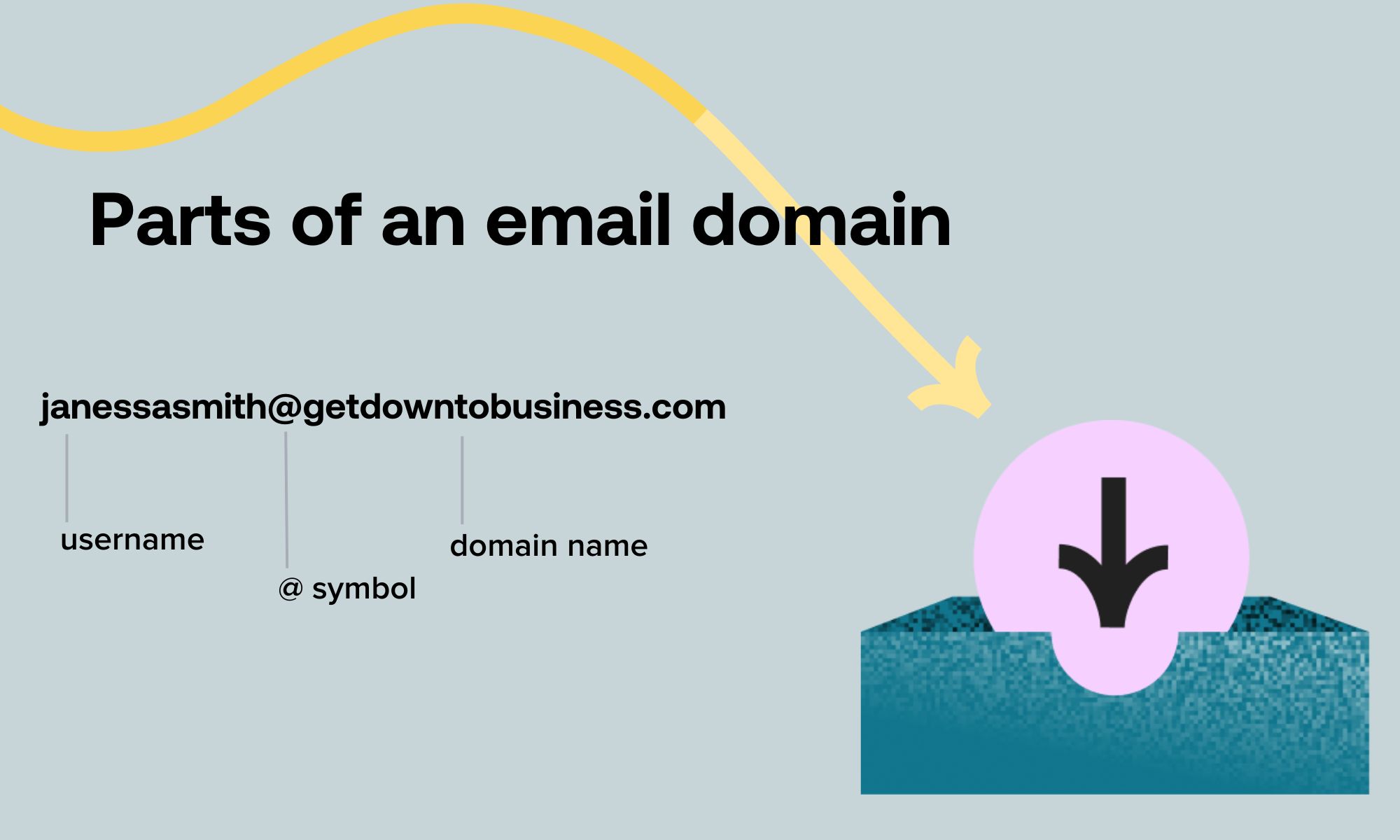
An email address, at first glance, appears to be a simple string of characters. Yet, it is a precisely structured identifier, divided into two primary parts by the “@” symbol. This structure is fundamental to how email systems locate and deliver messages.
The Anatomy of an Email Address (user@domain.tld)
Every standard email address adheres to a user@domain format.
- The Local Part (User): This is the segment before the “@” symbol. It identifies a specific mailbox or recipient within the email domain. The local part can consist of letters, numbers, and certain special characters (like periods, hyphens, and underscores). For example, in
john.doe@example.com,john.doeis the local part. Its specific meaning and rules are determined by the email server that hosts the domain. - The Domain Part: This is the segment immediately following the “@” symbol. It specifies the internet domain that hosts the email account. In our example,
example.comis the domain part. This domain name is a unique identifier on the internet, pointing to a specific server or network of servers responsible for handling email for that domain.
Identifying the Domain Component
To explicitly identify the domain component of an email address, one simply looks at everything after the “@” symbol. This includes the second-level domain (SLD) and the Top-Level Domain (TLD). For instance, in support@techsolutions.org:
supportis the local part.techsolutions.orgis the domain.techsolutionsis the Second-Level Domain (SLD), chosen by the domain owner..orgis the Top-Level Domain (TLD), indicating its general category (e.g., .com for commercial, .org for organization, .gov for government).
This domain name is crucial because it directs the sending email server to the correct receiving email server through a process known as DNS resolution. Without a valid and properly configured domain, email delivery would be impossible.
The Role of DNS in Domain Resolution
The Domain Name System (DNS) is often referred to as the “phonebook of the internet.” When you send an email, your email client (e.g., Outlook, Gmail web interface) first needs to know which server is responsible for receiving mail for the destination domain. This is where DNS comes into play.
- Querying DNS: The sending mail server queries DNS for Mail Exchange (MX) records associated with the recipient’s domain.
- MX Records: MX records are a type of DNS record specifically designed to specify the mail servers responsible for accepting email messages on behalf of a recipient’s domain and their preference value. For example, if you send an email to
recipient@example.com, the sending server will look up the MX records forexample.com. - Server Identification: The DNS query returns the hostname(s) of the mail server(s) configured to handle incoming mail for
example.com. - Connection and Delivery: The sending server then attempts to establish a connection with one of these identified mail servers (usually the one with the lowest preference value) to deliver the email.
This intricate process, occurring in milliseconds, highlights that the domain is far more than just a name; it’s a critical pointer within the internet’s addressing infrastructure, directly enabling the flow of email communication.
Types of Email Domains and Their Implications
Not all email domains are created equal. They can broadly be categorized by their ownership, purpose, and the level of control they offer, each with distinct technical and practical implications.
Personal and Free Email Service Domains (e.g., gmail.com, outlook.com)
These are the most common types of email domains, often provided free of charge by large email service providers (ESPs) like Google (gmail.com), Microsoft (outlook.com, hotmail.com), and Yahoo (yahoo.com).
- Technical Simplicity: For the end-user, these domains require no technical setup. The ESP manages all aspects of domain registration, MX records, security protocols, and server infrastructure.
- Scalability and Reliability: These services benefit from massive, globally distributed server architectures, offering high uptime and robust spam filtering.
- Limited Control and Branding: Users have minimal control over the domain itself. Their email address will always reflect the ESP’s brand (e.g.,
yourname@gmail.com). While convenient, this lacks the professional polish and branding consistency often desired by businesses or individuals building a personal brand. Customization options for email rules, storage, and advanced security settings are typically restricted to what the ESP offers.
Custom and Business Domains (e.g., yourcompany.com)
A custom or business domain is one that an individual or organization registers and owns (or leases) for their exclusive use.
- Professionalism and Branding: Using an email address like
john.doe@yourcompany.cominstantly conveys professionalism and reinforces brand identity. It ensures consistency across a company’s website, marketing materials, and internal communications. - Full Control: Domain owners have complete control over their email infrastructure. They can configure MX records to point to any mail server (their own or a third-party email hosting service), set up specific email accounts, manage aliases, configure advanced security policies (SPF, DKIM, DMARC), and define storage quotas.
- Technical Management: This level of control comes with the responsibility of technical management. While many choose to use third-party email hosting services (like Google Workspace or Microsoft 365) to handle the server-side complexities, the domain owner still manages the DNS records that direct mail to those services.
Subdomains and Their Usage
A subdomain is a domain that is part of a larger domain. For example, mail.example.com or shop.example.com are subdomains of example.com.
- Organizational Structure: Subdomains are frequently used to organize different parts of an online presence or specific services. For email, a subdomain might be used for a particular department (e.g.,
support@mail.yourcompany.com) or for staging environments. - Specialized Email Services: Organizations might use a subdomain for specific email functions, such as
marketing.yourcompany.comfor marketing campaigns oralerts.yourcompany.comfor automated notifications, allowing for separate management and reputation tracking. Technically, an MX record can be configured for a subdomain just as it can for a main domain.
The Significance of Top-Level Domains (TLDs)
The TLD is the last segment of a domain name (e.g., .com, .org, .net, .io, .gov, country code TLDs like .uk, .de).
- Categorization: TLDs provide a broad categorization of the domain. While
.comwas originally for commercial entities, its usage is now widespread..orgimplies a non-profit organization,.eduan educational institution, and so on. - Geographical Relevance: Country Code TLDs (ccTLDs) like
.ca(Canada) or.jp(Japan) indicate a geographic association, which can be important for local businesses or government entities. - Reputation and Trust: The choice of TLD can subtly influence user perception and trust. Certain TLDs might be associated with specific types of content or, in some cases, a higher risk of spam if not properly managed. While less critical for email than the overall domain reputation, a reputable TLD contributes to the perceived legitimacy of an email address.
Understanding these different types highlights that the choice and configuration of an email domain are strategic decisions with technical consequences, impacting everything from ease of use to professional credibility and underlying infrastructure management.
The Technical Underpinnings: How Email Domains Function
Beyond simply being an identifier, an email domain is intrinsically linked to a suite of internet protocols and records that dictate how emails are routed, delivered, and secured. These technical underpinnings are what transform a simple text string into a functional component of global communication.
Mail Exchange (MX) Records: Directing Email Traffic
As briefly mentioned, MX records are the cornerstone of email routing. When an email is sent, the sending server initiates a DNS query to find the MX records for the recipient’s domain.
- Purpose: MX records explicitly tell other mail servers which servers are authorized to receive email for a particular domain.
- Structure: An MX record consists of a hostname (the address of the mail server) and a preference value (a number indicating priority, where lower numbers mean higher priority). Multiple MX records with different preference values allow for redundancy; if the primary server is down, the sending server will try the next preferred one.
- Example: For
example.com, MX records might point tomail.example.com(preference 10) andbackupmail.example.com(preference 20). This ensures that if the primary mail server is unavailable, emails can still be delivered to the backup server.
Without correct MX records, emails simply cannot be delivered to a custom domain. For free email services, the ESP configures and manages these records internally.
Sender Policy Framework (SPF) and DKIM: Enhancing Email Security
Email security is paramount, and domains play a critical role in authenticating the sender. SPF and DKIM are two key technologies that leverage domain information to combat email spoofing and phishing.
-
Sender Policy Framework (SPF): SPF allows a domain owner to specify which mail servers are authorized to send email on behalf of their domain. This is done by publishing an SPF record (a type of TXT record) in the domain’s DNS. When an email is received, the recipient’s mail server checks the SPF record for the sending domain. If the IP address of the sending server is not listed in the SPF record, the email can be flagged as potentially fraudulent or rejected. For example, an SPF record for
example.commight state that only emails originating from Google’s mail servers (ifexample.comuses Google Workspace) or its own specific IP addresses are legitimate. -
DomainKeys Identified Mail (DKIM): DKIM provides a cryptographic method to verify the authenticity of an email’s sender and ensure that the email content has not been tampered with in transit. When an email is sent from a DKIM-enabled domain, the sending mail server signs the email with a private key. A public key is then published in the domain’s DNS records. The receiving server uses this public key to decrypt and verify the signature. If the signature is valid, it confirms that the email genuinely originated from the claimed domain and that its content remained unchanged since it was signed.
DMARC: Policy for Unauthenticated Emails
DMARC (Domain-based Message Authentication, Reporting, and Conformance) builds upon SPF and DKIM. It allows a domain owner to publish a policy in DNS that tells receiving mail servers how to handle emails that fail SPF or DKIM authentication, and to request reports on such failures.
- Policy Enforcement: DMARC policies can instruct receiving servers to quarantine (send to spam), reject, or do nothing with unauthenticated emails.
- Reporting: DMARC provides valuable feedback to domain owners, giving them insights into who is sending email on behalf of their domain (legitimately or maliciously) and how those emails are being handled. This helps organizations identify and address potential spoofing attempts.
Implementing SPF, DKIM, and DMARC for a custom domain is a crucial step in maintaining email deliverability, protecting the domain’s reputation, and preventing phishing attacks that exploit domain impersonation.
Server-Side Processing: From Sending to Receiving
Once an email is dispatched and its domain-based authentication checks pass, a complex server-side process facilitates its journey:
- Sending MTA (Mail Transfer Agent): The sender’s email client hands the message to its outgoing mail server (MTA).
- DNS Lookup for MX Record: The sending MTA uses DNS to find the MX record for the recipient’s domain.
- Connection to Recipient’s MTA: The sending MTA connects to the recipient’s mail server (MTA) identified by the MX record, typically using the Simple Mail Transfer Protocol (SMTP).
- Security Checks: The recipient’s MTA performs SPF, DKIM, and DMARC checks, along with other spam and virus scans.
- Local Delivery: If all checks pass, the recipient’s MTA stores the email in the recipient’s mailbox on the server.
- Client Retrieval: The recipient’s email client (e.g., Outlook, Gmail app) retrieves the email from the server using protocols like POP3 or IMAP.
This intricate dance of protocols and DNS lookups, all centered around the email domain, ensures that messages reach their intended destination securely and reliably.
Beyond Identification: Security, Reliability, and Control
The domain of an email is far more than just an addressing component; it is a nexus for critical aspects of digital communication, impacting security, reliability, and the level of control an organization or individual possesses over their email presence.
Domain Security and Preventing Spoofing
The security configuration of an email domain is paramount in the fight against cyber threats. Email spoofing, where an attacker sends an email appearing to be from a legitimate domain, is a pervasive technique used in phishing, malware distribution, and business email compromise (BEC) scams.
- Authentication Mechanisms: As discussed, SPF, DKIM, and DMARC are technical countermeasures that use the domain as a key identifier to verify the sender’s legitimacy. A domain with properly configured authentication records significantly reduces the chances of its email addresses being successfully spoofed.
- Domain Monitoring: Organizations often implement domain monitoring services that track new domain registrations similar to their own (typosquatting) or detect unauthorized attempts to send emails from their domain, enabling proactive defense.
- Reputation: A domain’s reputation, built over time based on its sending habits and security configuration, directly impacts email deliverability. Domains with poor security or a history of sending spam are more likely to have their emails blocked or flagged by receiving mail servers.
Establishing Trust and Professionalism
For businesses and professionals, a custom email domain is a cornerstone of digital identity and trust.
- Brand Consistency: An email address like
contact@yourcompany.comreinforces brand identity and professionalism, aligning with the company’s website and overall marketing. It looks significantly more credible thanyourcompany@gmail.com. - Credibility: Consumers and business partners are more likely to trust emails originating from a custom domain. It signals a legitimate, established entity, reducing suspicions of spam or phishing.
- Consistency Across Platforms: A custom domain allows for a unified online presence across email, website, and other online services, enhancing brand recognition and recall.
Control and Management of Email Infrastructure
Owning and managing a custom email domain grants unparalleled control over email operations.
- Customization: Organizations can tailor email accounts, aliases, forwarding rules, and storage quotas to their specific needs.
- Security Policies: Domain administrators can implement granular security policies, including multi-factor authentication (MFA), advanced spam filters, and data loss prevention (DLP) rules, far beyond what free email services offer.
- Data Sovereignty and Compliance: For businesses, particularly those in regulated industries, controlling the email domain means having greater control over where email data is stored, processed, and accessed. This is crucial for meeting data privacy regulations (e.g., GDPR, HIPAA) and maintaining data sovereignty.
- Migration Flexibility: Should an organization decide to switch email hosting providers (e.g., from Google Workspace to Microsoft 365), they can do so seamlessly by simply updating their MX records, without changing their email addresses.
Data Privacy Considerations with Email Domains
The domain choice also impacts data privacy.
- Free Email Services: While convenient, free services often come with terms of service that allow the provider to scan emails for advertising purposes or data aggregation. Users essentially trade some privacy for a free service.
- Custom Domains with Self-Hosting: Self-hosting email offers the highest level of privacy control, as all data resides on the organization’s own servers. However, this comes with significant technical overhead for maintenance and security.
- Custom Domains with Third-Party Hosting: Using a custom domain with a reputable third-party email host (e.g., Google Workspace, Microsoft 365, ProtonMail Business) provides a balance. These services offer robust security and privacy features, often with service level agreements (SLAs) and data processing agreements (DPAs) that address privacy concerns more thoroughly than free consumer accounts. The choice of host determines the privacy posture for data associated with the domain.
Ultimately, the email domain is a critical strategic asset that, when properly managed and secured, enhances an organization’s digital security, professional standing, and operational control.
Choosing and Managing Your Email Domain
The process of acquiring and maintaining an email domain is relatively straightforward for custom domains, involving a few key technical steps and best practices to ensure optimal performance and security.
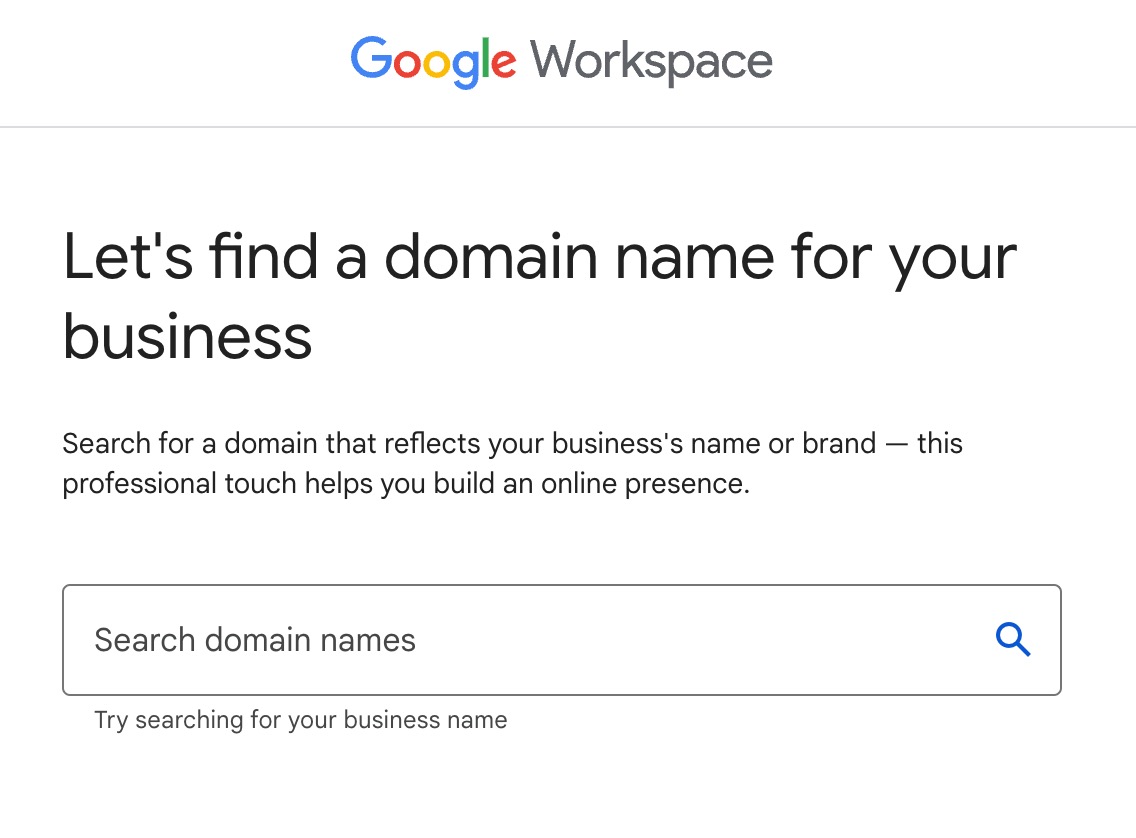
Registering a Domain Name
The first step to having a custom email domain is to register the domain name itself.
- Domain Registrars: Domain names are registered through accredited domain registrars (e.g., GoDaddy, Namecheap, Google Domains). You select an available domain name (e.g.,
yourbusiness.com) and register it for a specified period, typically one to ten years. - Choosing a Name: Select a domain name that is memorable, relevant to your brand or purpose, easy to spell, and ideally concise. Consider the TLD carefully, balancing global recognition (
.com) with specific niche or geographic relevance (.io,.co.uk). - Ownership and DNS Management: Upon registration, you become the registrant (owner) of the domain. The registrar provides tools to manage the domain’s DNS records, which is where you will configure settings for your email.
Setting Up Custom Email Services
Once you own a domain, you need to configure email services for it.
- Email Hosting Providers: Most organizations opt for third-party email hosting providers such as Google Workspace, Microsoft 365, Zoho Mail, or dedicated email hosting services. These services handle the complex server infrastructure, anti-spam, and security, allowing you to focus on communication.
- DNS Configuration (MX Records): The core step is to update your domain’s DNS records, specifically the MX records, to point to your chosen email hosting provider’s mail servers. The provider will give you specific MX records (and sometimes SPF, DKIM, and DMARC records) to add to your domain’s DNS settings.
- User Account Creation: Within the email hosting provider’s admin panel, you will create individual email accounts (e.g.,
john@yourdomain.com) for your users.
Best Practices for Domain Management
Effective domain management is crucial for uninterrupted email service and security.
- Renewals: Ensure timely domain name and email hosting renewals to prevent service interruptions or, worse, losing your domain entirely. Automate renewals where possible.
- Security Records (SPF, DKIM, DMARC): Regularly review and maintain your SPF, DKIM, and DMARC records. Misconfigured records can lead to legitimate emails being marked as spam, while outdated records can expose your domain to spoofing.
- Monitoring: Keep an eye on your domain’s reputation using tools like Google Postmaster Tools. Monitor for suspicious activity or reports of abuse that could indicate compromised accounts or malicious use of your domain.
- Backup and Recovery: Implement backup strategies for critical email data, especially if you self-host your email.
- Strong Passwords and MFA: Enforce strong password policies and multi-factor authentication (MFA) for all email accounts and domain administrative access to prevent unauthorized access.
Future Trends in Email Domain Technology
The world of email is constantly evolving, and so too are the technologies surrounding domains.
- Enhanced Security Protocols: Expect continued advancements in email authentication and encryption standards, with more sophisticated methods to combat phishing and supply chain attacks.
- Blockchain and Decentralized Email: Emerging technologies like blockchain could potentially offer new paradigms for email, with decentralized domain ownership and enhanced privacy, though widespread adoption is still nascent.
- AI-Driven Spam Filtering: Artificial intelligence and machine learning will continue to refine spam and phishing detection, making the reputation of email domains even more critical for deliverability.
- Branded Sender Identifiers: Initiatives like BIMI (Brand Indicators for Message Identification) are gaining traction, allowing domain owners to display their verified brand logo next to their emails in supported inboxes, further intertwining domain identity with visual branding and trust.
Understanding the domain of an email is not just about knowing its definition; it’s about appreciating the complex web of technologies, security protocols, and strategic decisions that empower email as a reliable and professional communication channel. By leveraging this understanding, individuals and organizations can secure their digital presence, enhance their credibility, and ensure their messages are delivered effectively in an increasingly digital world.
aViewFromTheCave is a participant in the Amazon Services LLC Associates Program, an affiliate advertising program designed to provide a means for sites to earn advertising fees by advertising and linking to Amazon.com. Amazon, the Amazon logo, AmazonSupply, and the AmazonSupply logo are trademarks of Amazon.com, Inc. or its affiliates. As an Amazon Associate we earn affiliate commissions from qualifying purchases.