
In the dynamic landscape of modern business, technology plays an indispensable role in streamlining operations, enhancing efficiency, and providing actionable insights. Among the pantheon of essential business software, QuickBooks stands as a titan, almost synonymous with small business accounting. But beyond its widespread recognition, what precisely is QuickBooks? At its core, QuickBooks is an accounting software package developed and marketed by Intuit. It is engineered to simplify the complex world of financial management for small and medium-sized businesses (SMBs), freelancers, and even larger enterprises, providing a robust suite of tools that automate, organize, and report on financial data.
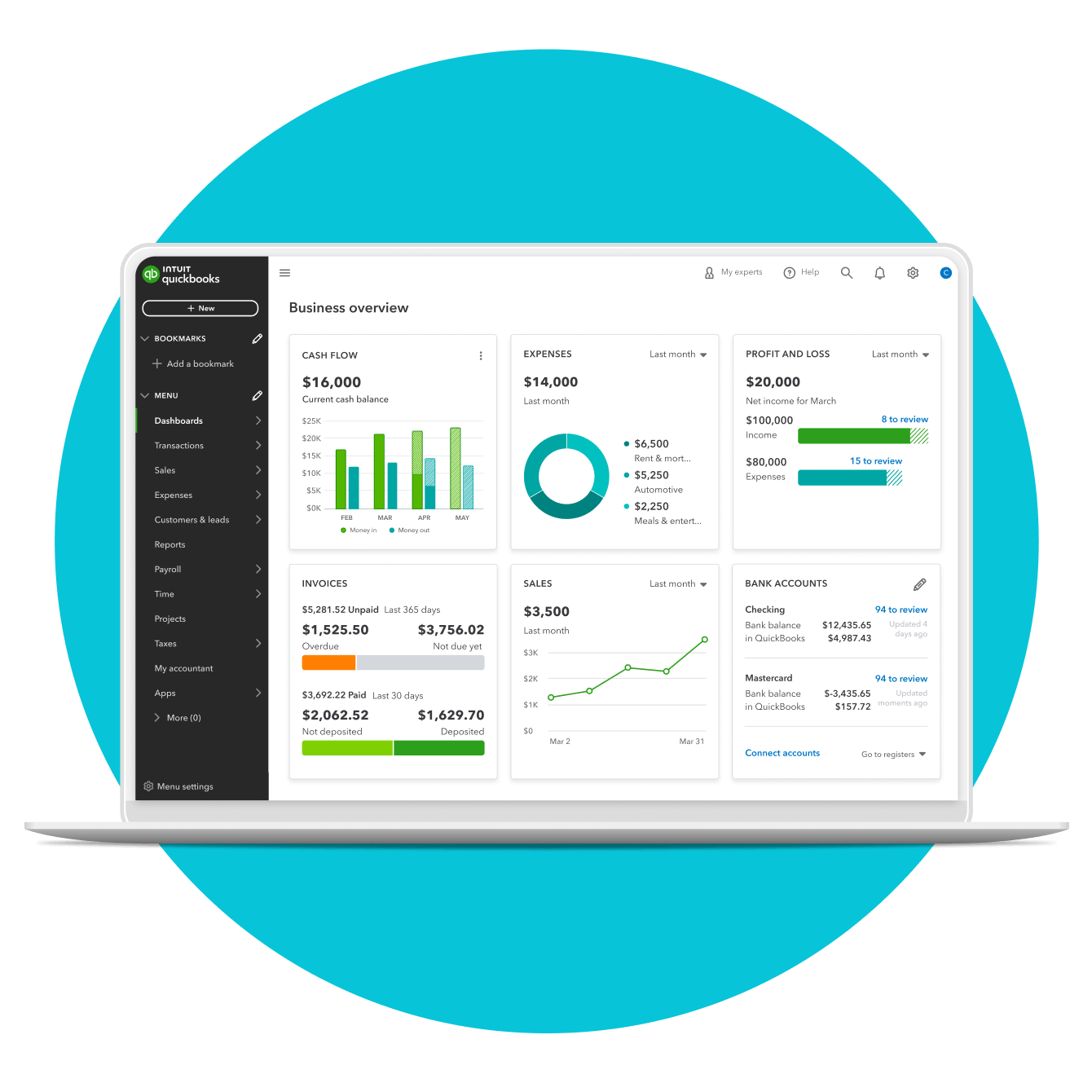
Far from being a mere digital ledger, QuickBooks represents a sophisticated technological solution designed to handle a myriad of accounting tasks – from tracking income and expenses to managing payroll, invoicing customers, paying bills, and generating comprehensive financial reports. Its evolution over decades has seen it adapt to changing technological paradigms, embracing desktop installations, cloud computing, mobile accessibility, and integration with a vast ecosystem of third-party applications. Understanding QuickBooks means appreciating its technical architecture, its diverse functionalities, and its strategic position as a core technological utility for businesses worldwide.
The Core Functionality: More Than Just Bookkeeping Software
While often colloquially referred to as “bookkeeping software,” QuickBooks transcends this simple definition by offering an integrated platform that addresses nearly every facet of a business’s financial operations. Its technical design prioritizes automation and data synchronization, reducing manual entry errors and freeing up valuable time for business owners and financial professionals.
Streamlined Transaction Management
At the heart of QuickBooks lies its capability to manage all financial transactions. This includes recording sales, purchases, payments, and deposits. The software utilizes intelligent categorization features, often with bank and credit card integration, to automatically import and classify transactions. This automation significantly reduces the time spent on data entry and improves the accuracy of financial records. Users can link their bank accounts and credit cards directly to QuickBooks, allowing for real-time data feeds and reconciliation, a technical feat that leverages secure API connections.
Invoicing and Accounts Receivable
Generating professional invoices is a fundamental business requirement, and QuickBooks provides robust tools for this. Users can create customized invoices, send them electronically, and track their payment status in real-time. The system automatically records the outstanding amounts as accounts receivable, alerting businesses to overdue payments and facilitating follow-up actions. This functionality often includes features for recurring invoices, automated payment reminders, and even direct payment processing integration, enhancing the customer experience and accelerating cash flow.
Bill Management and Accounts Payable
On the expenditure side, QuickBooks allows businesses to enter and track bills from vendors, schedule payments, and manage accounts payable. This feature helps businesses monitor their liabilities, avoid late payment penalties, and maintain good relationships with suppliers. The software can often integrate with online banking for direct bill payment, providing a paperless and efficient system for managing outgoing cash flow.
Payroll Processing
For businesses with employees, payroll management is a complex and often compliance-heavy task. Many versions of QuickBooks offer integrated payroll services that automate wage calculations, tax withholdings, and direct deposits. The system keeps abreast of ever-changing tax laws and regulatory requirements, helping businesses remain compliant and avoid costly errors. This is a technically intricate module that requires constant updates and secure data handling for sensitive employee information.
Inventory Management
Businesses that sell physical products rely heavily on accurate inventory tracking. QuickBooks provides tools to manage inventory levels, track costs of goods sold, and monitor product movements. This functionality aids in optimizing purchasing decisions, preventing stockouts, and ensuring accurate valuation of assets. Advanced versions of QuickBooks offer more sophisticated inventory features, including multiple location tracking and assembly item management, catering to growing businesses with complex supply chains.
Robust Reporting and Financial Insights
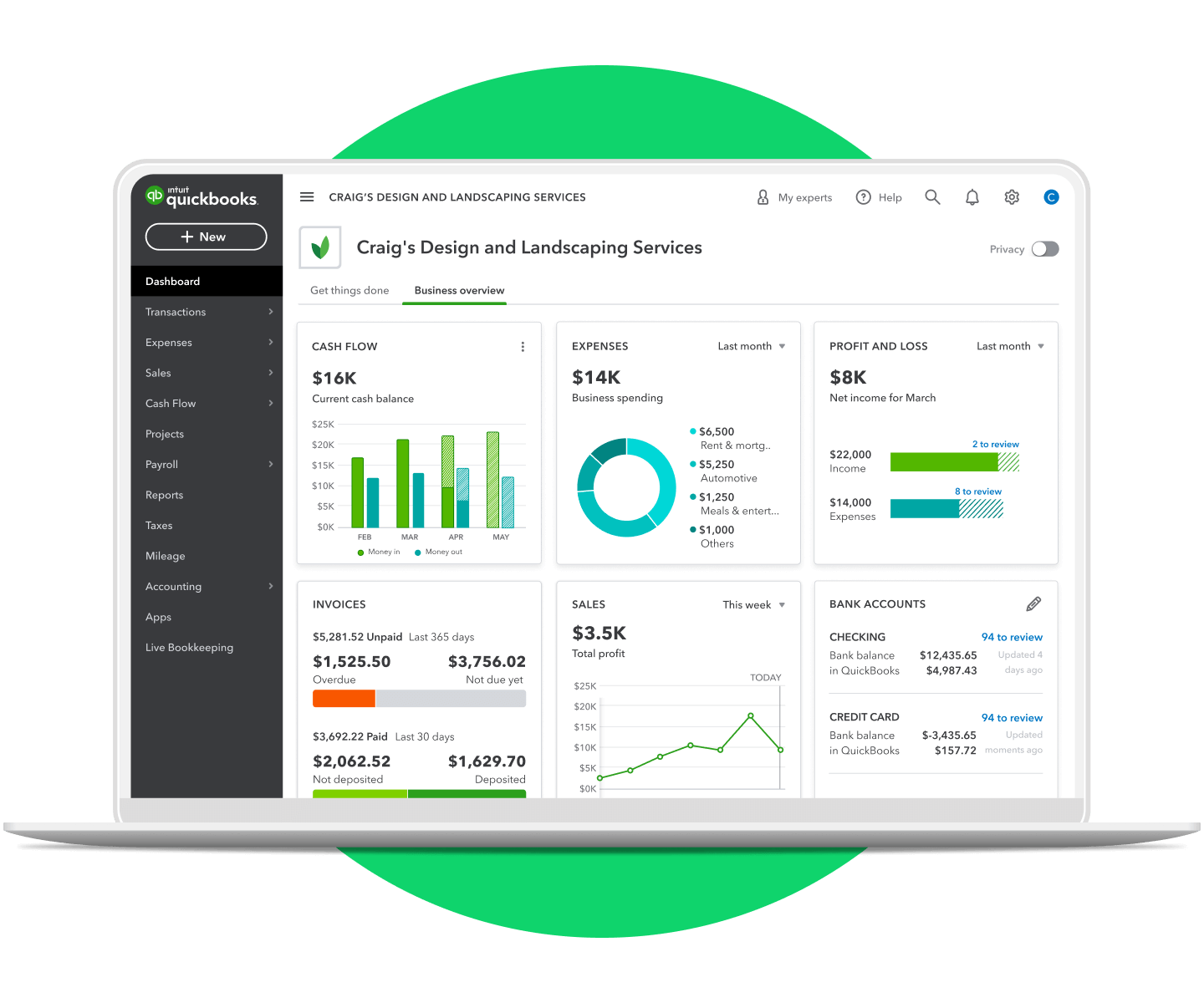
Perhaps one of the most powerful technical aspects of QuickBooks is its ability to transform raw financial data into meaningful reports. With just a few clicks, users can generate profit and loss statements, balance sheets, cash flow statements, sales reports, expense reports, and many more. These reports are crucial for making informed business decisions, identifying trends, managing budgets, and preparing for tax season. The software’s underlying database architecture and reporting engines are designed for speed and flexibility, allowing users to customize reports to their specific needs.
Exploring the QuickBooks Ecosystem: Versions and Deployments
Intuit understands that businesses operate with diverse needs and technical infrastructures. To cater to this, QuickBooks has evolved into a comprehensive ecosystem, offering various versions and deployment options. Each variant is engineered with specific user profiles and operational scales in mind, leveraging different technological frameworks.
QuickBooks Desktop: Traditional Power
QuickBooks Desktop represents the traditional, installed software solution. Users purchase and install the program directly onto their computers, with data typically stored locally. This version is favored by businesses that prefer a perpetual license model, have specific customization needs, or operate in environments with inconsistent internet access.
- Pro: Designed for small businesses, offering core accounting functionalities and supporting up to three users. Its emphasis is on robust local performance and data control.
- Premier: Offers industry-specific features for fields like retail, contractors, and non-profits, along with advanced reporting and forecasting tools. It supports up to five users and provides more tailored functionality through specialized modules.
- Enterprise: The most comprehensive desktop solution, built for larger SMBs with complex needs. It supports up to 40 users, offers advanced inventory management, robust reporting, and extensive customization options, often integrating with other enterprise resource planning (ERP) systems.
QuickBooks Online: Cloud-Based Flexibility
QuickBooks Online (QBO) revolutionized the platform by moving it to the cloud. This Software-as-a-Service (SaaS) model provides accessibility from any device with an internet connection, allowing for collaborative work, automatic backups, and continuous updates. QBO’s architecture is inherently different, relying on secure cloud servers and web-based interfaces.
- Simple Start: Ideal for sole proprietors and very small businesses, focusing on basic income/expense tracking, invoicing, and reporting.
- Essentials: Adds features like bill management, sales tax tracking, and multi-user access (up to 3 users), suitable for growing small businesses.
- Plus: The most popular tier, offering comprehensive features including inventory tracking, project profitability, and up to 5 users.
- Advanced: Tailored for larger and more complex SMBs, providing enhanced reporting, dedicated support, and integration with specialized apps, supporting up to 25 users.
- QuickBooks Self-Employed: A specialized online solution designed specifically for freelancers, independent contractors, and gig workers. It focuses on separating business and personal expenses, tracking mileage, and simplifying tax preparation, with a streamlined interface tailored to micro-businesses.
QuickBooks Payroll: Integrated Solutions
Beyond the core accounting software, Intuit offers integrated payroll services (QuickBooks Payroll) that can be added to both Desktop and Online versions. These services range from basic payroll processing to full-service options where Intuit handles tax filings. The integration ensures seamless data flow between payroll and general ledger, providing a unified financial picture.
Key Technological Advantages and Features
The enduring popularity and utility of QuickBooks stem from its continuous technological innovation and the integration of features that directly address common business challenges.
User-Friendly Interface and Accessibility
Despite its powerful capabilities, QuickBooks is renowned for its relatively intuitive and user-friendly interface. Intuit invests heavily in UI/UX design, making complex accounting tasks accessible to users who may not have a background in finance. The dashboard approach, clear navigation, and contextual help features contribute to a low learning curve. For QBO, cross-device accessibility ensures business owners can manage finances from their desktops, laptops, tablets, or smartphones.
Cloud-Native Architecture and Data Security (for QBO)
QuickBooks Online leverages a robust cloud-native architecture, providing significant advantages in terms of data security, reliability, and scalability. Data is encrypted both in transit and at rest, stored in secure data centers with redundant backups. This ensures business continuity even in the event of local hardware failure. The cloud infrastructure also allows for seamless updates and patches, ensuring users always have access to the latest features and security enhancements without manual intervention.
Extensive Integrations and App Ecosystem
A major technological strength of QuickBooks is its open API (Application Programming Interface), which facilitates integration with thousands of third-party applications. This vast app ecosystem allows businesses to connect QuickBooks with CRM systems, e-commerce platforms, payment processors, time-tracking tools, industry-specific software, and more. This interoperability creates a centralized data hub, eliminating data silos and providing a holistic view of business operations from a single financial source. The QuickBooks App Store serves as a curated marketplace for these integrations.
Automation Capabilities for Efficiency
QuickBooks is built with automation at its core. From automatically categorizing bank transactions using AI-driven rules to scheduling recurring invoices and payments, the software significantly reduces manual effort. Features like automated reminders for overdue invoices, intelligent expense categorization, and rule-based workflow automations free up time for critical business activities. This not only boosts efficiency but also minimizes human error in repetitive tasks.
Mobile Accessibility for On-the-Go Management
The dedicated QuickBooks mobile app (available for both iOS and Android) provides unparalleled flexibility for business owners. It allows users to send invoices, record expenses, accept payments, capture receipt images, and view financial reports directly from their smartphones or tablets. This mobile-first approach is crucial for modern entrepreneurs who need to manage their finances from anywhere, anytime, ensuring that business operations are never hampered by location.
Who Benefits Most from QuickBooks? Ideal Users and Scenarios
QuickBooks’ versatility and range of versions mean it caters to a broad spectrum of users, each benefiting from its specific technological offerings.
Small and Medium-Sized Businesses (SMBs)
SMBs are the primary target audience for QuickBooks. Whether a fledgling startup or an established company with dozens of employees, QuickBooks provides the tools to manage cash flow, track profitability, and ensure compliance. Its scalability allows businesses to start with a basic version and upgrade as their needs grow, making it a sustainable long-term solution.
Freelancers and Independent Contractors
For self-employed individuals, the QuickBooks Self-Employed platform is a game-changer. It simplifies the often-daunting task of separating business and personal finances, tracking tax-deductible expenses, and estimating quarterly taxes. Its mileage tracking feature, powered by GPS technology, is particularly valuable for those on the go.
Accountants and Bookkeepers
Financial professionals frequently use QuickBooks to manage their clients’ books. The accountant-specific versions and features allow them to collaborate with clients, access data securely, and perform reconciliations, adjustments, and tax preparation with greater efficiency. QuickBooks has become an industry standard, making it a critical skill for anyone in the accounting profession.
Businesses Scaling Their Operations
As businesses expand, their financial complexities increase. QuickBooks, especially its Premier, Enterprise, and Advanced Online versions, offers robust features like multi-user access, advanced reporting, and integration capabilities that support growth. Its ability to handle more complex inventory, project costing, and departmental accounting makes it a valuable asset for scaling operations.
The Future of QuickBooks: Evolution and Innovation
Intuit consistently invests in research and development, ensuring that QuickBooks remains at the forefront of financial technology. The trajectory of its development points towards even greater automation, intelligence, and integration.
AI and Machine Learning Integration
Future iterations of QuickBooks will likely leverage AI and machine learning more extensively to predict cash flow, identify unusual transactions (for fraud detection), automate expense categorization with higher accuracy, and provide proactive financial recommendations. This shift will move the software from a reactive record-keeper to a proactive financial advisor.
Enhanced Data Analytics and Predictive Capabilities
With vast amounts of transactional data, QuickBooks is poised to offer even more sophisticated data analytics. This could include predictive insights into sales trends, customer payment behaviors, and expense forecasting, empowering businesses to make more strategic decisions based on data-driven intelligence. Dashboards will become even more customizable and insightful.
Continued Expansion of the App Marketplace
The app ecosystem is a critical component of QuickBooks’ long-term strategy. Expect to see an even broader range of integrations, catering to increasingly niche industries and specialized business functions. The goal is to make QuickBooks the central financial hub that connects seamlessly with virtually any operational software a business might use.

Focus on User Experience and Simplification
Despite adding more features, Intuit’s design philosophy remains centered on simplicity and ease of use. Future developments will continue to refine the user interface, reduce friction in workflows, and simplify complex accounting principles, making financial management even more accessible to non-accountants.
In conclusion, QuickBooks is not merely a piece of software; it is a sophisticated technological platform that has democratized financial management for millions of businesses. By understanding its core functionalities, diverse versions, and key technological advantages, it becomes clear why QuickBooks remains an indispensable tool, continuously evolving to meet the demands of the modern business landscape and empowering entrepreneurs to focus on what they do best – growing their businesses.
aViewFromTheCave is a participant in the Amazon Services LLC Associates Program, an affiliate advertising program designed to provide a means for sites to earn advertising fees by advertising and linking to Amazon.com. Amazon, the Amazon logo, AmazonSupply, and the AmazonSupply logo are trademarks of Amazon.com, Inc. or its affiliates. As an Amazon Associate we earn affiliate commissions from qualifying purchases.