
In the vast and ever-evolving landscape of web development, understanding the underlying technologies that power our digital experiences is crucial. One such technology, particularly prevalent in the Microsoft ecosystem, revolves around the ASPX file. Often encountered when interacting with websites built on Microsoft’s ASP.NET framework, an ASPX file is far more than just a file extension; it represents a fundamental component of a powerful, server-side web application model. This article delves deep into what an ASPX file is, how it functions, its structural components, and its significance in the realm of web development.
At its core, an ASPX file is a dynamic webpage created using Microsoft’s ASP.NET technology. Unlike static HTML pages, ASPX pages are processed by a web server (typically Internet Information Services, or IIS) before being sent to the user’s browser. This server-side processing allows for complex logic, database interactions, and personalized content generation, making ASPX files integral to sophisticated web applications ranging from e-commerce sites and content management systems to intricate enterprise portals. For developers, understanding ASPX means grasping a paradigm that marries markup with code, enabling a robust and structured approach to building interactive web experiences.
Understanding ASP.NET and the Role of ASPX Files
To truly comprehend an ASPX file, one must first grasp the context of ASP.NET, the foundational framework within which these files operate. ASP.NET is a free, open-source web framework developed by Microsoft for building dynamic web applications and services. It is a part of the broader .NET platform, offering a comprehensive set of tools and libraries for software development.
The Genesis of ASP.NET
Before ASP.NET, Microsoft’s primary server-side scripting technology was Active Server Pages (ASP), introduced in the late 1990s. While revolutionary for its time, Classic ASP had limitations, particularly concerning code organization, performance, and scalability. ASP.NET emerged as its successor in 2002, bringing a paradigm shift by leveraging the full power of the .NET Framework. This transition introduced compiled code, object-oriented programming principles, and a more structured approach to web development, dramatically improving security, performance, and maintainability. ASP.NET Web Forms, the model that primarily utilizes ASPX files, was the initial and most widely adopted part of this framework, designed to offer a familiar event-driven programming model similar to desktop application development.
How ASPX Files Fit into the Web Development Ecosystem
Within the ASP.NET Web Forms model, an ASPX file serves as the primary container for the user interface (UI) and presentation logic of a webpage. Think of it as the canvas upon which developers “draw” their web pages using a mix of HTML, server-side controls, and data-binding syntax. When a user requests an ASPX page, the web server doesn’t simply send the file as is. Instead, it processes the file, executes any embedded or linked server-side code, generates pure HTML, CSS, and JavaScript, and then sends this resulting output to the user’s browser. This dynamic generation is what makes ASPX pages so powerful and versatile, allowing for personalized content, database-driven pages, and complex interactions without requiring the browser to understand the server-side logic.
Client-Side vs. Server-Side Processing
The distinction between client-side and server-side processing is critical for understanding ASPX files.
- Client-Side Processing: This occurs in the user’s web browser. Technologies like HTML, CSS, and JavaScript are executed here, primarily handling UI rendering, basic validation, and interactive elements without needing to communicate with the server for every action.
- Server-Side Processing: This is where ASPX files shine. When a browser requests an ASPX page, the request goes to the web server. The server, equipped with the ASP.NET runtime, interprets the ASPX file, executes its code-behind logic (which might interact with databases, perform calculations, or fetch data), and then renders the final HTML output. This output is what the browser receives and displays. This server-side processing allows for secure data handling, complex business logic, and the generation of dynamic content tailored to the specific user or situation.
Deconstructing the Structure of an ASPX File
An ASPX file is a text file with an .aspx extension, but its internal structure is much richer than a plain HTML document. It combines various elements that instruct the ASP.NET runtime on how to process and render the page. Understanding these components is key to developing robust ASP.NET applications.
The Page Directive: The Brains of the Operation
Every ASPX file typically starts with a Page directive, which is the most crucial element in defining the page’s characteristics and behavior. This directive uses a special syntax (<%@ Page ... %>) and provides metadata about the page, such as:
Language: Specifies the programming language used for the page’s code-behind file (e.g., C# or VB.NET).AutoEventWireup: Determines whether page events (likePage_Load) are automatically wired up.CodeBehind: Points to the associated code-behind file.Inherits: Specifies the class from which the page derives, linking it to the code-behind file.MasterPageFile: If the page uses a Master Page for consistent layout, this attribute specifies its path.
The Page directive essentially tells the ASP.NET runtime how to compile and execute the page, acting as the primary configuration for that specific web form.
Code-Behind Files (e.g., .aspx.cs or .aspx.vb)
One of the most significant architectural improvements ASP.NET brought was the concept of “code-behind.” Instead of embedding all server-side logic directly within the HTML markup (as was common in Classic ASP), ASP.NET encourages separating the presentation layer (the ASPX file) from the business logic layer (the code-behind file).
For an ASPX file named MyPage.aspx, its associated code-behind file would typically be MyPage.aspx.cs (for C#) or MyPage.aspx.vb (for VB.NET). This file contains the C# or VB.NET code that responds to user actions (like button clicks), interacts with databases, performs calculations, and manipulates the UI elements defined in the ASPX file. This separation enhances readability, maintainability, and reusability of code, following good software engineering principles.
HTML, Controls, and Server-Side Tags
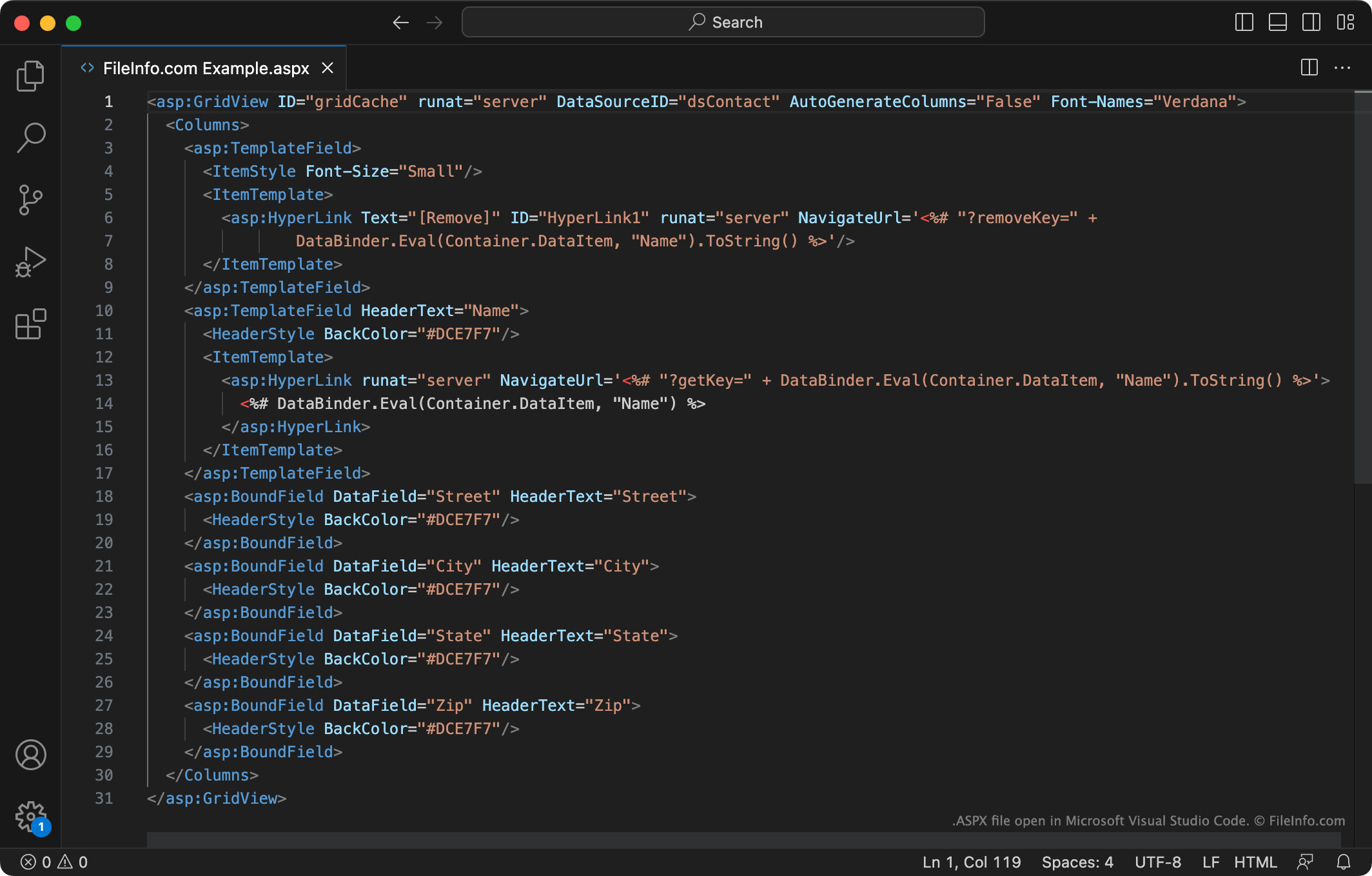
Beyond the directive and code-behind linkage, the body of an ASPX file primarily consists of standard HTML markup interspersed with ASP.NET server controls.
- HTML: Regular HTML tags (
<div>,<p>,<h1>, etc.) are used for static content and page structure. - Server Controls: These are special tags prefixed with
asp:(e.g.,<asp:Button>,<asp:TextBox>,<asp:GridView>). Unlike standard HTML controls, these are processed on the server. They offer a rich object model that developers can programmatically interact with in the code-behind file. When the server processes the ASPX page, these server controls are rendered into appropriate client-side HTML, CSS, and JavaScript. For instance, an<asp:Button>might render as a standard HTML<input type="submit">element. - Data-Binding Syntax: ASPX files also support specific syntax for binding data directly to controls, typically using
<%# ... %>or<%: ... %>expressions. This allows for displaying dynamic data retrieved from databases or other sources directly within the page’s markup.
The Importance of ViewState
A unique and often discussed feature of ASP.NET Web Forms and ASPX files is ViewState. ASP.NET is designed to provide a “stateless” web (where each request is independent) with a “stateful” programming model, mimicking desktop applications. ViewState is a mechanism used to preserve the state of server controls and other page data across postbacks (when the page is submitted back to the server, e.g., after a button click).
It works by embedding a hidden field (<input type="hidden" name="__VIEWSTATE" ...>) in the generated HTML. This field contains an encoded string representing the state of the page’s controls. When the user submits the page, this ViewState data is sent back to the server, allowing the server to reconstruct the page’s previous state before processing the new request. While incredibly convenient for preserving state, excessive ViewState can lead to larger page sizes and slower load times if not managed properly.
Key Features and Benefits of Using ASPX Files
The architecture built around ASPX files within ASP.NET Web Forms offered several compelling features and benefits for web application development, particularly during its heyday.
Event-Driven Programming Model
One of the most significant advantages of ASPX files was the event-driven programming model, which was highly familiar to developers accustomed to desktop application development (like Windows Forms). Instead of manually handling HTTP request/response cycles, developers could simply drag and drop server controls onto an ASPX page in a visual designer (like Visual Studio) and then write event handlers (e.g., Button_Click, TextBox_TextChanged) in the code-behind file. The ASP.NET runtime automatically managed the complex interaction between client-side events and server-side code, greatly simplifying the development of interactive web applications.
Rich Controls and Component Model
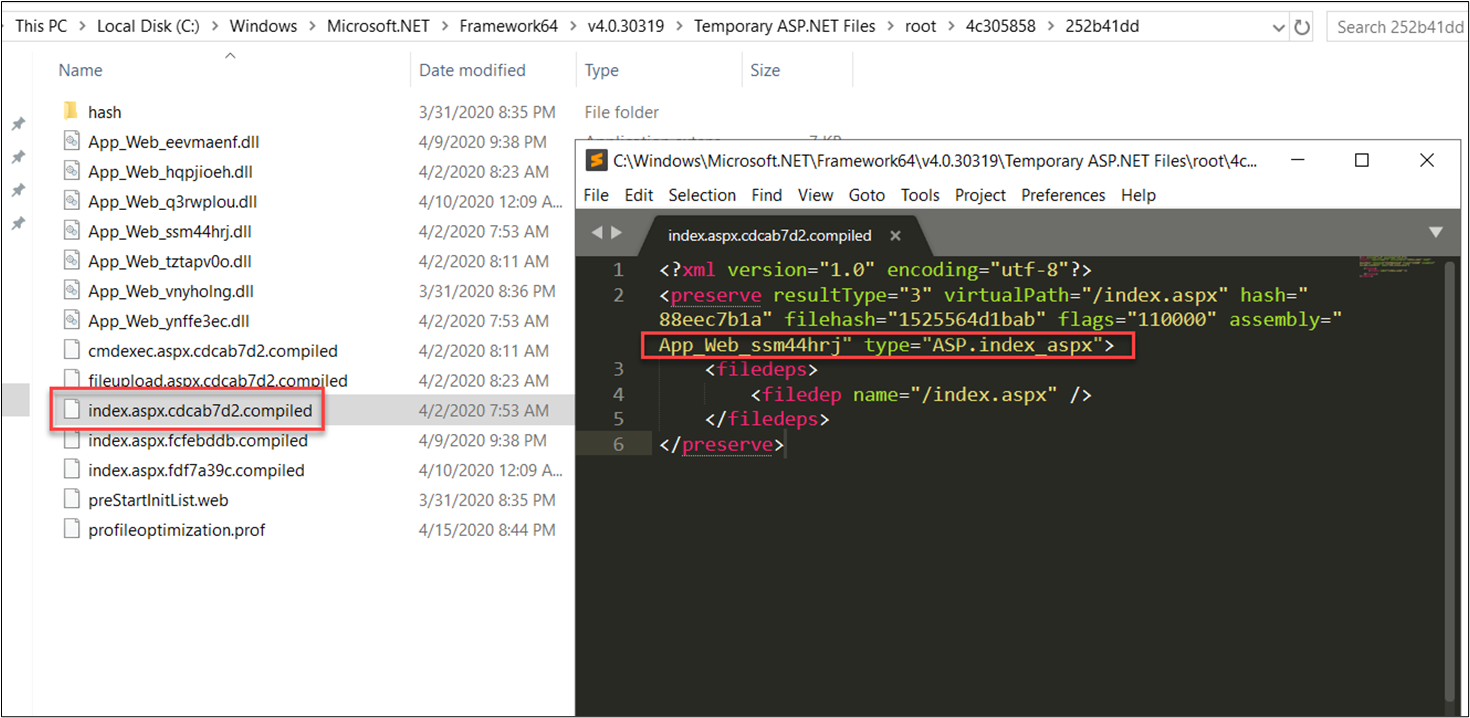
ASP.NET provided an extensive library of built-in server controls, ranging from basic input elements (buttons, text boxes) to complex data display controls (Grid View, Form View, Repeater) and validation controls. These controls encapsulate significant functionality, reducing the amount of manual coding required. Furthermore, developers could create their own custom server controls or user controls, promoting code reuse and modularity across projects. This rich component model accelerated development and ensured consistency across applications.
State Management Capabilities
Beyond ViewState, ASP.NET offered various robust mechanisms for managing state across multiple requests and user sessions, essential for building complex web applications. These included:
- Session State: Stores user-specific data on the server for the duration of a user’s session.
- Application State: Stores data accessible to all users across the entire application.
- Cache: Allows for efficient storage of frequently accessed data, improving performance.
- Cookies: Small pieces of data stored on the client-side, often used for personalization or tracking.
These options provided developers with flexibility in how they maintained user context and application data without repeatedly retrieving it from the database.
Language Interoperability (C#, VB.NET)
As part of the broader .NET platform, ASP.NET applications using ASPX files could be developed using any .NET-compatible language. The most common choices were C# (C-sharp) and VB.NET (Visual Basic .NET). This allowed development teams to leverage their existing language expertise and choose the language best suited for their project, without being locked into a single option. The underlying Common Language Runtime (CLR) ensured seamless interoperability between components written in different .NET languages.
Robust Security Features
ASP.NET was designed with security in mind, offering built-in features to help developers build more secure applications. These included:
- Authentication and Authorization: Integrated support for forms authentication, Windows authentication, and membership providers made it easier to manage user access and permissions.
- Input Validation: Validation controls helped prevent common vulnerabilities like cross-site scripting (XSS) and SQL injection by enforcing rules on user input.
- Event Validation: A built-in feature to prevent tampering with page controls and events.
While security still required careful developer implementation, the framework provided a strong foundation and tools to mitigate common web security risks.
Working with ASPX Files: Development and Deployment
The workflow for developing and deploying applications that utilize ASPX files is largely streamlined, thanks to integrated development environments and robust server technologies.
Development Environment: Visual Studio
The primary and most effective integrated development environment (IDE) for working with ASPX files is Microsoft Visual Studio. Visual Studio provides a comprehensive suite of tools specifically designed for ASP.NET development, including:
- Visual Designer: A drag-and-drop interface for laying out controls on an ASPX page, offering a “what you see is what you get” (WYSIWYG) experience.
- IntelliSense: Smart code completion and error checking for C#, VB.NET, and markup.
- Debugging Tools: Powerful debugging capabilities that allow developers to step through server-side code, inspect variables, and diagnose issues.
- Project Templates: Pre-configured project templates for various ASP.NET application types, simplifying setup.
This integrated experience significantly boosts developer productivity and simplifies the creation of complex web applications.
Debugging and Testing ASP.NET Applications
Debugging ASP.NET applications involving ASPX files is highly efficient within Visual Studio. Developers can set breakpoints in their C# or VB.NET code-behind files, run the application in debug mode, and when the execution hits a breakpoint, they can inspect the application’s state, step through code line by line, and identify logic errors. For testing, unit testing frameworks like NUnit or xUnit can be used for the business logic in the code-behind, while integration tests can simulate user interactions with the ASPX pages. Modern practices also emphasize automated UI testing to ensure the client-side rendering and functionality are correct.
Deployment to IIS (Internet Information Services)
Once developed, ASP.NET applications featuring ASPX files are typically deployed to Microsoft’s Internet Information Services (IIS). IIS is a flexible, secure, and manageable web server that runs on Windows operating systems. The deployment process involves:
- Publishing the Application: Visual Studio can publish the application, compiling the code, and packaging all necessary files (ASPX, code-behind DLLs, static assets like CSS/JS/images) into a deployable package.
- Configuring IIS: Creating an application pool and a website or virtual directory in IIS, then pointing it to the published application’s folder.
- Database Setup: Ensuring the application’s database is correctly set up and accessible to the IIS server.
IIS handles the incoming HTTP requests, routes them to the ASP.NET runtime, which then processes the ASPX files and serves the generated HTML back to the client.
Common Scenarios for ASPX Files
ASPX files and ASP.NET Web Forms were widely adopted for various applications, including:
- Enterprise Applications: Building internal tools, dashboards, and reporting systems for large organizations.
- Content Management Systems (CMS): Powering custom CMS platforms where structured content delivery was key.
- E-commerce Websites: Developing online stores with complex product catalogs and checkout processes.
- Custom Business Applications: Creating bespoke web solutions tailored to specific business needs that required deep integration with Microsoft technologies.
Their ability to handle complex logic, database interactions, and state management made them ideal for these demanding scenarios.
The Evolution of Web Development and the Future of ASPX
While ASPX files and the ASP.NET Web Forms model were foundational for a generation of web development, the landscape has continually evolved, leading to new approaches and frameworks.
The Rise of Modern Web Frameworks (ASP.NET Core, Blazor)
The web development world moved towards more open-source, cross-platform, and API-driven architectures. Microsoft responded to this shift with new iterations of its framework:
- ASP.NET Core: This is a complete re-imagining of ASP.NET, designed to be cross-platform (Windows, Linux, macOS), open-source, and highly performant. It emphasizes modularity, dependency injection, and supports various patterns like MVC (Model-View-Controller) and Razor Pages. While it can still generate HTML dynamically, it departs significantly from the Web Forms paradigm, offering greater control and flexibility, especially for building RESTful APIs and modern single-page applications (SPAs).
- Blazor: An even newer framework within ASP.NET Core that allows developers to build interactive web UIs using C# instead of JavaScript. Blazor WebAssembly runs client-side in the browser, while Blazor Server runs server-side with UI updates streamed over a SignalR connection. This represents a significant shift from the postback-heavy model of Web Forms.
When to Still Use ASP.NET Web Forms (Legacy, Enterprise)
Despite the advent of newer technologies, ASP.NET Web Forms and ASPX files are far from obsolete. Many large enterprise applications, government systems, and established businesses still rely heavily on this technology. Maintaining and extending these existing applications often requires continued development in Web Forms. For organizations with significant investments in the ASP.NET Web Forms ecosystem, a full rewrite to a newer framework might be prohibitively expensive or disruptive. Therefore, there’s a continued need for developers skilled in working with ASPX files, particularly in the realm of legacy system maintenance, upgrades, and feature additions.

Interoperability and Modernization Strategies
For organizations looking to modernize their ASP.NET Web Forms applications without a complete rewrite, strategies exist. These include:
- API-First Approach: Encapsulating business logic in new ASP.NET Core Web APIs that can be consumed by both existing Web Forms pages and new client-side applications.
- Partial Migrations: Gradually replacing parts of an application, perhaps by embedding new Blazor components or using client-side frameworks that consume data from Web Forms pages.
- Containerization: Deploying existing Web Forms applications in Docker containers to leverage modern DevOps practices, even if the underlying code remains the same.
While the future of new greenfield projects is undoubtedly with ASP.NET Core and Blazor, ASPX files will remain a critical part of the web landscape for years to come, representing a significant chapter in the evolution of server-side web development.
In conclusion, an ASPX file is the cornerstone of Microsoft’s ASP.NET Web Forms technology, offering a robust and structured approach to building dynamic web applications. By understanding its underlying architecture, its reliance on server-side processing, and its rich feature set, developers can effectively work with and maintain the countless web applications that continue to leverage this powerful and enduring technology. While newer frameworks have emerged, the legacy and principles embodied in the ASPX file continue to influence and shape the broader landscape of web development.
aViewFromTheCave is a participant in the Amazon Services LLC Associates Program, an affiliate advertising program designed to provide a means for sites to earn advertising fees by advertising and linking to Amazon.com. Amazon, the Amazon logo, AmazonSupply, and the AmazonSupply logo are trademarks of Amazon.com, Inc. or its affiliates. As an Amazon Associate we earn affiliate commissions from qualifying purchases.