
In the vast landscape of modern computing, Windows stands as the ubiquitous operating system, powering billions of devices worldwide. Yet, a surprisingly common question lingers among users: “What happens if I don’t activate Windows?” It’s a question that often stems from curiosity about circumventing costs, a misunderstanding of activation’s true purpose, or simply overlooking the process during setup. While it might seem like a minor detail, the decision to run an unactivated version of Windows carries a surprisingly broad spectrum of implications, touching upon not just the technical aspects of your computer but also your digital security, personal productivity, and even the financial and reputational health of your operations.
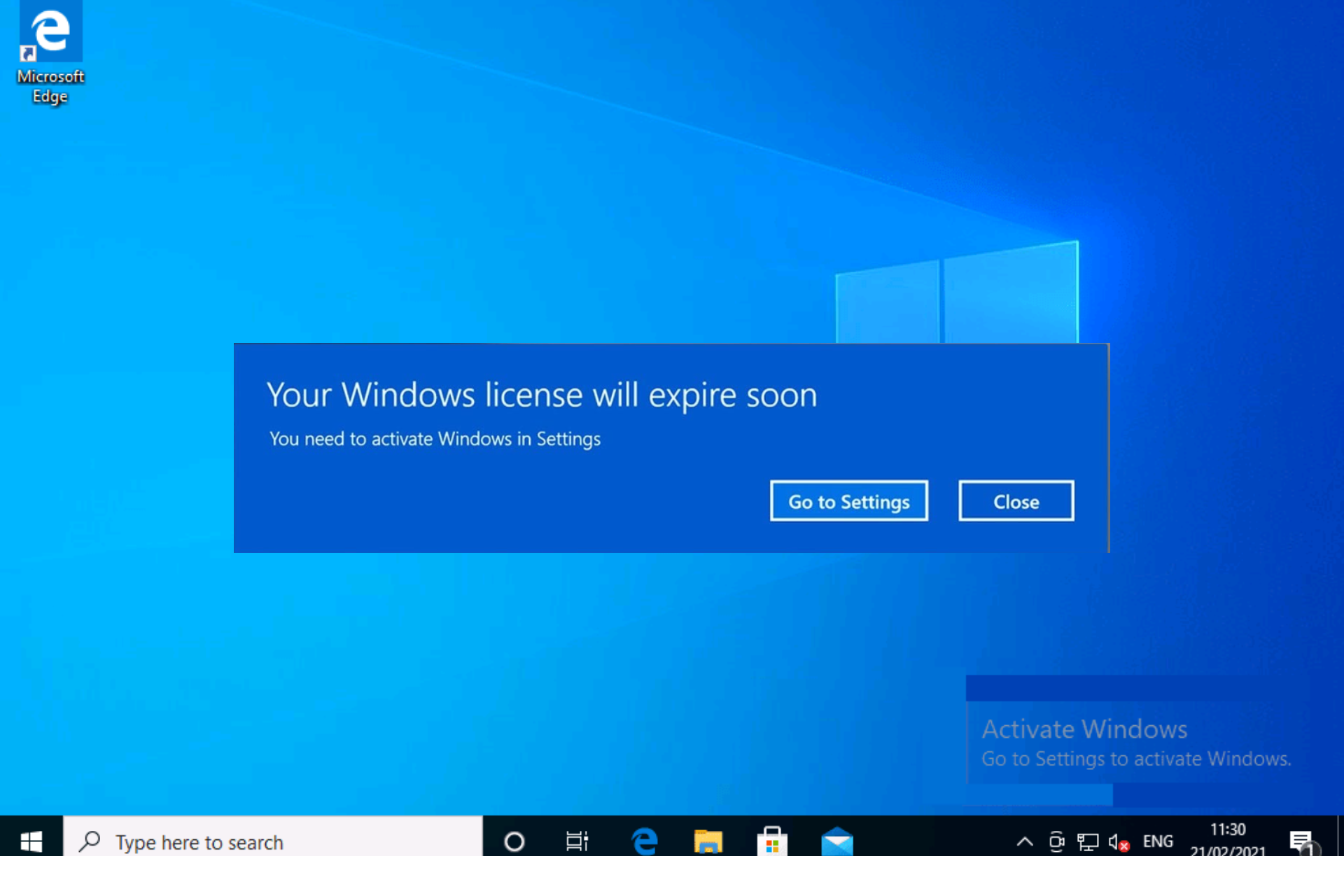
Windows activation isn’t merely a formality; it’s a critical step that verifies your copy of Windows is genuine and licensed. It’s Microsoft’s way of ensuring that you own a legitimate product key, thereby granting you full access to all features, security updates, and support that come with a fully licensed operating system. Failing to activate might keep your PC running, but it’s akin to buying a car and never registering it – you can drive it, but you’re missing crucial protections and legally operating in a grey area. This article will delve deep into the multifaceted consequences of not activating Windows, examining the immediate user experience changes, the hidden technical risks, and the broader financial and ethical ramifications, all within the context of today’s interconnected digital world.
The Immediate and Visible Ramifications: A User Experience Perspective
When you choose not to activate Windows, the operating system doesn’t immediately cease to function. It will boot, allow you to install software, and largely enable you to perform basic tasks. However, Microsoft quickly begins to impose certain limitations designed to nudge you towards activation. These are the most apparent consequences, affecting your daily interaction with your device.
The Persistent Watermark and Personalization Lockdowns
The most prominent and often irritating sign of an unactivated Windows installation is the persistent “Activate Windows” watermark. This translucent, yet undeniably visible, message typically hovers in the bottom-right corner of your desktop, overlying any open applications or files. While it doesn’t block functionality, it’s a constant, distracting reminder that your system isn’t fully legitimate. For anyone working with precision graphics, delivering presentations, or simply valuing a clean, uncluttered desktop, this watermark is a continuous source of annoyance.
Beyond the watermark, Windows severely restricts personalization options. This is a significant blow to user experience, especially for those who rely on a customized workspace to enhance their productivity or simply enjoy making their PC feel like their own. You will find yourself locked out of crucial personalization settings such as:
- Changing your desktop background: The default background will remain, often a stark reminder of the unactivated status.
- Modifying themes and colors: The ability to switch between light and dark modes, customize accent colors, or apply aesthetic themes is disabled.
- Adjusting lock screen settings: You won’t be able to change the lock screen image or add dynamic content.
- Accessing fonts and sounds customization: While basic functionality might remain, deeper aesthetic changes are blocked.
For professionals whose personal brand is subtly reflected in their digital environment, or content creators who frequently share screen recordings, these restrictions can be particularly frustrating. It subtly communicates a lack of attention to detail or even raises questions about the legitimacy of the tools being used.
Functional Limitations and Feature Restrictions
While the core operating system functions largely remain, an unactivated Windows doesn’t grant you access to the full suite of features. Microsoft often reserves certain advanced functionalities or even core settings for activated copies. For instance, while you can browse the web and use most installed applications, you might encounter issues with specific built-in Windows features designed to enhance user experience or system management.
Settings related to troubleshooters, specific diagnostics, or even some aspects of Windows Update (beyond critical security patches) might be affected. While not always immediately obvious, these limitations can gradually erode the overall quality of your computing experience. Imagine trying to resolve a persistent glitch, only to find the necessary diagnostic tools are greyed out, or a specific privacy setting is inaccessible. This creates a fragmented and often frustrating user journey, where the operating system constantly reminds you of its incomplete state. For users focused on optimal system performance and leveraging every tool available in the OS, these restrictions quickly become noticeable barriers.
Unseen Dangers: Security, Stability, and Productivity at Risk
The visible limitations of an unactivated Windows are merely the tip of the iceberg. Beneath the surface lie far more critical issues that directly impact your digital security, the stability of your system, and your overall productivity. These are the unseen dangers that can have long-lasting and severe consequences.
The Critical Void of Security Updates
Perhaps the single most critical reason to activate Windows is to ensure consistent access to security updates. Microsoft regularly releases patches to fix vulnerabilities, protect against emerging malware, and harden the operating system against cyber threats. An unactivated Windows, while it may receive some critical updates, often falls behind on the comprehensive security patches that are vital for robust protection.
Running an unpatched operating system is like leaving your front door wide open in a bad neighborhood. Cybercriminals constantly exploit newly discovered vulnerabilities to launch attacks, including:
- Ransomware: Encrypting your files and demanding payment for their release.
- Malware and Viruses: Stealing personal data, corrupting files, or turning your computer into part of a botnet.
- Spyware: Monitoring your activities, capturing keystrokes, and compromising your privacy.
- Zero-day exploits: Vulnerabilities that are exploited before developers can even issue a patch.
Without regular security updates, your system becomes a prime target. For individuals, this means a higher risk of identity theft, financial fraud, and loss of invaluable personal data. For businesses, the stakes are even higher, potentially leading to data breaches, reputational damage, and severe financial losses due to system downtime and recovery efforts. In an era where digital security is paramount, consciously choosing to forgo these protections is an incredibly risky gamble, directly contradicting best practices in digital security and data protection.
Compromised System Stability and Performance
Beyond security, regular updates also play a crucial role in maintaining system stability and performance. These updates often include:
- Bug fixes: Resolving glitches, crashes, and unexpected behaviors that can degrade user experience.
- Driver updates: Ensuring optimal compatibility and performance with new hardware or peripherals.
- Performance enhancements: Optimizing system processes, improving boot times, and making applications run smoother.
An unactivated Windows misses out on many of these improvements. Over time, this can lead to a less stable system prone to crashes, errors, and unpredictable behavior. Software applications might not run optimally, new hardware might not be fully recognized, and the overall responsiveness of your computer could diminish. This constant battle against system instability not only frustrates the user but also consumes valuable time and mental energy that could be better spent on productive tasks. For power users, developers, or anyone requiring reliable system performance, this degradation can be a significant impediment.
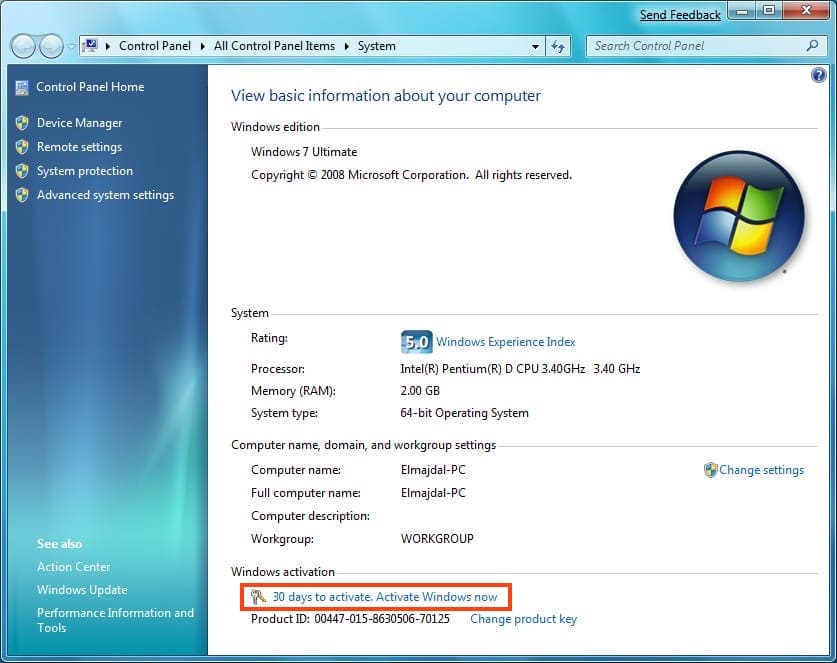
Productivity Drain and Workflow Disruptions
The cumulative effect of the watermark, restricted personalization, security vulnerabilities, and system instability directly impacts your productivity. Each distraction, each moment spent troubleshooting an error, and each instance of a system crash contributes to lost time and diminished focus.
- Distraction: The constant “Activate Windows” watermark and notification reminders break concentration, pulling your attention away from your work.
- Time Loss: Dealing with system instability, slow performance, or security incidents (like cleaning up malware) is a massive drain on time. This is time that could be spent on core tasks, learning new skills, or pursuing online income opportunities.
- Suboptimal Environment: An inability to personalize your workspace to your liking can reduce comfort and efficiency. Many productivity experts emphasize the importance of an organized and aesthetically pleasing digital environment.
- Software Incompatibility: While most applications will run, some specialized software might require specific Windows features or updates to function optimally, leading to potential workflow disruptions.
In a world where every minute counts, especially for those involved in technology trends, software development, or leveraging AI tools for efficiency, an unactivated Windows becomes a silent saboteur of productivity, costing you more than the price of a license in lost opportunities and wasted effort.
Beyond the Technical: Legal, Financial, and Reputational Consequences
The implications of not activating Windows extend far beyond the immediate technical and user experience issues. There are significant legal ramifications, hidden financial costs, and substantial risks to your personal and corporate brand integrity that often go unconsidered.
The Legal Landscape: Software Piracy and Compliance
Using an unactivated copy of Windows, especially if done knowingly and persistently, enters the realm of software piracy. While Microsoft rarely pursues individual home users for unactivated copies, this practice violates their End User License Agreement (EULA). This EULA is a legally binding contract that you implicitly agree to by installing and using the software.
For businesses, the legal risks are far more severe. Companies that operate with unlicensed software face the potential for:
- Audits: Software vendors like Microsoft can conduct audits to ensure compliance.
- Fines and Penalties: If found to be non-compliant, businesses can face substantial fines, often much higher than the cost of legitimate licenses.
- Legal Action: Microsoft or other software alliance organizations can initiate legal proceedings, leading to costly litigation.
These legal battles are not only expensive but also divert valuable resources, time, and attention away from core business operations. For corporate identity and overall brand strategy, compliance is a non-negotiable aspect of ethical business practice.
The True Cost: Financial Implications and Hidden Expenses
At first glance, not activating Windows might seem like a cost-saving measure. However, a deeper analysis reveals that the initial “saving” is often dwarfed by hidden financial costs and potential losses.
- Security Breach Costs: The cost of recovering from a data breach can be astronomical. This includes forensic analysis, data recovery, legal fees, notification costs for affected individuals, and potentially credit monitoring services. For businesses, a breach can also lead to regulatory fines (e.g., GDPR, CCPA) and loss of customer trust.
- Lost Productivity and Downtime: As discussed, system instability and security incidents lead to lost work hours. For an individual running a side hustle or online business, this means lost income. For a corporation, it translates directly to reduced operational efficiency and significant financial losses.
- Reduced Resale Value: A computer running an unactivated version of Windows might be harder to sell, or its value will be significantly diminished, as the buyer would have to purchase a new license.
- Compliance Costs: For businesses, if caught in non-compliance, the fines and legal fees will far exceed the cost of purchasing legitimate licenses upfront.
- Opportunity Costs: The time spent dealing with issues arising from an unactivated OS could have been invested in revenue-generating activities, personal development, or even learning about investing and personal finance strategies.
When viewed through a financial lens, the supposed “free” operating system quickly accrues a hefty price tag in hidden risks and potential losses. Investing in a legitimate Windows license is, in fact, a sound financial decision that safeguards against these unforeseen expenditures.
Brand Integrity and Corporate Identity
Perhaps one of the most overlooked consequences, especially for businesses and professionals, is the impact on brand integrity and corporate identity. Using unlicensed software sends a clear message:
- Lack of Professionalism: It suggests a disregard for legal and ethical operating standards. This can be particularly damaging for brands built on trust and reliability.
- Reputational Damage: If a company is publicly exposed for using pirated software, it can severely damage its reputation among clients, partners, and the wider market. This impacts future contracts, partnerships, and overall market standing.
- Erosion of Trust: Clients and partners might question the integrity of a business that doesn’t respect intellectual property rights. If a company can cut corners on software, what other corners might they be cutting?
- Personal Branding: For freelancers, consultants, or individuals in the tech industry, being perceived as someone who uses pirated software can reflect poorly on their personal brand, diminishing their credibility and opportunities. It contradicts the ethos of technology trends and innovation, which relies heavily on intellectual property.
In an age where corporate social responsibility and ethical practices are increasingly scrutinized, operating with unactivated or pirated software is a direct assault on brand strategy and can have long-lasting negative effects on public perception and business success.
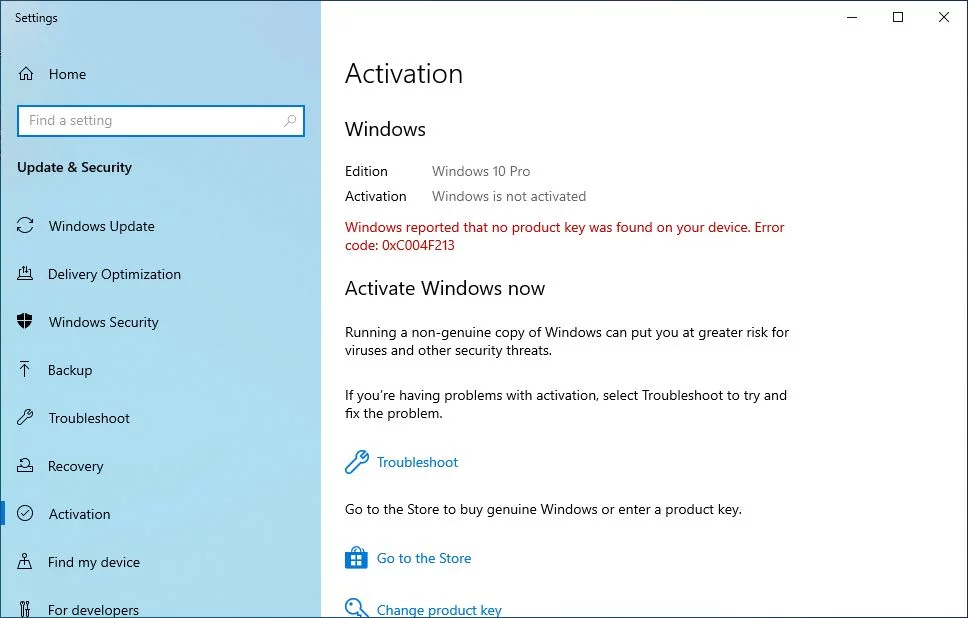
Making the Right Choice: Why Activation Matters
Considering the extensive array of issues – from persistent watermarks and security vulnerabilities to legal liabilities and reputational damage – the choice to activate Windows becomes unequivocally clear. Activation is not merely a gatekeeper for personalization; it is the cornerstone of a secure, stable, productive, and legally compliant computing experience.
By activating Windows, you unlock:
- Full Functionality: Access to all features, settings, and personalization options, allowing you to tailor your workspace for maximum efficiency and aesthetic appeal.
- Robust Security: Consistent, comprehensive security updates that protect your system against the ever-evolving landscape of cyber threats, safeguarding your data and privacy.
- System Stability: Regular bug fixes and performance enhancements that ensure your system runs smoothly, minimizing crashes and maximizing reliability.
- Peace of Mind: Freedom from the constant reminders of an unactivated OS, and the assurance that you are operating within legal and ethical boundaries.
- Access to Support: Eligibility for technical support from Microsoft, a valuable resource when encountering complex issues.
There are various legitimate ways to acquire a Windows license, whether through purchasing a retail copy, buying a new computer with an OEM license, or utilizing volume licensing for businesses. The investment in a genuine license is minimal when weighed against the potential financial and reputational costs of running an unactivated system.
In conclusion, “What happens if I don’t activate Windows?” is a question with far-reaching answers. It’s not just about a watermark on your screen; it’s about digital security, system stability, personal and professional productivity, and upholding legal and ethical standards. Activating Windows isn’t an optional upgrade; it’s a fundamental requirement for a secure, efficient, and responsible computing environment in the modern digital age. Make the smart choice – activate your Windows and unlock the full, secure potential of your device.
aViewFromTheCave is a participant in the Amazon Services LLC Associates Program, an affiliate advertising program designed to provide a means for sites to earn advertising fees by advertising and linking to Amazon.com. Amazon, the Amazon logo, AmazonSupply, and the AmazonSupply logo are trademarks of Amazon.com, Inc. or its affiliates. As an Amazon Associate we earn affiliate commissions from qualifying purchases.