
The ever-evolving landscape of social media applications frequently introduces users to a myriad of icons, symbols, and metrics, each serving a specific purpose in enhancing the digital experience. Among these, the unassuming “eyeball” icon on Snapchat Stories holds a fundamental significance, acting as a direct indicator of your content’s reach and audience engagement within the platform’s unique ecosystem. Understanding this icon is crucial for anyone looking to navigate Snapchat effectively, whether for personal connection, content creation, or casual app usage.
Decoding Snapchat’s Story Views: The Eyeball Icon Explained
At its core, the eyeball icon on a Snapchat Story is the platform’s straightforward way of telling you how many unique individuals have watched your content. It’s a direct measurement of your story’s visibility and popularity among your friends and followers.
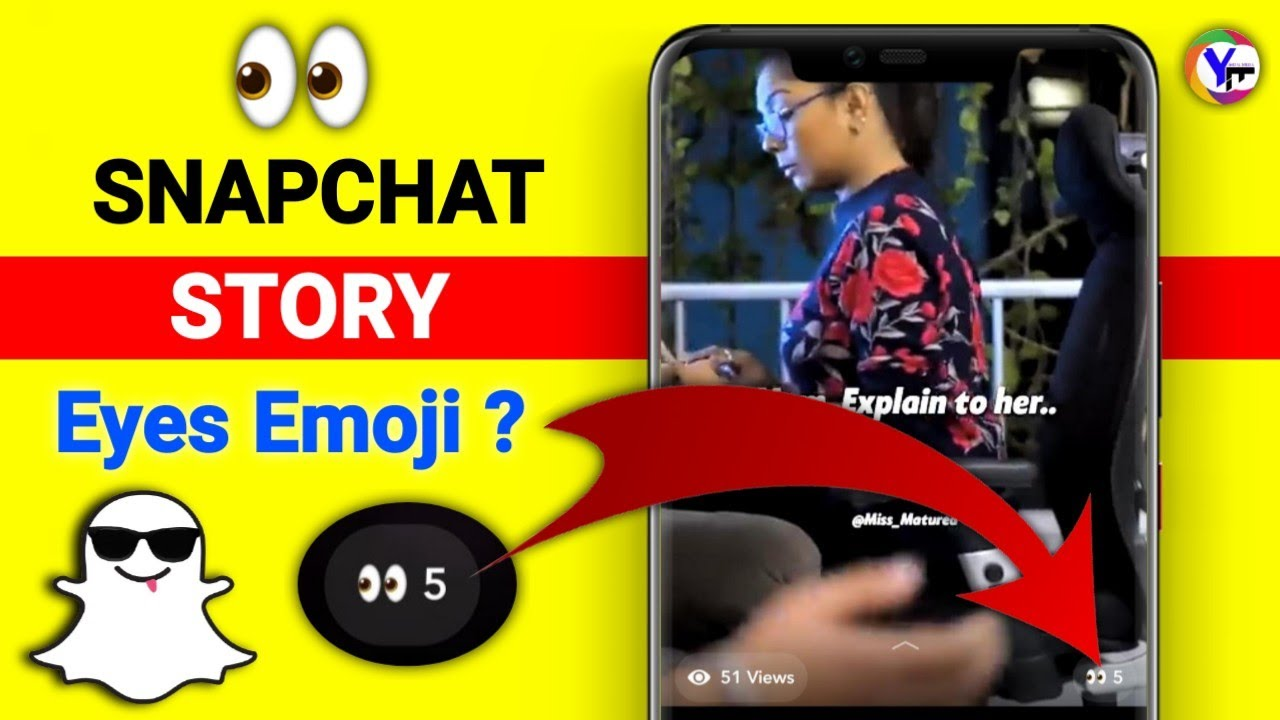
The Basics: What the Eyeball Represents
When you post a Story on Snapchat, it remains active for 24 hours, giving your audience a limited window to view your shared moments. During this period, and even after it expires, you can access insights into its performance. The eyeball icon, typically accompanied by a number, represents the total count of distinct Snapchat users who have tapped on and watched your story. It’s important to note that this count is unique; if the same person watches your story five times, they are still counted as only one view. This ensures an accurate representation of your story’s unique audience reach rather than cumulative watch time. This metric is a cornerstone for users to gauge how their shared content resonates with their network, providing immediate, quantitative feedback on their digital narratives.
Why View Counts Matter
For many Snapchat users, especially those leveraging the platform for creative expression, personal branding, or maintaining connections, story view counts are more than just numbers—they are a vital feedback mechanism. High view counts can indicate that your content is engaging, relevant, and effectively capturing the attention of your audience. Conversely, lower view counts might prompt a user to re-evaluate their content strategy, posting times, or privacy settings. From a technological perspective, these metrics are the app’s way of providing direct analytics to its users, empowering them to understand their audience better. They influence decisions on what kind of content to create next, when to post for maximum visibility, and how to utilize Snapchat’s various features to optimize engagement. Ultimately, view counts contribute to a more dynamic and responsive user experience, encouraging content creators to adapt and innovate within the app.
Understanding Your Story Audience and Engagement
Beyond merely displaying the number of viewers, Snapchat offers deeper insights into who has seen your story, transforming a simple numerical metric into a powerful tool for audience understanding.
Accessing Your Viewer List
To delve deeper than just the total view count, Snapchat provides an intuitive method to reveal the specific individuals who have watched your story. After you’ve posted a story:
- Navigate to your Story: Open Snapchat and tap on your profile icon (Bitmoji) in the top-left corner. Then, under the “My Story” section, tap on the story you wish to view insights for.
- Swipe Up: Once your story is playing, simply swipe up from the bottom of the screen.
- Reveal Viewers: This action will reveal a screen showing the eyeball icon along with the total view count at the top. Below this, you’ll find a scrollable list of all the Snapchat users who have viewed that particular story. This list is chronological, with the most recent viewers appearing at the top. This functionality is a key aspect of Snapchat’s design, enabling users to not only quantify their reach but also qualitatively understand their audience, fostering a more personalized and interactive social media environment.
Distinguishing Story Views from Message Opens
It’s crucial for users to differentiate between a “Story View” and a “Message Open” within the Snapchat ecosystem, as these metrics serve distinct purposes and appear in different contexts. A Story View, represented by the eyeball icon, specifically refers to someone watching content you’ve posted to your public or private story, accessible to a broader audience (friends, or everyone, depending on your settings) for 24 hours. This is a broadcast-style consumption of content.
In contrast, a Message Open pertains to direct, one-on-one communication. When you send a snap or a chat message directly to an individual or a small group, the icon that appears next to it (often a filled arrow or a filled message bubble) changes to an outline or an “opened” state once the recipient has viewed it. There’s no “eyeball” icon for direct messages because the context is entirely different – it’s about individual communication rather than broadcast reach. Understanding this distinction is vital for accurately interpreting engagement metrics and effectively utilizing the different communication channels Snapchat provides.
Maximizing Your Snapchat Story Engagement
Increasing your story views and engagement on Snapchat is an art that blends content creativity with strategic use of the app’s native features. By understanding how the platform functions and what draws viewers in, you can significantly enhance the reach and impact of your shared moments.
Content Strategies for Higher Views
The foundation of strong engagement lies in compelling content. Snapchat stories thrive on authenticity, immediacy, and visual appeal.
- Be Authentic and Relatable: Users are often drawn to genuine, unpolished content that reflects real life. Share personal anecdotes, behind-the-scenes glimpses, or unfiltered thoughts.
- Utilize Variety: Don’t stick to just photos or just videos. Mix it up with Boomerangs, Lenses, Bitmoji interactions, and text-based updates. This keeps your story dynamic and prevents viewer fatigue.
- Create a Narrative: Even short stories can tell a tale. Plan your snaps to have a beginning, middle, and end, creating a cohesive flow that encourages viewers to watch the entire sequence.
- Engage with Trends: Keep an eye on popular Snapchat Lenses, challenges, and audio trends. Incorporating these can make your content more discoverable and relatable to a wider audience.
- Optimal Timing: While Snapchat doesn’t have a rigid algorithm like some platforms, posting when your audience is most active can increase initial views and subsequent engagement. Experiment with different times to identify your sweet spot.

Utilizing Other Snapchat Features to Boost Visibility
Snapchat is rich with interactive features designed to make stories more engaging and collaborative. Leveraging these tools effectively can significantly amplify your story’s appeal and, consequently, its view count.
- Lenses and Filters: These are Snapchat’s signature. AR Lenses can transform your appearance or surroundings, adding humor, creativity, or aesthetic appeal. Geo-filters provide location-specific flair, making your stories more contextually relevant.
- Stickers and GIFs: From celebratory stickers to expressive GIFs, these elements add personality and visual interest. They can highlight emotions, add humor, or provide contextual information without needing extra text.
- Polls and Questions: These interactive stickers are powerful engagement drivers. Asking a question or creating a poll directly invites your audience to participate, transforming passive viewing into active interaction. This not only boosts engagement but also provides valuable feedback and ideas for future content.
- Links and Mentions: For creators or businesses, adding links allows viewers to swipe up and visit an external page. Mentioning other Snapchat users (by typing “@” followed by their username) can notify them and potentially expose your story to their network if they reshare or interact.
- Music and Sounds: The right soundtrack can dramatically enhance a story’s mood and impact. Snapchat’s music library allows you to add popular songs, making your snaps more dynamic and enjoyable.
The Role of Friends Lists and Public Profiles
The visibility of your Snapchat story is fundamentally governed by your privacy settings and the nature of your profile.
- Friends Only vs. Everyone: By default, Snapchat stories are often visible only to your friends. If you aim for broader reach, consider changing your story settings to “Everyone” or “Custom” to include specific public figures or a wider network. However, for personal use, “Friends Only” ensures privacy.
- Public Profiles: For creators and businesses, establishing a Public Profile on Snapchat significantly expands reach. Public Profiles allow anyone on Snapchat to subscribe to your content, making your stories discoverable beyond your immediate friends list. This is crucial for building a larger audience and leveraging the platform for broader influence. Understanding and adjusting these settings is paramount to controlling who sees your stories and, by extension, how many views you can expect.
Advanced Insights: Beyond the Eyeball
While the eyeball icon gives a quantitative measure of your story’s reach, truly leveraging Snapchat for engagement involves looking deeper into how, when, and where your stories are viewed. These advanced insights can inform more sophisticated content strategies.
Geotags and Time Filters: Adding Context
Snapchat’s location-based features and time stamps are more than just decorative additions; they add critical context that can enhance viewer engagement and provide implicit data.
- Geotags: Applying a Geotag to your story not only shows your audience where the snap was taken but can also increase discoverability if your story is eligible for inclusion in “Our Story” or other location-based public stories. For local businesses or events, this is an invaluable tool for hyper-local targeting and increasing relevance.
- Time Filters: Displaying the current time or temperature adds an immediate, real-time element to your stories, reinforcing the ephemeral and current nature of Snapchat content. While not directly influencing view counts, these contextual overlays contribute to the story’s authenticity and timeliness, which can subtly encourage more consistent viewing behavior.
Analyzing Viewer Behavior for Content Optimization
Observing who views your stories and considering their interactions can provide nuanced insights for optimizing future content.
- Identify Engaged Viewers: By regularly checking your viewer list, you can identify your most consistent and engaged audience members. These are often the individuals who might also respond to polls, ask questions, or send direct replies to your stories. Tailoring some content towards their interests can foster stronger community ties.
- Content Type vs. Views: Experiment with different types of content (e.g., Q&A sessions, quick tutorials, personal vlogs, curated visuals) and monitor which ones consistently yield higher views. This iterative process of creation and analysis allows you to refine your content strategy based on real-world performance data, moving beyond anecdotal assumptions.
- Drop-off Points: While Snapchat doesn’t offer explicit “drop-off” analytics for individual snaps within a story sequence for regular users, implicitly, if a viewer consistently stops watching your stories after a certain point, it might indicate where engagement wanes. This encourages you to front-load your most captivating content or rethink the pacing of your narrative.
Privacy Considerations for Your Stories
Privacy is a cornerstone of the Snapchat experience, and how you manage your story settings directly impacts who can see your eyeball count and viewer list.
- Custom Story Settings: You have granular control over who sees your stories. Choosing “Custom” allows you to explicitly select friends or groups who can view your story, effectively excluding others. This is critical for maintaining specific audience segmentation, for example, sharing work-related updates with colleagues but personal updates with family.
- Blocking Users: If you block a user, they will no longer be able to view your stories, and any prior views they had will remain but they won’t be able to see new content. Similarly, if someone unfriends you, they lose access to your “Friends Only” stories. Understanding these privacy mechanisms is essential for managing your digital footprint and ensuring your content reaches only your intended audience, thus controlling the relevance and accuracy of your view counts.
Common Misconceptions and Troubleshooting
While the eyeball icon is generally straightforward, certain situations can lead to confusion or perceived discrepancies in view counts. Addressing these common issues helps maintain a clear understanding of your Snapchat story performance.
My View Count Seems Off: Possible Reasons
Occasionally, users might feel their story view count doesn’t align with their expectations. Several factors can contribute to this:
- Privacy Settings: The most frequent reason for lower-than-expected views is often a restrictive privacy setting. If your story is set to “My Friends,” only those on your friends list can see it. If you’ve recently unfriended or been unfriended by someone, or if new followers aren’t yet mutual friends, they won’t contribute to your friend-based view count.
- Unfriended or Blocked Users: If someone you thought would see your story has unfriended you, they will no longer have access to “Friends Only” stories. Similarly, if you have blocked a user, they cannot see your story, and therefore won’t appear in the viewer list or contribute to the count.
- App Glitches: Though rare, temporary app glitches or server issues can sometimes cause delays in updating view counts. Such issues are usually resolved by restarting the app, checking for updates, or waiting for Snapchat to address platform-wide problems.
- Content Quality and Timing: If your content isn’t engaging or if you post when your audience is typically inactive, you might naturally see lower view counts. People might also tap through your story quickly without fully watching each snap, which still registers as a view but might feel less impactful to the creator.
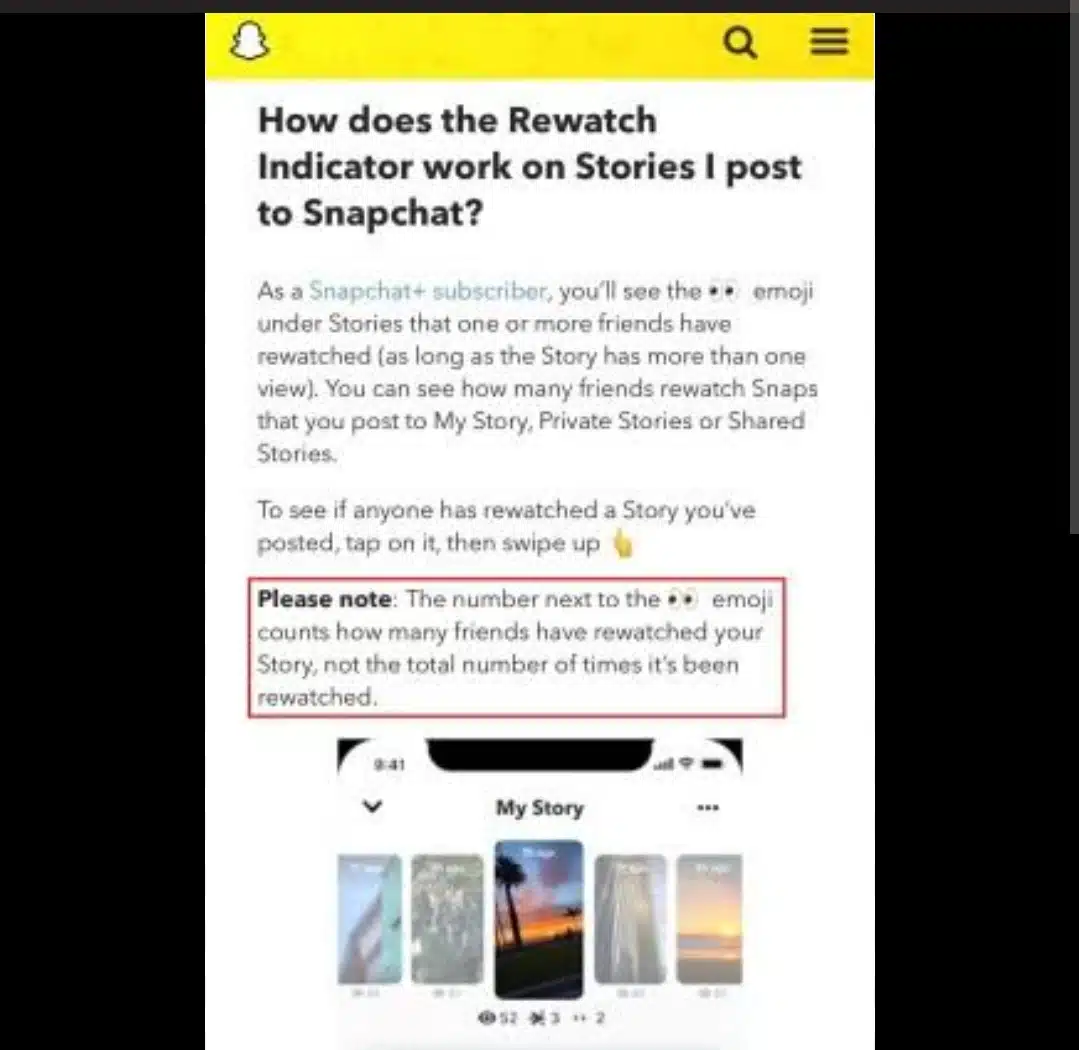
What If I Can’t See Who Viewed My Story?
If you’re unable to access the list of individuals who viewed your story, beyond just the eyeball count, there are a few potential reasons:
- Expired Story: Once a story expires (after 24 hours), you can still see the total view count, but the detailed list of individual viewers usually disappears. While some limited analytics for older stories might be available for Public Profiles, for standard users, the viewer list is tied to the active story period.
- Private Story Settings: If you posted to a “Private Story” and then subsequently removed someone from that specific private story list, their view might still contribute to the overall count, but their name might no longer appear in the list you can access if they were removed before you checked.
- App Bug or Outage: As mentioned, occasional software bugs can temporarily affect the display of certain features. If this issue persists across multiple stories and different times, consider updating your Snapchat app, clearing its cache, or even reinstalling it. If the problem persists, it may be a broader issue with the Snapchat service.
Understanding the function of the eyeball icon and associated metrics on Snapchat allows users to gain invaluable insights into their content’s performance. By leveraging these digital indicators, users can refine their sharing habits, optimize their content strategies, and ultimately enhance their overall experience on the platform.
aViewFromTheCave is a participant in the Amazon Services LLC Associates Program, an affiliate advertising program designed to provide a means for sites to earn advertising fees by advertising and linking to Amazon.com. Amazon, the Amazon logo, AmazonSupply, and the AmazonSupply logo are trademarks of Amazon.com, Inc. or its affiliates. As an Amazon Associate we earn affiliate commissions from qualifying purchases.