
The modern digital landscape has fundamentally reshaped how we manage our finances, conduct transactions, and interact with the world around us. Among the most revolutionary advancements are mobile payment systems, which allow users to tap their devices to pay for goods and services. Apple Pay stands out as a prominent example, renowned for its security, convenience, and seamless integration within the Apple ecosystem. Given its popularity, it’s natural for users on other platforms, particularly Android, to wonder: “How can I use Apple Pay on Android?”
This question, while common, stems from a fundamental misunderstanding of how these proprietary systems operate. To address it directly and unequivocally: You cannot directly use Apple Pay on an Android device. Apple Pay is an exclusive service, meticulously designed and deeply embedded within Apple’s hardware, software, and security architecture. It’s a cornerstone of their tightly controlled ecosystem, ensuring a specific level of security and user experience that is unique to their devices.
However, the intent behind the question is valid. Android users desire the same convenience, security, and efficiency in mobile payments that Apple Pay offers its users. This article will delve into the technical reasons why Apple Pay remains exclusive, explore the robust and equally capable alternatives available to Android users, and discuss the broader technological context of cross-platform payment systems, offering a comprehensive guide to seamless digital transactions on Android.
Understanding the Ecosystem Divide: Why Apple Pay Stays on Apple
The notion of using a service designed for one proprietary ecosystem on another, fundamentally different one, often overlooks the intricate technical and strategic decisions that underpin such platforms. Apple Pay’s exclusivity is not merely a marketing ploy; it’s a consequence of its design.
Proprietary Technology and Ecosystem Lock-in
At its core, Apple Pay is not just an app; it’s a sophisticated payment system that integrates hardware, software, and services. A key component is the Secure Element (SE), a dedicated chip within Apple devices (iPhones, Apple Watches) that stores encrypted payment information. This hardware-level security is coupled with biometric authentication (Touch ID or Face ID) and Apple’s Secure Enclave, a separate, isolated processor that handles sensitive data, further safeguarding your financial details.
This deep integration ensures that payment data is tokenized—meaning your actual card number is never shared with merchants—and secured through multiple layers specific to Apple’s architecture. This comprehensive, end-to-end control over both hardware and software allows Apple to guarantee a consistent security and user experience, which is paramount for financial transactions. To replicate this on an Android device would require Apple to develop a version of Apple Pay that bypasses its own Secure Element, biometric systems, and operating system, effectively undermining the very security and design principles it was built upon. This proprietary nature is a deliberate strategy, often referred to as “ecosystem lock-in,” designed to enhance user experience and security within their walled garden.
The Role of NFC and Payment Standards
Many users mistakenly believe that since both iPhones and Android devices support Near Field Communication (NFC) for tap-to-pay, Apple Pay should be universally compatible. While NFC is indeed the underlying wireless technology that enables contactless payments, it’s merely the conduit, not the payment service itself.
Think of NFC as the highway for data. Both Apple Pay and Android’s native payment systems (like Google Wallet) use this highway to transmit transaction data to payment terminals. However, the “vehicles” traveling on this highway—the specific applications and security protocols that process and authenticate the payment—are entirely different. Apple Pay relies on its specific authentication methods and Secure Element for validating transactions, while Android payment systems use their own distinct security architecture, often leveraging the Trusted Execution Environment (TEE) and software-based security measures, alongside biometric authentication provided by the Android device. The payment standards (e.g., EMVCo tokenization) are common across the industry, but the implementation and security enforcement are platform-specific.
Security Architecture Differences
The fundamental security architectures of iOS and Android, while both robust, differ significantly. Apple’s tightly integrated hardware-software ecosystem allows for unparalleled control over security processes, making it extremely difficult for malicious actors to compromise the Secure Element or Secure Enclave. This closed system offers a high degree of assurance for sensitive operations like payments.
Android, by contrast, is an open-source platform, run on a vast array of devices from numerous manufacturers. While this openness fosters innovation and choice, it also means a more fragmented security landscape. Android’s payment systems are designed to operate securely across this diverse ecosystem, utilizing technologies like the TEE and strong encryption. However, the specifics of hardware-level security can vary more widely across different Android devices. Ultimately, the divergent security philosophies and implementations mean that an Apple Pay transaction, as currently designed, simply cannot be authenticated or processed by an Android device’s security infrastructure.
Navigating Mobile Payments on Android: The True Alternatives
While Apple Pay itself isn’t an option, Android users are by no means left behind in the world of mobile payments. The Android ecosystem offers its own sophisticated, secure, and widely accepted solutions that provide the same, if not greater, convenience.
Google Wallet/Google Pay: Android’s Native Solution
Google Wallet (formerly known as Google Pay) is Android’s primary and most pervasive mobile payment solution. It functions remarkably similarly to Apple Pay, leveraging NFC technology for contactless payments. Users can link their credit cards, debit cards, loyalty cards, and even digital car keys or transit passes.
Key Features and Benefits:
-
Widespread Acceptance: Accepted anywhere you see the Google Pay or contactless payment symbol.
-
Security: Employs tokenization, meaning your actual card number is never shared with merchants. Transactions are secured with your device’s screen lock (PIN, pattern, fingerprint, or face unlock).
-
Ease of Use: Simply unlock your phone and tap it to the payment terminal.
-
Integration: Seamlessly integrates with various Google services and apps.
-
Cross-Device Support: Available on Android phones and Wear OS smartwatches, extending payment convenience to your wrist.
Setting up Google Wallet is straightforward: download the app, add your payment methods by either scanning your card or manually entering details, and verify them with your bank. You can set a default card and manage all your digital passes in one place.
Samsung Pay: A Robust Alternative for Samsung Users
For users of Samsung Galaxy smartphones, Samsung Pay offers a particularly powerful alternative. Beyond standard NFC functionality, Samsung Pay historically distinguished itself with Magnetic Secure Transmission (MST) technology (though this feature is being phased out in newer devices).
Key Features and Benefits:
-
NFC + MST (on older devices): MST allowed Samsung Pay to work with traditional magnetic strip card readers, in addition to modern NFC terminals. This meant it was accepted almost anywhere you could swipe a card, significantly broadening its reach compared to other mobile payment systems.
-
Security: Like Google Wallet and Apple Pay, Samsung Pay uses tokenization and requires authentication via PIN, fingerprint, or iris scan. It’s protected by Samsung Knox, a multi-layered security platform built into Samsung devices.
-
Rewards: Often includes its own loyalty programs and rewards for using the service.
-
Wearable Support: Available on Samsung Galaxy Watches, providing convenient payment options from your wrist.
While newer Samsung phones primarily rely on NFC, Samsung Pay remains an incredibly strong contender for Samsung device owners, offering a familiar and secure tap-to-pay experience.

Other Third-Party Banking Apps and Payment Services
Beyond Google Wallet and Samsung Pay, many individual banks and financial institutions offer their own mobile payment apps with integrated tap-to-pay functionality. Users can often link their specific bank accounts or credit cards directly to these apps and use them for NFC payments.
Furthermore, popular digital wallets and peer-to-peer payment services like PayPal, Venmo, Cash App, and various store-specific apps (e.g., Starbucks, Walmart Pay) offer ways to make digital payments, although their primary functionality might differ from general-purpose NFC-based mobile wallets. While these might not always offer direct tap-to-pay via NFC for retail transactions, they provide diverse avenues for managing and spending money digitally from an Android device.
The Future of Cross-Platform Payments: Hopes and Hurdles
The current landscape of mobile payments is characterized by distinct ecosystems. However, the push for greater interoperability and consumer choice is an ongoing theme in the tech industry, prompting questions about what the future might hold for cross-platform payment solutions.
The Open Standard vs. Closed Ecosystem Debate
The fundamental tension lies between the philosophies of open standards and closed ecosystems. Android, as an open-source platform, generally champions interoperability and a diverse range of hardware and software options. Apple, conversely, prioritizes a tightly controlled, integrated experience, arguing it leads to superior security, performance, and user experience. This philosophical divergence directly impacts the feasibility of services like Apple Pay appearing on Android. For Apple to allow Apple Pay on Android, it would likely require compromising some of its core security tenets or ceding control over the user experience, neither of which aligns with its current business model.
Regulatory Pressure and Interoperability
In various regions, particularly the European Union, regulators are increasingly scrutinizing the dominance of tech giants and pushing for greater openness and fair competition. There have been discussions and even proposals related to mandating access to NFC chips and other proprietary technologies to third-party developers, which could theoretically open doors for alternative payment providers or even cross-platform integrations. However, such regulatory shifts are complex, face significant legal and technical challenges, and would likely take many years to implement, if at all. It’s a speculative future, but the conversation highlights a broader societal push for less technological “lock-in.”
Tokenization and Universal Payment APIs
While direct “Apple Pay on Android” is highly improbable, advancements in underlying payment technologies could foster a more seamless and secure environment for all mobile payments. Tokenization, which replaces sensitive card data with a unique, encrypted token for each transaction, is already a universal security standard. Further developments in universal payment APIs (Application Programming Interfaces) could allow different payment services to communicate more efficiently and securely, potentially enabling a future where the functionality and security of mobile payments are more standardized across platforms, even if the branded service remains exclusive. This doesn’t mean Apple Pay on Android, but rather, equally robust and secure Android payment systems that are universally accepted and as feature-rich as their iOS counterparts.
Practical Steps for Android Users Seeking Seamless Payments
Embracing mobile payments on Android is straightforward and offers significant advantages in convenience and security. Here’s how to ensure you’re making the most of your device’s capabilities.
Setting Up Your Preferred Android Payment Method
The first step is to choose and configure your primary mobile wallet. For most Android users, this will be Google Wallet:
-
Download/Update Google Wallet: Ensure you have the latest version of the Google Wallet app from the Google Play Store.
-
Add Payment Cards: Open the app and tap the “+” icon or “Add to Wallet.” Select “Payment card” and either scan your card or manually enter its details.
-
Verify Your Card: Your bank may require verification (e.g., a code sent via SMS or email, or a call to customer service) to activate the card for mobile payments.
-
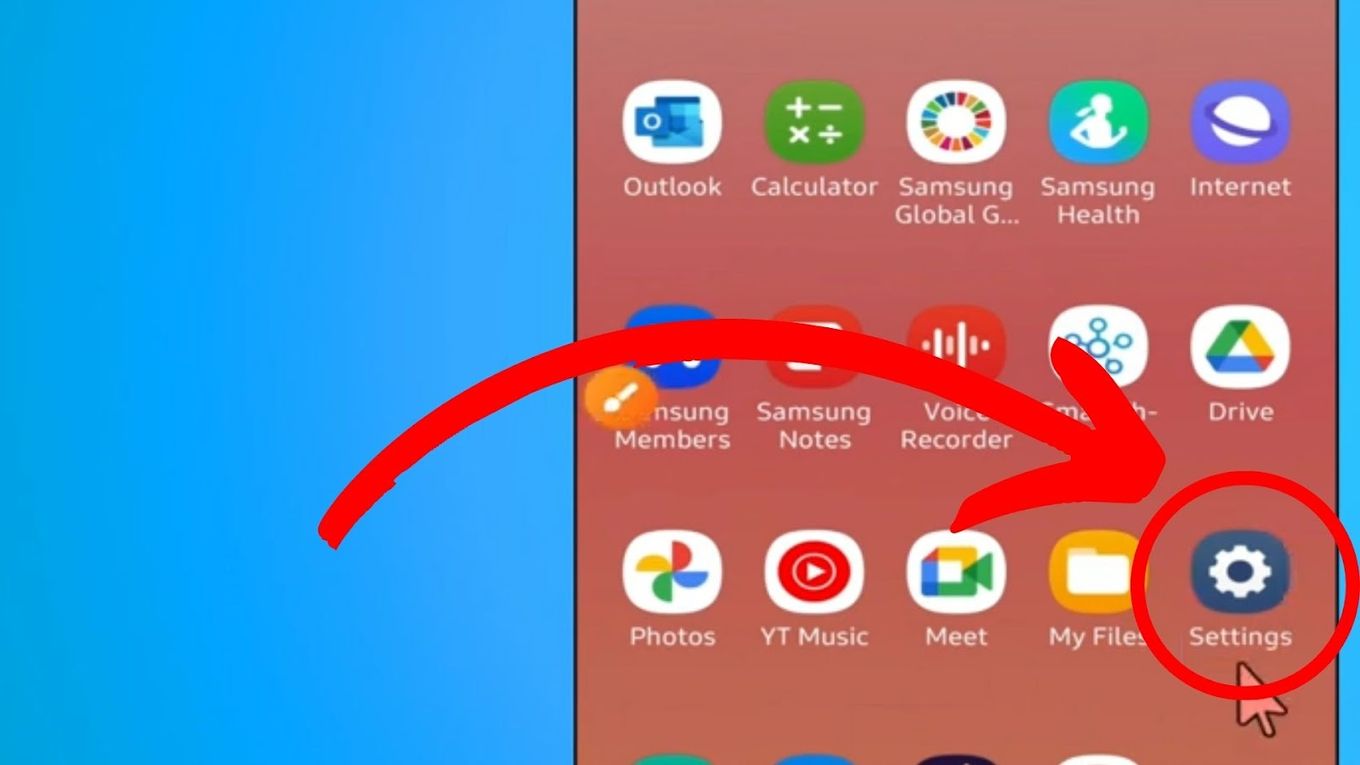
Set as Default: In your phone’s Settings, search for “NFC” or “Tap & pay.” Ensure Google Wallet is set as your default payment app.
-
Enable NFC: Confirm that NFC is turned on in your device’s quick settings or main settings menu.
For Samsung users, follow similar steps within the Samsung Wallet app.
Best Practices for Secure Mobile Payments on Android
Security is paramount when dealing with financial transactions. Adhere to these best practices:
-
Strong Device Security: Always use a strong PIN, pattern, fingerprint, or facial recognition to lock your Android device. This is often required before you can complete a mobile payment.
-
Keep Software Updated: Regularly update your Android operating system and payment apps. Updates often include critical security patches.
-
Monitor Bank Statements: Periodically review your bank and credit card statements for any unauthorized transactions. Most mobile payment apps also offer a transaction history.
-
Be Mindful in Public: While mobile payments are highly secure, always be aware of your surroundings when making a transaction, just as you would with a physical card.
-
Use Public Wi-Fi with Caution: Avoid making financial transactions over unsecured public Wi-Fi networks where your data could be more vulnerable.
Leveraging Wearables for Convenient Payments
For ultimate convenience, consider using an Android smartwatch with Google Wallet. Many Wear OS smartwatches come equipped with NFC, allowing you to make payments directly from your wrist without needing to pull out your phone. This is particularly useful when exercising, carrying bags, or simply when you want a quick, hassle-free transaction. Simply add your cards to Google Wallet on your watch, and you’re ready to tap and go.
Conclusion
While the dream of using Apple Pay on an Android device remains firmly in the realm of impossibility due to fundamental architectural and strategic differences, this does not mean Android users are at a disadvantage regarding mobile payments. On the contrary, the Android ecosystem offers robust, secure, and highly convenient alternatives in Google Wallet and Samsung Pay.
These services provide the same level of security through tokenization, widespread acceptance via NFC, and seamless integration with your device’s biometrics for quick authentication. By understanding the technological landscape and embracing the native solutions available, Android users can confidently enjoy the full benefits of modern mobile payments, securing their transactions and streamlining their daily financial interactions with ease. The future of payments is undoubtedly digital, and Android users are fully equipped to be at its forefront.
aViewFromTheCave is a participant in the Amazon Services LLC Associates Program, an affiliate advertising program designed to provide a means for sites to earn advertising fees by advertising and linking to Amazon.com. Amazon, the Amazon logo, AmazonSupply, and the AmazonSupply logo are trademarks of Amazon.com, Inc. or its affiliates. As an Amazon Associate we earn affiliate commissions from qualifying purchases.