
In the modern era of travel, staying informed about your flight’s status is not merely a convenience but often a necessity. From coordinating airport pickups to managing connecting flights or simply alleviating pre-travel anxiety, real-time flight tracking has become an indispensable tool for globetrotters and ground crews alike. Among the myriad of digital solutions available, Google Flights stands out as a powerful, intuitive, and widely accessible platform. More than just a flight search engine, it offers robust capabilities for monitoring the live status of flights, providing peace of mind and crucial information at your fingertips.
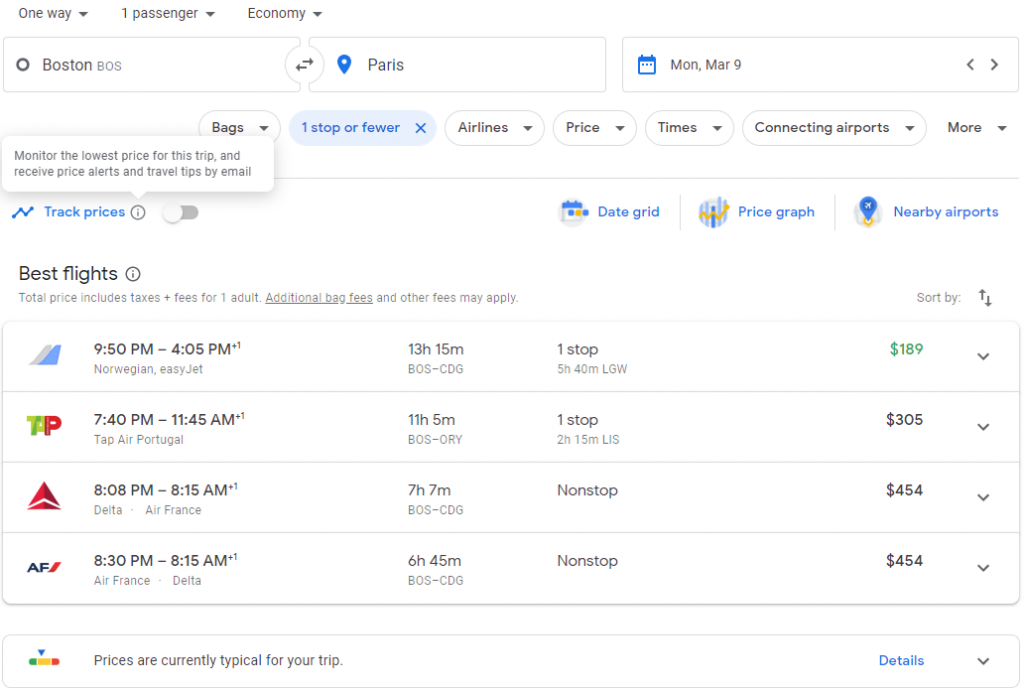
This comprehensive guide will demystify the process of tracking flights on Google Flights, walking you through its functionalities, offering practical tips, and showcasing how to leverage its features to ensure smoother, more predictable travel experiences. Whether you’re a frequent flyer, an occasional traveler, or simply picking up a loved one, mastering Google Flights for tracking purposes is a skill that will undoubtedly enhance your journey.
Understanding Google Flights for Tracking
Before diving into the specifics of flight tracking, it’s essential to grasp what Google Flights is and why it excels in this domain. While many associate it primarily with finding the best flight deals, its utility extends far beyond price comparison.
What is Google Flights?
Google Flights is an online flight search service that facilitates the purchase of airline tickets through third-party suppliers. Launched in 2011, it allows users to find flights by destination, date, price, and airline, presenting a comprehensive array of options. What makes it particularly powerful for tracking is its direct integration with real-time flight data providers and its ability to process and display this information in an easily digestible format. Unlike some airline-specific apps that only track flights on their own carriers, Google Flights aggregates data across nearly all major airlines and airports globally, offering a centralized hub for flight information.
Why Use Google Flights for Tracking?
The advantages of using Google Flights for tracking are manifold. Its primary strengths lie in its accuracy derived from direct data feeds, its user-friendly interface that requires no prior technical expertise, and its integration within the broader Google ecosystem. You don’t need to download a separate app or navigate complex airport websites. A simple search on Google Flights provides instant access to the latest status updates, including departure and arrival times, gate changes, terminal information, and potential delays or cancellations. This level of comprehensive, aggregated data presented in an accessible format makes it an invaluable resource for anyone needing to monitor flight activity.
Step-by-Step Guide to Tracking Specific Flights
Tracking a flight on Google Flights is a straightforward process, designed for efficiency and clarity. Here’s how to do it:
Locating Your Flight Information
To track a flight effectively, you’ll need some basic information. The most reliable piece of data is the flight number (e.g., AA123, UA4567). Alternatively, you can track using the airline and route (e.g., “United flight from London to New York”). Having this information ready will make your search quick and accurate. You can usually find the flight number on your booking confirmation email, e-ticket, or boarding pass.
Initiating a Flight Search
- Open Google Flights: Navigate to
flights.google.comin your web browser or simply search for “Google Flights” on Google. - Enter Flight Details: In the search bar, which typically displays fields for “Where from?” and “Where to?”, you can directly input your flight number. For example, typing “AA123” and pressing Enter will usually take you directly to that flight’s status page.
- Search by Route: If you don’t have the flight number, you can search by route. Enter the departure city and arrival city. Google Flights will then present you with a list of flights operating on that route for the current day or nearby dates. Look for your specific flight among the results, often identifiable by its airline and scheduled time.
- Specific Date Search (if needed): For flights in the future or past, you might need to specify the date. On the flight search interface, you’ll see a calendar icon to select your travel date.
Interpreting Flight Status
Once you’ve located your flight, Google Flights displays a dedicated information panel. This panel is rich with details and designed for quick comprehension:
- Status Indicators: Clearly marked labels like “On time,” “Delayed,” “Cancelled,” or “Arrived” provide an immediate overview.
- Scheduled vs. Actual Times: You’ll see both the original scheduled departure/arrival times and the updated estimated or actual times. This is crucial for understanding the impact of any delays.
- Gate and Terminal Information: For many flights, Google Flights provides the gate and terminal numbers for both departure and arrival, saving you precious time navigating airports.
- Aircraft Type: Sometimes, the specific aircraft model being used for the flight is displayed, which can be useful for enthusiasts or those curious about their travel experience.
- Baggage Claim Information: In some instances, it even provides an estimated baggage claim carousel number upon arrival.
- Map View: A small map often shows the real-time position of the aircraft during its journey, offering a visual representation of its progress.
Setting Up Price Alerts (Related Feature)
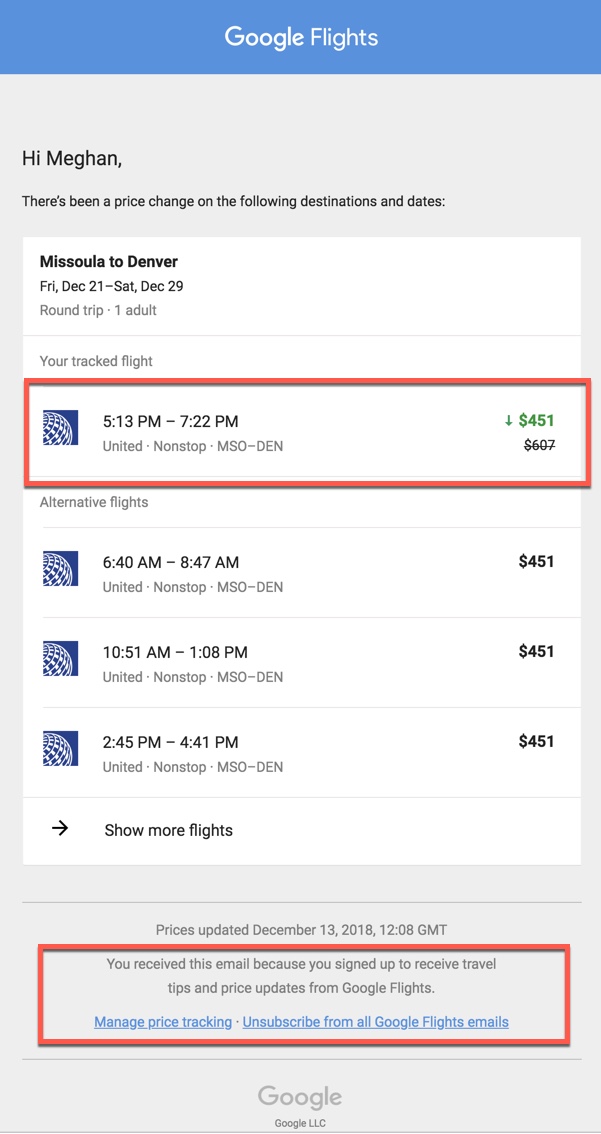
While primarily a flight tracking guide, it’s worth noting Google Flights’ powerful price alert feature. If you’re tracking a flight before booking, perhaps to monitor a route you plan to take, you can set up price tracking. This isn’t directly “tracking a live flight” but rather “tracking the flight’s cost.” You’ll receive email notifications if the fare changes, allowing you to book when prices are favorable. This feature indirectly contributes to a smoother travel experience by helping you secure your journey more economically.
Advanced Tracking Features and Tips
Beyond the basic lookup, Google Flights offers several features that enhance the tracking experience, particularly for complex travel scenarios or proactive monitoring.
Tracking Multiple Flights
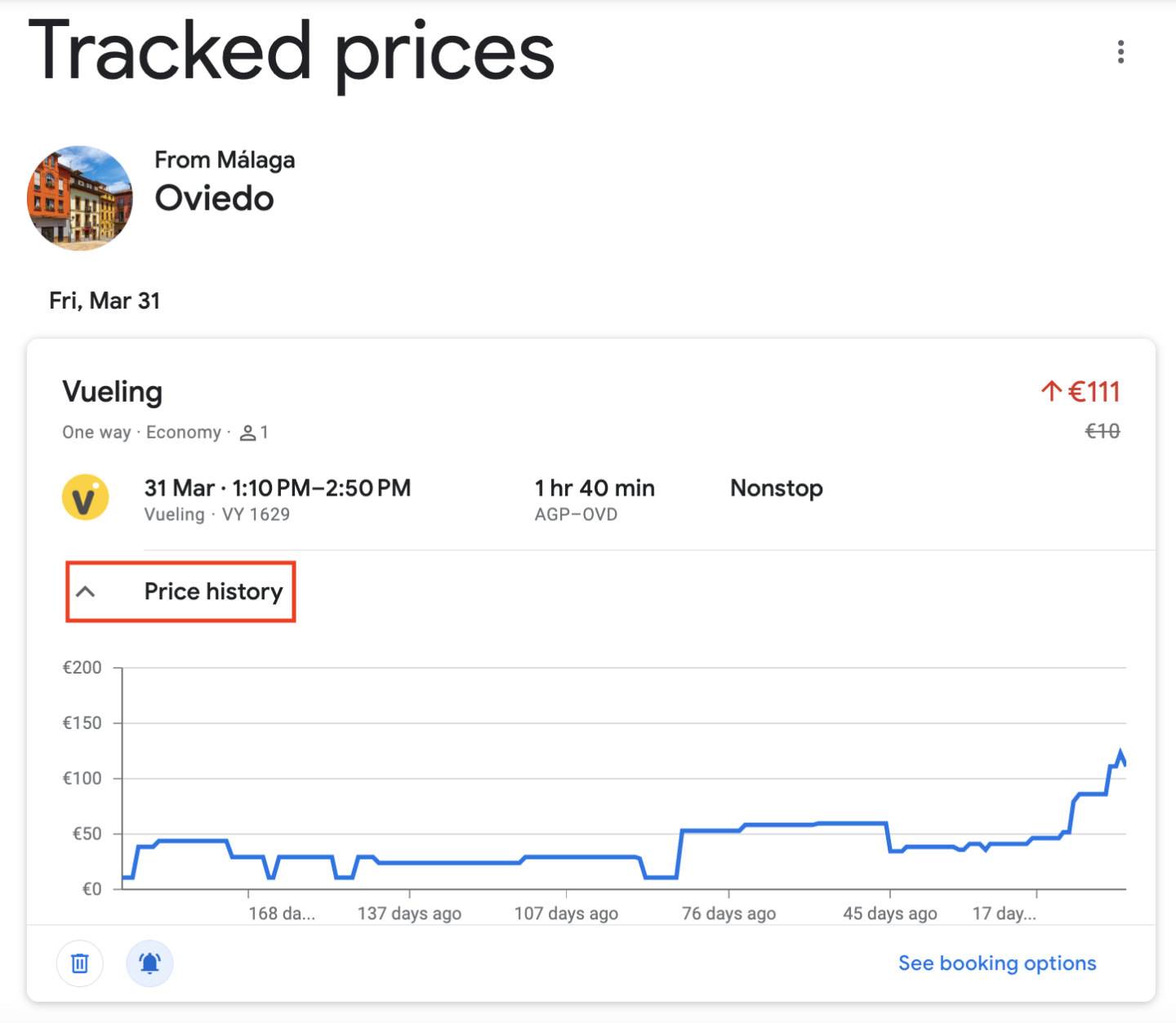
For travel agents, event planners, or individuals picking up multiple family members, tracking several flights simultaneously is invaluable. While Google Flights doesn’t have a dedicated “multi-flight dashboard,” you can achieve this by opening multiple tabs in your browser, each dedicated to a specific flight. Its quick loading times and clear interface make switching between tabs efficient. Alternatively, if you’re signed into your Google account and have flights linked to your Google Calendar or Gmail, Google Assistant can often provide aggregated updates.
Utilizing Google’s Ecosystem
One of the significant advantages of Google Flights is its seamless integration with other Google services:
- Gmail Integration: If your flight confirmations are sent to your Gmail account, Google often automatically identifies these and presents flight status updates directly within Gmail or through Google Now/Assistant.
- Google Calendar: You can add flight details directly to your Google Calendar. Often, Google Calendar will then display live flight status updates within the event, serving as a reminder and an information source.
- Google Search: A simple search query like “flight AA123 status” directly in Google Search will often bring up the Google Flights information panel as the top result, providing immediate access without even needing to visit the Google Flights website.
Proactive Monitoring Strategies
Effective flight tracking isn’t just about checking an hour before departure; it’s about strategic monitoring:
- Check the day before: Look for any initial delays or gate changes.
- Check 2-3 hours before: Confirm the latest status, especially for international flights or those with tight connections.
- Consider historical data: Google Flights sometimes shows if a particular route or airline frequently experiences delays. While not a guarantee, understanding past performance can inform your expectations.
- Arrival Tracking: If you’re picking someone up, start tracking their flight once it departs. This gives you a clear estimated arrival time and allows you to adjust your airport journey accordingly, saving waiting time.
Troubleshooting Common Tracking Issues
While Google Flights is generally reliable, occasionally you might encounter minor hiccups. Knowing how to address them can save frustration.
Data Delays and Discrepancies
No flight tracking system is absolutely instantaneous. There can be a slight delay between an event occurring at the airport (e.g., a gate change) and that information being updated in the digital system and then propagated to Google Flights. If you notice a discrepancy with airport screens or airline apps, it’s usually best to trust the most direct source (e.g., the airline’s own app or airport monitors) for the absolute latest updates, though Google Flights is almost always extremely close.
Missing Flight Information
Occasionally, a very new flight, a charter flight, or a less common regional flight might not immediately appear or have complete data.
- Double-check your input: Ensure the flight number or route details are correct.
- Verify the airline: Confirm the correct airline, as flight numbers can sometimes be similar across different carriers.
- Consult airline’s official site: If Google Flights doesn’t provide the information, the airline’s official website or app is the next best source.
- Codeshare flights: Remember that codeshare flights might appear under multiple airline flight numbers. Try searching for the operating carrier’s flight number if yours doesn’t yield results.
Mobile vs. Desktop Experience
Google Flights offers a consistent experience across both desktop browsers and mobile devices. The mobile version is highly optimized, ensuring that tracking on the go is just as intuitive and informative as on a larger screen. There are no dedicated Google Flights apps; it operates entirely through the web interface, making it universally accessible without app downloads.
Beyond Basic Tracking: Future-Proofing Your Travel
Mastering Google Flights for tracking purposes is more than just knowing if your plane is on time; it’s about developing a proactive approach to travel that minimizes stress and maximizes efficiency.
Leveraging Historical Data
Google Flights often provides insights into the historical performance of specific routes. For instance, it might indicate if a particular flight frequently departs late or if a certain route experiences common delays due to weather or air traffic control. While this information is not a guarantee of future events, it can help you set realistic expectations and plan for potential contingencies, such as booking longer layovers for connecting flights known for delays. This data-driven approach allows for more informed decision-making before and during your journey.
Integration with Other Travel Tools
While Google Flights is a powerful standalone tool, it can also be part of a broader digital travel toolkit. Many third-party travel apps and services integrate with Google’s data or offer complementary features. For instance, using a trip itinerary manager that pulls flight data, alongside Google Flights for real-time monitoring, creates a robust system for managing your entire journey. Consider tools that integrate calendar events, hotel bookings, and ground transportation, using Google Flights as your primary source for flight status updates.
Conclusion
In an increasingly dynamic travel landscape, having reliable, real-time information about your flights is paramount. Google Flights, with its intuitive interface, comprehensive data aggregation, and seamless integration into the Google ecosystem, offers an unparalleled solution for flight tracking. By understanding its features and applying the step-by-step guidance provided, you can transform your travel experience from one of uncertainty to one of informed confidence. From last-minute gate changes to unexpected delays, being prepared with accurate information from Google Flights ensures you’re always one step ahead, making your journey smoother, more predictable, and ultimately, more enjoyable. Embrace the power of digital tracking and travel smarter, not harder.
aViewFromTheCave is a participant in the Amazon Services LLC Associates Program, an affiliate advertising program designed to provide a means for sites to earn advertising fees by advertising and linking to Amazon.com. Amazon, the Amazon logo, AmazonSupply, and the AmazonSupply logo are trademarks of Amazon.com, Inc. or its affiliates. As an Amazon Associate we earn affiliate commissions from qualifying purchases.