
The transition to a new vehicle is often an exhilarating experience, marked by the smell of fresh leather and the tactile satisfaction of a modern infotainment system. However, for many drivers, the technical hurdle of migrating digital ecosystems—specifically premium satellite radio services—can be a point of friction. SiriusXM remains a cornerstone of the in-car entertainment experience, but moving a subscription from an old hardware ID to a new one requires a nuanced understanding of the platform’s backend management and signal authentication processes.
This guide serves as a comprehensive technical roadmap for migrating your SiriusXM service, optimizing your hardware settings, and ensuring that your digital footprint is seamlessly transferred to your new automotive hardware.
Understanding the Hardware and Software Ecosystem of Satellite Radio
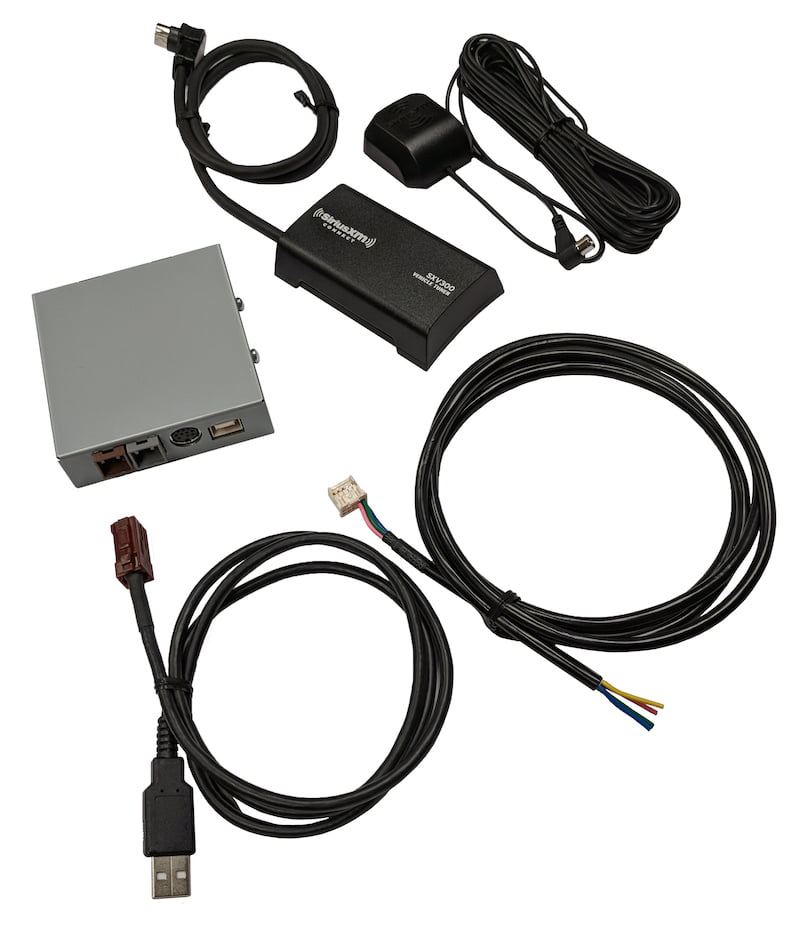
Before initiating a transfer, it is essential to understand the technical architecture that governs satellite radio. Unlike streaming services that rely purely on an internet protocol (IP) and login credentials, SiriusXM operates on a hybrid model that utilizes a unique hardware identifier for every vehicle.
The Role of the ESN and Radio ID Identification System
Every SiriusXM-compatible head unit is equipped with a specific hardware identifier known as an Electronic Serial Number (ESN) or a Radio ID (RID). This is an eight-character alphanumeric code that acts as the “MAC address” for your car’s radio. When you purchase a subscription, the service is not technically “on your account” in the way a Netflix profile is; rather, the SiriusXM satellites broadcast an encrypted authorization signal specifically addressed to that hardware ID.
To find this ID in your new vehicle, you typically tune the radio to Channel 0. This is a universal software standard across nearly all manufacturers, from Tesla and BMW to Ford and Toyota. The Radio ID is the key piece of data required for any transfer, as it allows the SiriusXM servers to redirect the “handshake” signal from your old vehicle’s receiver to the new one.
Built-in Infotainment vs. Aftermarket Hardware
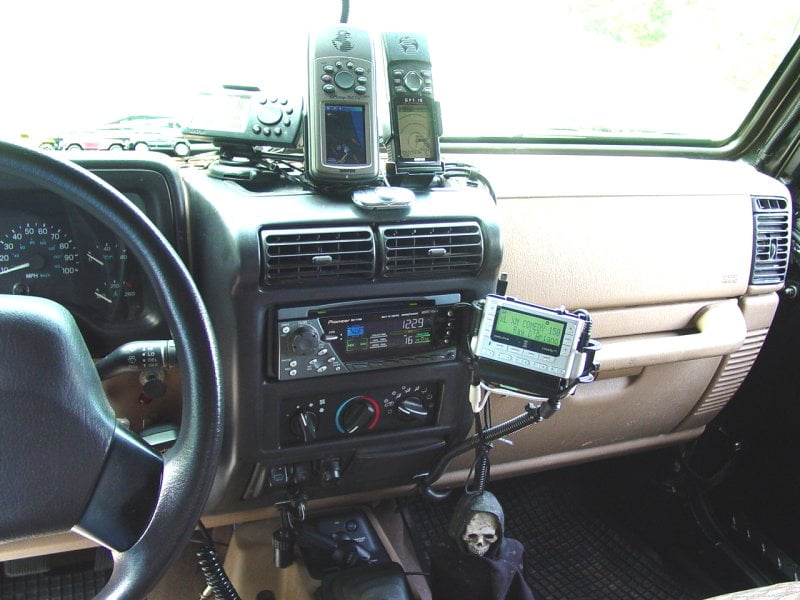
The complexity of your transfer may depend on whether you are using a factory-installed system or an aftermarket head unit (such as those from Alpine, Pioneer, or Sony). Modern factory systems are deeply integrated into the vehicle’s Controller Area Network (CAN bus), allowing the radio to share data with the instrument cluster and heads-up display.
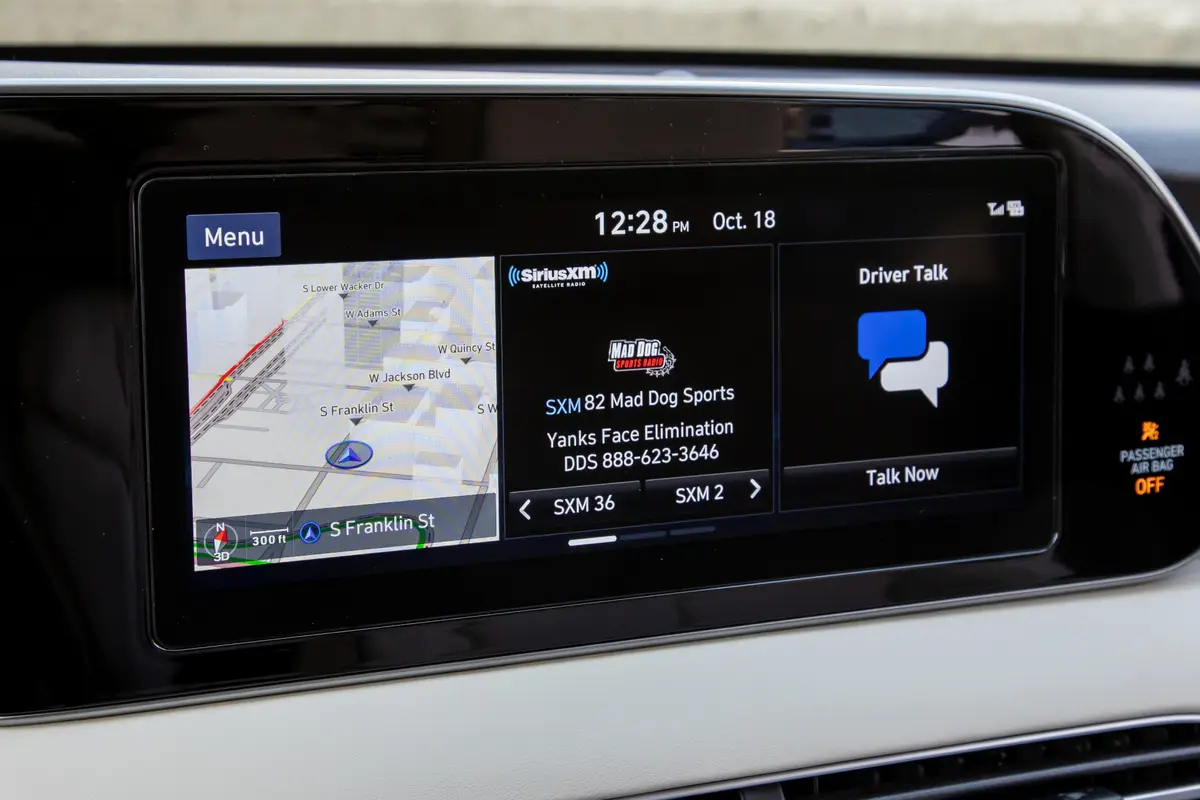
When switching to a new car, the software interface will likely be different. Many new vehicles now utilize SiriusXM with 360L, a sophisticated platform that combines satellite delivery with cellular data. This “hybrid” approach allows for more bandwidth, enabling features like On Demand content and personalized “For You” recommendations that were previously impossible with a one-way satellite feed.
Step-by-Step Guide: Transferring Your Subscription Digitally
The most efficient way to handle a hardware migration is through the SiriusXM Online Account Manager. This digital portal allows you to manage the relationship between your billing profile and your vehicle’s hardware without needing to contact a support representative.
Utilizing the SiriusXM Online Account Manager
To begin the transfer, log in to your account on the SiriusXM website. Navigate to the “My Subscriptions” tab, where you will see your current vehicle listed alongside its Radio ID.
-
Identify the Target Hardware: Ensure you have the Radio ID of the new vehicle (found on Channel 0).
-
Select the Transfer Option: Most accounts feature a “Swap Subscription” or “Move Subscription” button. The system will prompt you to enter the new Radio ID.
-
Address the Trial Period: Almost all new vehicles come with a complimentary “trial” period (ranging from 3 to 12 months). The software logic on the SiriusXM backend usually requires you to decide whether to let the trial run its course or to consolidate it with your existing paid plan. From a technical standpoint, it is often better to wait until the trial is near its end to transfer your paid subscription to avoid data conflicts in the billing cycle.
Managing Multiple Vehicle Profiles
For users with multi-car households, the digital dashboard provides a unified view of all active hardware IDs. If your new car supports the SiriusXM app (via Apple CarPlay or Android Auto), the migration is even simpler. By logging into the app on your smartphone, you can bypass some of the hardware-specific limitations of older satellite receivers. However, for the true satellite-to-antenna experience (which functions in areas without cellular coverage), the hardware-to-account link remains mandatory.
Troubleshooting Connection and Signal Authentication
Once the transfer is initiated in the digital portal, the most critical step is the “activation signal.” This is an over-the-air (OTA) data packet sent from the satellite constellation to your car’s antenna to unlock the encrypted channels.
Refreshing Your Radio Signal Over-the-Air
If your radio displays a “Link to Account” or “Channels Blocked” message after the transfer, you likely need a signal refresh. This is a common technical issue where the vehicle’s receiver was not powered on or did not have a clear line of sight to the sky when the initial authorization command was broadcast.
To resolve this, navigate to the SiriusXM refresh website on a mobile device while sitting in your car. Ensure the vehicle is parked outside with a clear view of the sky. Enter your Radio ID, and the system will trigger a high-priority data burst. Within five to ten minutes, the hardware should decrypt the signal and populate the channel list.
Dealing with Proprietary Infotainment Systems
Modern vehicles often use sophisticated software layers like MBUX (Mercedes-Benz), iDrive (BMW), or Google Automotive Services (Volvo/GM). Sometimes, a transfer is successful on the SiriusXM side, but the vehicle’s head unit requires a “Hard Reset” to recognize the new subscription status.
In these instances, a simple power cycle of the car might not be enough. You may need to go into the system settings of the infotainment unit and select “Update Retail Services” or “Reset Infotainment.” This clears the cache of the internal radio module and forces it to look for a new authorization token from the satellite feed.
The Future of In-Car Entertainment: Satellite vs. Streaming
As you switch your service to a new car, you are likely moving into a more advanced technological environment. The line between “satellite radio” and “streaming app” is blurring, and understanding this shift is key to maximizing your subscription.
Hybrid 360L Technology
If your new vehicle supports SiriusXM with 360L, you are no longer limited by the physical constraints of satellite bandwidth. 360L uses the car’s built-in LTE or 5G modem to download high-bitrate audio and album art, while the satellite antenna handles the live broadcast. This architecture provides a fail-safe: if you drive into a tunnel, the system seamlessly switches to a buffered data stream to prevent audio dropouts.
When transferring your service to a 360L-capable vehicle, ensure that the vehicle’s data privacy settings allow for “Connected Services.” If the car’s internal modem is disabled, you may lose access to the advanced features of your subscription, such as personalized stations and the ability to restart live songs.
Data Security and Privacy in Connected Cars
A final, crucial technical step when switching cars is the de-authorization of your old hardware. When you sell or trade in your previous vehicle, your Radio ID remains linked to that hardware. While the new owner cannot access your billing information, they may be able to continue using your subscription if you haven’t officially transferred it.
Furthermore, many modern radios sync with your smartphone to download contacts and location data. Before handing over the keys to your old car, perform a “Factory Data Reset” on the infotainment system. This ensures that your SiriusXM login credentials (used for the streaming portion of the service) and all other personal digital markers are wiped from the hardware’s internal storage.
By approaching the switch as a technical migration rather than a simple administrative task, you ensure that your transition is seamless. From identifying the ESN to mastering the 360L hybrid interface, the modern SiriusXM ecosystem offers a robust, high-tech experience for the connected driver. Ensuring your hardware is correctly authenticated and your software is refreshed will provide an uninterrupted soundtrack to your journey in your new vehicle.
aViewFromTheCave is a participant in the Amazon Services LLC Associates Program, an affiliate advertising program designed to provide a means for sites to earn advertising fees by advertising and linking to Amazon.com. Amazon, the Amazon logo, AmazonSupply, and the AmazonSupply logo are trademarks of Amazon.com, Inc. or its affiliates. As an Amazon Associate we earn affiliate commissions from qualifying purchases.