
In an increasingly digital world, the way we manage and transfer money has evolved dramatically. Gone are the days when physical cash or lengthy bank transfers were the sole methods for moving funds between individuals. Today, peer-to-peer (P2P) payment applications have become indispensable financial tools, streamlining personal transactions with unparalleled ease and speed. Among these, Cash App stands out as a widely adopted platform, empowering millions to send, receive, and manage their money with just a few taps. Understanding how to leverage this tool effectively is crucial for modern personal finance, ensuring your money moves where and when it needs to, securely and efficiently.
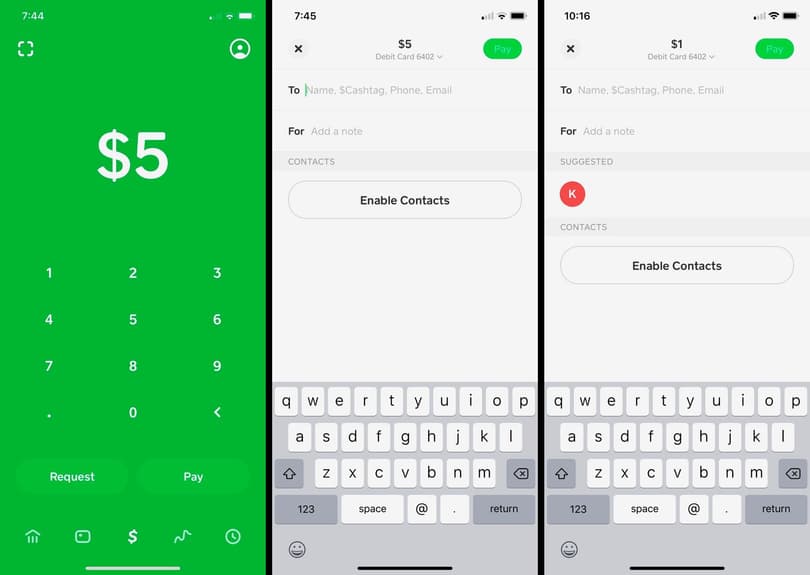
This guide will walk you through the process of sending money on Cash App, emphasizing its role as a financial tool, the monetary implications of its features, and best practices for safeguarding your financial well-being while using the service.
Cash App as a Modern Financial Tool for Personal Transactions
Cash App, developed by Block, Inc., has revolutionized the landscape of personal finance by offering a robust yet user-friendly platform for money transfers. It has become a cornerstone for quick payments between friends, family, and even for small business transactions, fundamentally altering how individuals interact with their money on a day-to-day basis.
The Rise of P2P Payment Systems in Personal Finance
The advent of P2P payment systems like Cash App marks a significant shift in personal financial management. These applications bridge the gap between traditional banking and the immediate demands of digital life. For many, they’ve replaced the need to carry cash, write checks, or even deal with the sometimes cumbersome interfaces of bank-specific transfer systems. Their proliferation is a testament to the growing demand for convenience, speed, and accessibility in managing personal finances. Cash App, with its distinctive green logo and straightforward interface, has capitalized on this demand, carving out a significant niche in the market by offering more than just simple money transfers.
Why Cash App Stands Out in the Financial Tool Landscape
Cash App distinguishes itself through several key features that resonate with users focused on practical personal finance:
-
Ease of Use: The application’s intuitive design ensures that even those new to digital payments can quickly learn to navigate its features. This simplicity is vital for a financial tool that aims for widespread adoption.
-
Speed: Money transfers between Cash App users are typically instantaneous, a crucial advantage when you need to send or receive funds urgently. This real-time liquidity is a major benefit for personal cash flow management.
-
Accessibility: With a presence on both iOS and Android platforms, Cash App is accessible to a vast user base. Its minimal requirements for setup—essentially a smartphone and a linked bank account or debit card—lower the barrier to entry for digital financial transactions.
-
Multi-functionality: Beyond sending and receiving money, Cash App has expanded its offerings to include features like direct deposit, investing in stocks and Bitcoin, and the Cash Card (a customizable debit card). This diversification transforms it from a simple payment app into a more comprehensive personal finance management tool, albeit one that requires careful financial planning and understanding.
Step-by-Step Guide to Initiating a Cash App Payment
Sending money on Cash App is designed to be straightforward, reflecting its commitment to user-friendliness in the realm of financial technology. However, understanding each step ensures both accuracy and security for your financial transactions.
Setting Up Your Account for Seamless Transactions
Before you can send money, your Cash App account needs to be properly set up and funded. This foundational step is critical for reliable financial operations.
-
Download and Create Account: Install Cash App from your device’s app store. You’ll be prompted to enter your phone number or email address to create an account. A verification code will be sent to confirm your identity.
-
Link a Bank Account or Debit Card: To send money from Cash App, you’ll need a funding source.
-
Navigate to the “Banking” or “My Cash” tab (icon resembles a bank building or a house).
-
Tap “Link Bank” or “Link Debit Card.”
-
Follow the prompts to securely link your bank account via your bank’s login portal or by entering your debit card details. This linkage allows Cash App to pull funds from your external financial accounts or to deposit received funds into them.
-
-
Add Cash (Optional but Recommended): While you can send money directly from a linked debit card, adding money to your Cash App balance first can sometimes provide more flexibility, especially if you plan frequent transactions or want to consolidate funds within the app.
-
On the “My Cash” tab, tap “Add Cash.”
-
Enter the desired amount and tap “Add.”
-
Confirm the transaction using your PIN or Touch ID. Funds will be drawn from your linked bank account or debit card.
-
Executing a Direct Payment: A Financial How-To
Once your account is set up, sending money is a quick process, but precision is key to avoid financial errors.
-
Open Cash App: Launch the application on your smartphone.
-
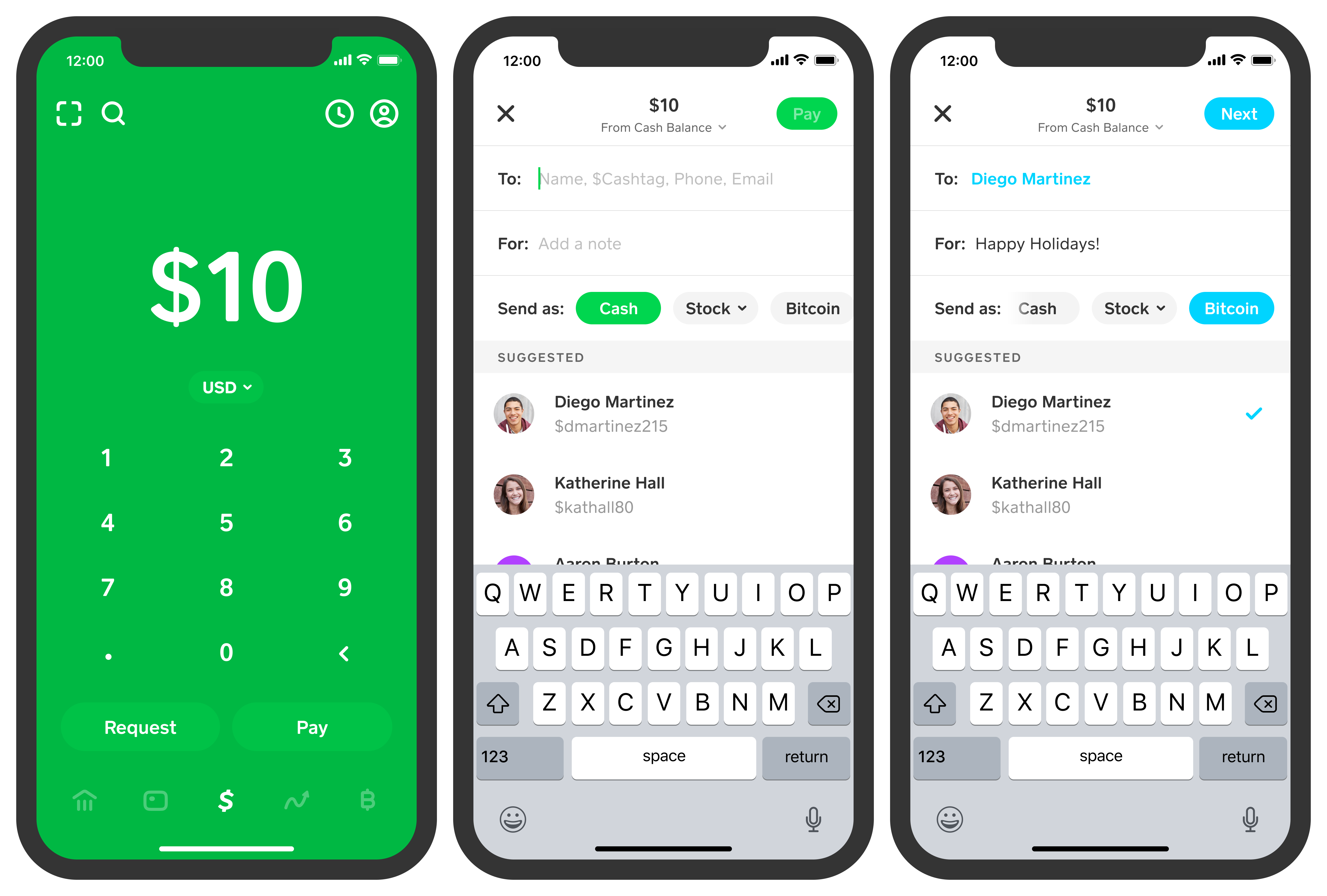
Enter the Amount: On the main screen (which typically displays a dollar sign icon), enter the exact amount you wish to send. Double-check for accuracy—a misplaced decimal or an extra zero can have significant financial consequences.
-
Tap “Pay”: After entering the amount, tap the “Pay” button located at the bottom right.
-
Enter Recipient Details: You’ll be prompted to enter the recipient’s information. This can be their:
-
$Cashtag: This is their unique Cash App username (e.g., $JohnDoe). Using a $Cashtag is often the most reliable method as it’s specific to their Cash App account.
-
Phone Number: The phone number linked to their Cash App account.
-
Email Address: The email address linked to their Cash App account.
-
Verify Recipient: Crucially, always verify the recipient’s identity before confirming the payment. Look for their profile picture, first name, and $Cashtag. Sending money to the wrong person due to a typo can result in irrecoverable financial loss, as Cash App transactions are often irreversible.
-
-
Add a Note (Optional): Include a memo explaining the purpose of the payment (e.g., “Dinner,” “Rent,” “Gift”). This is good practice for personal financial record-keeping.
-
Tap “Pay” Again: Review all details one last time: amount, recipient, and note. If everything is correct, tap the “Pay” button to finalize the transaction. You may need to enter your PIN or use biometrics to confirm.
The funds are typically transferred instantly. Both you and the recipient will receive a notification of the completed transaction.
Requesting Money: Rebalancing Your Personal Finances
Cash App isn’t just for sending; it’s also an effective tool for requesting money, which can be invaluable for settling shared expenses or getting reimbursed, thus aiding in personal budget management.
-
Open Cash App: On the main screen, enter the amount you wish to request.
-
Tap “Request”: Located at the bottom left of the screen.
-
Select Sender: Choose the person from whom you are requesting money using their $Cashtag, phone number, or email.
-
Add a Note (Optional): Provide a clear reason for the request (e.g., “Your half of the groceries,” “Movie tickets”).
-
Tap “Request”: The request will be sent to the selected individual, who can then choose to pay you.
Understanding the Financial Implications of Using Cash App
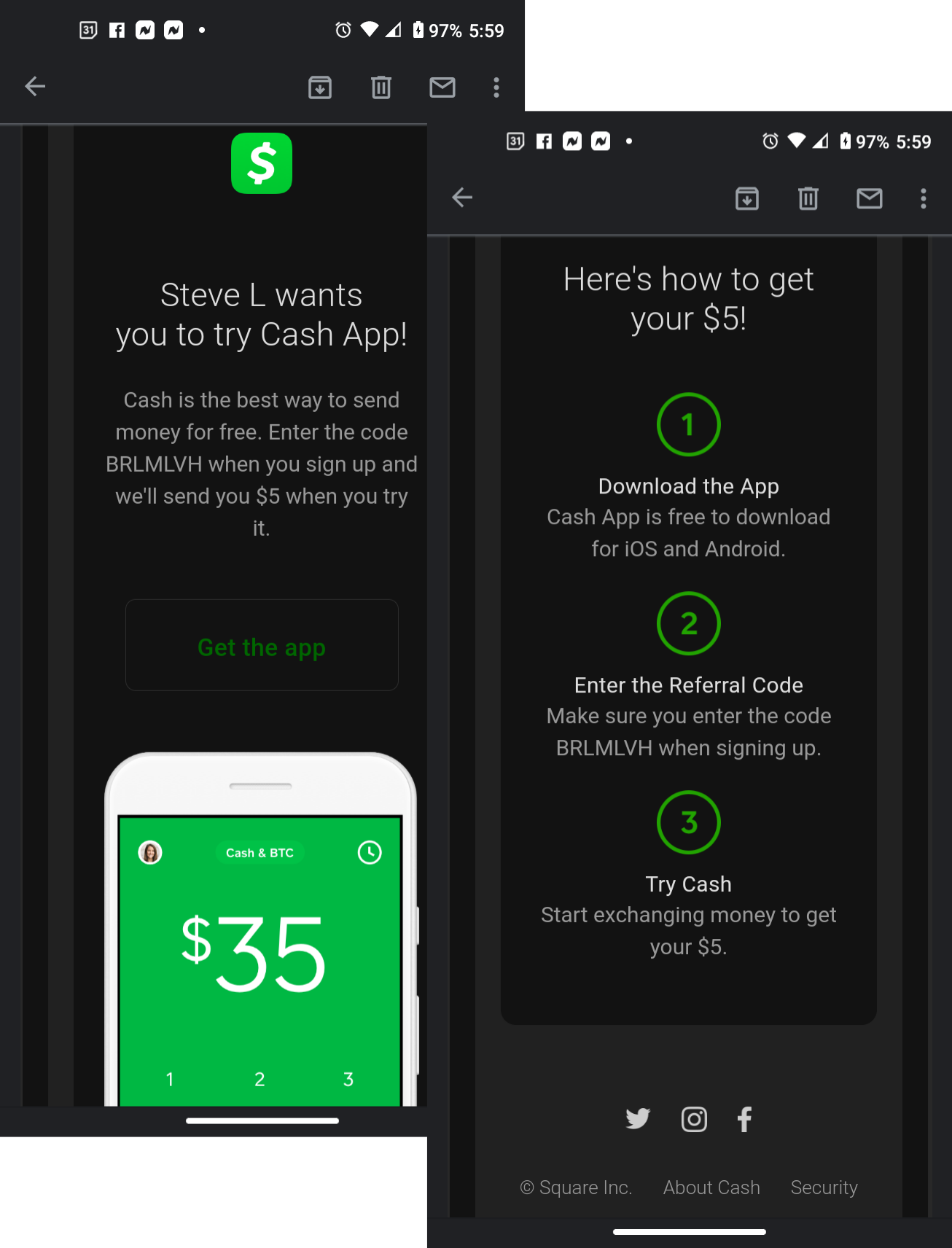
While Cash App offers immense convenience, it’s essential for financially savvy users to understand the nuances of its operations, particularly regarding fees, security, and potential pitfalls.
Transaction Fees and Speed Considerations
Cash App primarily aims to be a free service for standard transactions, which is a significant draw for personal finance.
-
Standard Transfers: Sending money from your Cash App balance or linked debit card is generally free. Receiving money is also free.
-
Credit Card Fees: If you opt to fund a payment using a linked credit card, Cash App typically charges a 3% fee on the transaction amount. This is a crucial financial consideration; using a debit card or your Cash App balance is usually more economical.
-
Instant Deposits: While receiving money into your Cash App balance is free, moving those funds from your Cash App balance to your linked bank account via an “Instant Deposit” incurs a 0.5%–1.75% fee (minimum $0.25). Standard deposits (1–3 business days) are free. For urgent financial needs, the fee for instant access might be justifiable, but for routine transfers, opting for the free standard deposit is a financially prudent choice.
Security Measures for Protecting Your Financial Assets
Security is paramount when dealing with digital financial tools. Cash App employs several measures, but user vigilance is equally important.
-
Encryption and Fraud Detection: Cash App uses state-of-the-art encryption and fraud detection technology to protect your information and transactions.
-
PIN/Touch ID/Face ID: You can enable a security lock (PIN, Touch ID, or Face ID) for all transactions, adding an extra layer of protection against unauthorized access to your funds.
-
Account Notifications: Cash App sends notifications for all transactions, allowing you to monitor your account activity in real-time.
-
Customer Support: While not always instant, Cash App provides avenues for customer support if you encounter suspicious activity or issues with a transaction.
Common Pitfalls and How to Avoid Them
Despite robust security, users can still fall victim to scams or make financial mistakes.
-
Scams and Phishing: Be highly skeptical of unsolicited requests for money or offers that seem too good to be true. Scammers often impersonate Cash App support or promise financial rewards in exchange for an initial payment. Always verify requests independently. Cash App will never ask for your sign-in code, PIN, or full debit card number outside of the app.
-
Irreversible Payments: Unlike credit card transactions, Cash App payments are generally instantaneous and final. If you send money to the wrong person, recovering funds can be extremely difficult, often relying on the goodwill of the recipient. Always double-check recipient details before confirming any payment.
-
Public Wi-Fi Risks: Avoid performing financial transactions on unsecured public Wi-Fi networks, as these can be vulnerable to data interception.
Maximizing Cash App’s Value in Your Personal Finance Ecosystem
Cash App, when used wisely, can be more than just a payment app; it can be an integrated part of your broader personal finance strategy.
Beyond Sending Money: Expanding Your Financial Horizons (Briefly)
While the core focus of sending money remains, Cash App’s expanded features present additional opportunities for personal financial management:
-
Investing in Stocks & Bitcoin: Users can buy and sell fractional shares of stocks and Bitcoin directly within the app. This feature democratizes investing, but it’s crucial to understand the inherent risks of market volatility and to integrate this into a well-considered investment strategy, not just for casual trading.
-
Cash Card: The customizable Cash Card functions as a debit card, allowing users to spend their Cash App balance anywhere Visa is accepted. This provides a tangible link between your digital balance and everyday spending, and its “Boosts” (instant discounts at selected merchants) can offer small but regular savings, positively impacting your budget.
-
Direct Deposit: You can set up direct deposit for your paycheck or government benefits directly into your Cash App account, offering quicker access to funds than traditional banks in some cases.
Best Practices for Managing Your Digital Wallet
To harness Cash App’s full potential while maintaining financial security:
-
Regularly Monitor Transactions: Periodically review your transaction history within the app to ensure all activity is legitimate and to track your spending.
-
Keep App Updated: Ensure your Cash App is always updated to the latest version to benefit from the newest security patches and features.
-
Use Strong Security: Always enable a PIN or biometric security (Touch ID/Face ID) for payments and app access.
-
Be Mindful of Your Balance: Treat your Cash App balance like any other bank account—don’t keep excessive funds in it if you’re not actively using them, and be aware of where your money is at all times.
Integrating Cash App into Your Budgeting Strategy
For those committed to robust personal financial planning, Cash App can serve as a useful tool.
-
Expense Tracking: Use the “Note” feature to categorize expenses, making it easier to track specific spending categories later, especially if you export your transaction history.
-
Shared Expense Management: For shared households or frequent group activities, Cash App simplifies the process of splitting bills and requesting reimbursements, helping maintain financial harmony and ensuring everyone contributes their fair share.
-
Emergency Fund Access (with caution): While not a substitute for a dedicated emergency fund in a high-yield savings account, the instant deposit feature can provide quick access to small amounts if absolutely necessary, though the fee should be weighed against the urgency of the need.
In conclusion, Cash App is an invaluable financial tool for anyone navigating the modern digital economy. By understanding its mechanics, recognizing its financial implications, and adhering to best practices for security and personal financial management, you can effectively send and receive money, contributing to a more streamlined and efficient approach to your everyday finances.
aViewFromTheCave is a participant in the Amazon Services LLC Associates Program, an affiliate advertising program designed to provide a means for sites to earn advertising fees by advertising and linking to Amazon.com. Amazon, the Amazon logo, AmazonSupply, and the AmazonSupply logo are trademarks of Amazon.com, Inc. or its affiliates. As an Amazon Associate we earn affiliate commissions from qualifying purchases.