
In the era of digital-first banking, the ability to access your financial information instantaneously is not just a convenience—it is a cornerstone of effective personal finance management. Chase, as one of the largest financial institutions in the world, has developed a robust mobile platform designed to bridge the gap between complex banking backends and the user’s need for immediate data. Whether you are setting up a direct deposit for a new side hustle, linking a high-yield savings account, or authorizing an automated bill payment, knowing how to locate your account and routing numbers quickly and securely is an essential skill in the modern financial ecosystem.

Navigating the Chase Mobile Interface for Essential Banking Information
The Chase Mobile app is designed with a “security-first” architecture. This means that sensitive information, such as your full account number, is not displayed prominently on the home screen to prevent prying eyes from seeing your data in public spaces. Accessing this information requires navigating through specific layers of authentication and interface menus.
To begin, ensure you are using the most updated version of the Chase Mobile app. Software updates often include critical security patches that protect your data during the retrieval process. Once logged in—ideally using biometric authentication like FaceID or Fingerprint recognition—you will see a summary of your accounts, including checking, savings, and credit cards.
To find your account and routing numbers, tap on the specific account you are interested in (for example, “Total Checking”). Once the account overview page opens, look for the section titled “Account Details.” Within this sub-menu, Chase provides a truncated version of your account number for quick identification. To see the full number, you will typically find a “Show” or “See full number” toggle. Tapping this reveals the complete string of digits required for external transactions. Directly below or adjacent to the account number, the app lists the Routing Transit Number (RTN), which identifies Chase as the receiving institution for domestic transfers.
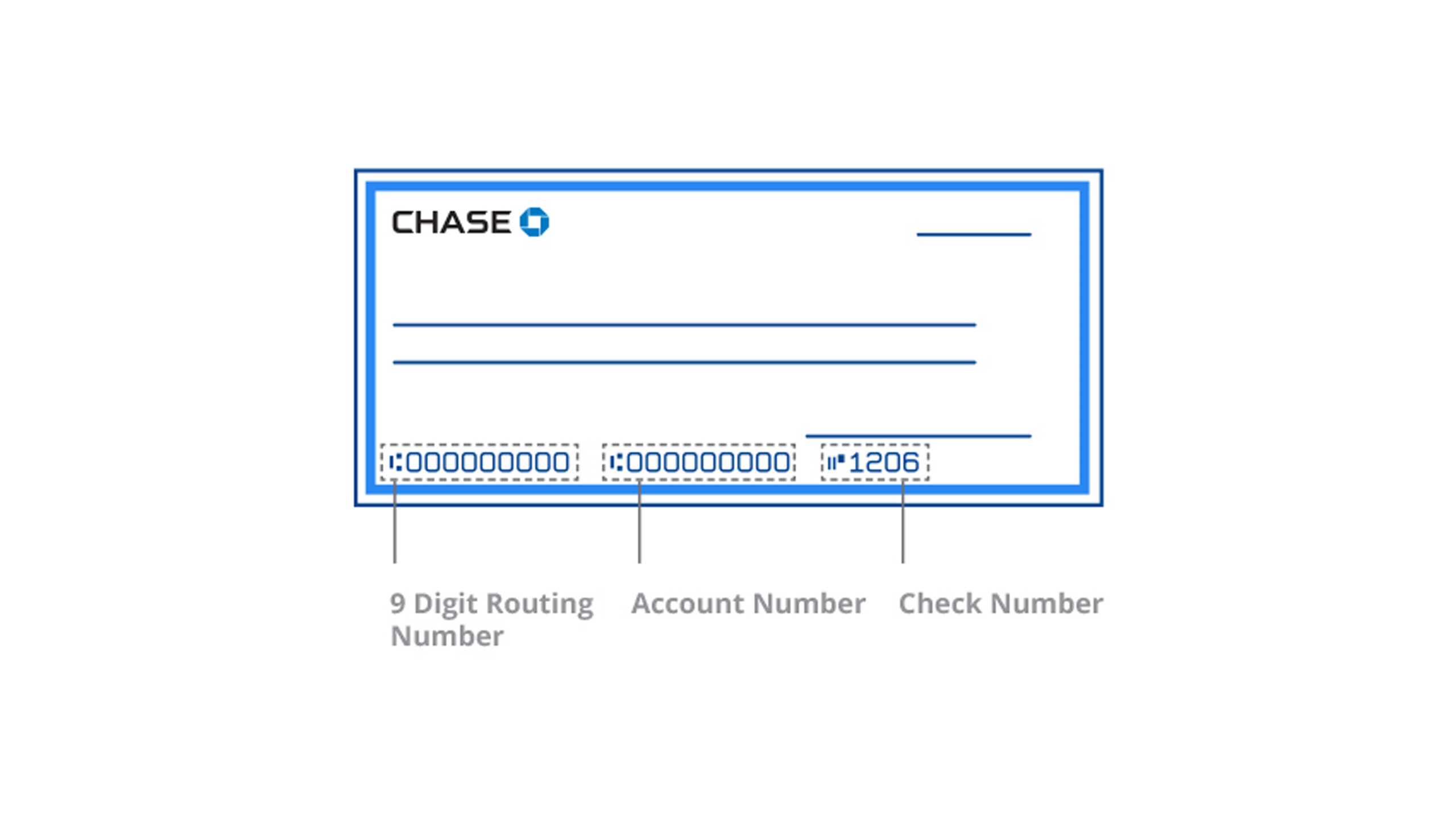
This streamlined access is a significant departure from the traditional reliance on physical checkbooks. In the past, a consumer would have to find a paper check to identify the MICR line at the bottom. Today, the Chase app serves as a digital checkbook, ensuring that your financial “coordinates” are always within reach, provided you have a secure internet connection.
Understanding Your Account and Routing Numbers in the Personal Finance Ecosystem
For many users, account and routing numbers are simply strings of digits. However, in the context of personal finance and wealth management, these numbers represent the plumbing of the global financial system. Understanding the distinction between the two is vital for ensuring that your capital moves accurately and safely.
The Routing Number: Your Bank’s Address
The routing number, also known as an ABA routing transit number, is a nine-digit code that identifies the specific financial institution in the United States. Think of it as the zip code for your money. It tells other banks where to send the funds. Chase, being a massive national entity, may use different routing numbers depending on the state where the account was opened. Using the Chase app ensures you are looking at the specific routing number tied to your specific account branch, which is critical for preventing “bounce-backs” or delayed transfers.
The Account Number: Your Personal Vault
While the routing number identifies the bank, the account number identifies you. It is your unique identifier within the Chase ecosystem. When you provide these two numbers together to an employer or a utility company, you are essentially providing a roadmap: “Go to this bank (routing number), and deposit/withdraw from this specific vault (account number).”
ACH vs. Wire Transfers
In your financial journey, you will likely encounter two primary ways to move money using these numbers: ACH (Automated Clearing House) and Wire Transfers. ACH transfers are commonly used for direct deposits and automated bill payments. They are generally free but can take one to three business days to clear. Wire transfers, conversely, are near-instantaneous but often come with a fee. The Chase app distinguishes between these where necessary, often providing a specific routing number for “Wires” if it differs from the standard “Electronic/ACH” routing number. Distinguishing between these within the app can save you from costly administrative errors when moving large sums for real estate closings or investment capital.
Leveraging Your Banking Details for Wealth Building and Financial Automation
Once you know how to access your account information, you can use that data to implement advanced personal finance strategies. The most successful investors and savers are those who automate their financial lives, removing the “human element” that often leads to procrastination or emotional spending.
Optimizing Direct Deposit
One of the most effective ways to build wealth is through the “Pay Yourself First” model. By accessing your Chase account and routing numbers, you can split your direct deposit from your employer. Instead of sending 100% of your paycheck to your checking account, you can direct a specific percentage—say 15%—directly into a dedicated savings or brokerage account. Because this happens at the payroll level using your account details, you never “see” the money in your spending account, which reduces the temptation to use it on non-essential items.
Streamlining Side Hustle Income
For those involved in the gig economy or running a small business, your Chase account number is the key to getting paid. Whether you are linking your account to a payment processor like Stripe or Square, or setting up a direct link with a freelance platform, having your account details handy via the app allows you to scale your business operations from anywhere. It facilitates “liquidity management,” allowing you to move profits from your business ventures into your personal investments with minimal friction.
Avoiding “Convenience Fees”
Many service providers, such as landlords or utility companies, charge a “convenience fee” for using a credit or debit card. These fees typically range from 2% to 3%. However, by providing your Chase account and routing numbers for an ACH transfer, these fees are almost always waived. Over a year, saving 3% on rent and utilities can add hundreds, if not thousands, of dollars back into your investment portfolio. The Chase app makes it easy to grab these numbers and update your payment methods on the fly.
Security Protocols and Safeguarding Your Sensitive Banking Data
With great accessibility comes great responsibility. The ability to see your account number on your phone means that your phone is a gateway to your financial life. Maintaining high standards of digital hygiene is paramount to protecting your assets.
Chase employs multi-layered security, but the “last mile” of security depends on the user. When viewing your account number in the app, be aware of your surroundings. Screen-scraping malware or simple “shoulder surfing” in a crowded coffee shop can lead to identity theft.
Furthermore, never share your account and routing numbers via unencrypted channels like standard email or text messages. If you must send these details to a financial advisor or a title company, use a secure portal or an encrypted file-sharing service. Fraudsters often use “phishing” attacks, pretending to be Chase or another trusted entity, to ask for these very numbers. Remember: Chase will never call or text you to ask for your full account number, as they already have it on file.
Another critical security feature within the Chase app is the ability to set up “Account Alerts.” You can configure the app to notify you every time an ACH transfer or a withdrawal occurs. By knowing your account number and monitoring its activity, you can spot unauthorized transactions immediately, allowing you to freeze the account and mitigate potential losses.

Integrating Mobile Banking into Your Broader Financial Strategy
Modern personal finance is about integration. Your Chase account is likely just one piece of a larger puzzle that includes 401(k)s, IRAs, and perhaps a high-yield savings account (HYSA) at a different institution to maximize interest rates.
To get a holistic view of your net worth, you often need to link your Chase account to financial aggregators or budgeting software. This process requires your account credentials and, frequently, your account and routing numbers for verification. By mastering the Chase app interface, you make the process of “stacking” your financial tools much smoother.
For instance, if you are moving money from Chase to an external brokerage to buy index funds, the external site will often ask to verify your Chase account via “micro-deposits.” You will need to know your account number to initiate this link, and then use the Chase app to monitor for those two small deposits (usually a few cents) to confirm the connection. This synergy between the Chase app and other fintech tools is what allows for a sophisticated, automated wealth-building machine.
In conclusion, while the task of finding an account number on the Chase app may seem like a simple technical hurdle, it is actually a gateway to better financial management. It enables automation, facilitates the movement of capital, and, when handled with the proper security mindset, empowers the user to take full control of their financial destiny. In the landscape of 21st-century finance, information is power, and the Chase app ensures that your most vital information is always at your fingertips.
aViewFromTheCave is a participant in the Amazon Services LLC Associates Program, an affiliate advertising program designed to provide a means for sites to earn advertising fees by advertising and linking to Amazon.com. Amazon, the Amazon logo, AmazonSupply, and the AmazonSupply logo are trademarks of Amazon.com, Inc. or its affiliates. As an Amazon Associate we earn affiliate commissions from qualifying purchases.