
In the increasingly digital landscape of personal finance, managing funds across various platforms has become a common necessity. Cash App and Chime, two prominent players in the fintech arena, offer distinct services for managing money. Cash App excels in peer-to-peer payments and quick transactions, while Chime revolutionizes traditional banking with its mobile-first approach, early paycheck access, and fee-free services. While both are indispensable tools for many, the need to transfer funds between them often arises for budgeting, consolidating finances, or accessing specific features unique to each platform.
This guide delves into the practical methods, essential considerations, and best practices for moving your money efficiently and securely from Cash App to Chime. Understanding the mechanics of these transfers is crucial for maintaining seamless control over your financial resources in a world where digital convenience is paramount. We will exclusively focus on the financial implications, steps, and tools involved, firmly within the domain of personal finance and financial management.
Understanding Cash App and Chime in Your Financial Ecosystem
The evolution of financial technology has introduced a plethora of tools designed to simplify money management. Cash App and Chime stand out as leaders in their respective niches, each offering unique advantages. Understanding their roles and functionalities is the first step toward effectively managing transfers between them.
The Rise of Digital Banking and Peer-to-Peer Payments
Cash App, developed by Block Inc. (formerly Square), has become synonymous with instant peer-to-peer (P2P) payments. Its user-friendly interface allows individuals to send and receive money, invest in stocks and Bitcoin, and even file taxes. For many, it’s the go-to platform for splitting bills, paying friends, or receiving quick payments. The speed and simplicity of Cash App have made it an integral part of daily financial interactions, often serving as a digital wallet for smaller, frequent transactions. Its “Cash Card” also functions as a debit card, linked directly to your Cash App balance, offering flexibility for spending.
Chime, on the other hand, positions itself as a mobile-first banking solution, challenging traditional banks with its fee-free approach and customer-centric services. Unlike Cash App, Chime offers a full suite of banking features, including checking and savings accounts, a secured credit builder card, and direct deposit capabilities that can provide access to paychecks up to two days early. Chime partners with FDIC-insured banks, ensuring the security of deposits up to the standard maximum. For individuals seeking a primary banking relationship without the overheads of traditional institutions, Chime presents an attractive and modern alternative. Its focus on financial health, including features like “SpotMe” for overdraft protection, further solidifies its role as a robust banking platform.
Why Transfer Between These Platforms?
The reasons for moving money between Cash App and Chime are varied and often stem from the unique strengths of each platform.
- Consolidation: Users might want to consolidate funds from their Cash App balance into their primary Chime checking account for better overall financial management, bill payments, or savings goals.
- Budgeting: Separating funds for different purposes is a common budgeting strategy. Money received via Cash App for specific expenses might need to be moved to Chime for broader budget allocation or to leverage Chime’s savings features.
- Accessing Chime Features: To fully utilize Chime’s banking functionalities, such as automated savings, bill pay, or direct deposit, funds often need to reside within a Chime account. This can include transferring P2P payments received on Cash App to Chime.
- Larger Transactions: While Cash App is excellent for smaller, frequent transfers, for larger sums or more traditional banking needs, Chime might be preferred due to its established banking infrastructure and features.
- Security and Insurance: Chime, as an FDIC-insured banking service, might be seen as a more secure long-term repository for larger sums compared to a P2P payment app balance.
Understanding these motivations highlights the practical necessity of navigating transfers effectively between these two distinct financial tools.
Direct vs. Indirect Transfer Methods: Navigating Your Options
When considering how to move money from Cash App to Chime, it’s important to understand that a direct, app-to-app transfer is not typically an option. Unlike transferring funds between two accounts within the same banking system, Cash App and Chime operate as separate financial entities. Therefore, an intermediary step is usually required to facilitate the movement of funds. This section clarifies why a direct transfer isn’t common and outlines the effective indirect method.
Why a Direct Transfer Isn’t Typically an Option
The primary reason you cannot directly transfer money from Cash App to Chime is that they are not integrated to facilitate such a transfer. Cash App is primarily a peer-to-peer payment and digital wallet service, while Chime functions as a mobile banking platform. They do not have a built-in function to recognize or directly communicate with each other’s internal systems for immediate fund transfers.
Think of it this way: sending money from Cash App is akin to sending money from a specific digital wallet. To move it to a different banking account (like Chime), it must first leave the digital wallet and enter a more universal financial channel, typically a standard bank account.
The Indirect Path: Leveraging a Linked Bank Account
The most reliable and universally accepted method for transferring money from Cash App to Chime involves using an intermediary bank account. This method essentially involves two distinct steps:
- Withdrawing funds from your Cash App balance to a bank account linked to Cash App.
- Depositing those funds from the linked bank account into your Chime account.
This bank account can be any traditional checking or savings account you hold, as long as it is successfully linked to both your Cash App and your Chime account. If you do not have a traditional bank account outside of Chime, you can link your Chime account directly to Cash App as the intermediary bank account. This simplifies the process into effectively two transactions: a withdrawal from Cash App to your Chime account’s routing and account numbers, followed by the funds appearing in your Chime balance.
This method leverages the Automated Clearing House (ACH) network, the electronic network used by financial institutions in the U.S. to process electronic credits and debits. ACH transfers are standard, secure, and widely used for moving money between different banks and financial services. While ACH transfers are typically free, they do take a few business days to complete. For faster transfers, Cash App offers an “Instant Deposit” option, usually for a small fee, which pushes funds to your linked debit card almost immediately. If your Chime account is linked as a debit card to Cash App, this can expedite the process.
Step-by-Step Guide to Transferring Funds via an Intermediary Bank Account
Utilizing an intermediary bank account, or more specifically, your Chime account details, is the most straightforward and secure way to move money from Cash App to Chime. This process leverages the existing financial infrastructure to ensure your funds reach their destination reliably.
Step 1: Linking Your Bank Account (or Chime Account) to Cash App
Before you can move money out of Cash App, you need to ensure that an external bank account is linked. This external account can be a traditional bank account or, conveniently, your Chime spending account.
- Open the Cash App: Launch the Cash App on your mobile device.
- Navigate to the Banking Tab: Tap the banking icon (looks like a house or a bank) on the bottom left of the home screen.
- Link Bank/Card: Under the “Linked Banks” section, tap on “Link Bank” or “Link Debit Card.”
- Enter Account Details: You will be prompted to enter your bank’s login credentials if using an instant linking service like Plaid, or you may manually enter your bank’s routing and account numbers.
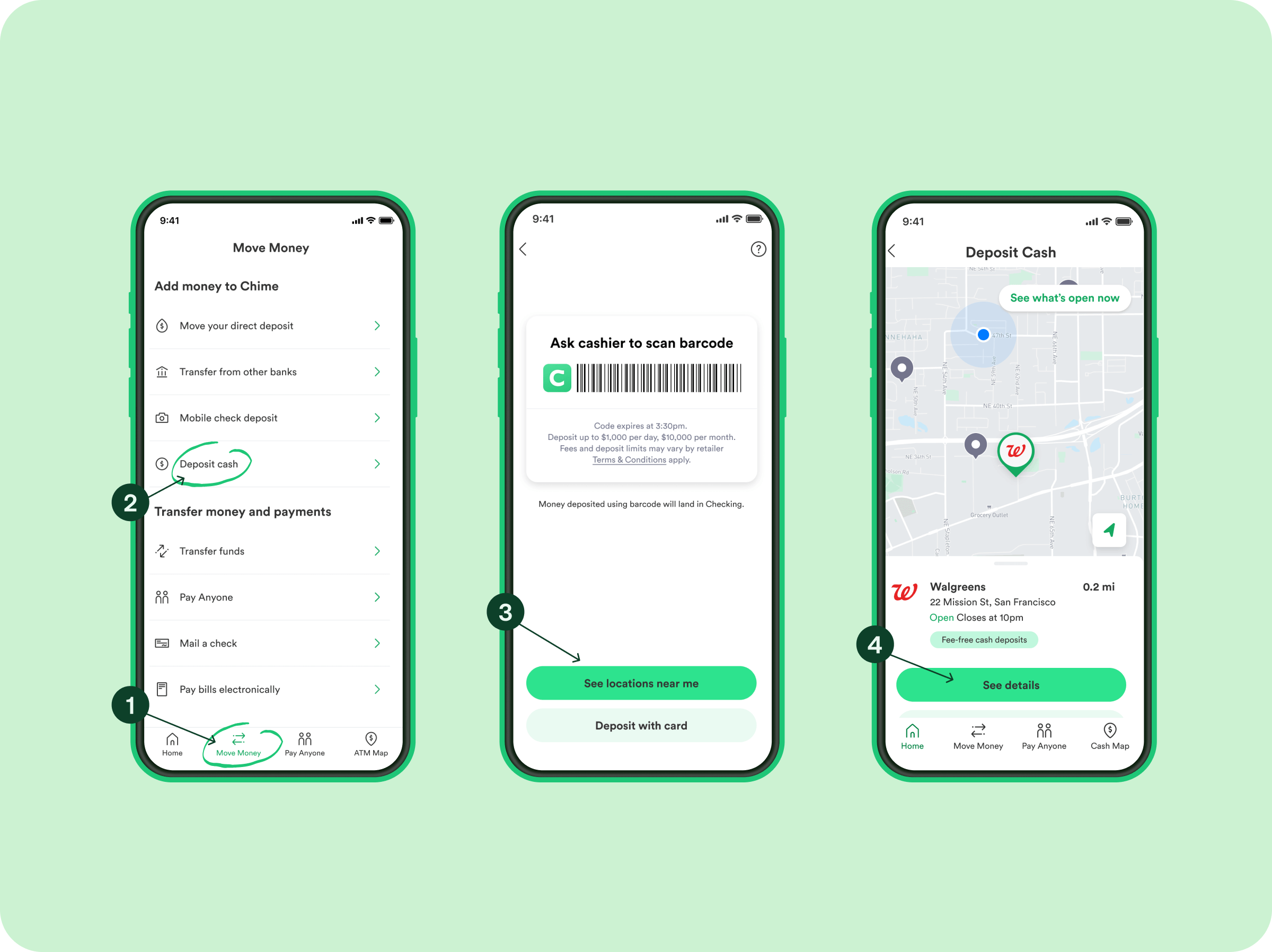
- To link Chime: If you want to link your Chime account directly, you will need your Chime routing and account numbers. These can be found in the Chime app by going to “Settings” then “Account Information” or by tapping on “Move Money” and then “Account & Routing numbers.” Enter these into Cash App when prompted to link a bank.
- Confirm Linkage: Follow any additional prompts to confirm the linkage, which may involve micro-deposits for verification for manual linking.
Step 2: Initiating a Cash Out from Cash App
Once your desired bank account (or Chime account) is successfully linked to Cash App, you can initiate the transfer of funds.
- Return to the Banking Tab: From the Cash App home screen, tap the banking icon.
- Tap “Cash Out”: This option will be visible, indicating your current Cash App balance.
- Enter Amount: Input the amount of money you wish to transfer. Ensure you have sufficient funds in your Cash App balance.
- Choose Transfer Speed: Cash App typically offers two options:
- Standard Deposit (1-3 business days): This option is usually free and uses the ACH network.
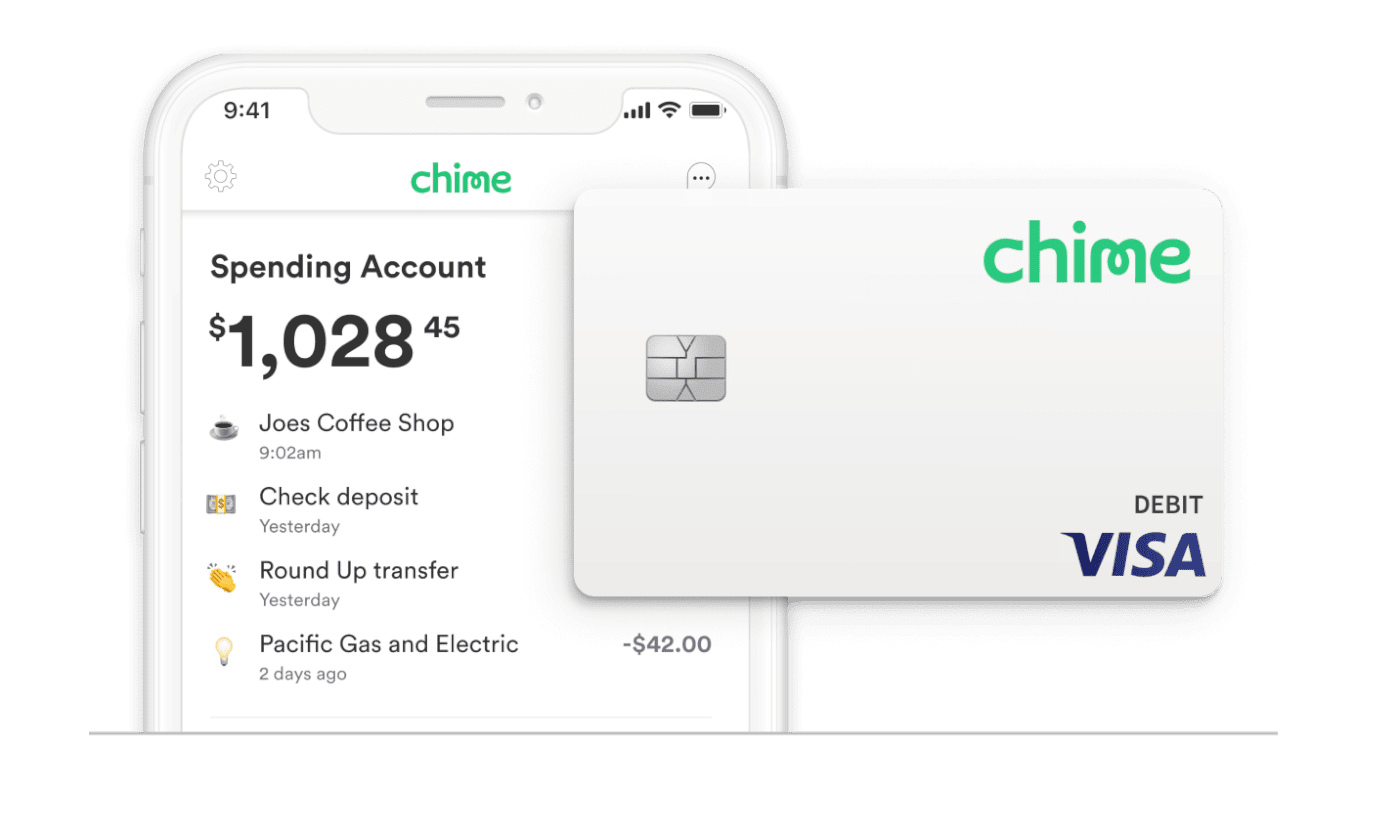
- Instant Deposit (Immediate, usually for a fee): This option transfers money to your linked debit card instantly. If you linked your Chime account as a debit card (which is possible if you have a Chime Visa Debit Card), you can use this for immediate transfers. If you linked it as a bank account using routing and account numbers, only the standard deposit option will apply.
- Confirm Transaction: Review the details, including any applicable fees, and confirm the cash-out.
Step 3: Verifying the Deposit in Your Chime Account
After initiating the cash-out from Cash App, the next step is to monitor your Chime account for the incoming funds.
- Open the Chime App: Launch the Chime app on your mobile device.
- Check Activity/Balance: Navigate to your transaction history or simply check your current balance.
- Await Funds:
- For Instant Deposits (if you used your Chime debit card): The funds should appear in your Chime spending account within minutes.
- For Standard Deposits (ACH transfers): It typically takes 1 to 3 business days for the funds to reflect in your Chime account. Weekends and holidays do not count as business days.
- Notification: Chime often provides notifications when deposits are received, which can help you track the transfer.
Step 4: Confirming the Transfer
Once the funds appear in your Chime account, the transfer is complete. It’s always a good practice to:
- Verify the Amount: Double-check that the exact amount you transferred from Cash App has arrived in your Chime account.
- Keep Records: Maintain records of your transfers for your personal financial tracking, though both apps provide transaction histories.
By following these detailed steps, you can reliably and efficiently move funds from your Cash App balance to your Chime spending account, seamlessly integrating these two powerful financial tools into your money management strategy.
Key Considerations: Fees, Limits, and Timelines
When transferring money between Cash App and Chime, it’s essential for sound financial planning to be aware of potential fees, transaction limits, and the expected timelines for funds to clear. These factors can impact your liquidity and overall cost of managing money.
Understanding Cash App Transfer Fees
Cash App generally offers a free standard deposit option, but speed often comes with a cost.
- Standard Deposits (1-3 business days): Transfers to a linked bank account via ACH typically incur no fees. This is the most cost-effective option if you are not in a hurry.
- Instant Deposits (Immediate): If you choose to instantly deposit funds to a linked debit card (which could be your Chime Visa Debit Card), Cash App usually charges a fee, typically ranging from 0.5% to 1.75% of the transaction amount, with a minimum fee of $0.25. While this offers immediate access to your funds, it’s an important factor to consider for larger transfers.
Always review the fee structure presented by Cash App before confirming an instant transfer to ensure you are comfortable with the cost. These fees are deducted from the total amount being transferred.
Chime’s Deposit Policies and Limits
Chime itself does not typically charge fees for receiving standard ACH deposits. However, like most financial institutions, Chime may have its own deposit limits, although these are generally quite high for standard incoming transfers.
- No Incoming Fees: Chime prides itself on being a fee-free banking service, so receiving funds via ACH or debit card push from Cash App will not incur additional charges from Chime’s side.
- Deposit Limits: While not frequently encountered for most personal use, Chime, like any bank, may have daily or monthly limits on the amount of money you can receive. These limits are typically high enough not to affect average users. For specific limits or large transfers, it’s advisable to check your Chime app’s terms or contact their support.
- Availability of Funds: Once funds are received by Chime, they are typically available immediately for use, particularly for instant deposits. Standard ACH transfers will be available once the bank processing is complete.
Expected Transfer Timelines
The time it takes for money to move from Cash App to Chime varies significantly based on the chosen transfer method:
- Instant Deposits (to Chime Debit Card): If you opt for Cash App’s instant deposit to your linked Chime Visa Debit Card, the funds usually arrive in your Chime spending account within a few minutes, though it can sometimes take up to 30 minutes. This is the fastest option.
- Standard Deposits (to Chime Bank Account via ACH): If you use the free standard deposit option to your Chime account’s routing and account numbers, the transfer typically takes 1 to 3 business days.
- Business Days: Remember that “business days” exclude weekends and federal holidays. If you initiate a standard transfer on a Friday, it might not appear until Tuesday or Wednesday of the following week.
- Cut-off Times: Transfers initiated after a certain cut-off time (often late afternoon Pacific Time for Cash App) may not begin processing until the next business day, further extending the timeline.
Planning your transfers with these timelines in mind is crucial, especially if you need funds available by a specific date for bill payments or other financial obligations. For urgent needs, the instant deposit, despite its fee, might be the more practical choice.
Optimizing Your Transfers and Enhancing Financial Security
Moving money between financial platforms requires not only knowing the steps but also adopting best practices to ensure efficiency and safeguard your financial information. Optimizing your transfer strategy and prioritizing security are paramount for seamless financial management.
Best Practices for Smooth Transactions
Adhering to a few best practices can significantly improve your experience when transferring money from Cash App to Chime:
- Verify Account Information: Always double-check that the correct bank account (or Chime account) is linked to your Cash App before initiating a transfer. Even a single incorrect digit in routing or account numbers can lead to significant delays or, worse, funds being sent to the wrong place.
- Understand Fees and Timelines: Before confirming any transfer, be fully aware of the associated fees and the expected arrival time of your funds. Choose the method that best balances cost-effectiveness with your urgency. For instance, if funds are needed immediately, the instant transfer fee might be justified.
- Start with Small Transfers (Optional): If it’s your first time transferring a significant amount or linking a new account, consider doing a small test transfer first. This confirms that all connections are working correctly before you move a larger sum.
- Keep Apps Updated: Ensure both your Cash App and Chime apps are always updated to the latest versions. Updates often include bug fixes, security enhancements, and performance improvements that can prevent glitches during transactions.
- Monitor Transactions: Regularly check your transaction history in both Cash App and Chime to confirm that transfers have been successfully completed and that the amounts match your expectations. This helps in early detection of any discrepancies.
- Maintain Sufficient Balance: Ensure your Cash App balance covers the transfer amount plus any associated fees to avoid failed transactions.
Safeguarding Your Financial Information
The digital nature of these transfers necessitates a strong focus on security. Protecting your personal and financial information should always be a top priority.
- Strong, Unique Passwords: Use complex and unique passwords for both your Cash App and Chime accounts. Avoid using easily guessable information.
- Two-Factor Authentication (2FA): Enable 2FA on both apps. This adds an extra layer of security, requiring a second form of verification (like a code sent to your phone) in addition to your password, significantly reducing the risk of unauthorized access.
- Beware of Phishing Scams: Be vigilant against phishing attempts. Cash App and Chime will never ask for your login credentials or personal information via unsolicited emails, texts, or calls. Always verify the sender before clicking links or providing information.
- Public Wi-Fi Caution: Avoid making financial transactions or accessing sensitive financial apps while connected to unsecured public Wi-Fi networks. These networks are more vulnerable to eavesdropping. Use a secure connection or a VPN if you must transact in public.
- Device Security: Keep your mobile device secure with a strong passcode, fingerprint ID, or facial recognition. Be cautious about installing apps from unknown sources, as they could contain malware.
- Regularly Review Statements: Periodically review your transaction history and statements for both Cash App and Chime to identify any unauthorized or suspicious activity promptly.
When to Contact Support
Despite all precautions, issues can sometimes arise. Knowing when and how to contact customer support is crucial.
- Delayed Transfers: If a standard transfer significantly exceeds the 1-3 business day window, or an instant transfer doesn’t appear after an hour, contact Cash App support first, as they initiated the send. Provide them with transaction details. If they confirm the transfer was sent, then contact Chime support with the details.
- Incorrect Amounts: If the received amount is incorrect, immediately contact the support for the app that processed the final deposit (Chime, in this case), and then Cash App if necessary.
- Unauthorized Activity: If you notice any suspicious transactions or unauthorized access to your accounts, contact both Cash App and Chime support immediately. They can help you secure your accounts and investigate the issue.
By diligently following these best practices and prioritizing security, you can ensure that your financial transfers between Cash App and Chime are not only successful but also secure, contributing to a robust and controlled personal finance strategy.
aViewFromTheCave is a participant in the Amazon Services LLC Associates Program, an affiliate advertising program designed to provide a means for sites to earn advertising fees by advertising and linking to Amazon.com. Amazon, the Amazon logo, AmazonSupply, and the AmazonSupply logo are trademarks of Amazon.com, Inc. or its affiliates. As an Amazon Associate we earn affiliate commissions from qualifying purchases.