
Accessing historical tax documentation is a critical component of sound personal financial management. Whether you are applying for a mortgage, verifying income for a business loan, or preparing for a potential IRS audit, your past tax returns serve as the ultimate paper trail of your economic life. For users of TurboTax, the process of retrieving these documents varies significantly depending on whether you utilized the online platform or the desktop software. Understanding the nuances of these retrieval methods—and knowing what to do if the software itself fails—is essential for maintaining your financial health and compliance.

The Importance of Historical Tax Data in Financial Planning
In the realm of personal finance, tax returns are far more than a yearly obligation to the government; they are foundational documents used by lenders, government agencies, and financial planners to assess your fiscal stability.
Mortgage Applications and Lending Requirements
When you enter the market for a home or a significant business investment, lenders typically require at least two years of full tax returns. They are not merely looking at your gross income; they are scrutinizing your adjusted gross income (AGI), your itemized deductions, and any business losses reported on Schedule C. If you are self-employed or have a complex portfolio of side hustles, these returns are the primary evidence of your ability to repay a debt. Without easy access to these records, the underwriting process can grind to a halt, potentially costing you a competitive interest rate or even the property itself.
Strategic Long-Term Tax Planning
Effective tax planning is a longitudinal endeavor. By reviewing several years of past returns, you can identify trends in your income, the efficacy of your retirement contributions, and the impact of capital gains or losses on your overall tax liability. Historical data allows you to track carryover losses, which can be used to offset future gains, and ensures consistency in how you depreciate business assets. If you cannot access your old TurboTax returns, you risk missing out on these carryover benefits, essentially leaving money on the table.
Audit Preparedness and Risk Management
The IRS generally has a three-year window to audit a tax return, but this period can extend to six years if they find a “substantial understatement” of income. For individuals, maintaining a robust archive of tax returns and supporting documentation is the first line of defense in a professional audit. Having your TurboTax files ready means you can quickly provide the necessary schedules and forms to substantiate your claims, minimizing the stress and potential financial penalties associated with a federal or state inquiry.
Step-by-Step Methods to Retrieve Your TurboTax Files
The method for retrieving an old return depends entirely on the version of the software you used for that specific tax year. TurboTax manages data differently for its web-based users versus those who install the software locally on their computers.
Accessing TurboTax Online Archives
For the majority of modern filers, TurboTax Online is the primary portal. Intuit, the parent company, generally maintains tax returns for up to seven years within their cloud environment. To access these, you must log into the TurboTax website using your current credentials. Once logged in, navigate to the “Tax Home” section.
Under the “Your tax returns & documents” section, you should see options for the current year as well as previous years. Selecting a specific year will allow you to download a PDF copy of the return or the original .tax file. It is important to note that access to prior year returns often requires you to have started or paid for the current year’s tax return, or to have purchased a specific “Max” or “Plus” bundle in the year you filed. This is a common hurdle for users who jump between different tax software providers annually.
Locating Files from TurboTax Desktop Versions
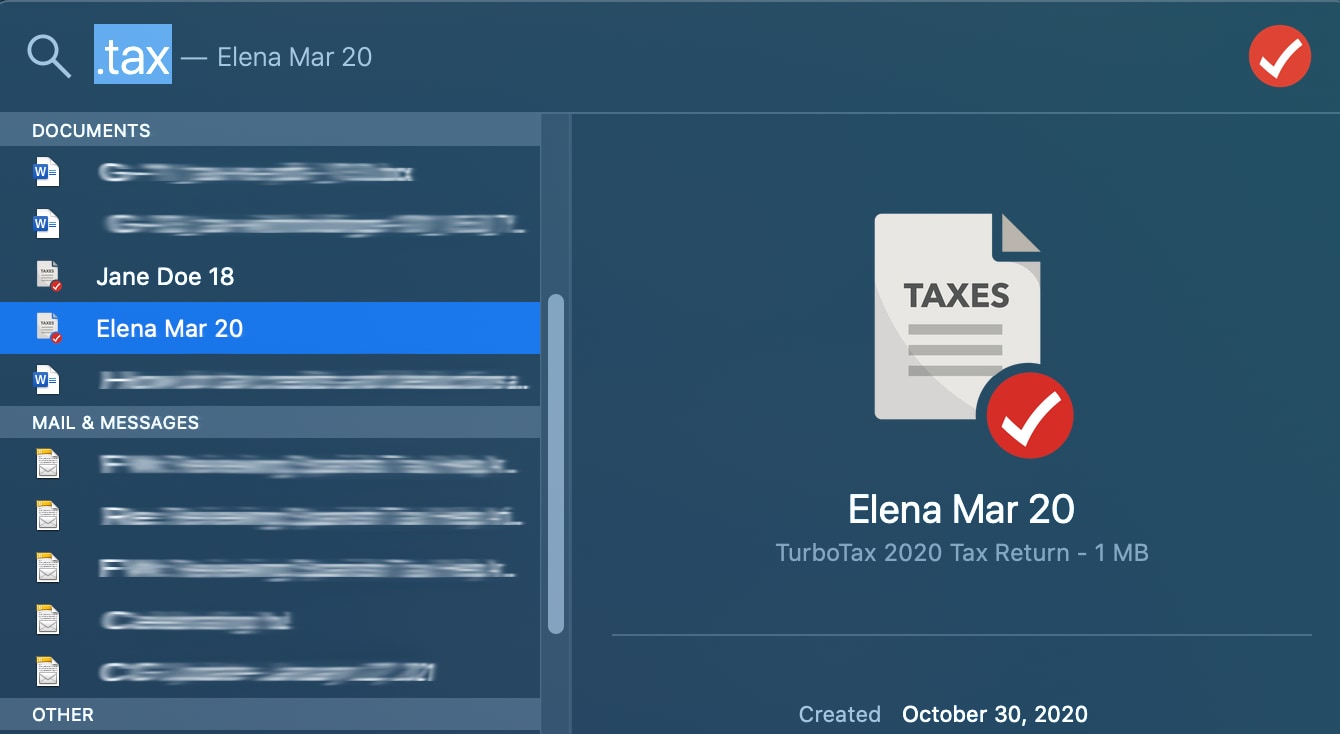
If you used the TurboTax CD/Download version, your tax data is not stored on Intuit’s servers; it is stored locally on the hard drive of the computer you used at the time. The files you are looking for typically end in the extension .tax2021, .tax2022, etc.
On a Windows machine, these are usually located in the “Documents” folder under a subfolder named “TurboTax.” On a Mac, the default location is often the “Documents” folder as well. If you have since upgraded your computer or your hard drive has failed, retrieving these files becomes a matter of digital forensics. This highlights the importance of backing up your financial data to a secure cloud service or an external encrypted drive at the end of every tax season.
Dealing with Account Access Issues

One of the most frequent barriers to retrieving old returns is the loss of account access. If you have changed email addresses or forgotten your password, you may need to utilize Intuit’s account recovery tool. This process often involves verifying your identity through a multi-factor authentication code sent to a phone number on file or through a series of security questions. In extreme cases where you cannot access the account or the email associated with it, you may need to contact Intuit’s customer support directly, though they are limited in what they can provide if the account cannot be verified.
Alternative Avenues When Software Fails: The IRS and Transcripts
If your TurboTax account is inaccessible or the files have been deleted, the Internal Revenue Service serves as the ultimate backup for your federal data. While they may not provide a colorful, user-friendly interface, the data they hold is the official record of your financial standing.
Requesting Tax Transcripts Online
The IRS “Get Transcript” tool is an invaluable resource for taxpayers. There are two main types of transcripts you might need:
-
Tax Return Transcript: This shows most line items from your original return as filed. It is usually sufficient for mortgage lenders and student loan applications.
-
Tax Account Transcript: This provides basic data such as return type, marital status, adjusted gross income, and taxable income. Crucially, it also shows any subsequent changes made to the return, such as amendments or IRS corrections.
Transcripts are free and can often be downloaded immediately after verifying your identity through the IRS’s secure ID.me portal.
Form 4506 and Certified Copies
In some legal or high-stakes financial situations, a transcript is not enough; you may need an exact copy of the original return, including all attachments (like your W-2s). To get this, you must file IRS Form 4506, “Request for Copy of Tax Return.” Unlike transcripts, this service carries a fee (currently around $43 per return) and can take up to 75 calendar days to process. This is the “nuclear option” for record retrieval and should be initiated well in advance of any financial deadlines.
State Tax Returns: The Secondary Layer
It is a common mistake to focus solely on federal returns. However, state tax returns are equally important for verifying local tax credits, property tax deductions, and state-level business compliance. If TurboTax does not have your state return, you must contact your state’s Department of Revenue. Most states have their own online portals, similar to the IRS, where you can request copies or transcripts of past filings, though lead times and fees vary significantly by jurisdiction.
Best Practices for Future Financial Record Keeping
To avoid the stress of hunting down old returns in the future, it is vital to implement a proactive document management strategy. Treating your tax returns as permanent financial assets will save time and money in the long run.
The 7-Year Rule: How Long to Keep Records
While the standard statute of limitations for an audit is three years, most financial experts and the IRS recommend keeping tax records for at least seven years. This covers the window for “substantial understatement” and ensures you have documentation for any claims related to worthless securities or bad debt deductions, which have a seven-year look-back period. For certain assets, like real estate or long-term investments, you should keep the records indefinitely—or at least until several years after the asset is sold—to prove your cost basis.
Digital vs. Physical Archiving Strategies
The most resilient record-keeping systems use a redundant “belt and suspenders” approach.
-
Digital: As soon as you file your return in TurboTax, download the PDF version of the “Full Return” (which includes all worksheets, not just the filed forms). Store this in a secure, encrypted cloud storage service (like an encrypted folder in Dropbox, OneDrive, or a dedicated “Vault”).
-
Physical: While many are moving toward paperless offices, keeping a physical “Master File” for each tax year can be a lifesaver if digital accounts are compromised. This file should include the return, W-2s, 1099s, and receipts for any major deductions.
Security Measures for Sensitive Financial Data
Your tax returns contain your Social Security number, income details, home address, and bank account information. They are a goldmine for identity thieves. When storing these documents, encryption is non-negotiable. If you are keeping files on a local drive, ensure the drive is encrypted (using tools like BitLocker or FileVault). If you are sending your returns to a lender or an accountant, never send them as a plain email attachment. Always use a secure file transfer protocol (SFTP) or a password-protected portal to ensure your financial identity remains secure.
By taking control of your historical TurboTax data today, you are not just fulfilling a clerical task—you are securing your financial history and clearing the path for future economic opportunities. Whether through the software’s cloud archives, local hard drives, or IRS transcripts, having these documents at your fingertips is a hallmark of professional-grade personal finance management.
aViewFromTheCave is a participant in the Amazon Services LLC Associates Program, an affiliate advertising program designed to provide a means for sites to earn advertising fees by advertising and linking to Amazon.com. Amazon, the Amazon logo, AmazonSupply, and the AmazonSupply logo are trademarks of Amazon.com, Inc. or its affiliates. As an Amazon Associate we earn affiliate commissions from qualifying purchases.