
The evolution of air travel has transitioned from paper-heavy administrative tasks to streamlined, mobile-first experiences. For American Airlines (AA) passengers, the cornerstone of this digital shift is the American Airlines mobile application. Beyond merely booking flights, the app serves as a centralized hub for identity verification and boarding logistics. Mastering the digital workflow for retrieving a boarding pass is not just about convenience; it is about leveraging modern software architecture to minimize friction at the airport. This guide examines the technical steps and sophisticated features integrated into the AA app to ensure your digital boarding pass is always at your fingertips.

Navigating the Application Interface for Seamless Check-In
To retrieve a boarding pass, a user must first navigate the check-in protocol, which opens exactly 24 hours before the scheduled departure. The American Airlines app is designed with a high-performance User Interface (UI) that prioritizes this 24-hour window, often placing a dynamic “Check-in” button prominently on the home screen as soon as the window opens.
Initial Authentication and Flight Retrieval
The first step involves logging into your AAdvantage account or retrieving a trip using a Record Locator (the six-character alphanumeric code). From a software perspective, the app utilizes secure API calls to cross-reference your device ID and credentials with the airline’s Global Distribution System (GDS). Once the trip is identified, the app populates the dashboard with real-time flight data, including gate assignments and aircraft type.
The Digital Check-In Sequence
When you tap the check-in button, the app initiates a series of automated workflows. You will be prompted to acknowledge hazardous materials regulations and confirm your seat selection. This is also where the app’s backend interacts with the Secure Flight program, ensuring that all passenger data complies with TSA requirements. Once these steps are completed, the system generates a unique encrypted QR code—this is your digital boarding pass.
Resolving Technical Synchronization Issues
Occasionally, users may find that their trip does not automatically appear. This is often due to a synchronization lag between the web-based booking engine and the mobile app’s local cache. To resolve this, users should utilize the “Find Trip” feature within the app, which forces a fresh query to the AA servers. Ensuring your app is updated to the latest version is critical, as legacy versions may struggle with modern authentication protocols or API changes.
Optimizing the Mobile Boarding Pass Experience
Once the boarding pass is generated within the app, the goal shifts from retrieval to accessibility. Relying solely on a live internet connection at a crowded airport terminal can be risky. Modern mobile OS ecosystems offer tools to ensure your boarding pass remains accessible even in dead zones.
Integration with Apple Wallet and Google Pay
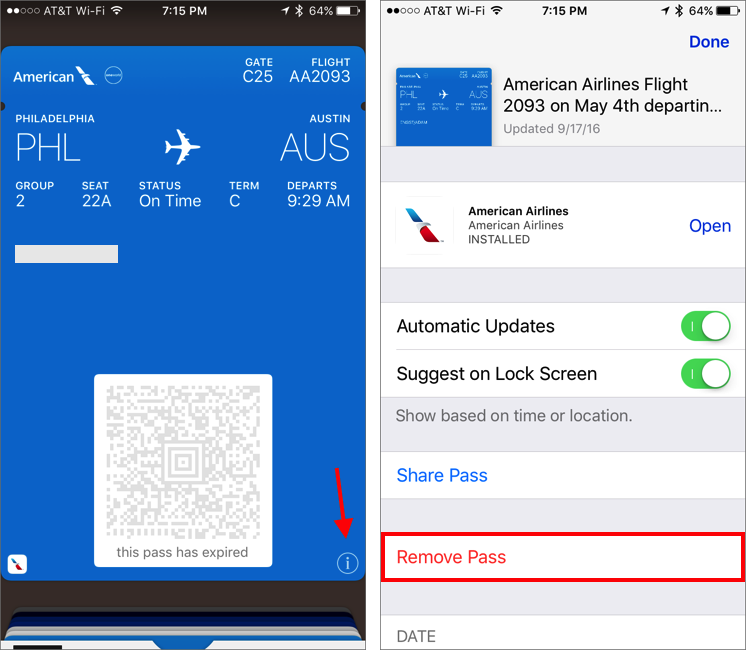
One of the most powerful features of the AA app is its deep integration with native mobile wallets. By selecting “Add to Apple Wallet” or “Save to Google Pay,” the boarding pass is exported from the AA app environment into the operating system’s dedicated pass management tool. This offers several technical advantages:
-
Offline Access: The pass is stored locally on the device’s secure element, requiring no data connection for retrieval.
-
Lock Screen Notifications: Using proximity-based triggers (GPS and iBeacon technology), the wallet app can automatically surface the boarding pass on your lock screen as you approach the airport.
-
Automatic Brightness Adjustment: Native wallet apps are programmed to automatically maximize screen brightness when a QR code is displayed, ensuring that TSA scanners can read the code effectively on the first attempt.
Managing Multi-Passenger Boarding Passes
For those traveling in groups, the AA app allows a single device to hold multiple boarding passes. By swiping horizontally across the boarding pass screen, the user can cycle through the QR codes for every passenger on the same reservation. This feature utilizes a “carousel” UI pattern, making it easy for a single traveler to manage a family’s entry through security and at the gate. However, for maximum efficiency, it is often recommended to share these passes digitally so each traveler has a copy on their own hardware.
Security Architecture and Data Privacy in the AA App
The digital boarding pass is more than a ticket; it is a sensitive data packet containing your name, frequent flyer number, and flight details. American Airlines employs robust digital security measures to protect this information during the check-in process.
Encryption and Tokenization
When the app communicates with American Airlines’ servers, it uses TLS (Transport Layer Security) encryption to prevent man-in-the-middle attacks. The QR code itself is a tokenized representation of your passenger data. It does not store your full profile in plain text; instead, it contains a pointer that the gate agent’s scanner uses to verify your status against the airline’s secure database.
Biometric Authentication
To enhance security, the AA app supports biometric integration, such as FaceID or TouchID. By enabling these features in the app settings, users can add a layer of hardware-level security. This ensures that even if a mobile device is lost or stolen, an unauthorized party cannot easily access the traveler’s flight details or personal information stored within the app.
Digital Identity and Verifiable Credentials
The aviation industry is moving toward “Verifiable Credentials,” and the AA app is at the forefront of this trend. By securely storing a digital version of a passenger’s identity, the app reduces the need for physical documents at various touchpoints. The integration of “Mobile ID” features in certain states allows the app to work in tandem with digital driver’s licenses, creating a fully paperless and highly secure transit identity.
Troubleshooting App Performance and Connectivity
Even with a high-quality application, hardware limitations or network congestion can cause hurdles. Understanding the underlying tech can help travelers bypass these common digital roadblocks.
Cache Clearing and App Refreshing
If the boarding pass fails to load or shows outdated gate information, the issue is likely a cached data conflict. On Android devices, users can manually clear the app cache in the system settings. On iOS, “offloading” and reinstalling the app or simply force-closing and restarting it will usually trigger a fresh data pull. This clears any temporary files that might be preventing the app from displaying the most current boarding pass.
Handling “See Agent” Notifications
In some instances, the app may display a “See Agent” message instead of a QR code. This typically happens when the software detects a mismatch in documentation (such as an expired passport on international routes) or when a manual document verification is required by law. Technically, this is a flag triggered by the backend’s validation logic. While the app cannot bypass these legal requirements, it provides the traveler with a digital alert so they can head to a kiosk or counter immediately, rather than waiting until they reach the security line.
Battery and Hardware Optimization
Displaying a boarding pass requires a functional screen and sufficient battery. Travelers should be aware that the AA app’s continuous polling for gate updates can be power-intensive. To optimize hardware performance:
-
Enable Low Power Mode: While this may limit background data refresh, it ensures the phone stays powered until boarding.
-
Static Screenshots: As a final backup, taking a screenshot of the boarding pass QR code is a common “analog-digital” workaround. While it lacks the real-time updates of the live app, a screenshot serves as a reliable fail-safe if the app fails to launch due to low memory or poor connectivity.
The Future of the Digital Boarding Ecosystem
As we look toward the future of travel technology, the American Airlines app continues to evolve, moving toward a more proactive, AI-driven experience. The goal is a “zero-touch” boarding process where the app handles every logistical hurdle automatically.
AI-Driven Predictive Notifications
The next generation of the AA app is increasingly utilizing machine learning to predict traveler needs. For instance, if the app detects a significant delay in the traveler’s transit to the airport via GPS, it may preemptively offer rebooking options or prioritize the boarding pass display once the user arrives at the terminal. These predictive algorithms analyze thousands of data points—weather, air traffic control, and ground congestion—to provide a personalized travel assistant experience.
Enhanced Augmented Reality (AR) Integration
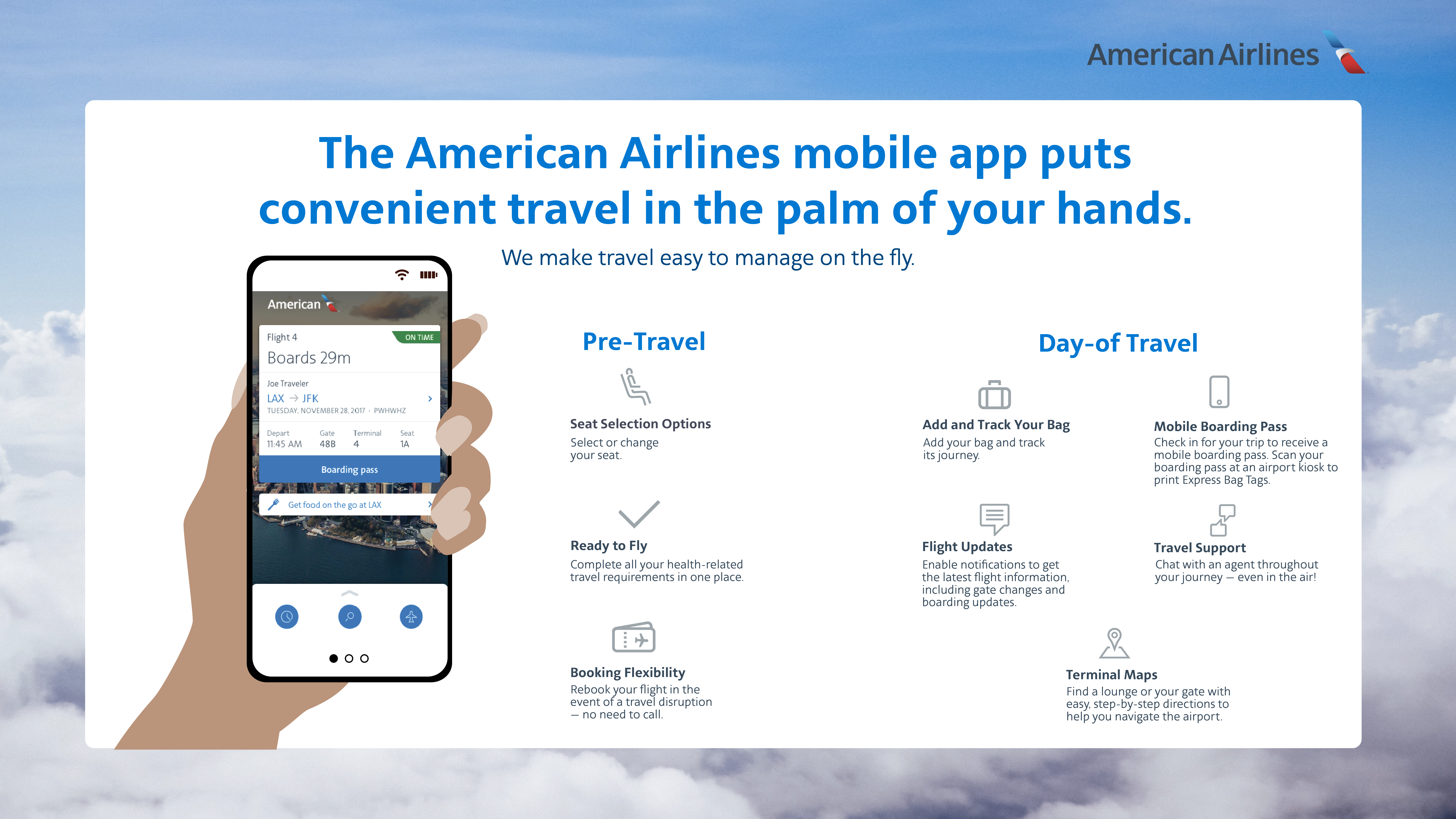
While currently in nascent stages, AR integration within the AA app aims to assist travelers once they have their boarding pass. By using the smartphone’s camera, the app can overlay directional arrows on the screen, guiding the passenger from the security checkpoint directly to their specific gate. This merges the digital boarding pass data with the physical environment of the airport, creating a seamless navigation tool that reduces the stress of unfamiliar terminals.
The Shift Toward Biometric Boarding
Perhaps the most significant tech trend is the move away from the QR code entirely. In partnership with US Customs and Border Protection (CBP), American Airlines is testing biometric boarding gates. In this ecosystem, the “boarding pass” is your face. The app serves as the initial registration tool where you verify your identity; once at the gate, a high-speed camera matches your biometric signature against the digital record created during the app check-in. This represents the ultimate conclusion of the digital boarding pass evolution: a transition from a physical or digital document to a purely biometric identity.
By understanding the technical nuances of the American Airlines app, travelers can transform their smartphone into a powerful travel command center. From the initial API-driven check-in to the integration of secure digital wallets and the future of biometric verification, the process of getting a boarding pass is a testament to the power of modern mobile software. Embracing these tools ensures a more efficient, secure, and streamlined journey through the modern aviation landscape.
aViewFromTheCave is a participant in the Amazon Services LLC Associates Program, an affiliate advertising program designed to provide a means for sites to earn advertising fees by advertising and linking to Amazon.com. Amazon, the Amazon logo, AmazonSupply, and the AmazonSupply logo are trademarks of Amazon.com, Inc. or its affiliates. As an Amazon Associate we earn affiliate commissions from qualifying purchases.