
In the modern digital landscape, the ability to quantify data is a fundamental skill. Whether you are a developer tracking server uptime, a data analyst interpreting growth metrics, or a consumer checking a device’s battery health, percentages are the universal language of proportions. While the concept of “per cent”—meaning “by the hundred”—has existed for centuries, the technology we use to calculate it has evolved from mechanical slide rules to sophisticated AI-driven interfaces.
Finding a percentage on a calculator might seem like a rudimentary task, but the underlying logic varies significantly across different software environments, hardware devices, and scientific tools. Understanding these technical nuances ensures accuracy and efficiency in a world increasingly driven by numerical precision.
Understanding the Logic: The Tech Behind the Percent Key
The percentage button (%) on a digital calculator is more than just a symbol; it is a programmed function that triggers a specific sequence of operations. Unlike addition or subtraction keys, which perform a single arithmetic step, the percentage key acts as a modifier.
The Binary Logic of “Part Over Whole”
From a technical standpoint, a calculator processes a percentage by converting a value into a fraction of 100. When you input a number and press the percentage key, the software logic typically divides the current value on the display by 100. For example, hitting “50” and then “%” transforms the integer 50 into the float 0.50.
This conversion is the foundation of digital computation. In programming languages like Python or JavaScript, there is often no dedicated “percent” operator for basic math; instead, developers write logic that mimics this calculator behavior: (part / total) * 100. The calculator hardware simplifies this by embedding the x/100 logic directly into the firmware.
How Hardware Calculators Process Sequence
Traditional handheld calculators (like those from Casio or Texas Instruments) often use a specific “accumulator” logic. If you want to find 20% of 500, the sequence is 500 x 20 %. The moment the percent key is pressed, the calculator computes 500 * (20/100).
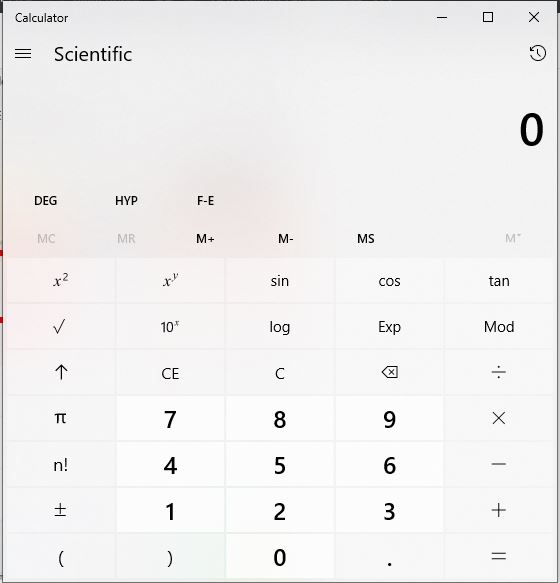
However, tech enthusiasts will note that “Standard” vs. “Scientific” modes handle this differently. Scientific calculators often require you to follow strict Order of Operations (PEMDAS/BODMAS). On these devices, the percent sign might be a “second function” (accessed via a Shift or 2nd key), treating the percentage as a final conversion rather than an intermediate modifier.
Navigating Software Interfaces: From Windows to iOS
In the transition from hardware to software, the calculator has become one of the most used “utilities” in any operating system. Each ecosystem—be it Microsoft’s Windows, Apple’s macOS/iOS, or Google’s Android—has its own UI/UX approach to percentage calculations.
Using the Native Windows and macOS Calculator Apps
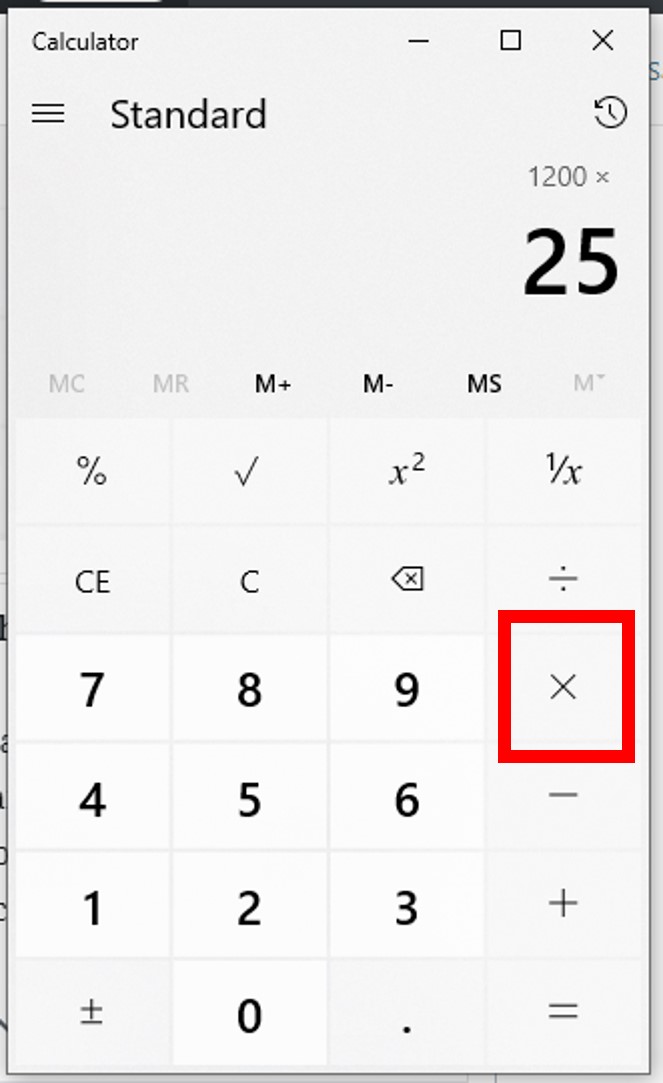
The Windows 10 and 11 Calculator app is a versatile tool that offers “Standard,” “Scientific,” and “Graphing” modes. In the Standard mode, the percentage button is prominently displayed. To calculate a discount or a margin, you simply input the base number, the operator (multiplication), the percentage value, and then the percent key.
A technical tip for macOS users: the Spotlight search (Cmd + Space) and the native Calculator app both handle percentages. In Spotlight, you can type “20% of 500” directly. The software uses Natural Language Processing (NLP) to parse the string, identify the “of” as a multiplication operator, and the “%” as a division by 100, providing an instant result without ever opening a dedicated app.
Mobile Calculator Gestures and Hidden Functions
On mobile devices, the calculator UI is designed for speed and touch interaction. On an iPhone (iOS), the percentage button is available in the portrait view of the calculator app. Interestingly, if you rotate the phone to landscape mode, the app transforms into a scientific calculator. In this view, the percentage button remains, but its context shifts to handle more complex algorithmic strings.
Mobile interfaces also integrate percentages into the system’s “Quick Settings.” For example, the battery percentage is a toggle-able UI element. Behind the scenes, the OS is constantly running a calculation: (Current Voltage - Minimum Voltage) / (Maximum Voltage - Minimum Voltage). This real-time percentage calculation is a core component of mobile power management tech.

Advanced Computation: Spreadsheets and Online Tools
For tech professionals and data scientists, a simple calculator app is often insufficient. When dealing with large datasets, the logic moves into spreadsheet software like Microsoft Excel or Google Sheets, or specialized graphing tools.
Percentage Formulas in Google Sheets and Excel
In the realm of software-based spreadsheets, the “percentage” is handled through cell formatting rather than a single button. The technical formula for a percentage in Excel is =Part/Total.
However, the “Tech” secret here is the “Percentage Format” tool. When you apply this format to a cell, the software doesn’t change the underlying value; it merely changes the visual representation. If a cell contains 0.25, applying the percentage format displays it as 25%. This distinction is crucial for developers who are exporting data via CSV files, as the raw decimal is what the machine reads, while the percentage is what the human sees.
Utilizing Specialized Scientific Calculators (TI-84 and Beyond)
In engineering and high-level physics, the TI-84 or HP-50g graphing calculators are the gold standard. Finding a percentage on these devices often involves the “Catalog” or a specific “Math” menu.
The technical complexity increases when you move into “Percent Change” or “Percent of Total” functions. Many scientific calculators have built-in variables (X, Y, Z) where you can store values and apply a percentage growth formula: New = Old * (1 + Rate). This is a programmable sequence that allows engineers to simulate scaling—such as signal amplification or structural load increases—without manual re-entry.
The Future of Calculation: AI and Natural Language Processing
As we move deeper into the era of Artificial Intelligence, the traditional calculator button is being replaced by Natural Language Processing (NLP) and Large Language Models (LLMs). The way we “find” a percentage is shifting from manual input to conversational queries.
Asking AI for Complex Percentages
Tools like ChatGPT, Claude, and Gemini have revolutionized how we approach math. Instead of tapping 1500 * 0.15 =, a user might ask, “What is the 15% service tax on a $1500 server hosting fee, and what would the total be if we added a 2% processing surcharge?”
The AI doesn’t just calculate; it interprets. It identifies the hierarchical nature of the percentages (whether the 2% is applied to the original 1500 or the new subtotal). This is “Context-Aware Computation,” a significant leap in tech from the “dumb” calculators of the 1980s. The AI converts the prompt into an internal symbolic math representation, executes it, and translates it back into human language.
Browser-Integrated Calculation Shortcuts
Modern web browsers (Chrome, Firefox, Edge) have integrated “Omnibox” calculators. If you type a math problem involving percentages directly into the URL bar, the browser’s internal engine—often powered by a localized version of a math library like Math.js—calculates the result before you even hit Enter.
This integration represents the “Invisible Tech” trend: the tool is so embedded into our workflow that we no longer think of “finding the calculator.” The calculator finds us. This is achieved through real-time regex (Regular Expression) matching that identifies numerical patterns and operators as the user types.
Conclusion: The Precision of Digital Percentages
Finding a percentage on a calculator is an intersection of basic arithmetic and sophisticated software design. From the hardware-level binary operations of a handheld device to the cloud-based logic of an AI assistant, the tech behind that simple “%” sign is vast.
Whether you are using a Windows desktop app, a scientific graphing tool, or a mobile interface, understanding the “how” and the “why” of the calculation allows for greater technical accuracy. As technology continues to evolve, the percentage—our most vital tool for comparison and proportion—will remain at the center of how we measure the progress of our digital world. By mastering these tools, you ensure that your data is not just a collection of numbers, but a precise reflection of reality.
aViewFromTheCave is a participant in the Amazon Services LLC Associates Program, an affiliate advertising program designed to provide a means for sites to earn advertising fees by advertising and linking to Amazon.com. Amazon, the Amazon logo, AmazonSupply, and the AmazonSupply logo are trademarks of Amazon.com, Inc. or its affiliates. As an Amazon Associate we earn affiliate commissions from qualifying purchases.