
In the rapidly evolving landscape of digital entertainment, streaming services have largely replaced traditional cable for many households, offering unparalleled flexibility and a wealth of content. Among the contenders, YouTube TV stands out as a robust live TV streaming service, offering a comprehensive channel lineup, unlimited DVR, and a user-friendly interface. However, a critical technical specification that often puzzles new and existing subscribers alike is the number of simultaneous streams permitted. Understanding these limits is not merely a matter of policy; it’s fundamental to optimizing your household’s viewing experience, managing device access, and making informed decisions about your subscription.
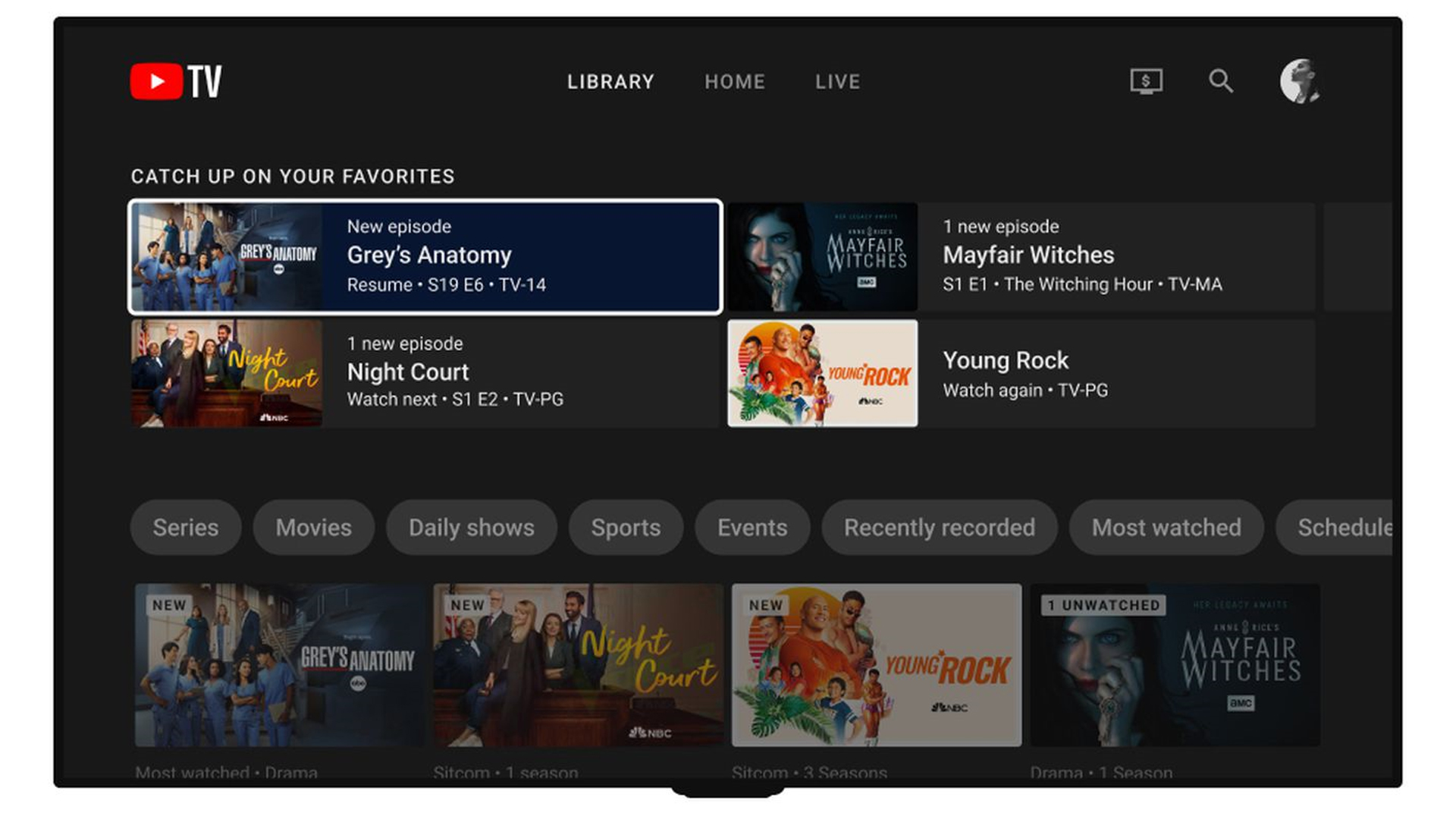
The ability for multiple family members to watch different programs on various devices at the same time is a cornerstone of modern home entertainment. Whether it’s a parent catching the news on the living room TV, a child watching cartoons on a tablet, and a teenager streaming a sports event in their bedroom, simultaneous streaming capacity directly impacts the perceived value and utility of a service like YouTube TV. This article delves into the intricacies of YouTube TV’s simultaneous stream policies, exploring the standard allowances, premium upgrades, and the technical and business rationale behind these limitations. We’ll also examine practical implications for users, compare YouTube TV’s offering to its competitors, and provide insights into optimizing your streaming setup.
Understanding YouTube TV’s Core Simultaneous Stream Policy
At its foundation, YouTube TV offers a generous, yet clearly defined, policy for simultaneous streaming designed to cater to the needs of most average households. This policy forms the baseline of the service and is crucial for users to understand to avoid potential viewing interruptions.
The Standard Package: Three Streams at Home and On-the-Go
The standard YouTube TV subscription, which includes access to over 100 live channels, unlimited cloud DVR, and six individual accounts (each with their own library and recommendations), permits up to three simultaneous streams. This means that at any given moment, three different devices – be it a smart TV, smartphone, tablet, computer, or streaming stick – can be actively streaming content from YouTube TV using the same household account.
This three-stream limit applies consistently, regardless of whether the devices are connected to your home Wi-Fi network or being used remotely via cellular data or a different Wi-Fi connection. This flexibility is a significant advantage, allowing family members to enjoy their favorite shows while commuting, traveling, or simply in different rooms of the house. However, it’s important to note that while three streams are permitted across various locations, the service does impose restrictions on what constitutes a “home network,” which can have implications for long-term remote usage.
Defining “Home Network” and Geographic Restrictions
YouTube TV employs a “home network” mechanism primarily for two reasons: to enforce broadcast area restrictions for local channels and to prevent account sharing with multiple distant households. When you first subscribe to YouTube TV, your home location is set based on the IP address of your primary device. This location determines the local channels available to you (e.g., NBC, CBS, ABC, FOX affiliates specific to your area).
While you can technically stream YouTube TV content from anywhere within the United States, your “home network” location is critical. The service allows for temporary viewing outside your home area, but if you spend an extended period away from your registered home location, YouTube TV may prompt you to update your home area or restrict access to local channels. This mechanism is primarily focused on local channel rights, but it implicitly influences how stream limits are managed, ensuring that a single subscription is primarily used by a single household, even if individuals within that household frequently travel. The three-stream limit itself is not tied to the home network in the same strict way as local channel access, meaning you can have two streams at home and one stream in a different state simultaneously, as long as it adheres to the total stream count.
Why Simultaneous Stream Limits Are Necessary (Technical & Business Reasons)
The implementation of simultaneous stream limits by services like YouTube TV is driven by a combination of technical necessities and strategic business considerations.
From a technical standpoint, every active stream consumes bandwidth from the streaming provider’s servers and from the user’s internet connection. While modern infrastructure is robust, unlimited simultaneous streams would place an unsustainable strain on server capacity, content delivery networks (CDNs), and overall network resources, potentially leading to buffering, quality degradation, and a poor user experience. Limits help manage this load efficiently, ensuring a stable and high-quality stream for each active viewer.
On the business side, these limits are crucial for licensing and revenue models. Content providers (e.g., TV networks, sports leagues) license their programming to YouTube TV with specific usage terms, which often include restrictions on the number of concurrent viewers per subscription to prevent widespread, unauthorized account sharing. Without such limits, one subscription could effectively serve multiple households, eroding potential revenue from additional subscriptions. By limiting streams, YouTube TV can maintain its licensing agreements, prevent “Netflix effect” (where one account serves many unrelated individuals), and ensure the financial viability of its service, allowing it to continue offering a comprehensive channel lineup. It’s a balancing act between providing flexibility and protecting intellectual property and revenue streams.
Expanding Your Viewing Capacity: The 4K Plus Add-on
For households with higher demand for simultaneous viewing or specific premium features, YouTube TV offers an optional upgrade that significantly enhances streaming capabilities: the 4K Plus add-on. This premium tier addresses the limitations of the standard package, catering to larger families, multi-device households, and avid content consumers.
Beyond Three: Unlimited Streams at Home with 4K Plus
The most compelling feature of the 4K Plus add-on, especially concerning simultaneous streams, is its provision for unlimited concurrent streams while on your home Wi-Fi network. This is a game-changer for larger families or households with numerous devices, eliminating the frustration of hitting the three-stream ceiling. Imagine a scenario where kids are watching cartoons, parents are catching up on a drama, grandparents are viewing the news, and another family member is streaming a sports event – all simultaneously, without interruption, as long as everyone is connected to the same home network.
This “unlimited at home” policy effectively transforms YouTube TV into a comprehensive entertainment hub for even the most device-saturated environments. It removes the need for users to constantly coordinate who is watching what, making the service feel truly boundless within the confines of your residence. This feature directly responds to a common pain point experienced by users of many streaming services, particularly during peak viewing hours or in multi-generational households.
Enhanced Mobile Viewing: Three Streams Away from Home
While the 4K Plus add-on removes the stream limit at home, it maintains a practical limit for viewing away from your registered home network. With 4K Plus, you can still enjoy three simultaneous streams when you’re out of your home network, whether on a mobile device, laptop, or another Wi-Fi connection. This ensures that while you get premium flexibility at home, the remote viewing experience remains consistent with the standard offering.
This dual-tier approach is intelligent. It addresses the primary need for multi-device usage within a single physical household, where most simultaneous streaming typically occurs, while still managing the remote access to prevent widespread, unintended account sharing across disparate locations. The three-stream remote limit is still ample for an individual or a couple traveling, or for a family member watching something while at work or school.
Other Benefits of the 4K Plus Add-on (Offline Downloads, 4K Content)
Beyond the crucial enhancement to simultaneous streams, the 4K Plus add-on delivers several other valuable features that round out its premium offering, appealing to different segments of the user base:
- 4K Ultra High Definition Content: As the name suggests, the add-on unlocks access to available content in stunning 4K resolution. This includes select live sports (e.g., some NCAA games, NBA, MLB), on-demand programs, and events from compatible networks. For users with 4K-capable TVs and a sufficiently fast internet connection, this significantly enhances the visual fidelity of their viewing experience, offering crisper images and more vibrant colors.
- Offline Downloads: A highly convenient feature for mobile users, 4K Plus allows you to download DVR recordings and select on-demand content to your mobile device for offline viewing. This is invaluable for long flights, road trips, commutes with spotty internet, or any situation where reliable connectivity is not guaranteed. You can simply download your favorite shows or movies beforehand and watch them without consuming mobile data or worrying about Wi-Fi availability.
- Dolby 5.1 Audio: For audiophiles or those with sophisticated home theater setups, the 4K Plus add-on often includes support for Dolby 5.1 surround sound on compatible content and devices. This provides a more immersive audio experience, enhancing the overall cinematic quality of streaming.
Collectively, these benefits position the 4K Plus add-on as a comprehensive upgrade for power users, large families, and anyone seeking the ultimate YouTube TV experience, extending far beyond just the number of streams.
Practical Implications for Households and Usage Scenarios
The simultaneous stream policies of YouTube TV have direct and tangible impacts on how households organize their entertainment consumption. Understanding these implications helps users effectively manage their accounts and avoid frustrating viewing interruptions.
Navigating Family Viewing: Who Can Watch What and Where
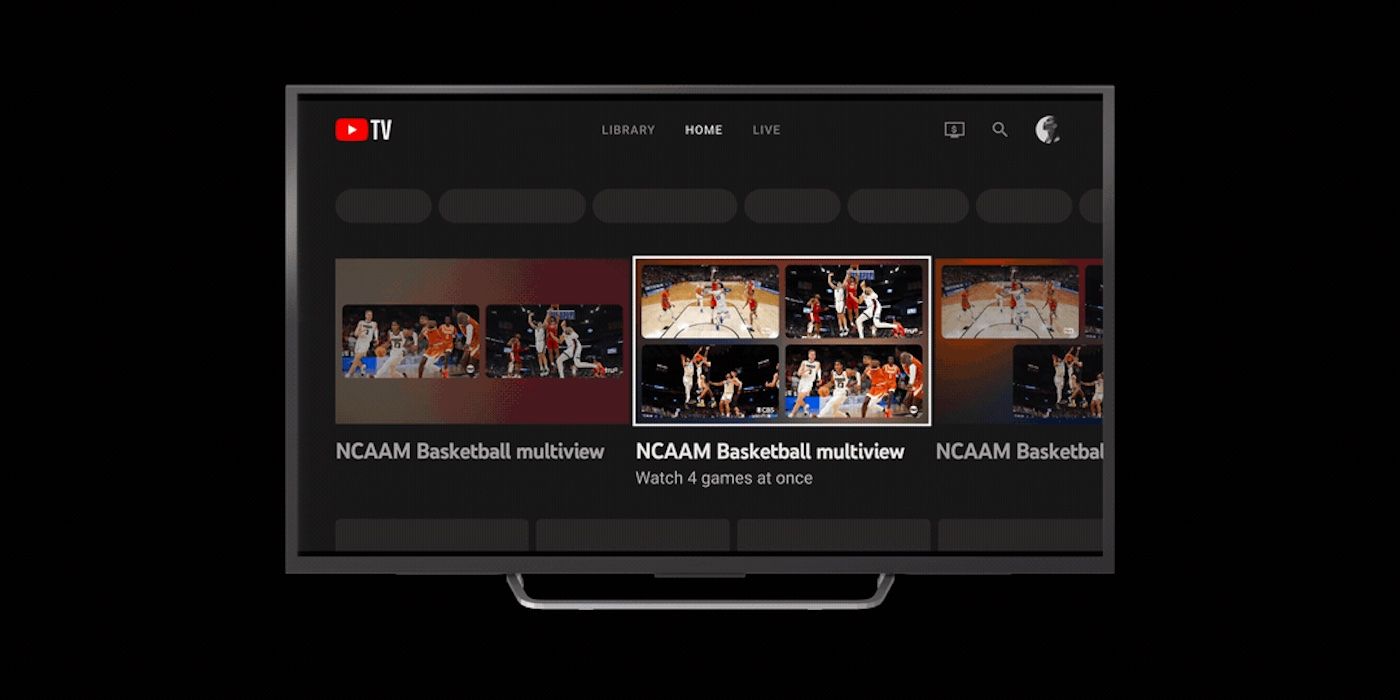
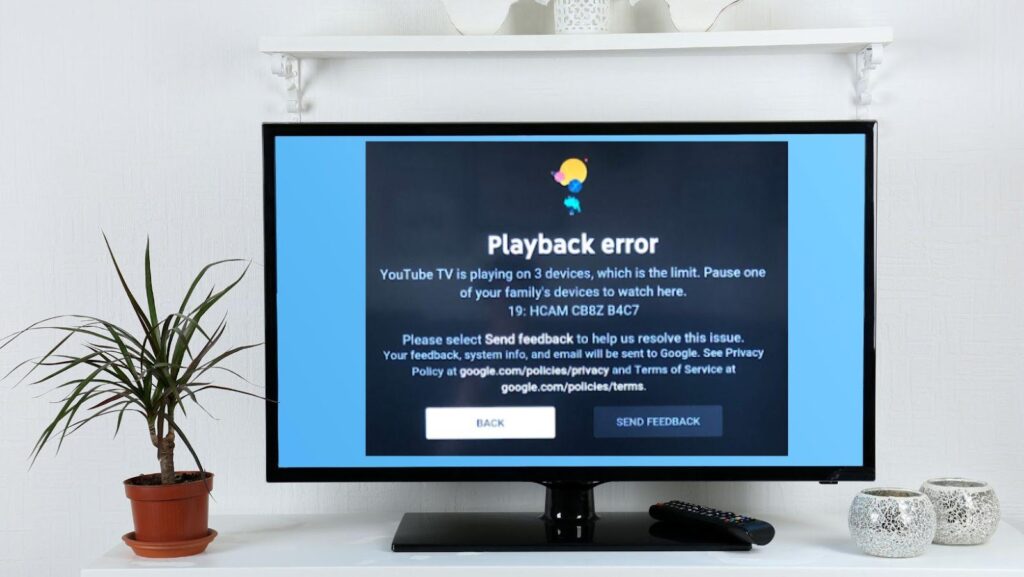
In a typical family setting, the three-stream limit of the standard YouTube TV package can quickly become a point of contention, especially during peak viewing times. Consider a scenario where one parent is watching a live sports event, the other is catching up on a recorded show, and a child is streaming cartoons. That’s three streams. If a fourth family member tries to start watching something, they will be met with an error message indicating that the stream limit has been reached. This necessitates negotiation or waiting, which can detract from the convenience promised by streaming services.
The 4K Plus add-on effectively resolves this for in-home viewing. With unlimited streams on the home network, every family member can watch their preferred content simultaneously without conflict. When family members are away from home, the three-stream limit (for both standard and 4K Plus subscribers) still requires some coordination. For instance, if three family members are already watching remotely, someone at home cannot watch if they are not on the home network (e.g., using a hotspot or a different Wi-Fi), or a fourth person trying to watch remotely would also be blocked. This distinction highlights the importance of understanding the “home network” rule.
The Impact of Travel and Multiple Locations
Travel presents a unique challenge for YouTube TV users. As mentioned, while you can stream outside your home area, the service monitors your location. If you frequently travel or have family members living in different permanent residences (e.g., college students), YouTube TV is primarily designed for a single household.
A student living in a dorm across the country will likely encounter issues with local channel access if they try to perpetually stream using their parents’ home account. While they can access the national channels and DVR recordings, their local affiliates would correspond to the parents’ home location, and after a certain period, YouTube TV might prompt them to update their home area. If they do update, the original household’s local channels would change. This underscores that while remote streaming is flexible within the stream limits, continuous, geographically distinct usage by multiple “households” under one subscription is not the intended design and can lead to service disruptions. The three-stream limit for remote viewing, even with 4K Plus, further reinforces this single-household philosophy for widespread concurrent use.
Troubleshooting Stream Limit Issues
Encountering a “too many streams” error message can be frustrating. Here’s a quick guide to troubleshooting:
- Identify Active Streams: The first step is to figure out which devices are currently streaming. This might involve checking with family members or looking at your YouTube TV account settings if available (though YouTube TV doesn’t always provide a real-time list of active streams readily accessible to the user).
- Close Unused Streams: Ensure that devices not actively being watched are completely closed out of the YouTube TV app or browser tab. Simply putting a device to sleep might not always terminate the stream.
- Logout of Devices: If you suspect an unauthorized stream or a device that’s difficult to physically access, you can manage your connected devices through your Google Account security settings. Removing access for old or unfamiliar devices can resolve persistent issues.
- Consider the 4K Plus Add-on: If stream limits are a frequent problem at home, upgrading to the 4K Plus add-on is the most direct solution, offering unlimited streams on your home network.
- Review Account Sharing: If the issue persists, ensure that your account credentials haven’t been shared outside your immediate household, as this is a common cause of hitting stream limits.
Proactive management and clear communication within the household can significantly reduce the incidence of stream limit interruptions.
Comparing YouTube TV to Other Live TV Streaming Services
In a competitive market, YouTube TV’s streaming policies don’t exist in a vacuum. Understanding how its limits compare to other live TV streaming services provides valuable context for consumers making subscription decisions.
A Look at Competitor Stream Policies
Most live TV streaming services implement some form of simultaneous stream limits, though the specifics vary:
- Hulu + Live TV: The standard package typically allows for two simultaneous streams. An add-on (often called “Unlimited Screens”) is available to remove the limit at home and expand remote streams.
- Sling TV: Known for its à la carte channel packages, Sling’s stream limits vary by package. Sling Orange generally allows only one stream (due to ESPN restrictions), while Sling Blue allows three streams. A combined Orange + Blue package typically supports three streams.
- FuboTV: FuboTV typically starts with three simultaneous streams. Depending on the plan or add-ons, this can often be upgraded to 10 streams at home and two or three away from home. FuboTV tends to be more generous with at-home streams, especially in its higher tiers.
- DirecTV Stream: This service often starts with a very generous allowance, frequently supporting up to 20 simultaneous streams on your home network and three streams while away from home. This makes it a strong contender for very large households.
Compared to these, YouTube TV’s standard three streams are competitive but not industry-leading. Its 4K Plus add-on, however, with its unlimited at-home streams, places it among the most flexible for in-home use, rivaling or surpassing many competitors’ premium offerings in this specific aspect.
Value Proposition: Where YouTube TV Stands
YouTube TV’s value proposition isn’t solely defined by its stream limits, but they are a significant component. Its core strengths include:
- Comprehensive Channel Lineup: Often considered one of the most complete channel offerings among virtual MVPDs (Multichannel Video Programming Distributors).
- Unlimited Cloud DVR: A standout feature, allowing users to record as much content as they want and keep it for nine months.
- Excellent User Interface: Often praised for its intuitive navigation and seamless integration with the broader Google ecosystem.
- Wide Device Compatibility: Available on nearly every major streaming device, smart TV platform, and mobile device.
The standard three streams are sufficient for many smaller families or individuals. For those needing more, the 4K Plus add-on, while an additional cost, adds substantial value not just in streams but also in 4K content, offline downloads, and enhanced audio. This tiered approach allows users to pay for the flexibility they truly need, rather than a one-size-fits-all model. For larger households prioritizing seamless multi-device viewing at home, the “unlimited” offer makes YouTube TV highly attractive.
The Evolving Landscape of Streaming Limits
The streaming industry is dynamic, and simultaneous stream policies are subject to change. Factors influencing these policies include:
- Content Licensing Costs: As content becomes more expensive, providers may adjust stream limits to maintain profitability.
- Competitive Pressure: Services often adapt their offerings in response to what competitors are doing. If one service offers more streams, others might follow suit to remain competitive.
- Technological Advancements: Improvements in network infrastructure and streaming technology can allow for greater flexibility without sacrificing quality.
- User Feedback: Subscriber demand for more streams or specific features often influences policy changes.
Consumers should always check the most current terms and conditions of any streaming service, as these policies are not static and can evolve with market conditions and technological capabilities.
Optimizing Your YouTube TV Experience
Making the most of your YouTube TV subscription involves understanding its capabilities and employing best practices to ensure a smooth, uninterrupted viewing experience for everyone in your household.
Managing Your Account and Connected Devices
Proactive account management is key to preventing stream limit issues and maintaining security. Regularly reviewing your Google account security settings allows you to see which devices are signed in to your Google services, including YouTube TV. If you notice an unfamiliar device or one that is no longer in use, you can remotely sign it out. This ensures that only authorized devices are consuming your streams and reduces the risk of someone outside your household using your subscription without permission.
Additionally, familiarize yourself with YouTube TV’s family group settings. While individual profiles (up to six) within a family group provide personalized DVR and recommendations, they all share the same simultaneous stream allowance. Managing these profiles and ensuring each family member uses their designated profile can help track individual viewing habits, but doesn’t alter the core stream limits.
Best Practices for Shared Households
For households that frequently bump against the three-stream limit, adopting a few best practices can significantly improve the experience:
- Communicate: The simplest solution is often the most effective. A quick check with family members before starting a new stream can prevent an error message. “Hey, anyone watching YouTube TV? I’m about to put on a game.”
- Close Apps Fully: Remind family members to completely close the YouTube TV app when they are finished watching, especially on shared devices like smart TVs or game consoles. Simply switching inputs or turning off the screen might leave a stream active in the background.
- Utilize Offline Downloads (with 4K Plus): If you have the 4K Plus add-on, encourage family members to download content for offline viewing when they are away from home. This frees up remote streams for others who might need to watch live content.
- Consider Wired Connections: For primary viewing devices like a living room TV, using an Ethernet cable instead of Wi-Fi can provide a more stable and higher-quality stream, reducing potential buffering that might be mistaken for a stream limit issue.
Future Trends in Streaming Flexibility
The demand for more flexible streaming options is likely to continue growing. We may see:
- More Granular Add-ons: Services might offer more refined add-ons for specific features, allowing users to pay only for what they need (e.g., an add-on solely for more streams, separate from 4K).
- AI-Powered Stream Management: Future systems could potentially use AI to intelligently pause or reduce quality on background streams to prioritize foreground viewing, or offer smart alerts.
- Cloud-Based Profiles: Enhanced cloud profiles might allow for seamless transition of streams between devices without technically opening a new stream, improving the user experience.
- Bundle Innovations: As streaming services consolidate or partner, we might see bundled packages that offer enhanced stream limits across multiple platforms as a perk.
Ultimately, YouTube TV’s simultaneous stream policy is a foundational element of its service, designed to balance user flexibility with technical and business realities. Whether the standard three streams suffice or the expanded capabilities of the 4K Plus add-on are necessary, understanding these limits empowers users to tailor their streaming experience to their household’s unique demands, ensuring uninterrupted access to their favorite content.
aViewFromTheCave is a participant in the Amazon Services LLC Associates Program, an affiliate advertising program designed to provide a means for sites to earn advertising fees by advertising and linking to Amazon.com. Amazon, the Amazon logo, AmazonSupply, and the AmazonSupply logo are trademarks of Amazon.com, Inc. or its affiliates. As an Amazon Associate we earn affiliate commissions from qualifying purchases.