
The rapid evolution of the digital economy has transformed the way we handle peer-to-peer transactions. In the modern financial landscape, carrying cash is increasingly rare, replaced by the convenience of mobile payment platforms. Among these, Venmo has emerged as a dominant force, particularly in the United States, by blending financial utility with social connectivity. However, accepting money on Venmo involves more than just watching a balance increase; it requires an understanding of account structures, fee schedules, transfer speeds, and the significant tax implications that come with digital income.

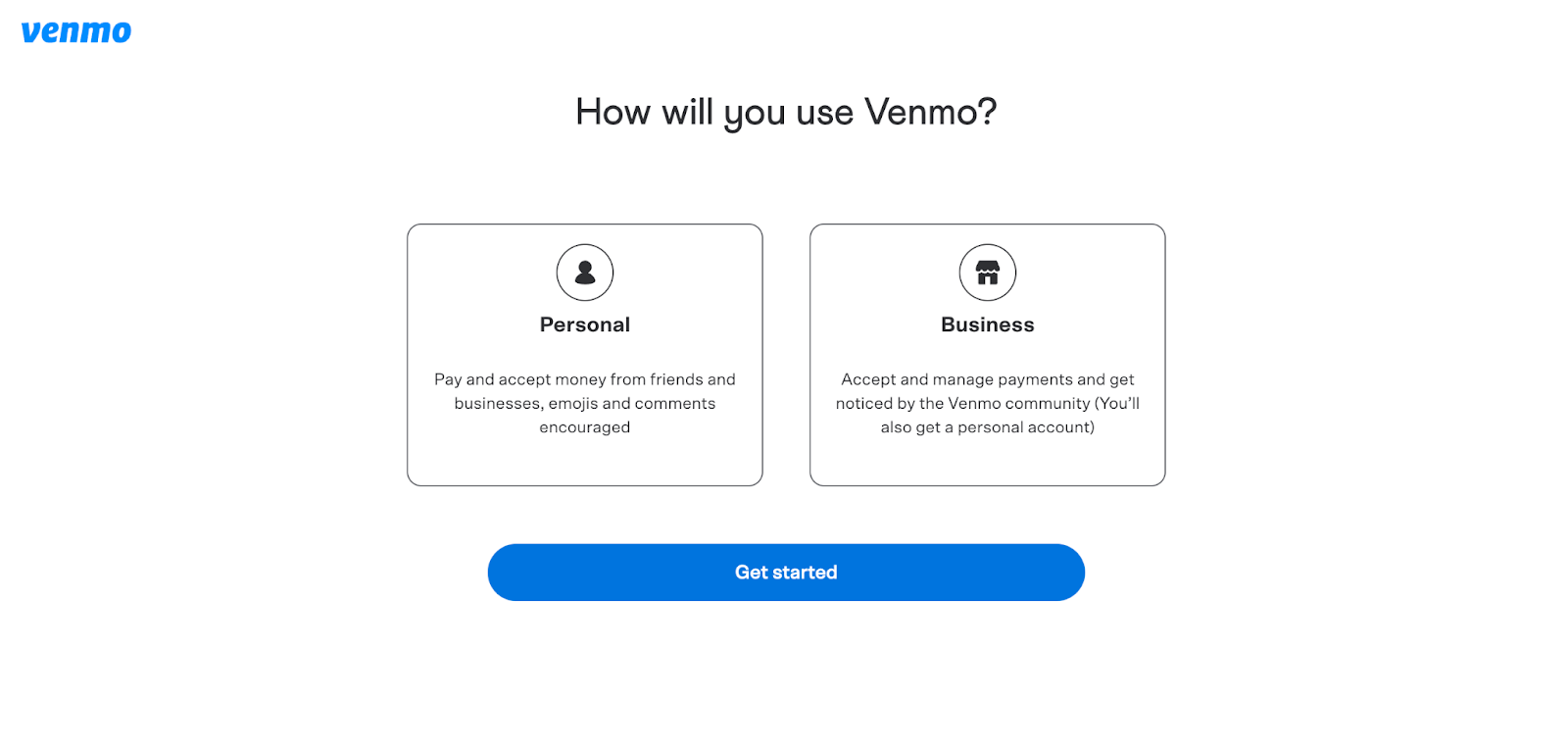
Understanding the Venmo Ecosystem: Personal vs. Business Accounts
Before you can effectively accept money, you must categorize the nature of your transactions. Venmo operates under two primary frameworks: personal profiles and business profiles. Choosing the wrong one can lead to account freezes or unexpected fees.
The Mechanics of Personal Transactions
For the majority of users, Venmo is a tool for splitting dinner bills, sharing rent, or sending gift money to friends and family. When you accept money on a personal profile, the process is straightforward. There are typically no fees for receiving money from friends as long as they are using their Venmo balance, a linked bank account, or a debit card.
The “Personal” designation is built on the premise of non-commercial activity. When someone sends you money via your personal handle, the funds land in your Venmo balance immediately. From a financial management perspective, these funds are “liquid” within the app, meaning you can use them to pay others or spend via a Venmo Debit Card without ever moving the money to a traditional bank.
Navigating Business Profiles and Merchant Fees
If you are using Venmo to sell goods or services—whether you are a freelance graphic designer or a weekend crafter—the platform requires the use of a Business Profile. Accepting money for commercial purposes on a personal account is a violation of Venmo’s terms of service and can result in the loss of “Purchase Protection” for your buyers.
When you accept money through a Business Profile, Venmo charges a standard seller fee. As of the current financial landscape, this fee is generally 1.9% of the transaction amount plus a fixed fee (typically $0.10). While this might seem like a disadvantage compared to the “free” personal transactions, it provides essential financial infrastructure, including professional tax reporting and the ability to accept payments labeled as “Goods and Services,” which grants peace of mind to the sender.
Step-by-Step: Accepting and Managing Incoming Funds
Accepting money on Venmo is designed to be a frictionless experience, but there are specific actions you can take to ensure the process is secure and organized.
Setting Up Your Profile for Seamless Payments
To accept money, you must be discoverable. Venmo provides several ways for payers to find you. The most common is through your unique username (prefixed with the @ symbol). However, for more professional or high-volume environments, using your unique Venmo QR code is significantly more efficient.
From a financial security standpoint, it is wise to verify your identity within the app. Venmo is required by federal law to collect identifying information once you reach certain transaction thresholds. Completing this verification early ensures that your ability to accept and hold a balance remains uninterrupted.
Handling Payment Requests and Notifications
There are two ways money arrives: unsolicited payments and fulfilled requests. If you are owed money, the most proactive way to “accept” it is to send a request. By navigating to the “Pay or Request” suite, you can input the amount and a note. Once the other party approves the request, the funds are instantly credited to your account.
When you receive a payment, Venmo sends a push notification and an email. It is critical to review these notifications for accuracy. In the world of personal finance, “fat-finger” errors—where a sender types the wrong amount or sends money to the wrong @username—are common. If you receive a payment in error, the professional and ethical standard is to contact the sender or Venmo support immediately to reverse the transaction.
To Confirm or Not? Understanding Automatic Transfers
A common question among new users is whether they need to “click a button” to accept money. In most cases, no. If your account is in good standing, incoming funds are automatically accepted and added to your Venmo balance. However, if you have not yet verified your identity or if your account has reached certain regulatory limits, Venmo may hold the funds in a “pending” state until you provide the necessary documentation.
Moving Money Beyond the App: Transfer Options and Timelines
Accepting money in the app is only the first half of the process. For many, the goal is to move those digital credits into a traditional banking institution where they can earn interest or be used for bill payments.
Standard Transfers vs. Instant Transfers
Venmo offers two primary methods for moving your accepted funds to a bank account or debit card. The “Standard Transfer” is free of charge and typically takes one to three business days to arrive in your bank account. This is the preferred method for individuals who practice disciplined financial planning and do not need immediate access to their cash.
The “Instant Transfer” option, conversely, is designed for immediate liquidity. For a fee—currently 1.75% of the transfer amount (with a minimum and maximum cap)—Venmo will push the funds to your eligible linked debit card or bank account within minutes. From an investment and money-management perspective, these fees can add up. If you are accepting $1,000, paying $17.50 just to access your money a few days early is a cost that should be weighed against your actual need for the funds.
Managing Your Venmo Balance Effectively
Insightful money management suggests that you should not treat your Venmo balance as a long-term savings account. Unlike a high-yield savings account or even a standard checking account, funds held in your Venmo balance do not earn interest. Furthermore, while Venmo employs high-level encryption, these funds are not always covered by FDIC insurance in the same way a traditional bank deposit is, unless you have specifically added money to your balance via a verified process or have a Venmo Debit Card.
Financial Security and Tax Implications for Venmo Users
As digital payments become the standard, the IRS and other regulatory bodies have increased their oversight of platforms like Venmo. Understanding these rules is vital for anyone accepting money through the app.
Protecting Your Income from Scams and Fraud
Accepting money from strangers carries inherent risks. One common scam involves a fraudster sending money using a stolen credit card, then asking you to “send it back” because it was an accident. Once the original credit card holder reports the theft, Venmo will claw back the initial payment from your account, and the money you “sent back” will be gone.
To protect your finances, only accept payments on your personal profile from people you know and trust. For transactions with strangers, always use a Business Profile or ensure the sender marks the payment as “Goods and Services.” This triggers the payment of a fee but provides the structural security needed to defend against chargebacks.
The 1099-K Requirement: What You Need to Know
Perhaps the most significant change in the world of digital payments is the evolving tax reporting threshold. The IRS requires Venmo to report “payment transactions for goods and services” that meet or exceed certain annual thresholds.
If you accept more than the current IRS threshold in a calendar year for business purposes, Venmo will issue you a Form 1099-K. This form is also sent to the IRS, making it essential that you keep meticulous records of your income. It is important to note that personal payments—such as birthday gifts or splitting a grocery bill—are not taxable income and should not be included in these totals. This is why categorizing your payments correctly at the moment of acceptance is so crucial for your year-end financial health.
Optimizing Venmo for Personal Finance and Side Hustles
For the savvy user, Venmo is more than a wallet; it is a component of a broader financial strategy.
Integrating Venmo into Your Monthly Budget
Many modern budgeting apps can sync directly with Venmo. By accepting and categorized payments within the app, you can gain a clearer picture of your “leakage” (small, unmonitored expenses) and your “side income.” If you are a freelancer, accepting money on Venmo allows for a rapid cash flow that can be immediately reinvested into your business tools or used to cover overhead.
Leveraging Venmo for Small Business Growth
For micro-entrepreneurs, the ease with which customers can pay on Venmo is a competitive advantage. The friction of writing a check or handling cash often deters a sale. By prominently displaying your Venmo @username or QR code, you lower the barrier to entry for your customers.
When you accept money professionally, you are also building a transaction history. This history can be useful when applying for small business loans or proving income for a mortgage, provided you have used a Business Profile and maintain the associated 1099-K records.
In conclusion, accepting money on Venmo is a blend of simple interface interaction and complex financial responsibility. By understanding the distinction between personal and business use, managing the costs of liquidity, and staying ahead of tax obligations, you can turn this popular app into a powerful tool for your personal and professional financial life. Whether you are settling a tab or scaling a side hustle, the key to success lies in treating every digital dollar with the same diligence as the physical currency it has replaced.
aViewFromTheCave is a participant in the Amazon Services LLC Associates Program, an affiliate advertising program designed to provide a means for sites to earn advertising fees by advertising and linking to Amazon.com. Amazon, the Amazon logo, AmazonSupply, and the AmazonSupply logo are trademarks of Amazon.com, Inc. or its affiliates. As an Amazon Associate we earn affiliate commissions from qualifying purchases.