
In an increasingly digital world, managing personal finances often involves navigating a landscape of sophisticated applications designed for convenience and speed. Among these, Cash App stands out as a prominent player, enabling millions to send, receive, and manage money with remarkable ease. For newcomers, the initial question—”How do I get Cash App?”—is a gateway to unlocking a powerful financial tool. This guide will meticulously walk you through the entire process, from understanding its technological foundations to securing your account, ensuring a seamless entry into the Cash App ecosystem. We’ll delve into the technical steps of acquisition, installation, and configuration, emphasizing the digital security practices essential for a safe user experience.

Understanding Cash App: A Digital Wallet Overview
Before diving into the mechanics of acquisition, it’s crucial to grasp what Cash App is and how it functions as a technological solution in the financial sphere. It’s more than just a payment app; it’s a versatile digital wallet designed to simplify various financial interactions.
What is Cash App?
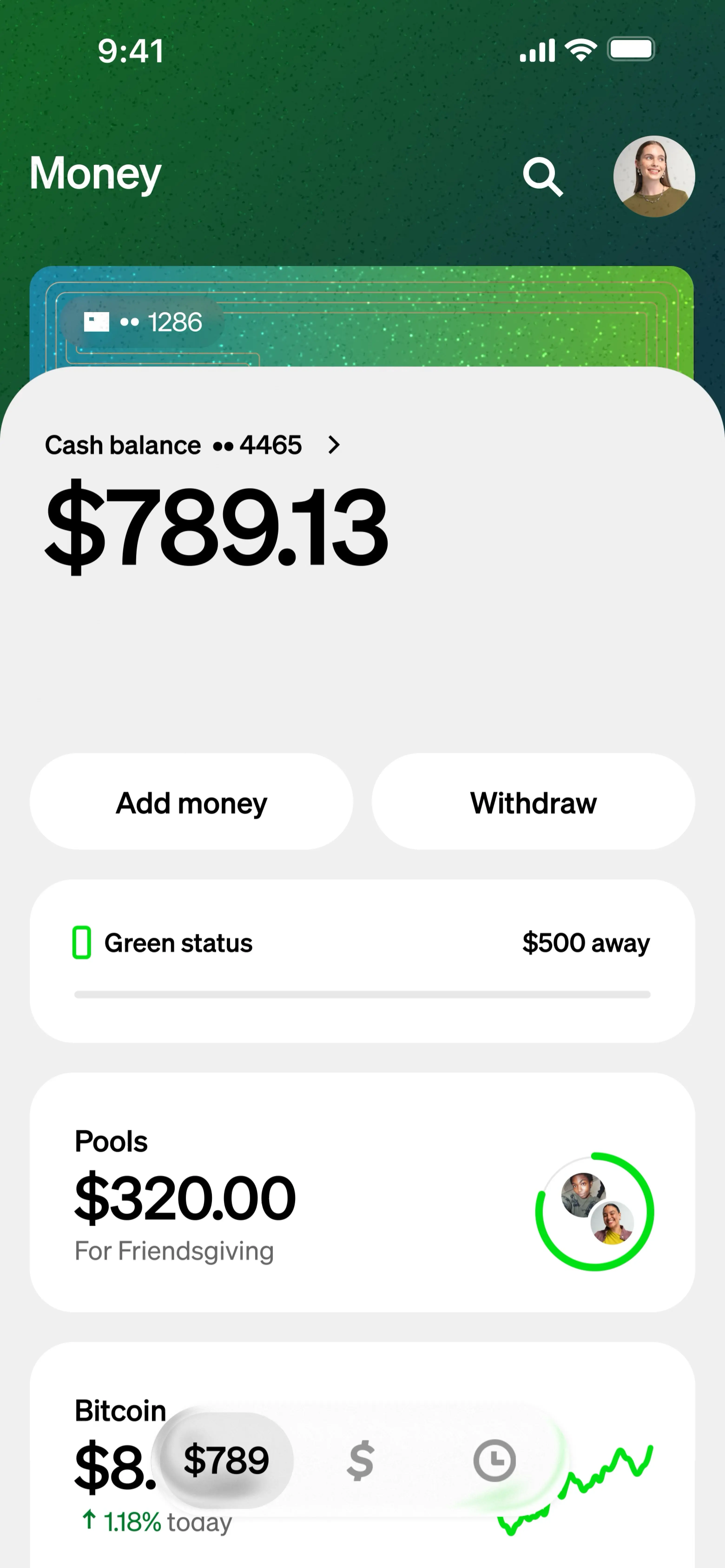
Cash App, developed by Block, Inc. (formerly Square, Inc.), is a mobile payment service that allows users to transfer money to one another using a mobile phone or email address. Launched in 2013, it quickly gained traction due to its user-friendly interface and robust feature set. At its core, Cash App leverages secure data transfer protocols and encryption to facilitate peer-to-peer (P2P) transactions, essentially acting as a digital intermediary for your funds. It bypasses traditional banking complexities for quick transfers, operating on a cloud-based infrastructure that ensures accessibility and reliability across various devices. The technology enables instant transactions, where funds typically appear in the recipient’s account within seconds, demonstrating a significant leap from traditional bank transfers that can take days.
Key Features at a Glance
From a technological standpoint, Cash App integrates several functionalities that extend beyond simple P2P payments:
- P2P Payments: The foundational feature, enabling instant transfers between users. This relies on secure backend systems and unique user identifiers ($Cashtags).
- Cash App Card: A customizable, free debit card issued by Sutton Bank, linked directly to your Cash App balance. This allows users to spend their Cash App funds like a traditional debit card, leveraging existing payment network infrastructures (Visa).
- Direct Deposit: Users can receive paychecks, tax refunds, and other direct deposits directly into their Cash App account using unique routing and account numbers, effectively turning the app into a basic checking account alternative.
- Bitcoin Trading: Cash App was an early adopter among P2P apps to allow users to buy, sell, and send Bitcoin directly within the application, integrating cryptocurrency exchange functionalities.
- Stock Investing: Users can purchase fractional shares of stocks and ETFs, providing a simplified entry point into the stock market directly from their app balance.
- Boosts: A rewards program linked to the Cash App Card, offering instant discounts at various retailers. These are dynamically updated and applied at the point of sale.
These features illustrate Cash App’s evolution from a simple payment utility to a comprehensive digital financial platform, all accessible through a single mobile application interface.
Step-by-Step: Downloading and Installing the Cash App
Acquiring Cash App is a straightforward process, primarily involving downloading the application from official sources. This ensures you receive a legitimate, secure version of the software.
Locating the Official App
The most crucial step in getting Cash App is ensuring you download it from the official, verified app stores. This prevents potential security risks associated with malicious or counterfeit applications.
- For iOS Devices (iPhone, iPad): Open the App Store on your device.
- For Android Devices: Open the Google Play Store on your device.
Once in the respective app store, use the search bar (usually represented by a magnifying glass icon) and type “Cash App.” Look for the app published by “Cash App” or “Square, Inc.” (Block, Inc.). The official app typically has a green icon with a white dollar sign ($) in the center. Always verify the publisher to avoid imposters.
The Installation Process
After locating the official app, the installation process is simple and automated:
- Initiate Download: Tap the “Get” or “Install” button. You might be prompted to confirm your download using your device’s authentication method (Face ID, Touch ID, or password).
- Monitor Progress: The app will begin downloading and installing automatically. The time this takes depends on your internet connection speed.
- Launch the App: Once the installation is complete, an “Open” button will appear. You can tap this button or find the Cash App icon on your device’s home screen or app drawer to launch it.
Initial App Permissions
Upon first launching Cash App, the application will likely request certain permissions. Understanding these is key to comprehending how the app integrates with your device’s operating system:
- Contacts: Cash App may ask to access your contacts to easily find friends and family who also use the app, simplifying the process of sending or requesting money.
- Notifications: Permission for notifications allows Cash App to alert you to incoming payments, transaction confirmations, and other important account activity.
- Location Services (Optional): While not strictly required for core functionality, location access can be used for security purposes (e.g., detecting unusual activity from an unfamiliar location) or for features like Cash App Boosts that might be location-specific.
It’s generally recommended to grant necessary permissions to ensure full functionality and security, but always review what each permission entails.
Setting Up Your Cash App Account for First-Time Users
Once installed, the next phase involves configuring your personal Cash App account. This setup process involves linking identifiers and financial instruments to your digital profile.
Registering Your Account
The initial setup focuses on associating your Cash App account with a verifiable contact method:
- Enter Phone Number or Email: Upon opening the app for the first time, you’ll be prompted to enter a phone number or email address. This will be your primary login credential.
- Verification Code: Cash App will send a verification code (either via SMS to your phone or email to your inbox). Enter this code into the app to confirm your identity. This is a crucial security step (multi-factor authentication) to ensure legitimate access.
- Create an Account: Follow the on-screen prompts to input basic information, such as your full name.
Linking a Debit Card or Bank Account
To use Cash App’s full potential for sending and receiving money, you’ll need to link a funding source. This involves integrating your traditional banking instruments with the app’s digital infrastructure.
- Navigate to Link Bank: After initial registration, Cash App will guide you to link a bank account. You can also find this option in the “Banking” or “Linked Banks” section of your profile.
- Enter Debit Card Details: For immediate funding, link a debit card. You’ll need to enter the 16-digit card number, expiration date, CVV, and billing ZIP code. Cash App then verifies this card with your bank.
- Link via Bank Login (Optional but Recommended): For broader functionality (like direct deposit or higher sending limits), Cash App may prompt you to link your bank account directly using your online banking credentials. This uses secure third-party aggregators (like Plaid) to establish a connection without Cash App storing your bank login details. This method securely transmits necessary routing and account numbers.
Choosing a $Cashtag
Your $Cashtag is your unique identifier on Cash App, akin to a username on social media platforms. It’s how others can easily find and send money to you without needing your phone number or email.
- Select a Unique Name: During setup, you’ll be prompted to create a unique $Cashtag. It must start with a letter and contain at least one letter but no more than 20 characters (including letters, numbers, and underscores).
- Privacy and Recognition: Your $Cashtag will be public and allows anyone to search for you within the app. Choose something recognizable but also professional if you plan to use Cash App for business or public transactions.
Understanding KYC Requirements
For certain features, higher transaction limits, and to comply with financial regulations, Cash App may require Know Your Customer (KYC) verification. This typically involves:
- Full Legal Name: Providing your complete legal name.
- Date of Birth: Verifying your age.
- Last 4 Digits of SSN: For identity verification purposes in the US.
- Physical Address: Your residential address.
This information is securely collected and used to confirm your identity, bolstering the app’s security framework and compliance with anti-money laundering (AML) regulations.
Navigating Cash App: Core Functionalities and Digital Security
With your account set up, understanding how to use its core functionalities and, critically, how to protect your digital assets is paramount. This section covers the operational aspects and the technological safeguards you should employ.
Sending and Receiving Money
The fundamental utility of Cash App revolves around the swift exchange of funds. The app’s interface is designed for intuitive interaction:
- Sending Money:
- On the Cash App home screen, enter the amount you wish to send.
- Tap “Pay.”
- Enter the recipient’s $Cashtag, phone number, or email address.
- Add an optional note explaining the payment.
- Tap “Pay” again to confirm the transaction.
- Receiving Money: Funds sent to your $Cashtag, phone number, or email automatically appear in your Cash App balance. You’ll receive a notification of incoming payments. No action is typically required to “accept” money from known contacts.
The technology behind this is a streamlined process that debits your linked card/bank or Cash App balance and credits the recipient’s balance almost instantaneously, all secured by encryption and fraud detection systems.
Cash App Card and Direct Deposit Setup
Leveraging Cash App as a primary financial tool often involves ordering the Cash App Card and setting up direct deposit.
- Ordering the Cash App Card:
- Tap the card icon on the Cash App home screen.
- Tap “Get Free Cash Card.”
- Follow the prompts to customize your card (color, signature) and enter your shipping address.
- Once received, activate the card in the app by scanning the QR code or manually entering card details.
- Setting Up Direct Deposit:
- Tap the banking tab (house icon) on the Cash App home screen.
- Locate “Direct Deposit” and tap “Get Account Number.”
- Cash App will display your unique routing and account numbers.
- Provide these details to your employer, government agency, or payroll provider. Funds will then be directly deposited into your Cash App balance on designated paydays. This functionality mimics traditional bank accounts, leveraging a partnership with a bank to issue these numbers.
Enhancing Your Digital Security
The convenience of Cash App comes with the responsibility of securing your account. Cash App employs various technological safeguards, but user vigilance is equally important.
- Enable Security Lock: Set up a PIN, Touch ID, or Face ID requirement for all transactions within the app. This acts as a primary defense against unauthorized access if your phone is compromised.
- Two-Factor Authentication (2FA): While Cash App uses verification codes during login, ensure your associated email and phone number are secure. Consider using strong, unique passwords for these accounts.
- Beware of Scams: Be highly suspicious of unsolicited requests for money or information. Cash App employees will never ask for your login details, verification codes, or PIN. Report suspicious activity immediately through the app.
- Monitor Activity: Regularly review your transaction history for any unauthorized activity. Set up notifications for all transactions to stay informed.
- Phishing Awareness: Always ensure you are on the official Cash App website or within the authentic app. Phishing attempts often mimic legitimate platforms to steal credentials.
Troubleshooting Common Cash App Setup Issues
Despite its user-friendly design, users may occasionally encounter issues during setup or usage. Addressing these from a technical perspective can resolve most common hurdles.
Download and Installation Problems
- Insufficient Storage: Ensure your device has enough free storage space for the app. Delete unnecessary files or apps if needed.
- Network Connectivity: A stable internet connection (Wi-Fi or cellular data) is essential for downloading and installing. Try switching networks or restarting your router/mobile data.
- Device Compatibility: Ensure your smartphone’s operating system (iOS or Android) meets Cash App’s minimum requirements. Outdated OS versions might not support the latest app version.
- App Store/Play Store Glitches: Sometimes, the app stores themselves experience temporary issues. Clearing the cache of the app store, restarting your device, or waiting a few hours might resolve this.
Account Verification Challenges
- SMS/Email Code Delays: Verification codes can sometimes be delayed due to network congestion or email server issues. Check your spam folder for emails, ensure your phone number is correct, and try resending the code.
- Identity Verification (KYC) Delays: If you’re asked for ID verification, ensure the information you provide (name, DOB, SSN) exactly matches official records. Discrepancies can lead to delays. Processing times for identity verification can vary.
- Regional Restrictions: Cash App is primarily available in the United States and the United Kingdom. Attempting to use it outside these regions may lead to verification failures.
Payment Linking Difficulties
- Expired or Invalid Card Information: Double-check all debit card details (number, expiration, CVV, ZIP code). Ensure the card is active and not expired.
- Bank Connection Errors: If linking directly to a bank account, ensure your online banking credentials are correct. Temporary issues with the bank’s servers or the third-party linking service (e.g., Plaid) can occur. Trying again later or contacting your bank might be necessary.
- Insufficient Funds (for initial micro-deposits): Some verification processes involve small micro-deposits; ensure your bank account is active and can receive these.
- Prepaid Cards: Some prepaid or gift cards may not be supported for linking.

Contacting Support
If you encounter persistent issues, Cash App’s support channels are available:
- In-App Support: This is the most efficient method. Navigate to your profile icon, scroll down, and tap “Support.” This allows you to communicate directly within the secure environment of the app.
- Cash App Website: The official Cash App website has a comprehensive help center and FAQ section that can address many common queries.
By following this comprehensive guide, you can confidently navigate the process of getting Cash App, setting up your account, and utilizing its features effectively and securely. It’s a powerful tool designed for the modern digital economy, and with the right approach to setup and security, it can significantly streamline your financial interactions.
aViewFromTheCave is a participant in the Amazon Services LLC Associates Program, an affiliate advertising program designed to provide a means for sites to earn advertising fees by advertising and linking to Amazon.com. Amazon, the Amazon logo, AmazonSupply, and the AmazonSupply logo are trademarks of Amazon.com, Inc. or its affiliates. As an Amazon Associate we earn affiliate commissions from qualifying purchases.