
In the increasingly crowded landscape of digital entertainment, Amazon Prime Video stands out as a formidable contender, offering a vast library of movies, TV shows, and critically acclaimed original content. For many, the question isn’t whether to watch, but “how do I get Amazon Prime Video?” This guide delves into the technical pathways and strategic considerations for accessing this expansive streaming service, ensuring you can seamlessly transition from curiosity to captivating viewing. From understanding its core offerings to optimizing your experience across a myriad of devices, we’ll navigate the digital terrain to unlock your entertainment potential.
Demystifying Amazon Prime Video: Your Gateway to Entertainment
Amazon Prime Video isn’t just another streaming service; it’s a digital ecosystem offering a rich tapestry of content designed to cater to diverse tastes. Understanding its multifaceted nature is the first step toward leveraging its full potential.
What Exactly is Prime Video?
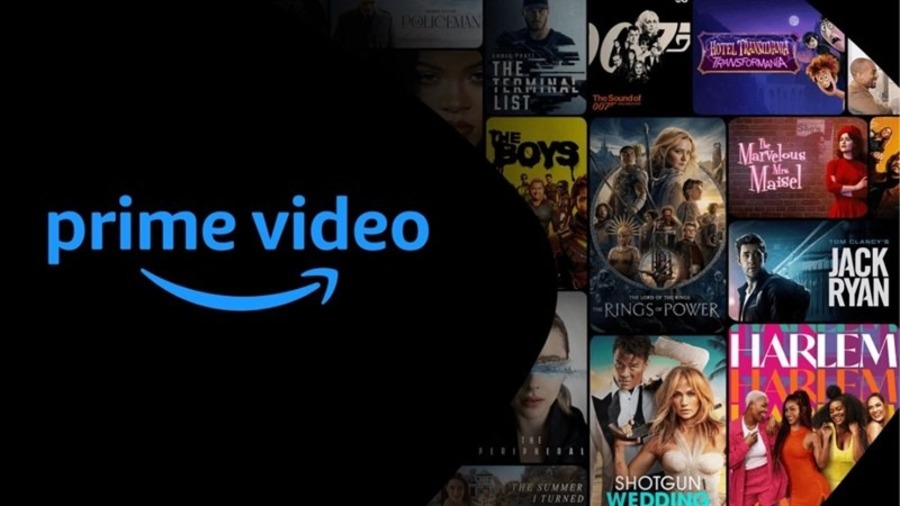
At its core, Amazon Prime Video is an on-demand video streaming and rental service operated by Amazon. It boasts an impressive and constantly evolving content library that includes thousands of movies, TV series, documentaries, and live sports. What truly sets it apart, however, is its significant investment in “Amazon Originals.” These are exclusive shows and movies produced or co-produced by Amazon Studios, often featuring high production values and A-list talent, such as “The Boys,” “The Marvelous Mrs. Maisel,” “Jack Ryan,” and the highly anticipated “Lord of the Rings: The Rings of Power.” The service also aggregates content from various third-party studios and offers channels you can subscribe to à la carte, expanding your viewing options even further.
Beyond its core streaming content, Prime Video seamlessly integrates with Amazon’s broader retail ecosystem. This integration, while not directly impacting the video content itself, often plays a role in how users perceive and interact with the service, positioning it as a value-added benefit within a larger digital lifestyle. Its global reach, with availability in over 200 countries and territories, further solidifies its position as a major player in the streaming world, bringing diverse content to audiences worldwide.
Beyond the Binge: Key Features and Advantages
Prime Video’s appeal extends beyond its content library; it’s also packed with features designed to enhance the user experience, distinguishing it from many competitors.
One of the most appreciated features is 4K Ultra HD and HDR streaming, offering stunning visual fidelity on compatible devices. This commitment to high-quality playback ensures that users with modern TVs and monitors can enjoy content in breathtaking clarity and vibrant colors, making action sequences more impactful and landscapes more immersive.
The offline viewing capability is another significant advantage. Users can download many titles to their mobile devices (smartphones and tablets) for viewing without an internet connection, perfect for commutes, flights, or areas with unreliable Wi-Fi. This technical flexibility ensures entertainment is always accessible, regardless of connectivity.
X-Ray is a unique and highly engaging feature powered by IMDb (which Amazon owns). While watching a show or movie, X-Ray provides instant access to information about the actors on screen, the music playing, trivia, and even behind-the-scenes facts, without interrupting your viewing. It transforms passive watching into an interactive, educational experience, enriching the narrative context.
Multiple user profiles allow different members of a household to have their own personalized watchlists, recommendations, and viewing history, preventing conflicts and ensuring a tailored experience for each user. This functionality, common among top-tier streaming services, is crucial for family households, allowing for distinct content preferences and parental controls to be applied individually.
Finally, Prime Video Channels offer an expansion of the service. These are optional, à la carte subscriptions to other streaming services and content providers (e.g., HBO, Showtime, Starz, sports packages) directly through the Prime Video interface. This simplifies billing and management, centralizing your streaming subscriptions within one platform and often providing a seamless viewing experience between different providers’ content.
Navigating the Subscription Landscape: Your Access Options
Accessing Amazon Prime Video isn’t a one-size-fits-all affair. Amazon provides several avenues, each catering to different user needs and preferences. Understanding these options is crucial for making an informed decision about how to get the service.
The Full Prime Membership: The All-Inclusive Route
The most common and comprehensive way to get Amazon Prime Video is through a full Amazon Prime membership. This flagship offering goes far beyond just video streaming, bundling a suite of benefits that have become indispensable for millions of consumers globally. Key benefits include:
-
Fast, free shipping on millions of eligible items (often one-day or two-day delivery).
-
Prime Music, offering ad-free access to millions of songs.
-
Prime Reading, providing access to a rotating selection of ebooks, magazines, and comics.
-
Exclusive deals and discounts for Prime members.
-
Prime Gaming (formerly Twitch Prime), offering free games, in-game content, and a free Twitch channel subscription each month.
-
And, of course, Amazon Prime Video.
For individuals who frequently shop on Amazon, use its music service, or enjoy other digital perks, the full Prime membership represents excellent value. It consolidates multiple digital services under a single subscription, simplifying billing and providing a cohesive user experience. Amazon often provides a free 30-day trial for new members, allowing potential subscribers to fully explore all Prime benefits, including Prime Video, before committing to a paid plan. This trial period is a technical gateway to experiencing the entire Prime ecosystem.
Prime Video Standalone: For the Dedicated Streamer
Recognizing that not all users require the full spectrum of Prime benefits, Amazon also offers a standalone Prime Video subscription. This option is ideal for individuals whose primary interest lies solely in accessing the video content library without the need for expedited shipping, music, or other associated Prime perks.
The standalone Prime Video subscription provides access to the exact same video content library as the full Prime membership, including all Amazon Originals, licensed titles, and the ability to subscribe to Prime Video Channels. The key difference is the exclusion of the non-video benefits. This focused approach makes it a competitive choice against other dedicated streaming services like Netflix or Disney+, appealing to users who prioritize a lean, video-centric entertainment package. The cost is typically lower than a full Prime membership, making it a more economical choice for pure streamers. This choice highlights Amazon’s flexible provisioning of its digital service components.
The Sign-Up Process: A Step-by-Step Guide
Regardless of whether you choose a full Prime membership or the standalone Prime Video option, the sign-up process is straightforward and designed for user accessibility.
-
Visit the Amazon Prime Video Website or Open the App: Navigate to primevideo.com or open the Prime Video app on your chosen device (Smart TV, mobile, console).
-
Initiate Sign-Up/Trial: Look for buttons like “Start your free trial,” “Sign up for Prime Video,” or “Join Prime.”
-
Create an Amazon Account (if you don’t have one): You’ll need an Amazon account. If you already have one (for shopping on Amazon), you can use those credentials. Otherwise, you’ll be prompted to create a new account by providing your name, email address, and a password.
-
Enter Payment Information: Amazon requires a valid payment method (credit card, debit card) to initiate a subscription, even for free trials. This is for automatic renewal once the trial period ends or to begin the paid subscription immediately. You won’t be charged during a free trial, and you can cancel anytime before the trial concludes to avoid charges.
-
Confirm and Start Watching: Once your payment information is verified, you’ll receive a confirmation. You can then immediately begin browsing and streaming content on Prime Video.
This streamlined digital onboarding process ensures minimal friction for new users, rapidly connecting them to the service.
Optimizing Your Viewing Experience Across Devices
A hallmark of modern streaming services is their ubiquity across platforms, and Amazon Prime Video is no exception. It’s designed to be accessible wherever you are, on almost any screen. Understanding the best ways to access and optimize your viewing on various devices is key to an uninterrupted and high-quality entertainment experience.
On Your Smart TV: Apps and Integration
Smart TVs are often the primary viewing platform for many users, offering a large-screen, immersive experience. Prime Video is widely supported, with apps pre-installed on many smart TV brands (Samsung, LG, Sony, Vizio, etc.) or readily available for download from their respective app stores.
-
Built-in Apps: Simply locate the Prime Video app on your TV’s home screen or app menu. Log in with your Amazon account credentials, and you’re ready to stream.
-
Streaming Devices: For TVs that aren’t “smart” or for those who prefer an integrated ecosystem, dedicated streaming devices are excellent solutions. Amazon’s own Fire TV Stick and Fire TV Cube offer the most seamless integration with Prime Video, often having dedicated Prime Video buttons on their remotes. Other popular options include Roku, Apple TV, Google Chromecast with Google TV, and Nvidia Shield, all of which have robust Prime Video apps available for download. After connecting these devices to your TV via HDMI, you’ll install the app and log in.
-
Casting: With Chromecast, you can “cast” content from the Prime Video app on your smartphone or computer directly to your TV. This allows your mobile device to act as a remote control, sending the video stream to the larger screen.
Ensuring your Smart TV or streaming device’s software is up to date is crucial for optimal performance and access to the latest Prime Video features. A strong Wi-Fi connection is also paramount for 4K streaming.
Mobile Freedom: Smartphones and Tablets
The Prime Video app for iOS and Android devices offers unparalleled flexibility, allowing you to watch content on the go.
-
Download the App: Search for “Amazon Prime Video” in the Apple App Store or Google Play Store and download the official app.
-
Log In: Use your Amazon account details to sign in.
-
Streaming and Downloads: The mobile app allows for both streaming over Wi-Fi or mobile data (be mindful of data caps) and downloading content for offline viewing. To download, simply select a title and tap the “Download” icon. Downloads are stored within the app and can be accessed from the “Downloads” section, making them perfect for travel.
-
Device Permissions: Ensure the app has necessary permissions (e.g., storage access for downloads) for full functionality.
The mobile app’s interface is optimized for touchscreens, offering intuitive navigation, search, and playback controls.
Desktop and Laptop Streaming: The Web Browser Approach
For those who prefer to watch on a computer, Amazon Prime Video is easily accessible through a web browser.

-
Visit primevideo.com: Open your preferred web browser (Chrome, Firefox, Edge, Safari are all supported) and navigate directly to primevideo.com.
-
Log In: Sign in with your Amazon account credentials.
-
System Requirements: Ensure your browser is updated to its latest version for the best performance. While most modern computers can handle streaming, a stable internet connection is vital for high-resolution playback. Browsers typically use DRM (Digital Rights Management) technologies like Widevine or PlayReady to protect content, which are usually built into modern browsers.
Watching on a desktop or laptop offers the advantage of a larger screen than mobile devices, without the need for a dedicated streaming box if you’re already at your computer.
Gaming Consoles: Beyond Play
Modern gaming consoles have evolved into comprehensive entertainment hubs, and Prime Video is a standard offering.
-
Console Support: Prime Video apps are available for PlayStation (PS4, PS5) and Xbox (Xbox One, Xbox Series X/S) consoles.
-
Download from Store: Go to the console’s respective store (PlayStation Store or Microsoft Store), search for “Amazon Prime Video,” and download the app.
-
Log In: Sign in with your Amazon account.
This allows gamers to seamlessly switch from playing their favorite titles to streaming movies and shows, utilizing the powerful hardware and internet connection of their console for high-quality video playback.
Enhancing Your Prime Video Journey: Tips and Tricks
Once you’ve gained access to Amazon Prime Video, the next step is to master its features to truly personalize and maximize your entertainment experience. Beyond simple playback, Prime Video offers a suite of tools that can profoundly enrich your viewing.
Customizing Your Profile: Personalizing Recommendations
For households with multiple viewers, the user profile feature is indispensable. Creating individual profiles allows each person to maintain their own viewing history, watchlist, and, critically, their own set of personalized recommendations.
-
Create Profiles: On most Prime Video interfaces, you’ll find a profile icon (often in the top right corner). Click or select it, and choose “Add Profile” or “Manage Profiles.” You can then create distinct profiles for adults and children.
-
Personalized Experience: Each profile learns from the content watched, liked, and rated, tailoring suggestions to individual tastes. This avoids the common frustration of shared accounts where recommendations become muddled by diverse viewing habits.
This technical segregation of viewing data ensures that the algorithms can work effectively for each user, providing genuinely relevant suggestions and improving discoverability.
Mastering Parental Controls: Safe Viewing for All Ages
Ensuring a safe viewing environment for younger audiences is a priority for many households. Prime Video offers robust parental control settings that allow adults to manage content access effectively.
-
Set Up a PIN: Within the Prime Video settings (often accessible via your profile or the main settings menu), you can establish a 5-digit PIN. This PIN is required to bypass restrictions, make purchases, or access specific content ratings.
-
Content Restrictions: You can set viewing restrictions based on age ratings (e.g., G, PG, PG-13, R for movies; TV-Y, TV-G, TV-PG, TV-14, TV-MA for TV shows). This ensures that only age-appropriate content is accessible on profiles without the PIN.
-
Purchase Restrictions: Parental controls also extend to purchases. You can require the PIN for any purchases or rentals made through Prime Video, preventing unauthorized transactions.
Implementing these controls is a crucial technical step for responsible digital consumption, giving parents peace of mind that their children are not exposed to inappropriate content.
Utilizing X-Ray and Bonus Features: Dive Deeper into Content
The X-Ray feature, powered by IMDb, is a powerful tool for enriching your viewing experience by providing contextual information in real-time.
-
Activate X-Ray: On many devices, X-Ray is automatically available. On mobile and web, simply tap or hover your mouse over the screen during playback. On Smart TVs or streaming devices, you might use your remote’s up arrow or a specific X-Ray button.
-
Instant Information: X-Ray displays details about the actors currently on screen, the music playing in the scene, trivia, and even behind-the-scenes content or bloopers. It can also show cast lists for the entire episode or movie, chapter lists, and goofs.
-
Bonus Features: Many titles also include “Bonus Features” accessible from the movie’s detail page or within the X-Ray interface. These can include deleted scenes, interviews, and making-of documentaries, offering a deeper dive into the production.
X-Ray transforms passive viewing into an interactive exploration, satisfying curiosity and enhancing appreciation for the craft of filmmaking.
Managing Downloads: Offline Viewing on the Go
The ability to download content for offline viewing is a significant technical advantage, particularly for mobile users. Effective management of these downloads is essential.
-
Download Limits: Be aware that Prime Video typically has a limit on the number of titles you can download at any given time (often 15-25 titles across all devices) and also a time limit for how long downloads remain available (usually 30 days once downloaded, or 48 hours once you start watching).
-
Storage Management: Downloads consume significant storage space on your device. Regularly review and delete watched titles from the “Downloads” section of your Prime Video app to free up space. You can also adjust the download quality (standard vs. best) in the app settings to manage file sizes.
-
Device Management: If you download to multiple devices, be mindful of the concurrent download limits. If you reach the maximum, you may need to remove downloads from one device before adding them to another.
Proactive management of downloads ensures you always have space for new content and can take full advantage of Prime Video’s offline capabilities.
Troubleshooting and Support: Ensuring Uninterrupted Entertainment
Even with the most robust streaming services, technical glitches can occasionally arise. Knowing how to troubleshoot common issues and where to find support ensures that your entertainment remains largely uninterrupted.
Common Streaming Issues: Buffering and Resolution
The most frequent complaint among streamers is buffering or poor video quality. These issues are almost always related to your internet connection or device performance.
-
Internet Speed: Prime Video recommends specific internet speeds for optimal streaming: 1 Mbps for SD, 3-5 Mbps for HD, and 15 Mbps or higher for 4K UHD. Test your internet speed using an online tool. If it’s below recommendations, contact your internet service provider.
-
Wi-Fi Signal Strength: Ensure your device has a strong Wi-Fi signal. Move closer to your router, or consider using an Ethernet cable for wired devices (like Smart TVs or streaming boxes) for a more stable connection.
-
Router Restart: A simple router restart can often resolve network congestion issues. Unplug your router, wait 30 seconds, and plug it back in.
-
Close Background Applications: On computers, phones, or even smart TVs, other applications running in the background can consume bandwidth or processing power, impacting streaming performance. Close unnecessary apps.
-
Clear Cache: For app-based streaming, clearing the app’s cache (in your device’s application settings) can resolve issues caused by corrupted temporary data.
These technical solutions address the foundational elements of a smooth streaming experience, prioritizing network and device efficiency.
Account and Billing Inquiries: Where to Find Help
Issues related to your subscription, payment methods, or account access require direct interaction with Amazon’s customer service.
-
Manage Your Membership: For most billing and subscription changes, you can go directly to your “Account & Settings” section on the Amazon website (amazon.com or your local domain) under “Prime Membership” or “Prime Video Settings.” Here you can update payment methods, view billing history, and cancel your membership.
-
Amazon Customer Service: For more complex issues, direct customer support is available. Visit the Amazon Help & Customer Service page. You can typically initiate a chat, request a phone call, or send an email. Be prepared to provide your account details and a clear description of your issue.
-
Unauthorized Charges: If you suspect an unauthorized charge, report it immediately to Amazon customer service. They can investigate and assist with refunds or account security.
Amazon’s robust customer support infrastructure is designed to handle a wide array of account-related issues efficiently, leveraging their extensive customer management systems.
Technical Glitches: App or Device Troubleshooting
Sometimes, the problem isn’t your internet but the Prime Video app itself or your specific streaming device.
-
Restart the App: Close the Prime Video app completely (not just minimize it) and reopen it. This can resolve temporary software glitches.
-
Restart Your Device: A full restart of your Smart TV, streaming stick, console, or mobile device can often clear up memory issues or software conflicts causing the app to malfunction.
-
Reinstall the App: If restarting doesn’t work, uninstalling and then reinstalling the Prime Video app can resolve deeper corruption within the app’s installation files. This ensures you have the latest, cleanest version of the app.
-
Check for App/Device Updates: Ensure your Prime Video app and your device’s operating system are both updated to their latest versions. Updates often contain bug fixes and performance improvements.
-
Hardware Malfunction: In rare cases, the issue might stem from a hardware problem with your device. If all software troubleshooting fails, consider testing the app on another device to isolate the problem.
Systematic troubleshooting, starting with the simplest solutions and progressing to more involved steps like reinstallation, is the most effective technical approach to resolving software and device-specific issues.
By understanding the various technical avenues for obtaining Amazon Prime Video, optimizing your setup, and knowing how to troubleshoot common problems, you can ensure a seamless and enjoyable streaming experience. Dive into the world of diverse entertainment that Prime Video offers, armed with the knowledge to make the most of your digital gateway.
aViewFromTheCave is a participant in the Amazon Services LLC Associates Program, an affiliate advertising program designed to provide a means for sites to earn advertising fees by advertising and linking to Amazon.com. Amazon, the Amazon logo, AmazonSupply, and the AmazonSupply logo are trademarks of Amazon.com, Inc. or its affiliates. As an Amazon Associate we earn affiliate commissions from qualifying purchases.