
In the modern digital landscape, the travel industry has been entirely reshaped by Online Travel Agencies (OTAs) like Expedia. What used to involve physical travel agents and long phone calls is now handled by sophisticated algorithms, complex APIs, and intuitive user interfaces. However, while the booking process is often designed to be frictionless, navigating the software to cancel a reservation can sometimes feel like navigating a digital labyrinth. Understanding how to cancel a hotel reservation on Expedia requires more than just knowing where to click; it involves understanding the integration between user-facing front-ends and the backend database systems that communicate with global hotel inventories.
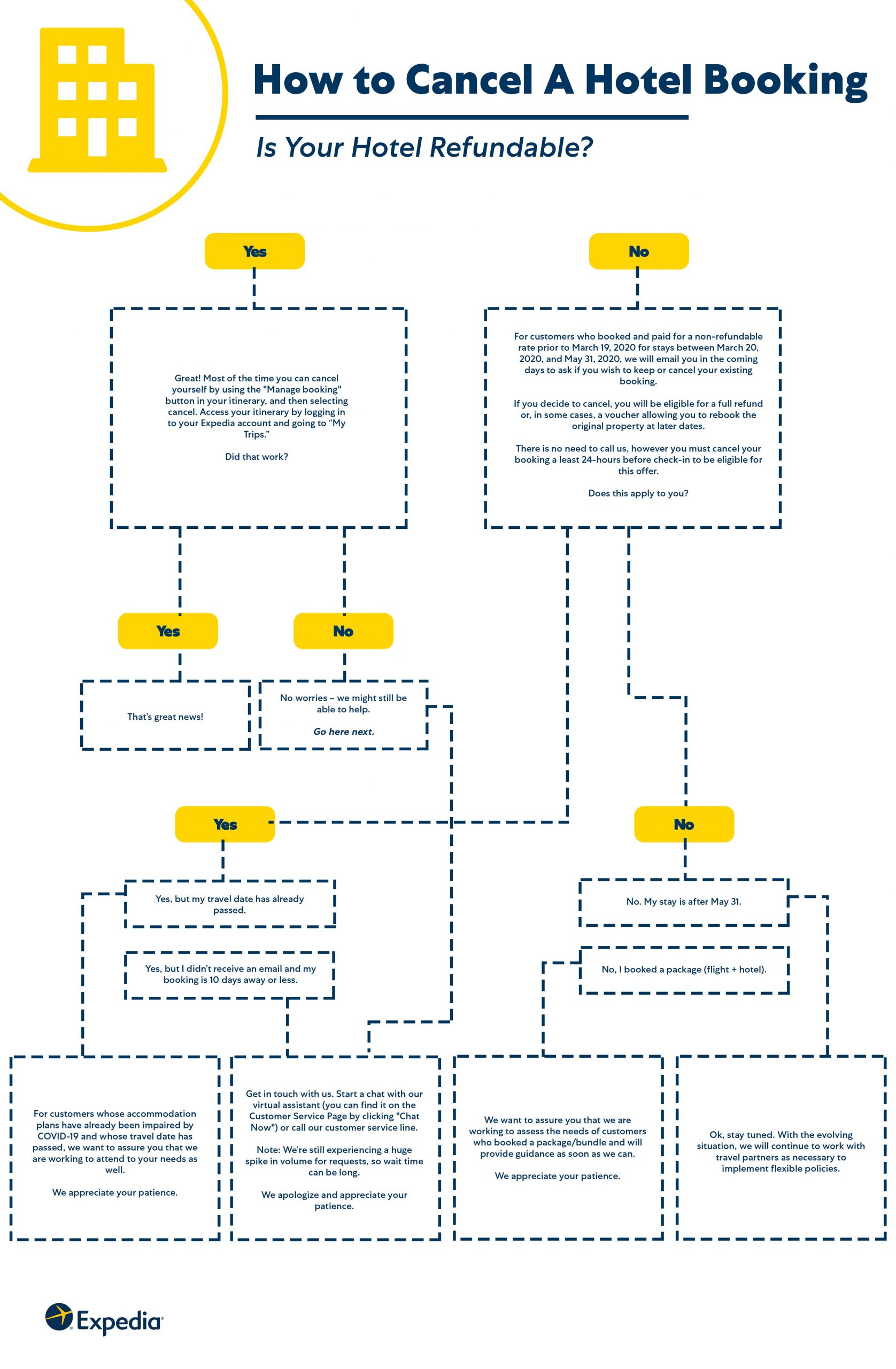
This guide provides a deep dive into the technical process of managing your bookings, troubleshooting common software-related hurdles, and understanding the digital architecture that facilitates travel management in the 21st century.
Navigating the Expedia Ecosystem: Understanding the User Interface
The Expedia platform is a masterclass in responsive web design and cross-platform synchronization. Whether you are accessing your account via a desktop browser or the dedicated mobile application, the software is designed to maintain a persistent state of your data through cloud-based architecture.
The Desktop Dashboard Experience
When you log in to the Expedia web portal, you are interacting with a complex dashboard that aggregates data from multiple sources. The “Trips” section is the central hub for all your active reservations. From a technical standpoint, this page utilizes asynchronous JavaScript and XML (AJAX) or modern frameworks like React to fetch your itinerary data without requiring a full page reload. This ensures that your most recent booking status is reflected in real-time.
To begin the cancellation process, you must first navigate to the header menu and select “Trips.” This triggers a query to Expedia’s database to retrieve all entries associated with your User ID. Once the list populates, selecting the specific hotel reservation opens a dedicated itinerary page where the cancellation logic is housed.
Mobile Optimization and the Expedia App Interface
For users on the go, the Expedia mobile app offers a more streamlined, touch-optimized experience. The app’s UI is designed with “thumb-friendly” navigation, placing the most critical actions within easy reach. The cancellation process on the app mirrors the desktop logic but utilizes native mobile components for faster performance.
The app stores certain itinerary data locally (caching) to ensure you can view your booking details even with intermittent connectivity. However, to execute a cancellation, the app must establish a secure connection to the server to push the update to the hotel’s reservation system.
Cross-Platform Synchronization and Cloud Data
One of the most significant advantages of Expedia’s tech stack is its seamless synchronization. If you book a hotel on your laptop and then decide to cancel it using your smartphone, the changes reflect instantly across all devices. This is achieved through a centralized cloud database. When you initiate a “cancel” command, the software sends a POST request to Expedia’s API, which updates the central record and triggers a series of automated events, including confirmation emails and inventory updates.
Step-By-Step Tutorial: Executing Your Cancellation via Software
Executing a cancellation is a multi-step digital workflow. Following these steps ensures that the command is processed correctly through the platform’s logic gates.
Accessing Your Itinerary through Digital Authentication
The first step is always authentication. Without a secure login, the system cannot verify your permission to modify the reservation. Once logged in, the “Manage Booking” feature becomes active. For users who booked as a guest, the software requires a specific “Find Your Booking” workflow, where you must provide the itinerary number and the email address used during the transaction. This acts as a secondary form of authentication to protect user data.
Identifying Cancellation Parameters in the UI
Once you are inside the specific itinerary, you must look for the “Cancel Room” or “Cancel Reservation” button. It is important to note that the visibility of this button is often conditional. The frontend code is programmed to check the hotel’s cancellation policy—which is stored as metadata in the booking record—before displaying the option.
If the software detects that the reservation is “non-refundable” or past the cancellation deadline, the “Cancel” button may be grayed out or replaced with a “Contact Support” prompt. This is a deliberate UI choice to prevent users from executing invalid commands that the backend cannot process.
Confirming the API Request and Receiving Digital Receipts
Upon clicking “Cancel Room,” the system will typically present a confirmation modal. This is a critical step in the user experience design, preventing accidental clicks from disrupting travel plans. When you confirm, the browser sends an encrypted request to Expedia’s servers.
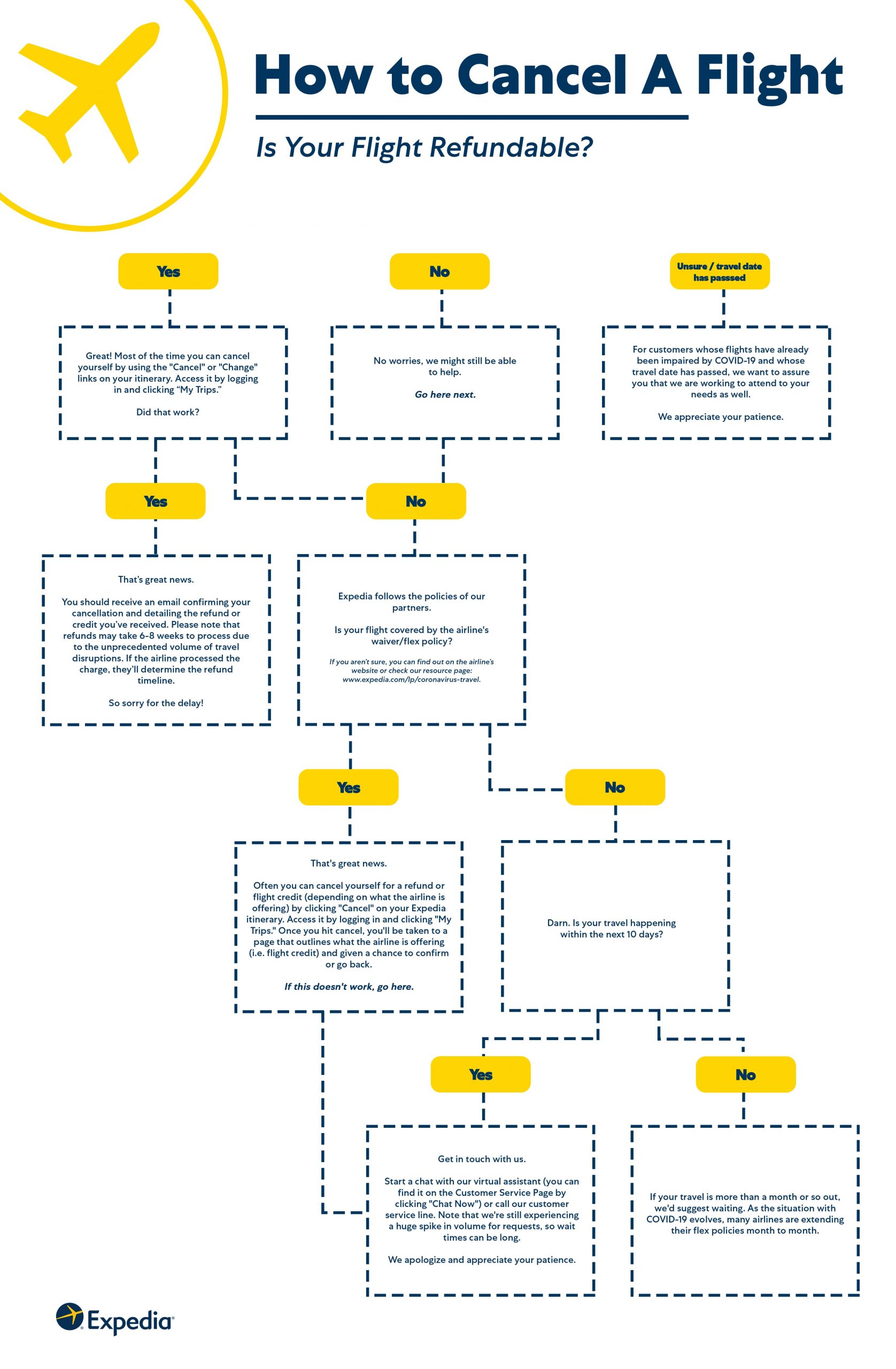
The server then processes the request, communicates with the hotel’s internal system via a Global Distribution System (GDS), and returns a success or failure message. If successful, the UI will update to show a “Cancelled” status, and the system’s automated mailer will generate a digital receipt. It is essential to save this cancellation number, as it serves as your digital proof of the transaction’s completion.
Troubleshooting Digital Roadblocks and Technical Errors
Even with robust software, technical glitches can occur. Understanding how to troubleshoot these issues can save time and prevent financial loss.
Handling Session Timeouts and Cache Issues
One of the most common issues during a cancellation is a session timeout. For security reasons, Expedia’s servers will invalidate your login token after a period of inactivity. If you attempt to cancel a reservation on a stale page, you may receive an error message. The solution is to refresh the browser, clear your cache, or log out and log back in to establish a new, secure session.
Dealing with “In-Progress” Bookings and Sync Latency
Occasionally, a booking may appear as “in progress” or “pending,” preventing any modifications. This usually happens when there is high latency between Expedia’s API and the hotel’s Central Reservation System (CRS). In these instances, the software is waiting for a “handshake” confirmation from the third-party provider. If this persists, the technical recommendation is to wait 15–30 minutes for the databases to sync before re-attempting the cancellation.
Security Protocols: Two-Factor Authentication and Data Protection
Expedia employs high-level encryption (SSL/TLS) to protect your data during the cancellation process. If you are accessing the site from a new device or an unrecognized IP address, you may be prompted for two-factor authentication (2FA). This is a vital security layer that prevents unauthorized users from altering your travel data. Ensuring your account has up-to-date recovery information is key to navigating these security checkpoints smoothly.
The Backend Logic: How Expedia Communicates with Hotel Databases
To truly understand how a cancellation works, one must look under the hood at the communication protocols between the OTA and the service provider.
Central Reservation Systems (CRS) and Global Distribution Systems (GDS)
Expedia does not typically store every hotel’s inventory in its own local database. Instead, it acts as a sophisticated interface for various Global Distribution Systems like Amadeus, Sabre, or Travelport. When you click “cancel,” Expedia sends a structured data packet (often in JSON or XML format) to the GDS. The GDS then routes this request to the specific hotel’s Central Reservation System. This chain of communication happens in milliseconds, but a failure at any point in the chain can result in a cancellation error.
Automation vs. Manual Intervention in the Cancellation Chain
Most cancellations on Expedia are fully automated. The software logic handles the refund calculation based on the timestamp of the request and the pre-defined policy rules. However, in complex cases—such as partial cancellations or modifications to multi-room bookings—the automated script may trigger a flag for manual intervention. In these scenarios, a customer service representative uses a specialized backend tool to manually adjust the database entries.
Real-Time Data Updates and Inventory Management
The moment a cancellation is confirmed, the software performs an “inventory release.” This means the room you previously occupied is marked as “available” across all platforms connected to that GDS. This real-time inventory management is the backbone of the digital travel economy, ensuring that hotels maintain maximum occupancy and users have access to the latest available data.
Optimizing the Digital Experience for Future Bookings
The technology behind Expedia is constantly evolving, with new tools designed to make managing itineraries even more intuitive.
Leveraging AI Tools for Itinerary Management
Expedia has integrated AI-driven virtual assistants to help users manage their bookings. These chatbots use Natural Language Processing (NLP) to understand requests like “cancel my hotel in Chicago.” If the AI can verify your identity and the booking is eligible for cancellation, it can execute the backend commands on your behalf, bypassing the traditional UI entirely.
Digital Wallets and Virtual Credit Cards
For many bookings, Expedia uses virtual credit card (VCC) technology to handle payments to hotels. When you cancel, the refund logic must reverse the transaction to the VCC and subsequently to your original payment method. Keeping your digital wallet updated within the Expedia app ensures that these financial handshakes occur without friction, minimizing the time it takes for funds to return to your account.

Customizing Notification and Alert Settings
To stay informed about your booking status, users should optimize their notification settings. Through the app’s settings menu, you can enable push notifications for “Trip Updates.” This utilizes the Apple Push Notification service (APNs) or Google Cloud Messaging (GCM) to send real-time alerts to your device the moment a cancellation is processed. This immediate feedback loop is the hallmark of a well-integrated tech platform, providing users with the peace of mind that their digital commands have been successfully executed in the physical world.
aViewFromTheCave is a participant in the Amazon Services LLC Associates Program, an affiliate advertising program designed to provide a means for sites to earn advertising fees by advertising and linking to Amazon.com. Amazon, the Amazon logo, AmazonSupply, and the AmazonSupply logo are trademarks of Amazon.com, Inc. or its affiliates. As an Amazon Associate we earn affiliate commissions from qualifying purchases.