
The traditional leather wallet is rapidly becoming a secondary accessory in the digital age. As smartphones have evolved from simple communication devices into powerful hubs for our digital lives, they have naturally taken on the role of a primary payment tool. Understanding how to pay with your phone requires a look at the intersection of hardware, software, and the complex security protocols that keep financial data safe. Whether you are using an iPhone, an Android device, or a wearable, the technology behind mobile payments is designed to make transactions faster, more secure, and significantly more convenient than swiping a physical card.
The Core Technology: How NFC and QR Codes Enable Contactless Payments
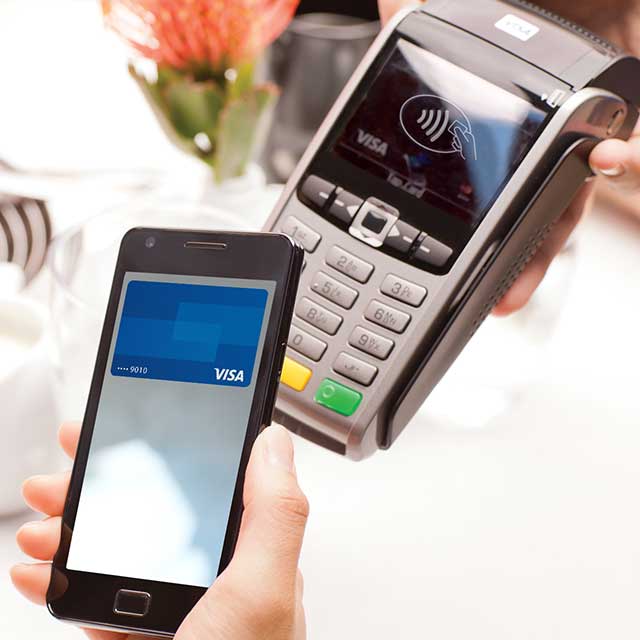
At the heart of the “tap-to-pay” movement is a technology known as Near Field Communication (NFC). This is the same underlying tech that allows access badges to unlock office doors or transit cards to open turnstiles. When you ask how you can pay with your phone, the answer usually begins with this short-range wireless connectivity.
Near Field Communication (NFC)
NFC is a specialized subset of Radio Frequency Identification (RFID) technology. It operates at a frequency of 13.56 MHz and has a very short range, typically requiring the phone to be within four centimeters of the payment terminal. This proximity is a deliberate security feature; it prevents accidental payments and makes it nearly impossible for a malicious actor to “sniff” the signal from a distance. When you hold your phone near a terminal, the two devices establish a secure radio link to exchange encrypted data.
Magnetic Secure Transmission (MST)
While NFC is the global standard, some older devices, particularly within the Samsung Galaxy ecosystem, utilized a technology called Magnetic Secure Transmission (MST). MST mimics the magnetic stripe on a traditional credit card. By emitting a magnetic signal, the phone can “trick” older card readers—those that don’t have NFC capabilities—into thinking a physical card has been swiped. While Samsung has largely phased this out in favor of NFC as tap-to-pay becomes ubiquitous, it remains a fascinating example of hardware-based backwards compatibility.
Optical Data Transfer via QR Codes
In many parts of the world, particularly in Asia and within specific retail apps in the West (like Starbucks or Walmart), mobile payments rely on Quick Response (QR) codes. Unlike NFC, which uses radio waves, QR codes are purely optical. The merchant either scans a code displayed on your phone’s screen, or you use your phone’s camera to scan a code at the register. This method is highly accessible because it doesn’t require specialized NFC hardware, making it a favorite for software-only payment platforms.
Navigating the Mobile Payment Ecosystem: Apple Pay, Google Pay, and Beyond
To use your phone for payments, you need a digital wallet app. These apps act as a container for your credit, debit, and even loyalty cards. While there are many third-party options, the three dominant players are tied directly to the device’s operating system.
Apple Pay and the Secure Element
Apple Pay is integrated into the iOS ecosystem and is available on iPhones and Apple Watches. One of its defining technical characteristics is the “Secure Element.” This is a dedicated, industry-standard certified chip designed specifically to store payment information securely. When you add a card to Apple Pay, the actual card number is never stored on the device or on Apple’s servers. Instead, a unique Device Account Number is assigned, encrypted, and stored within the Secure Element, isolated from the rest of the operating system.
Google Pay and Host Card Emulation (HCE)
Google Pay (now often integrated into the Google Wallet app) is the primary solution for Android users. Unlike Apple’s hardware-centric approach, Google historically pioneered Host Card Emulation (HCE). HCE allows a mobile app to bypass the physical secure element and communicate directly with the NFC reader via the cloud. This allows Google Pay to function on a wider variety of Android hardware from different manufacturers, provided the device has an NFC chip and is running a compatible version of the OS.
Proprietary Retailer Wallets
Beyond the OS-level wallets, many brands have built their own payment systems into their apps. The Starbucks app is perhaps the most successful example. These apps often function as “closed-loop” systems where you load a balance onto a digital gift card within the app. Payments are typically handled via QR codes. These apps are highly effective for brand loyalty because they integrate the payment process directly with rewards and personalized offers.
A Step-by-Step Technical Setup for Your Digital Wallet

Transitioning from a physical wallet to a digital one involves a brief provisioning process. This ensures that the bank and the device manufacturer are in sync and that the user’s identity is verified.
Hardware and OS Compatibility
First, you must ensure your hardware supports mobile payments. For iPhones, this includes nearly every model since the iPhone 6. For Android, you generally need a device that includes an NFC chip. You can check this in your phone’s “Connected Devices” or “Connection Preferences” settings. Additionally, your phone’s software must be updated to the latest version to ensure you have the most recent security patches and protocol support.
The Provisioning Process
To add a card, you typically use your phone’s camera to scan the physical card or enter the details manually. The app then contacts the issuing bank to verify the card. This is where “tokenization” begins. The bank sends a digital “token” back to the phone. During this process, you may be required to enter a one-time passcode (OTP) sent via SMS or email to confirm your identity. Once verified, the card is “provisioned” to your device and ready for use.
Security and Encryption: Why Your Phone is Safer Than Your Wallet
A common concern when moving to mobile payments is security. However, from a technical perspective, paying with your phone is significantly more secure than using a physical plastic card. This is due to three layers of protection: tokenization, biometrics, and remote management.
The Power of Tokenization
As mentioned earlier, mobile payments do not transmit your actual credit card number (the PAN) to the merchant. Instead, they use tokenization. When you tap your phone, it sends a one-time-use “token” and a dynamic security code. If a hacker were to intercept this data or if the merchant’s database was later breached, the information would be useless. The token can only be “deciphered” by the payment network (like Visa or Mastercard) to link it back to your account.
Biometric Multi-Factor Authentication
Physical cards are vulnerable because anyone who holds the card can theoretically use it (especially with contactless cards that don’t require a PIN for small amounts). Mobile payments require an extra layer of authentication. Before the NFC chip is even activated for a transaction, the user must authenticate using FaceID, TouchID, or a secure passcode. This means that even if your phone is stolen, your digital wallet remains locked behind biometric encryption.
Lost Device Protocols
If you lose your physical wallet, you must call every bank to cancel your cards. If you lose your phone, you can use services like “Find My” (Apple) or “Find My Device” (Android) to remotely lock the digital wallet or wipe the device entirely. Because the card details are tokenized and stored in a secure environment, you often don’t even need to cancel the physical cards; you simply deauthorize the “token” associated with that specific phone.
The Evolving Landscape of Mobile Commerce
The ability to pay with your phone is not just about retail checkouts; it is expanding into every facet of modern commerce, from public transit to peer-to-peer transfers.
Integration with Wearable Technology
The convenience of mobile payments is further amplified by wearables. Smartwatches use the same NFC technology as smartphones. Once a card is provisioned to an Apple Watch or a Garmin watch, you can pay by simply double-clicking a button and holding your wrist to the reader. This is particularly useful for runners or cyclists who may not want to carry a phone or wallet. The security remains high, as most watches require a passcode the moment they detect they have been removed from the user’s wrist.
The Rise of Tap-to-Pay on iPhone for Merchants
A recent shift in the tech landscape is the ability for phones to act as payment terminals. Apple’s “Tap to Pay on iPhone” allows small business owners to accept contactless payments directly on their device without needing external hardware like a Square reader. This utilizes the same NFC chip but in “reader mode.” This democratization of payment hardware is expected to make mobile payments even more prevalent in farmer’s markets, pop-up shops, and service industries.

The Future: Digital Identities and Wallets
In the near future, the question “how can I pay with my phone” will expand to “how can I live with my phone.” Digital wallets are already beginning to support driver’s licenses, state IDs, and office keycards. As these technologies mature and gain regulatory approval, the smartphone will move beyond being a payment tool to becoming a complete digital identity. The integration of ultra-wideband (UWB) technology may even allow for “hands-free” payments, where the store recognizes your presence and processes the transaction without you ever taking the phone out of your pocket.
By mastering the apps, understanding the hardware requirements, and trusting the robust encryption protocols like tokenization, you can transition to a mobile-first lifestyle with confidence. The tech is not just a novelty; it is a more secure, streamlined way to navigate the global economy.
aViewFromTheCave is a participant in the Amazon Services LLC Associates Program, an affiliate advertising program designed to provide a means for sites to earn advertising fees by advertising and linking to Amazon.com. Amazon, the Amazon logo, AmazonSupply, and the AmazonSupply logo are trademarks of Amazon.com, Inc. or its affiliates. As an Amazon Associate we earn affiliate commissions from qualifying purchases.