
In an increasingly digital world, the annual ritual of filing taxes has undergone a significant transformation. Gone are the days when paper forms, envelopes, and endless queues at tax offices were the only options. Today, online tax filing has emerged as a predominant method, offering unparalleled convenience, efficiency, and often, cost savings. For many, the question is no longer if they should file taxes online, but how. This comprehensive guide will demystify the process, empower you with the knowledge to navigate the digital landscape of tax preparation, and ensure you make informed decisions about your personal finances.

The Digital Transformation of Tax Filing: Why Go Online?
The shift towards online tax filing is not merely a trend; it’s a fundamental change driven by technological advancements and a growing demand for streamlined financial processes. Embracing digital tax solutions offers a multitude of benefits that traditional methods simply cannot match.
Convenience and Accessibility at Your Fingertips
One of the most compelling advantages of online tax filing is the sheer convenience it offers. You can prepare and submit your tax return from anywhere with an internet connection – be it your home, office, or even while traveling. This flexibility eliminates the need for appointments, travel time, and the hassle of physical paperwork. Most platforms are accessible 24/7, allowing you to work on your taxes whenever it suits your schedule, pausing and resuming as needed. This accessibility is particularly beneficial for individuals with busy lifestyles, those in remote areas, or anyone who prefers to manage their financial affairs on their own terms.
Enhanced Accuracy and Error Reduction
Human error is an inevitable part of manual processes, and tax preparation is no exception. Miscalculations, overlooked deductions, and incorrect entries can lead to costly mistakes, delays, or even audits. Online tax filing platforms are designed to minimize these risks significantly. They often feature built-in calculators, automated form filling based on your inputs, and robust error-checking mechanisms that flag potential issues before submission. Many even guide you through a series of questions to ensure you don’t miss out on eligible deductions or credits, helping to optimize your refund or reduce your tax liability. This level of automated scrutiny provides a powerful safety net, offering peace of mind that your financial figures are accurate.
Cost-Effectiveness and Transparency
While professional tax preparers offer invaluable expertise, their services come at a cost. Online tax filing often presents a more economical alternative, especially for individuals with straightforward tax situations. Many platforms offer free filing options for simple returns, and even their paid tiers are typically more affordable than hiring an accountant. Beyond direct costs, online tools provide greater transparency into the entire process. You can see how your inputs affect your refund or payment in real-time, gaining a clearer understanding of your financial situation and the implications of different entries. This empowers you to make more informed financial decisions throughout the tax year.
Robust Security Measures for Your Financial Data
A common concern when dealing with online financial transactions is data security. Reputable online tax filing services employ sophisticated encryption technologies, multi-factor authentication, and stringent privacy policies to protect your sensitive financial information. They adhere to industry standards for data protection, ensuring that your social security number, income details, and other personal data are safeguarded against unauthorized access. While no system is entirely impervious to threats, these platforms continuously update their security protocols to combat evolving cyber risks, often providing a more secure environment than physical documents susceptible to loss or theft.
Choosing the Right Online Tax Filing Platform
The market for online tax filing services is diverse, catering to various tax situations and budgets. Selecting the platform that best suits your needs is crucial for a smooth and effective tax season.
Understanding Your Tax Situation: Free vs. Paid Options
The first step in choosing a platform is to honestly assess the complexity of your tax situation.
- Free Options: Many reputable providers offer free versions, typically suitable for individuals with simple tax returns, such as those only reporting W-2 income, standard deductions, and basic credits. These are excellent for first-time filers or those whose financial lives haven’t changed much year-to-year. Some government initiatives, like IRS Free File, also offer free options for taxpayers below certain income thresholds.
- Paid Tiers: For more complex scenarios, such as self-employment income (1099), investments, rental properties, itemized deductions, or significant life changes (marriage, home purchase), paid versions become necessary. These tiers unlock additional forms, expert guidance, and advanced features designed to handle intricate financial situations. They often provide access to tax professionals for assistance or even a full review of your return.
Key Features and Support to Look For
When evaluating platforms, consider the following features to ensure they align with your needs:
- Ease of Use: An intuitive interface and guided questioning make the process less daunting, especially for those new to online filing.
- Data Import Capabilities: The ability to import W-2s, 1099s, and investment statements directly from employers or financial institutions can save significant time and reduce data entry errors.
- Audit Support/Guarantee: Some platforms offer assistance in the event of an IRS audit, ranging from resources and guidance to actual representation.
- Refund Advance Options: For those needing quick access to their refund, some services offer refund advances, though terms and fees vary.
- Customer Support: Access to knowledgeable customer support (chat, phone, email) can be invaluable when you encounter questions or technical issues.
- State Filing: Ensure the platform supports state tax filing for your resident state and any non-resident states where you have tax obligations.
Popular Types of Online Tax Filing Solutions
While not endorsing specific brands, understanding the general types of platforms available can help you choose:
- DIY Software: These platforms are designed for self-starters who want full control over their tax preparation. They provide the tools and guidance but expect you to input the information yourself.
- Guided Services: These offer a step-by-step interview process, asking simple questions and populating forms in the background. They are great for those who want a bit more hand-holding.
- Hybrid Solutions: Some services combine the best of both worlds, allowing you to prepare your return yourself but offering access to a tax professional for review or consultation before filing.
- Direct-to-IRS/State Platforms: The IRS Free File program partners with various providers to offer free tax preparation and e-filing for eligible taxpayers. Similar state-specific options may also exist.
A Step-by-Step Guide to Filing Your Taxes Online
Once you’ve selected your preferred online tax filing platform, the process itself is generally straightforward. Following these steps will help ensure a smooth and accurate submission.
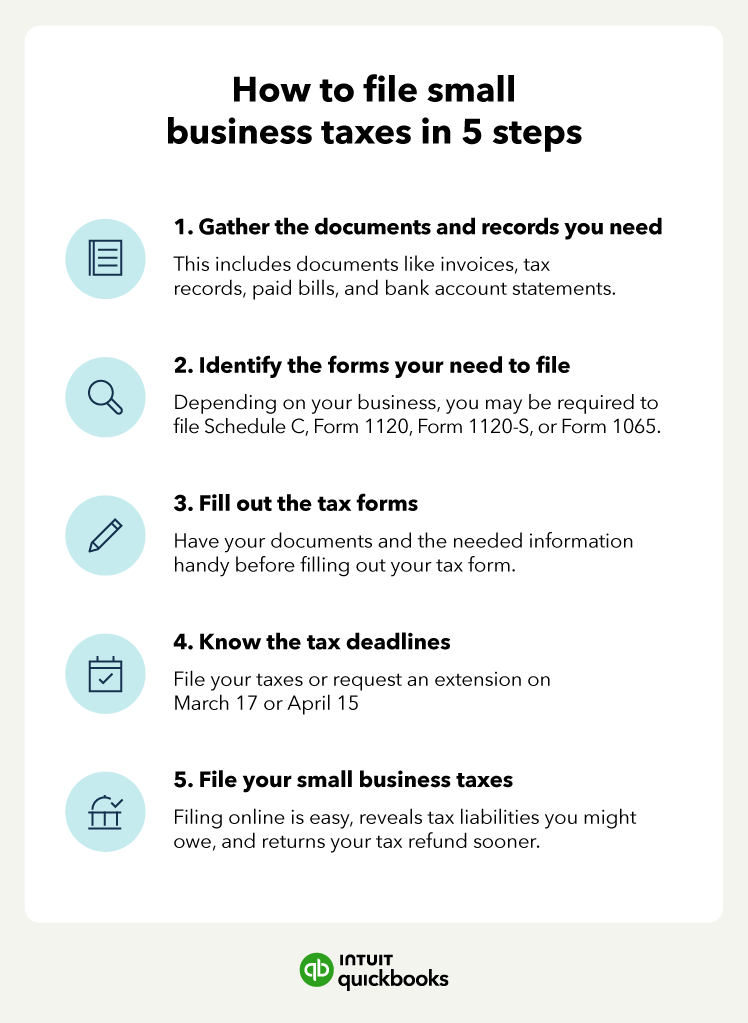
1. Gather All Necessary Documents
Before you even log in, compile all your essential tax documents. This preparatory step is critical for a hassle-free experience and ensures you don’t miss any income, deductions, or credits.
- Income Documents: W-2s (from employers), 1099s (for contract work, interest, dividends, retirement distributions, etc.), K-1s (from partnerships, S corporations, trusts).
- Deduction and Credit Documents: Mortgage interest statements (1098), student loan interest statements, property tax records, medical expense receipts, charitable contribution records, education expense forms (1098-T), child care expenses.
- Personal Information: Your Social Security Number (SSN) or Individual Taxpayer Identification Number (ITIN), and those for your spouse and dependents. Previous year’s Adjusted Gross Income (AGI) is often required for identity verification.
2. Set Up Your Account and Input Personal Information
Log in to your chosen platform or create a new account. You’ll typically be asked to provide basic personal information: your full name, SSN, date of birth, and current address. If you’re filing jointly, you’ll also enter your spouse’s information. The platform will usually guide you through setting up a secure password and potentially two-factor authentication for added security.
3. Report Your Income, Deductions, and Credits
This is the core of the tax filing process. The online software will guide you through a series of questions, prompting you to input information from the documents you gathered.
- Income: You’ll enter details from your W-2s, 1099s, and other income statements. Many platforms allow you to directly import this data from financial institutions or employers, saving time and reducing manual errors.
- Deductions: The software will help you determine if you qualify for the standard deduction or if itemizing deductions (such as mortgage interest, state and local taxes, charitable contributions, medical expenses) would result in a larger tax break. It will walk you through common deductions relevant to your situation.
- Credits: Tax credits directly reduce your tax liability dollar for dollar, making them particularly valuable. The software will inquire about various credits you might qualify for, such as the Child Tax Credit, Earned Income Tax Credit, education credits, or dependent care credits. Be thorough here, as credits can significantly impact your refund or tax due.
4. Review and Double-Check Your Return
Before submitting, take the time to thoroughly review your entire tax return. Most online platforms have a dedicated review section that highlights potential errors, missing information, or opportunities for additional deductions/credits.
- Check for Accuracy: Verify that all numbers from your documents have been entered correctly.
- Personal Information: Ensure your SSN, name, and address are accurate.
- Dependents: Confirm all eligible dependents are listed with correct information.
- Refund/Payment Amount: Understand how your inputs have calculated your final refund or tax due.
5. E-Sign and Submit Your Federal and State Returns
Once you’re confident everything is accurate, you’ll electronically sign your return (often by entering your prior year’s AGI for verification) and submit it to the IRS. If your state requires income tax filing, you’ll typically do this through the same platform, which will prepare your state return based on your federal data. You’ll receive confirmation from both the platform and the tax authorities (IRS and state) once your return has been accepted. It’s crucial to save these confirmations for your records.
Maximizing Your Refund and Minimizing Stress
Filing taxes online offers a fantastic opportunity not just to meet your obligations, but to potentially improve your financial standing. Smart strategies can help maximize your refund and make the process less daunting.
Understanding and Leveraging Deductions and Credits
The difference between a substantial refund and a hefty tax bill often lies in effectively utilizing deductions and credits.
- Deductions: These reduce your taxable income, meaning you pay tax on a smaller portion of your earnings. Common deductions include contributions to traditional IRAs, student loan interest, health savings account (HSA) contributions, and qualified business expenses for self-employed individuals. Online software is excellent at prompting you for these.
- Credits: These directly reduce your tax liability dollar-for-dollar. Examples include the Child Tax Credit, Earned Income Tax Credit, American Opportunity Tax Credit (education), and credits for energy-efficient home improvements. Be diligent in reviewing all potential credits the software suggests, as even small credits can add up significantly.
Avoiding Common Filing Pitfalls
Even with advanced software, certain mistakes can delay your refund or trigger IRS scrutiny.
- Incorrect Personal Information: A misspelled name, wrong SSN, or incorrect birth date can cause significant processing delays. Double-check all personal details for yourself, your spouse, and your dependents.
- Missing Income: Ensure all income sources are reported. Forgetting a 1099-NEC from freelance work or a 1099-INT from a savings account can lead to discrepancies with IRS records.
- Math Errors: While online software handles calculations, ensure your initial inputs are correct. One wrong digit can throw off your entire return.
- Ignoring State Taxes: Don’t forget your state tax obligations. Many online platforms integrate federal and state filing seamlessly, but ensure you complete both.
- Failure to Keep Records: While you might file online, keeping digital or physical copies of all supporting documents is crucial for future reference or in case of an audit.
When to Consider Professional Assistance
While online filing is highly capable, some situations warrant professional advice.
- Complex Financial Situations: If you own multiple businesses, have significant foreign income, deal with intricate investment portfolios, or have recently experienced major life changes with complex tax implications, a professional tax preparer can offer tailored advice.
- Unusual Tax Scenarios: Inheritances, complex trusts, or specific tax laws related to certain industries might require expert interpretation.
- Audit Concerns: If you’re concerned about an audit or have received a notice from the IRS, a tax professional can provide guidance and representation.
Online platforms often offer options to consult with tax experts for an additional fee, providing a hybrid solution that blends DIY convenience with professional oversight.
Post-Filing Considerations and Next Steps
Your tax obligations don’t necessarily end the moment you hit “submit.” There are crucial steps to take after filing to ensure financial preparedness and peace of mind.
Keeping Meticulous Records
Even though you filed online, maintaining organized records is paramount.
- Save Digital and Physical Copies: Download and save a PDF copy of your completed tax return. It’s also wise to keep physical copies of all supporting documents (W-2s, 1099s, receipts for deductions, etc.) for at least three years, which is the general IRS statute of limitations for auditing a return.
- Organize for Future Reference: Store these documents securely. Digital copies can be kept in a cloud storage service or on an external hard drive, while physical copies belong in a filing cabinet. This makes it easier to reference previous years’ returns, especially if you need your prior year’s AGI for verification or to prepare for the next tax season.
Understanding Your Refund or Tax Bill
Once your return is accepted, you’ll typically receive communication regarding your refund status or payment instructions.
- Refunds: If you’re expecting a refund, the IRS (and state tax authorities) usually provide an estimated timeline. Electronic refunds (direct deposit) are generally processed much faster than paper checks. You can track your federal refund status using the IRS “Where’s My Refund?” tool.
- Tax Bill: If you owe taxes, make sure to pay by the deadline to avoid penalties and interest. Online platforms often allow you to schedule direct debits from your bank account, or you can pay directly through the IRS website or mail a check.
What If You Made a Mistake? Amending Your Return
Discovering an error after filing can be stressful, but it’s correctable. If you realize you’ve made a mistake (e.g., forgotten income, missed a deduction, or reported incorrect information), you can file an amended return using Form 1040-X. Most online tax software can assist you with this process, though it usually involves a separate fee. It’s important to amend your return as soon as you discover an error, especially if it affects your tax liability or refund.

Preparing for the Next Tax Year
Tax planning is an ongoing process, not just a once-a-year event.
- Adjust Withholding: If you received a large refund or owed a significant amount, consider adjusting your W-4 form with your employer to modify your tax withholding. This can help you avoid giving the government an interest-free loan or facing a big tax bill next year.
- Track Deductions Throughout the Year: Don’t wait until tax season to start collecting receipts. Use a spreadsheet, an app, or a simple folder to track deductible expenses as they occur.
- Stay Informed: Tax laws can change. Stay updated on significant legislative changes that might impact your financial planning for the upcoming year.
Filing taxes online is a powerful tool for modern financial management. By understanding the process, choosing the right platform, and meticulously preparing, you can transform a once-dreaded annual task into a straightforward, efficient, and financially empowering experience. Embrace the digital age of tax preparation, and take control of your financial future.
aViewFromTheCave is a participant in the Amazon Services LLC Associates Program, an affiliate advertising program designed to provide a means for sites to earn advertising fees by advertising and linking to Amazon.com. Amazon, the Amazon logo, AmazonSupply, and the AmazonSupply logo are trademarks of Amazon.com, Inc. or its affiliates. As an Amazon Associate we earn affiliate commissions from qualifying purchases.