
In the evolving landscape of personal finance, mobile payment applications like Cash App have become indispensable tools for managing daily transactions, sending money to friends, and even investing. A fundamental aspect of leveraging Cash App’s full potential is understanding the various methods available to load funds onto your account. This process, often referred to as “adding cash,” is crucial for ensuring seamless financial operations, whether you’re paying bills, making purchases, or splitting expenses. For individuals and small businesses alike, mastering these loading mechanisms is key to efficient money management within the digital realm.
Understanding Cash App Loading Mechanisms
Cash App provides a versatile array of options to bring funds into your digital wallet, catering to different financial habits and preferences. These mechanisms are designed to integrate smoothly with traditional banking and various income streams, offering users flexibility and control over their money.

Direct Deposit: The Digital On-Ramp
One of the most robust and financially strategic ways to load money onto Cash App is through direct deposit. This method allows you to have your paychecks, government benefits (like tax refunds or unemployment), or other recurring income sent directly to your Cash App account. For many, this transforms Cash App from a supplementary payment tool into a primary banking alternative, facilitating comprehensive financial management within a single application.
Setting up direct deposit typically involves providing your employer or benefit provider with a unique routing and account number, which Cash App generates for your account. This information can usually be found within the app’s banking or direct deposit settings. Opting for direct deposit can significantly streamline your financial flow, ensuring that funds are immediately available for use within the app – whether for instant payments, Cash Card spending, or even investing in stocks or Bitcoin. From a personal finance perspective, utilizing direct deposit can help in consolidating funds, simplifying budgeting, and reducing the reliance on traditional bank accounts for everyday spending. It also often enables access to funds up to two days earlier than traditional banks, providing a distinct advantage for managing cash flow.
Linking Bank Accounts and Debit Cards
For day-to-day top-ups and immediate fund transfers, linking external bank accounts and debit cards is the most common and convenient method. This process is straightforward and secures your financial interactions within the app.
-
Linking a Debit Card: Attaching a debit card to your Cash App account allows for instant transfers of funds from your linked bank account into your Cash App balance. This method is exceptionally fast, making funds available for immediate use. It’s ideal for situations requiring quick access to cash for payments or purchases. The transaction typically incurs no fee for standard transfers, though instant transfers out of Cash App might. When considering personal finance, using a debit card for loading offers excellent liquidity, enabling users to move money as needed without significant delays.
-
Linking a Bank Account (ACH Transfer): You can also link your bank account directly via its routing and account numbers. While this method can be used for loading funds, transfers from a linked bank account often take 1-3 business days to clear, as they rely on the Automated Clearing House (ACH) network. This is a reliable method for larger, non-urgent transfers. From a financial planning standpoint, it’s a secure way to transfer substantial amounts without the immediate urgency, allowing for better reconciliation with your primary banking statements.
The process of linking either a debit card or a bank account involves a secure verification process, often utilizing micro-deposits or requiring you to log into your bank through Cash App’s secure portal. This ensures that only you can authorize transactions from your external accounts, adding a layer of security to your financial assets.
Physical Cash: Bridging Digital and Tangible Funds
While Cash App excels in digital transactions, it also offers crucial pathways for individuals who deal predominantly in physical cash or need to convert tangible money into their digital wallet. This bridge between physical and digital currency is vital for financial inclusion and convenience.
In-Store Deposits: Retail Partners
A significant feature for loading cash onto your Cash App is the ability to deposit physical cash at various retail locations. This method allows you to take actual banknotes to a participating store, where a cashier can process the deposit directly into your Cash App account.
Common retail partners for Cash App deposits include:
-
Walmart
-
Walgreens
-
7-Eleven
-
CVS
-
Dollar General
-
Family Dollar
The process typically involves opening your Cash App, navigating to the “Banking” or “Add Cash” section, and selecting the “Deposit Paper Money” option. The app will then generate a unique barcode that you present to the cashier. After the cashier scans the barcode and you hand over the cash, the funds are usually added to your Cash App balance almost instantly. This service often comes with a small fee, typically a fixed amount like $1 per deposit, which should be factored into your financial calculations. For users who receive income in cash or prefer to manage a portion of their finances with physical currency, this retail deposit option is an indispensable tool for accessing the digital economy. It empowers them to pay bills, make online purchases, or send money to others directly from their Cash App balance, without needing a traditional bank account.
The Importance of Retailer Selection
When opting for in-store cash deposits, the choice of retailer can impact your experience. It’s advisable to check the Cash App within the “Deposit Paper Money” section to find nearby participating locations. The app will usually list stores close to you, along with their operating hours. Considerations for selecting a retailer should include:
-
Convenience: Proximity to your home or workplace can save time and travel costs.
-
Hours of Operation: Ensure the store’s hours align with when you need to make deposits.
-
Fees: While generally uniform, it’s wise to be aware of any potential variations in fees or minimum deposit requirements at different retailers.
-
Customer Service: A retailer with efficient service can make the deposit process smoother.
Understanding these factors allows for a more efficient and cost-effective approach to converting physical cash into digital funds, integrating seamlessly into your personal finance strategy.
Alternative and Peer-to-Peer Loading Methods
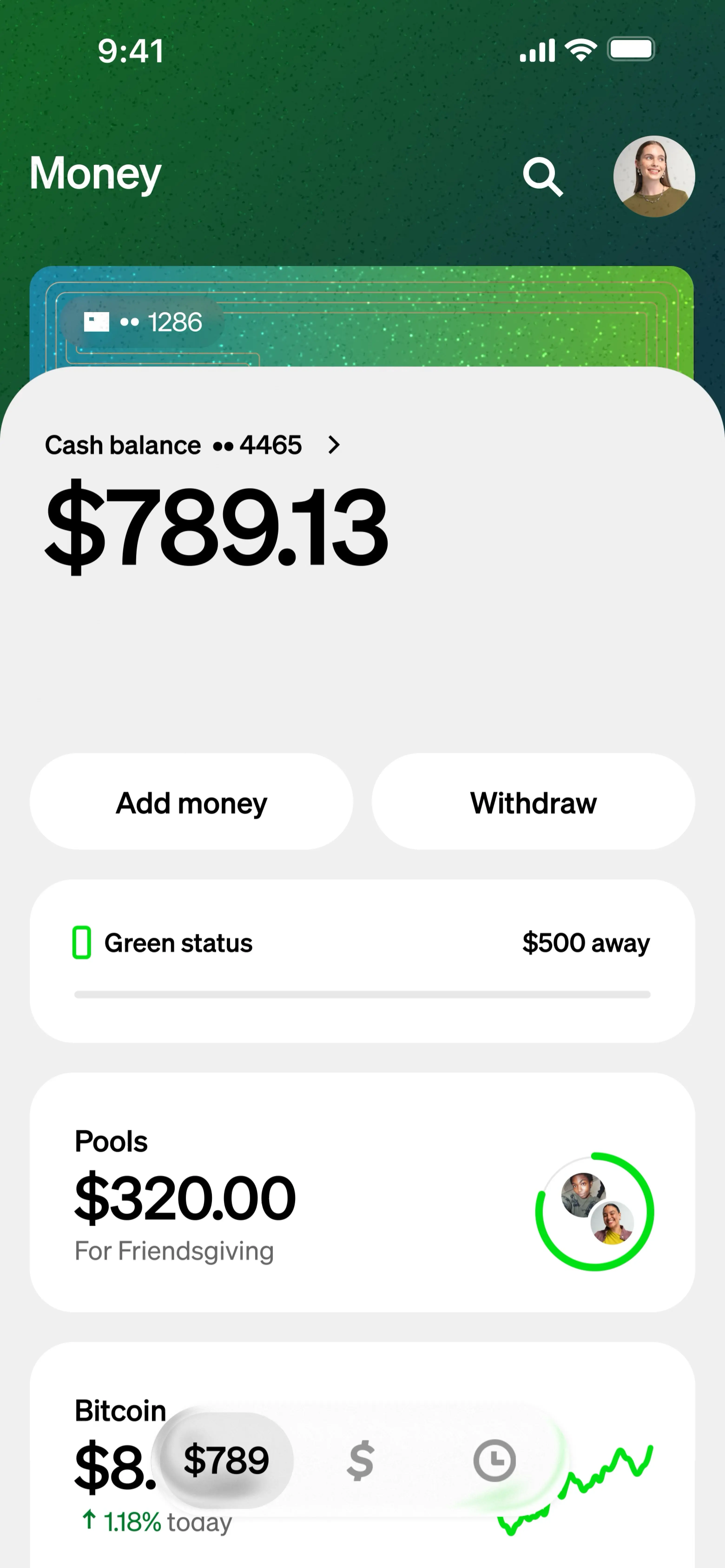
Beyond traditional banking links and retail deposits, Cash App offers other avenues for loading funds, leveraging its peer-to-peer nature and integration with cryptocurrencies.
Receiving Money from Other Cash App Users
One of the primary functions of Cash App is its ability to facilitate quick and easy money transfers between users. Receiving money from another Cash App user effectively “loads” your account. This is a common method for splitting bills, receiving payments for casual services, or getting funds from family and friends.
To receive money, you simply need to provide the sender with your $Cashtag (your unique username), phone number, or email associated with your Cash App account. Once the sender initiates the transfer, the funds typically appear in your balance immediately. This peer-to-peer method is incredibly efficient and usually fee-free, making it a cornerstone of managing shared expenses and personal financial interactions within the Cash App ecosystem. From a budgeting perspective, it allows for swift reimbursements and direct payments, simplifying financial reconciliation among groups.
Leveraging Bitcoin for Funds Transfer
For users engaged in the cryptocurrency market, Cash App offers a unique way to load funds by receiving and selling Bitcoin. Cash App has an integrated Bitcoin wallet, allowing users to buy, sell, and receive Bitcoin directly within the application.
If you have Bitcoin in an external wallet or receive Bitcoin from another user, you can send it to your Cash App Bitcoin address. Once the Bitcoin is in your Cash App wallet, you have the option to sell it for USD. Upon selling, the corresponding dollar amount is then credited to your Cash App balance, effectively loading your account with fiat currency. While this is a more specialized method, it provides a seamless way for crypto enthusiasts to convert their digital assets into spendable cash within the same financial tool. It’s important to be aware of the volatility of Bitcoin prices and any associated transaction fees when considering this method for loading funds.
Best Practices and Security Considerations
Regardless of the method chosen, maintaining vigilance over your financial transactions and account security is paramount. Responsible money management within Cash App involves understanding limits, fees, and security protocols.
Verifying Transaction Details
Before confirming any load transaction, whether it’s an in-store deposit, a bank transfer, or receiving money from another user, always double-check the details. Ensure the amount is correct and, if applicable, that the sender’s or recipient’s $Cashtag is accurate. This diligence helps prevent costly errors and protects your funds from misdirection. For physical cash deposits, ensure the cashier confirms the amount with you before finalizing the transaction.
Protecting Your Account Information
Cash App employs robust security features, but user vigilance is crucial. Always use a strong, unique PIN or enable biometric security (fingerprint or facial recognition) for your account. Enable two-factor authentication (2FA) for an added layer of protection. Be wary of phishing attempts or scams that ask for your login credentials, PIN, or other sensitive information. Never share your password or PIN with anyone. Regularly review your transaction history to spot any unauthorized activity promptly. Safeguarding your account information is the first line of defense in protecting your financial assets.
Understanding Limits and Fees
Each loading method may come with specific limits and potential fees.
-
Deposit Limits: Cash App imposes limits on how much money you can deposit into your account over certain periods (e.g., daily, weekly). These limits can vary based on whether your account is verified. Verified accounts typically have higher limits.
-
Withdrawal Limits: Similarly, there are limits on how much you can send out of Cash App or withdraw from ATMs using your Cash Card.
-
Transaction Fees: While many loading methods like linking a debit card for standard transfers are free, instant transfers out of Cash App, Bitcoin purchases/sales, and in-store cash deposits often incur a small fee. Direct deposit is typically free.
Familiarizing yourself with these limits and fees, which are usually detailed in the Cash App’s terms of service or help section, is essential for effective financial planning and avoiding unexpected charges or transaction rejections.
Optimizing Your Cash App Experience
Beyond simply loading funds, you can optimize your Cash App experience to better manage your personal finances and achieve specific financial goals.
Setting Up Auto-Loads and Recurring Deposits
For consistent money management, consider setting up automatic transfers or utilizing direct deposit for recurring income. If you use Cash App as a primary spending account, automating a weekly or bi-weekly transfer from your linked bank account can ensure you always have funds available without manual intervention. This strategy aligns well with budgeting practices, allowing you to allocate specific amounts for different spending categories and maintain better control over your cash flow. By automating your loads, you create a predictable financial rhythm, reducing the effort required to keep your account funded.

Utilizing Cash App for Budgeting and Tracking
While Cash App isn’t a dedicated budgeting application, its transaction history can serve as a valuable tool for tracking your spending. Regularly reviewing your “Activity” tab provides a clear overview of where your money is going. This information can be exported or manually logged into a more comprehensive budgeting spreadsheet or application. By understanding your inflow (loads) and outflow (spending), you can gain insights into your financial habits, identify areas for savings, and make more informed decisions about your money. Integrating Cash App’s transaction data into your overall personal finance strategy helps create a holistic view of your financial health.
aViewFromTheCave is a participant in the Amazon Services LLC Associates Program, an affiliate advertising program designed to provide a means for sites to earn advertising fees by advertising and linking to Amazon.com. Amazon, the Amazon logo, AmazonSupply, and the AmazonSupply logo are trademarks of Amazon.com, Inc. or its affiliates. As an Amazon Associate we earn affiliate commissions from qualifying purchases.