
The quest for a native calculator app on the Apple iPad is a common journey for many new users and even seasoned Apple enthusiasts. Unlike its smaller sibling, the iPhone, or its desktop counterpart, the Mac, the iPad has famously eschewed a built-in calculator utility since its inception. This peculiar omission has sparked countless discussions, debates, and a thriving ecosystem of third-party alternatives. Understanding why this is the case, and more importantly, how to effectively perform calculations on your iPad, is key to unlocking the device’s full productivity potential.
The Curious Absence of a Native Calculator App
The lack of a pre-installed calculator app on the iPad is one of Apple’s longest-standing and most intriguing design decisions. While virtually every other major computing device, from smartphones to smartwatches, includes this basic utility, the iPad stands apart.
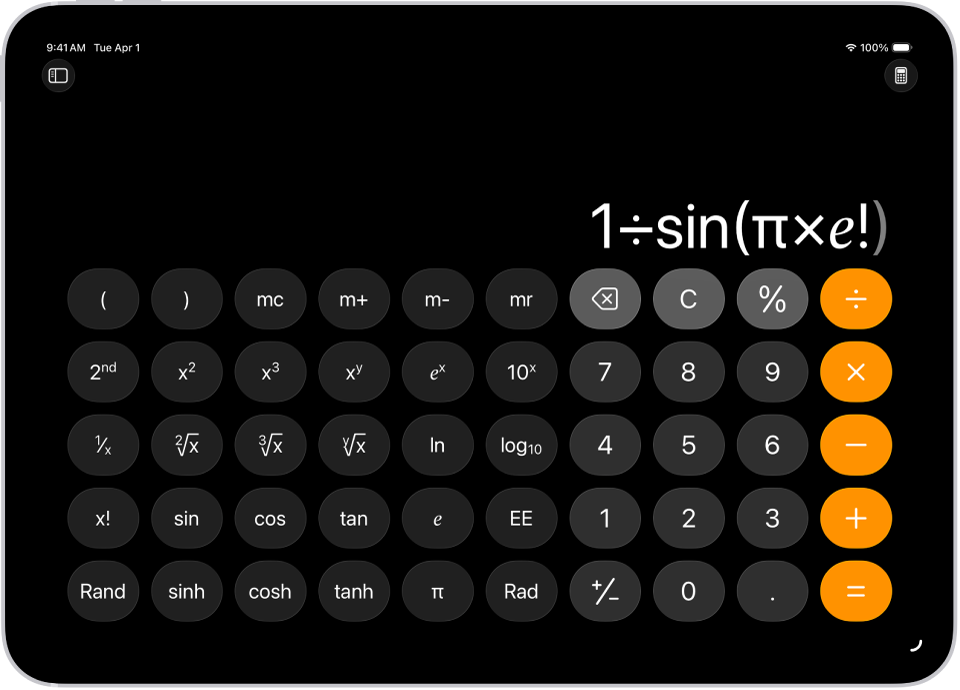
A Historical Enigma
The story goes that during the development of the original iPad in 2010, Steve Jobs himself intervened. The initial software build included a scaled-up version of the iPhone’s calculator app. Reportedly, Jobs deemed this simply “not good enough” for the iPad’s larger screen, viewing it as a mere stretched-out phone app rather than a bespoke experience tailored to the tablet’s form factor. With a tight launch deadline looming, the decision was made to remove it entirely rather than ship something perceived as suboptimal. What started as a temporary measure has, unexpectedly, endured for over a decade.
Design Philosophy and Product Strategy
Apple’s reluctance to introduce a native calculator since then can be attributed to several aspects of its broader design philosophy and product strategy. One prevailing theory is that Apple believes the iPad’s larger display offers an opportunity for more sophisticated, multi-functional tools, and that a basic calculator might be seen as underutilizing the screen real estate. Instead of a simple keypad, Apple might envision a calculator that integrates advanced graphing, unit conversion, or even computational programming features, requiring a significant development effort to meet their stringent design standards.
Furthermore, Apple has fostered an incredibly robust App Store ecosystem. By omitting a native calculator, they effectively pushed users towards third-party developers, leading to a diverse range of apps that cater to every conceivable need, from basic arithmetic to advanced scientific and financial calculations. This strategy allows the iPad to remain lean on pre-installed utilities, encouraging users to personalize their device with apps that truly match their specific requirements, rather than being beholden to a single, potentially generic, solution.
Navigating the Alternatives: Your Calculator Solutions
Despite the absence of an Apple-branded calculator, iPad users are far from being without options. The device’s powerful hardware and the versatile App Store provide numerous excellent ways to perform calculations.
The App Store: A Wealth of Choices
For most users, the App Store is the primary destination for finding a calculator app. A quick search for “calculator” reveals hundreds of options, ranging from simple, free utilities to feature-rich professional tools.
-
Simple Calculators: Many free apps mimic the basic functionality and aesthetic of the iPhone calculator, often adding enhancements like themes, history logs, and optional scientific modes. “Calculator by xNeat” and “The Calculator” are popular choices for their straightforward interfaces.
-
Scientific and Graphing Calculators: For students and professionals, apps like “PCalc” (available in free ‘Lite’ and paid versions) or “Calcbot” offer comprehensive scientific functions, unit conversions, currency exchange, and even graphing capabilities. These apps are often optimized for the iPad’s large screen, supporting landscape orientation and sometimes advanced features like split-screen multitasking or Apple Pencil input.
-
Specialized Calculators: Beyond general arithmetic, you can find apps designed for specific purposes: tip calculators, mortgage calculators, construction calculators, health and fitness calculators, and more. This specialization is a direct benefit of the open App Store model, allowing niche needs to be met with precision.
When choosing an app, consider its user interface, support for multitasking (Split View or Slide Over), widget functionality for quick access, and whether it includes ads in free versions. Investing in a well-regarded paid app often provides a superior, ad-free experience with robust features and ongoing updates.
Siri and Spotlight Search: Quick Calculations
For immediate, simple calculations, you don’t even need to open an app. Your iPad has built-in functionalities that can handle basic math on the fly.
-
Siri: Apple’s virtual assistant can perform arithmetic operations with voice commands. Simply activate Siri by saying “Hey Siri” or holding the Power/Home button, then state your calculation, e.g., “What’s 15 times 7?”, “Add 34 to 88,” or “What is 20 percent of 500?” Siri will audibly provide the answer and display it on screen. This method is incredibly convenient for quick mental math checks without breaking your workflow.
-
Spotlight Search: This powerful search utility, accessible by swiping down from the middle of any Home Screen, doubles as a basic calculator. Type your calculation directly into the search bar (e.g., “123 + 456”, “50 * 0.2”, “sqrt(64)”), and the answer will appear instantly at the top of the search results, often without you even needing to hit ‘enter’. While it won’t keep a history or perform complex graphing, it’s perfect for quick sums, subtractions, multiplications, and divisions.
Web-Based Calculators
For those who prefer not to download an app or need a specific type of calculator not found elsewhere, web browsers offer a universal solution.
-
Google Search: Simply type your calculation into the Google search bar in Safari or any other browser, and Google’s integrated calculator will appear at the top of the results, complete with a virtual keypad for further input.
-
Dedicated Websites: Numerous websites offer free online calculators, ranging from basic to highly advanced scientific, financial, and unit conversion tools. Sites like Wolfram Alpha provide incredibly powerful computational capabilities directly through your browser. The advantage here is that they require no installation and are always up-to-date, though they do necessitate an active internet connection.
The Impact on Productivity and User Experience
The unique calculator situation on the iPad has both direct and indirect implications for how users interact with their device and manage their daily tasks.
The Ecosystem’s Strength and Weakness
On one hand, the absence of a native calculator forces users to explore the App Store, which can be seen as a strength. This encourages a diverse market for calculator apps, leading to specialized tools that might surpass what Apple would offer natively. Users can select an app that perfectly fits their professional, educational, or personal needs, leading to a potentially more optimized workflow. For instance, a finance professional might choose an app with advanced currency conversion and loan calculation features, while an engineering student might opt for a powerful graphing calculator.
On the other hand, it represents a minor friction point and a puzzling inconsistency within the Apple ecosystem. Many users expect basic utilities to be included out-of-the-box. The initial confusion can detract from the otherwise seamless onboarding experience Apple typically provides. It also means that a very common task – basic arithmetic – requires an extra step (downloading an app) or relies on less visible features (Siri, Spotlight) for new users.
Integrating Calculators into Workflow
The iPad’s multitasking capabilities—Split View and Slide Over—are crucial for integrating third-party calculator apps into a productive workflow. You can, for example, have a spreadsheet or a document open in Split View on one side, and your preferred calculator app on the other, allowing for real-time data entry and calculation without switching contexts. Some calculator apps also offer widget support, placing a small calculator interface directly on your Home Screen or in the Today View for instant access. This level of integration, while requiring a third-party app, often provides a more powerful and flexible solution than a basic, fixed native app might.
The Future of the iPad Calculator
The question of whether Apple will ever introduce a native calculator app for the iPad continues to be a subject of ongoing speculation.
Will Apple Ever Add One?
While Apple rarely comments on unreleased features, the history of its ecosystem suggests that user demand and evolving product strategy can lead to the introduction of long-awaited features. We’ve seen Apple gradually bring other “missing” apps like Weather and Health to the iPad, often with redesigned interfaces that leverage the larger screen. If Apple were to introduce a calculator, it would likely be a highly polished, feature-rich application, potentially integrated with system-wide features like Apple Pencil for handwriting calculations, or deeper connections with other productivity apps. The advent of more powerful iPad models and sophisticated multitasking features like Stage Manager might also make a native calculator more compelling, offering ample canvas for advanced computational tools.

Beyond Basic Arithmetic
A hypothetical Apple calculator for iPad would likely go far beyond simple addition and subtraction. Given Apple’s focus on user experience and powerful capabilities, such an app could conceivably include:
-
Advanced Scientific and Graphing Functions: Leveraging the iPad’s processing power and touch interface for intuitive graphing and complex scientific calculations.
-
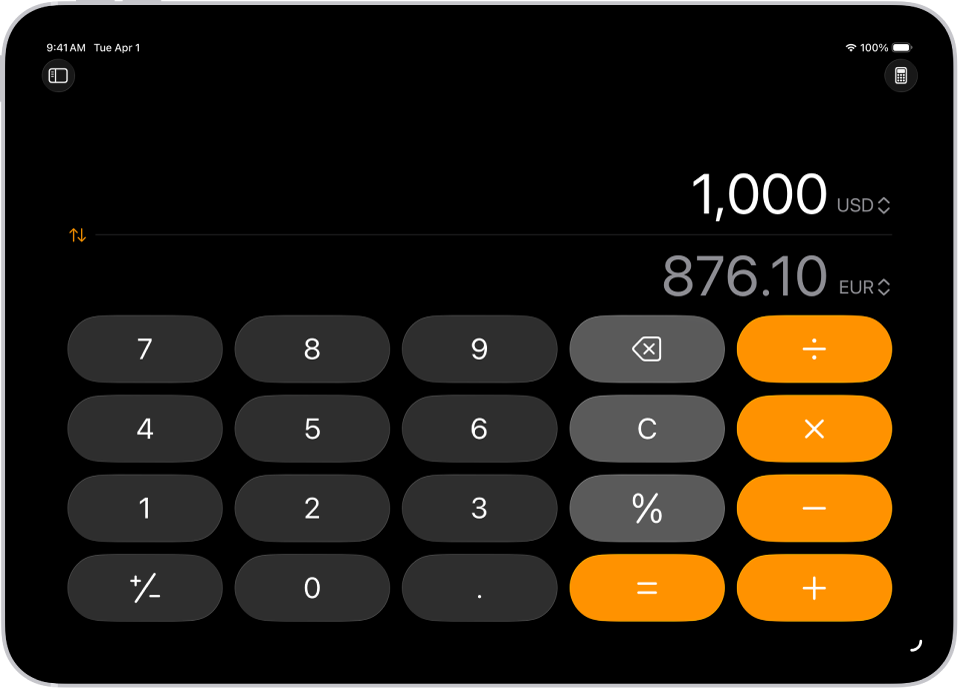
Unit and Currency Conversion: Seamlessly integrated, perhaps even with live updates.
-
Apple Pencil Integration: Allowing users to write out equations which are then solved digitally, enhancing the natural interaction.
-
Deep System Integration: Potentially offering a calculator widget with more functionality than currently available, or even context-aware calculations within other apps.
Ultimately, while the lack of a native calculator remains an quirks of the iPad, the robust array of third-party applications, combined with the power of Siri and Spotlight Search, ensures that users have no shortage of effective and often superior solutions for all their computational needs. The choice, in this case, truly belongs to the user, allowing for a personalized and powerful experience.
aViewFromTheCave is a participant in the Amazon Services LLC Associates Program, an affiliate advertising program designed to provide a means for sites to earn advertising fees by advertising and linking to Amazon.com. Amazon, the Amazon logo, AmazonSupply, and the AmazonSupply logo are trademarks of Amazon.com, Inc. or its affiliates. As an Amazon Associate we earn affiliate commissions from qualifying purchases.