
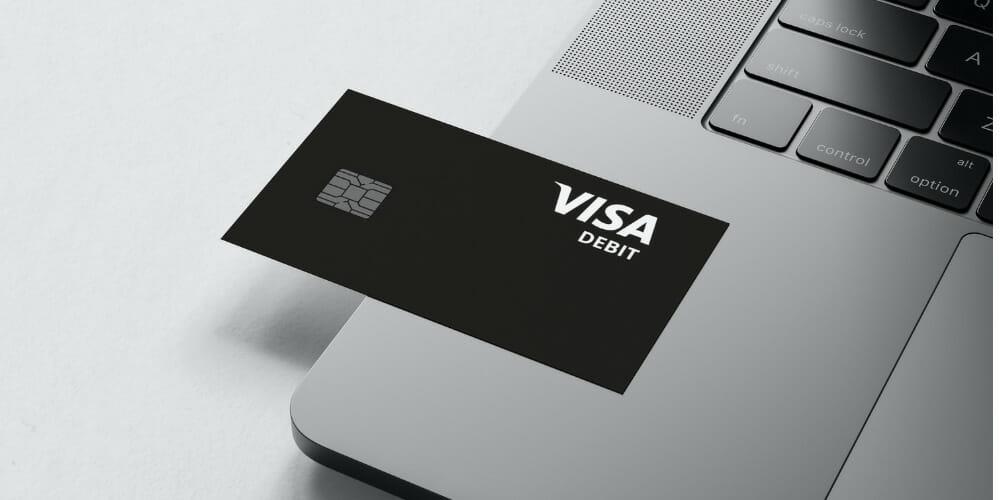
In the rapidly evolving landscape of personal finance, the bridge between physical currency and digital assets has become a cornerstone of daily money management. Cash App, developed by Block, Inc., has transitioned from a simple peer-to-peer payment tool into a robust financial ecosystem. For many users, the Cash Card—a Visa debit card linked to their Cash App balance—serves as their primary vehicle for spending. However, a common challenge arises for those who still operate partially in a cash-based economy: how do you move physical bills into a digital wallet?

Understanding where and how to load your Cash App card is essential for maintaining liquidity and ensuring your digital budget is always ready for use. This guide explores the diverse avenues available for funding your account, ranging from retail partnerships to digital transfers, while providing professional insight into optimizing these tools for your personal financial strategy.
1. Utilizing Retail Locations for Physical Cash Deposits
For many, the most direct way to fund a digital account is by walking into a brick-and-mortar store. Cash App has established a vast network of retail partners that allow users to deposit physical cash directly into their accounts via the “Paper Money” feature.
Major National Retail Partners
The convenience of Cash App lies in its accessibility. You can load your card at thousands of locations across the United States. Key partners include:
- Walmart: Often the go-to for many due to its ubiquitous presence and dedicated customer service desks.
- Walgreens and Duane Reade: Ideal for quick stops in urban and suburban areas.
- 7-Eleven: Perfect for 24/7 access in many regions.
- Family Dollar and Dollar General: Providing financial accessibility in rural and underserved communities.
- Rite Aid and CVS: Offering widespread coverage for pharmacy-goers.
The Step-by-Step Deposit Process
Loading money at a retail location is a tech-integrated process that ensures security and accuracy. To initiate a deposit, follow these steps within the app:
- Tap the Money tab on your Cash App home screen.
- Select “Paper Money.”
- Find a nearby location using the interactive map.
- Once at the store, generate a barcode by tapping “Show Barcode.”
- Present this barcode to the cashier. They will scan it, take your cash, and the funds are typically available within minutes.
Understanding Transaction Fees and Limits
From a personal finance perspective, it is vital to account for the costs associated with these transactions. Most retail deposits incur a flat fee (typically around $4.00 per transaction). While this may seem nominal, frequent small deposits can erode your capital over time.
Additionally, Cash App imposes specific limits on paper money deposits to comply with financial regulations and mitigate risk. Generally, users are limited to depositing $500 per transaction, $1,000 every seven days, and $4,000 every 30 days. Planning your deposits around these limits is a key component of effective cash flow management.
2. Digital Methods for Funding and Financial Integration
While physical deposits are necessary for some, the most efficient way to manage a digital wallet is through electronic transfers. This section examines how to leverage the broader financial system to keep your Cash App balance healthy without leaving your home.
Linking Traditional Bank Accounts and Debit Cards
The most common way to load a Cash App card is by “Pulling” funds from a linked traditional bank account. By connecting a legacy bank account via Plaid or linking a standard debit card, you create a seamless pipeline for your money.
- Standard Transfers: These are free and typically take 1–3 business days. This is the preferred method for proactive budgeters who plan their spending in advance.
- Instant Deposits: For a small percentage fee (usually 0.5% to 1.75%), Cash App allows you to move money from your linked debit card to your Cash App balance instantly. This is a premium convenience for urgent financial needs but should be used sparingly to avoid unnecessary fees.
Direct Deposit for Consistent Growth
For users who treat Cash App as their primary financial hub, Direct Deposit is a transformative tool. By providing your Cash App routing and account numbers to your employer, you can have your paycheck deposited directly into the app.
This method is often the most “fiscally responsible” way to load your card, as it eliminates the manual steps of moving money and often unlocks additional features, such as the ability to get paid up to two days early compared to traditional banks. This accelerated access to capital can be a significant advantage in managing monthly bills and avoiding high-interest short-term credit.
Peer-to-Peer (P2P) Transfers
One of the unique advantages of the Cash App ecosystem is the ease of receiving funds from other users. Whether you are splitting a dinner bill, receiving payment for a side hustle, or getting a gift from a family member, P2P transfers are an instantaneous and free way to load your card. From a personal branding or small business standpoint, using your “Cashtag” as a payment gateway is a professional way to accept income and immediately have those funds available on your Cash Card for business expenses.
3. Optimizing Your Cash App Ecosystem for Better Personal Finance
Loading your card is only the first step. To truly master your money, you must understand how to utilize the loaded funds to maximize your purchasing power and financial security.
Utilizing “Cash Boosts” for Instant Savings
One of the standout features of the Cash App card is “Cash Boost.” These are merchant-specific discounts that you apply directly to your card within the app. For example, you might find a 5% or 10% boost for groceries, coffee shops, or specific retailers like DoorDash or Walmart.
By strategically loading your card just before making these purchases, you are essentially “stacking” your financial benefits. This is a form of micro-budgeting that, when performed consistently over a year, can result in hundreds of dollars in savings—capital that can then be diverted into the app’s built-in Bitcoin or stock investment features.
Budgeting with the Cash App Environment
Sophisticated money managers often use the Cash App card as a “discretionary spending” account. By loading a specific amount of money—say, $200 a week—onto the card, you create a hard limit for your non-essential spending. Because the card only pulls from the Cash App balance (unless you have specific backup features enabled), it acts as a digital envelope system. This prevents “budget creep” and ensures that your primary savings in a traditional bank remain untouched.
Security Features in Digital Banking
As you load more significant sums of money onto your card, security becomes paramount. Cash App offers several professional-grade tools to protect your liquidity:
- Security Lock: Requires FaceID, TouchID, or a PIN for every transaction.
- Instant Card Disabling: If you misplace your physical card, you can “Pause” it instantly in the app to prevent unauthorized loads or spends.
- Transaction Notifications: Real-time alerts every time money is added or spent, allowing you to catch fraudulent activity immediately.
4. Managing Challenges: Limits, Verification, and Troubleshooting
Even the most seamless financial tools can encounter friction. Navigating the hurdles of account limits and verification is part of professional financial maintenance.
Account Verification and Increased Limits
If you find that your loading options are restricted, it is likely because your account is unverified. To increase your deposit and withdrawal limits, Cash App requires users to provide their full legal name, date of birth, and the last four digits of their Social Security Number.
For those looking to use Cash App for significant financial activity, such as business income or large retail deposits, full verification is non-negotiable. It upgrades your account from a basic P2P tool to a fully functional financial instrument.
Handling Transaction Failures
Occasionally, a retail deposit or a bank transfer may fail. This is often due to mismatched information or security flags triggered by unusual activity. To minimize these risks:
- Ensure your app is updated to the latest version.
- Double-check that your linked debit card has not expired.
- When using “Paper Money” deposits, ensure the cashier completes the transaction before you leave the store and always keep your physical receipt.
If a “Transfer Failed” message appears, it is usually a protective measure by Cash App’s automated security systems. In such cases, waiting 24 hours or contacting support through the app is the recommended professional course of action.

Conclusion: The Future of Integrated Money Management
The ability to load a Cash App card at a local retailer or through a digital transfer represents a significant shift in how we perceive and interact with money. We are no longer tethered to the traditional banking hours or the physical limitations of cash. By understanding the diverse locations and methods available for funding your account—and the fees and limits associated with them—you can build a more resilient and flexible financial life.
Whether you are a freelancer using a Cashtag to receive payments, a student using retail locations to digitize an allowance, or a professional using “Cash Boosts” to optimize daily spending, the Cash App card is a powerful tool in your financial arsenal. As digital wallets continue to integrate more deeply with our physical world, staying informed on how to maintain liquidity will remain a vital skill for anyone looking to master their personal finances in the modern age.
aViewFromTheCave is a participant in the Amazon Services LLC Associates Program, an affiliate advertising program designed to provide a means for sites to earn advertising fees by advertising and linking to Amazon.com. Amazon, the Amazon logo, AmazonSupply, and the AmazonSupply logo are trademarks of Amazon.com, Inc. or its affiliates. As an Amazon Associate we earn affiliate commissions from qualifying purchases.