
In the evolving landscape of personal finance, digital payment applications have become indispensable tools for managing money. Among these, Cash App stands out as a popular choice, offering a streamlined approach to sending, receiving, spending, and even investing funds. For many users, particularly those new to the platform or seeking diverse funding options, a fundamental question often arises: “Where can I load money on Cash App?” Understanding the various methods available is crucial for maximizing the utility of this versatile financial tool.
This article delves into the diverse avenues for funding your Cash App balance, providing a comprehensive guide for individuals looking to efficiently manage their digital finances. We’ll explore everything from traditional banking links to innovative cash deposit options, ensuring you can seamlessly integrate Cash App into your personal financial strategy.
Understanding Cash App and Its Financial Ecosystem
Before exploring the mechanics of loading funds, it’s beneficial to grasp what Cash App is and why it has become such a cornerstone of modern personal finance. Developed by Block, Inc. (formerly Square, Inc.), Cash App is more than just a peer-to-peer payment service; it’s a comprehensive financial ecosystem designed to simplify money management for millions.
What is Cash App?
At its core, Cash App is a mobile payment service that allows users to transfer money to one another instantly. However, its functionalities extend far beyond simple peer-to-peer transactions. Users can receive direct deposits of paychecks or government benefits, apply for a customizable Cash Card (a Visa debit card linked to their balance), invest in stocks and Bitcoin, and even file taxes. This broad suite of features positions Cash App as a powerful financial tool, particularly for those seeking an alternative or supplement to traditional banking services. Its intuitive interface and mobile-first design make financial tasks accessible and convenient, especially for younger generations and the unbanked or underbanked populations.
Why Load Money onto Cash App?
The reasons for loading money onto your Cash App balance are manifold, reflecting the app’s diverse utility:
-
Convenience for Transactions: Having funds readily available in your Cash App balance allows for instant peer-to-peer transfers, making it easy to split bills, pay friends back, or send money to family.
-
Cash Card Spending: Funds loaded onto Cash App can be spent directly using the Cash Card, which functions like any standard debit card, accepted wherever Visa is accepted. This provides a convenient way to manage daily expenses without needing a traditional bank account or physical cash.
-
Investing Capabilities: Cash App enables users to buy and sell fractional shares of stocks and Bitcoin directly from their balance, opening doors to investment opportunities that might otherwise seem complex or inaccessible.
-
Budgeting and Tracking: For some, using Cash App as a primary spending account helps compartmentalize funds, making it easier to track specific expenses and adhere to a budget.
-
Access to Direct Deposit: Receiving paychecks or benefits directly into Cash App can speed up access to funds and bypass traditional banking delays.
Understanding these benefits underscores the importance of knowing all available methods to efficiently fund your Cash App account.
Diverse Methods for Funding Your Cash App Balance
Cash App offers several flexible methods to load money onto your account, catering to various user preferences and financial situations. Each method has its own advantages, limits, and potential fees, which we will explore in detail.
Linking a Bank Account or Debit Card
The most common and often preferred method for adding money to Cash App is by linking an existing bank account or debit card. This method provides direct access to your primary financial institutions.
-
Adding Funds Directly from a Linked Bank: Users can connect their bank account (checking or savings) to Cash App. Once linked, you can initiate transfers from your bank account to your Cash App balance. This process typically takes 1-3 business days for standard deposits, though some banks might support instant transfers.
-
Using a Debit Card for Instant Deposits: Linking a debit card allows for instant additions of funds to your Cash App balance. This is particularly useful when you need money in your account immediately. While generally free for standard transfers, Cash App may charge a small fee (typically 0.5% to 1.75%) for instant deposits from a debit card, depending on the transaction and your account status. It’s important to note that credit cards are generally not supported for loading funds onto Cash App; their primary use is for purchases made with your Cash Card if linked.
Direct Deposit: Your Paycheck or Benefits
For many, Cash App can serve as a primary banking alternative, allowing for direct deposit of paychecks, government benefits (like unemployment or tax refunds), and other recurring payments.
-
How it Works: Cash App provides users with a unique routing number and account number, similar to a traditional bank account. You can provide these details to your employer or benefits provider, and they will deposit funds directly into your Cash App balance.
-
Benefits: Direct deposit into Cash App can offer several advantages, including faster access to funds (sometimes up to two days earlier than traditional banks), elimination of check-cashing fees, and the convenience of managing all your income and expenses within a single app.
Depositing Cash at Retail Stores (Paper Money)
One of Cash App’s most innovative features is the ability to deposit physical cash into your digital balance at participating retail locations. This is particularly beneficial for individuals who primarily deal in cash or do not have a traditional bank account.
-
Participating Retailers: Cash App has partnered with numerous major retailers across the United States to facilitate cash deposits. These often include Walmart, Walgreens, 7-Eleven, Dollar General, Family Dollar, CVS, and others. Availability can vary, so it’s always good to check the app for nearby locations.
-
The Process: To deposit cash, you typically generate a unique barcode within your Cash App. You then present this barcode to a cashier at a participating store, hand over the cash you wish to deposit, and the cashier scans the barcode. The funds are usually added to your Cash App balance instantly or within a few minutes.
-
Fees and Limits: Cash deposits at retailers often come with a small fee, typically around $1 per transaction, though this can vary by retailer. There are also usually daily and weekly limits on how much cash you can deposit (e.g., $500 per deposit, $1,000 per week), which are designed to comply with financial regulations.
Receiving Money from Other Cash App Users
The core functionality of Cash App is its peer-to-peer payment system, which inherently serves as a method for loading funds.
-
Peer-to-Peer Transfers: If another Cash App user sends you money, those funds are automatically added to your Cash App balance. This is a common way to receive payments from friends, family, or customers for goods and services (though for business use, it’s recommended to use Cash App for Business features).
-
Requesting Money: You can also use the “Request” feature within the app to ask other users for money. Once they approve and send the requested amount, it will be deposited into your balance.
Practical Steps for Each Loading Method
Navigating the Cash App interface for funding is straightforward. Here’s a quick guide for the most common methods:
Step-by-Step: Linking Your Bank or Debit Card
-
Open Cash App: Launch the application on your smartphone.
-
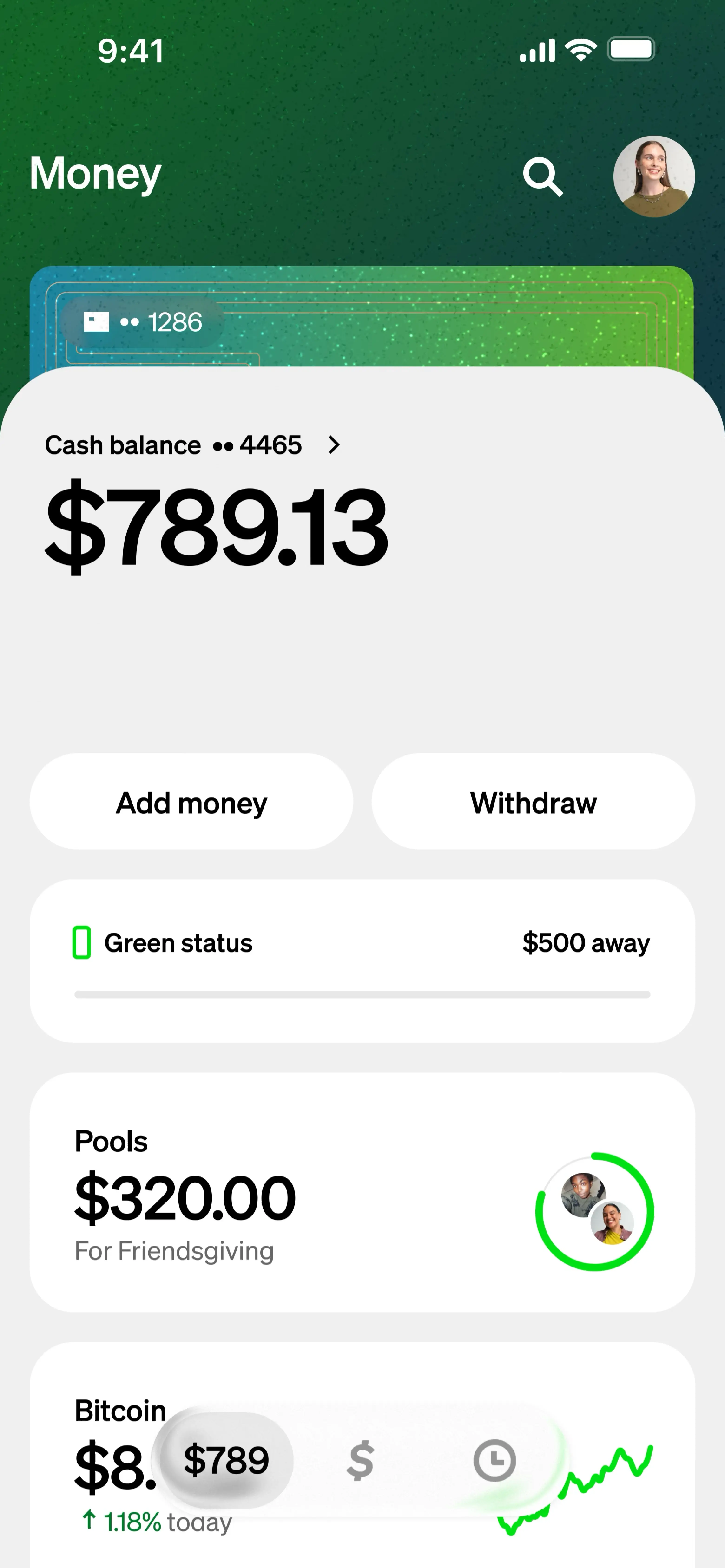
Navigate to the Banking Tab: Tap the “Banking” tab (the house icon or dollar sign icon, depending on your app version) from the home screen.
-
Link Bank/Card: Under “Cash Out” or “Linked Banks,” tap “Link Bank” or “Link Debit Card.”
-
Enter Details: Follow the prompts to enter your bank login credentials (for instant verification) or your debit card number, expiration date, CVV, and zip code.
-
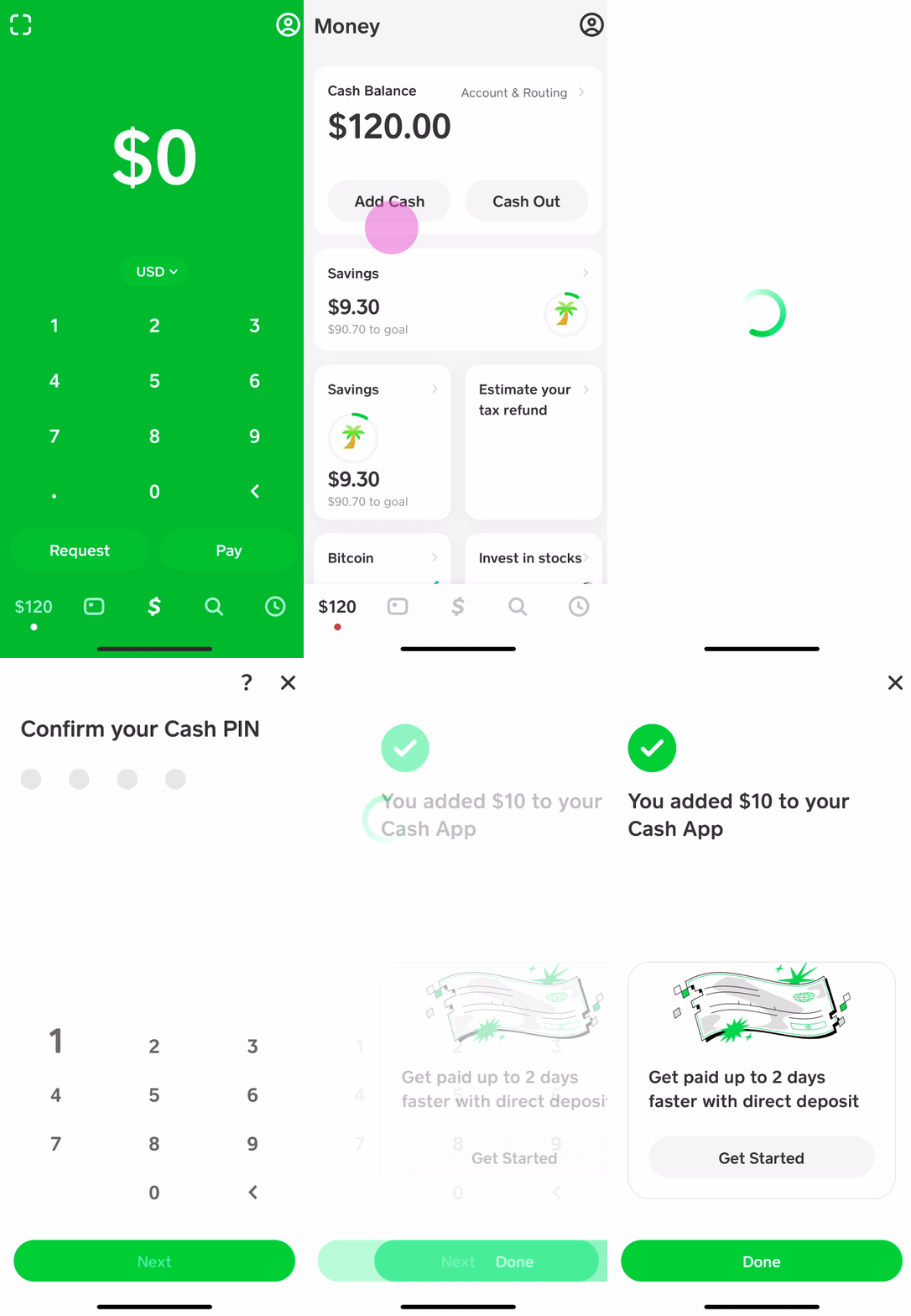
Confirm Link: Confirm the linking process. Once linked, you can tap “Add Cash” from the Banking tab, enter the desired amount, and select your linked bank or debit card to complete the transfer.
Step-by-Step: Setting Up Direct Deposit
-
Access Direct Deposit Information: In the “Banking” tab of your Cash App, look for “Direct Deposit” or “Get Your Account & Routing Number.”
-
Find Account Details: You will see your unique Cash App account number and routing number.
-
Provide to Payer: Give these details to your employer’s payroll department, government benefits provider, or any other institution from which you wish to receive direct deposits. They will typically require a form to be filled out.
-
Monitor Deposits: Once set up, funds will automatically appear in your Cash App balance on your scheduled payment dates.
Step-by-Step: Depositing Cash at a Store
-
Find a Deposit Location: Tap the “Banking” tab and look for “Paper Money” or “Deposit Cash.” Use the map feature to find nearby participating retailers.
-
Generate Barcode: At the chosen retailer, inform the cashier you want to add cash to your Cash App. Open the Cash App and select “Deposit Paper Money” to generate a unique barcode.
-
Hand Over Cash: Give the cashier the cash amount you wish to deposit and present the barcode for them to scan.
-
Confirm Transaction: The cashier will process the transaction. The funds, minus any applicable fee, should appear in your Cash App balance almost immediately. You’ll receive an in-app notification confirming the deposit.
Managing Your Cash App Funds: Tips and Considerations
While loading money onto Cash App is straightforward, effectively managing your funds requires an understanding of the platform’s financial nuances, including limits, fees, and security protocols.
Understanding Limits and Fees
Cash App implements various limits to ensure security and comply with financial regulations. These limits can vary based on your account verification status. Verified users (who have provided their full name, date of birth, and the last four digits of their SSN) generally have higher limits for sending, receiving, and adding cash.
-
Cash Deposit Limits: Typically around $500 per transaction, $1,000 per day, and $4,000 per week.
-
Debit Card Deposit Limits: Generally higher for verified users, often ranging from $2,500 to $7,500 per week.
-
Fees: While standard bank transfers are usually free, instant deposits from a debit card may incur a fee (0.5%–1.75%). Cash deposits at retailers also typically have a small flat fee (e.g., $1). Always check the app for the most current fee schedule.
Security Best Practices
Protecting your funds is paramount. Cash App employs encryption and security measures, but user vigilance is also crucial.
-
Enable Security Features: Always set up a PIN, Touch ID, or Face ID for your Cash App transactions.
-
Strong Passwords: Use a unique, strong password for your Cash App account and never share it.
-
Beware of Scams: Be cautious of phishing attempts, unsolicited offers, or requests for money from unknown sources. Cash App support will never ask for your PIN or sign-in code.
-
Monitor Transactions: Regularly review your transaction history for any unauthorized activity.
Troubleshooting Common Loading Issues
Occasionally, you might encounter issues when trying to load money onto Cash App.
-
Failed Transactions: Double-check your linked bank account or debit card details for accuracy. Ensure you have sufficient funds in your external account. Sometimes, a temporary bank or network issue may be the cause; try again later.
-
Pending Deposits: Direct deposits can sometimes take 1-3 business days to clear, especially if it’s the first time. For cash deposits at retailers, ensure the cashier correctly scanned the barcode and processed the transaction. If funds don’t appear after a reasonable time, contact Cash App support.
-
Limits Reached: If you’re encountering issues, verify that you haven’t exceeded any daily or weekly limits for your chosen deposit method.
The Benefits of a Cash App Card
The Cash Card is a physical Visa debit card linked directly to your Cash App balance. It extends the utility of your loaded funds beyond the digital realm.
-
Everyday Spending: Use your Cash Card anywhere Visa is accepted, making it easy to spend your loaded funds online or in brick-and-mortar stores.
-
ATM Withdrawals: You can withdraw cash from ATMs using your Cash Card. Cash App offers free ATM withdrawals if you receive at least $300 in direct deposits per month. Otherwise, a small fee may apply.
-
Boosts: The Cash Card also comes with “Boosts,” which are instant discounts at specific retailers or for certain types of purchases, adding another layer of financial benefit.
Maximizing Your Cash App Experience for Personal Finance
Integrating Cash App effectively into your personal finance routine can lead to greater convenience and control over your money.
Budgeting and Tracking with Cash App
For many, Cash App can serve as a simple budgeting tool. By funneling specific funds into your account for certain spending categories, you can monitor expenses more closely. The in-app transaction history provides a clear record of where your money is going, helping you stay on track with your financial goals. While not as robust as dedicated budgeting apps, its simplicity can be an advantage for basic financial management.
Leveraging Cash App for Everyday Transactions
From splitting dinner bills with friends to paying for your morning coffee, Cash App makes everyday transactions swift and seamless. Using the Cash Card for daily purchases can help consolidate your spending, making it easier to see your overall financial activity. Its mobile-first design means you always have access to your funds, whether you’re sending money, making a purchase, or checking your balance.

The Role of Cash App in a Modern Financial Strategy
Cash App represents a significant shift in how individuals manage their money. For those seeking alternatives to traditional banking, or for younger demographics who prefer digital-first solutions, Cash App offers a compelling suite of services. Its ability to facilitate direct deposits, peer-to-peer payments, and even investment in accessible ways positions it as a vital component of a modern personal finance strategy. By understanding and utilizing its diverse loading methods, users can unlock the full potential of Cash App, transforming it from a simple payment app into a comprehensive financial hub.
In conclusion, loading money onto Cash App is a flexible process with options ranging from linking bank accounts and debit cards to direct deposit and even cash deposits at retail stores. Each method is designed to provide convenience and accessibility, allowing users to choose the option that best fits their financial needs. By understanding these avenues and adhering to best practices, you can effectively manage your funds and leverage Cash App as a powerful tool in your personal financial arsenal.
aViewFromTheCave is a participant in the Amazon Services LLC Associates Program, an affiliate advertising program designed to provide a means for sites to earn advertising fees by advertising and linking to Amazon.com. Amazon, the Amazon logo, AmazonSupply, and the AmazonSupply logo are trademarks of Amazon.com, Inc. or its affiliates. As an Amazon Associate we earn affiliate commissions from qualifying purchases.