
For businesses leveraging Gusto to streamline their payroll, HR, and benefits administration, understanding its billing structure is not just a matter of curiosity—it’s a critical component of sound financial management. Gusto offers a robust, user-friendly platform, but like any essential business tool, it comes with a cost. Knowing precisely when and how Gusto charges ensures accurate budgeting, prevents unexpected expenses, and allows businesses to optimize their use of the service. This comprehensive guide will dissect Gusto’s billing practices, offering insights vital for any financial decision-maker.
Gusto’s Core Pricing Model: A Clear Foundation
At its heart, Gusto’s pricing is designed to be transparent and scalable, adapting to businesses of various sizes and needs. Unlike some software-as-a-service (SaaS) providers that might surprise users with hidden fees, Gusto generally adheres to a predictable model once you understand its components. This model primarily consists of a base monthly fee and a per-employee or per-contractor charge.
The Base Fee: Your Monthly Anchor
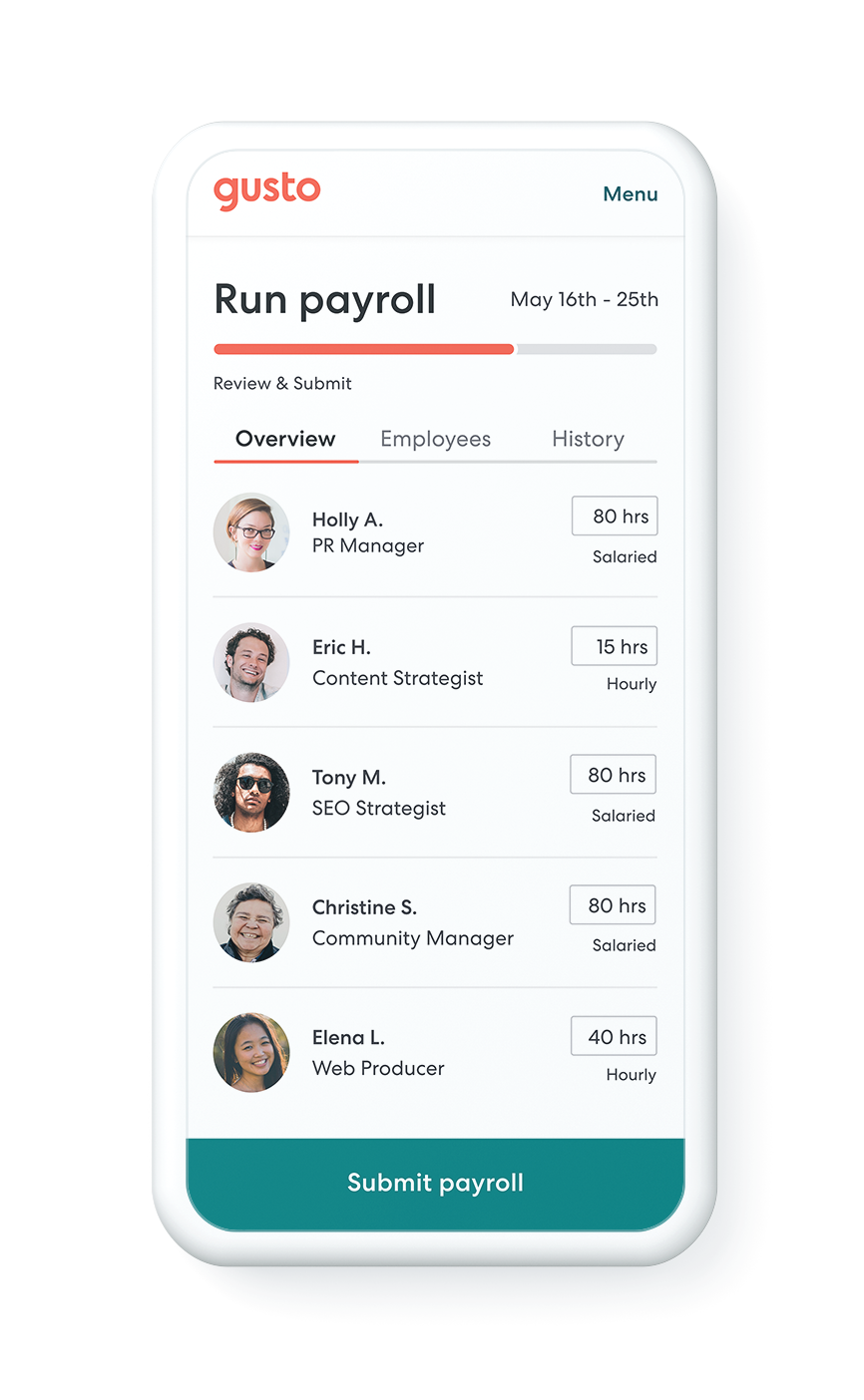
Every Gusto plan, except for the contractor-only option, includes a fixed monthly base fee. This fee acts as the foundational cost for accessing the platform and its core functionalities. It covers the general infrastructure, security, and baseline features that make Gusto an invaluable tool for payroll processing, tax filing, and basic HR management. The amount of this base fee varies significantly depending on the specific plan tier you choose, reflecting the expanded feature sets available at higher levels. For instance, a “Simple” plan will have a lower base fee than a “Plus” or “Premium” plan, as the latter offers more advanced features like enhanced HR support, time tracking, and compliance tools. This base fee is consistently applied regardless of your employee count, provided you have at least one employee (or are on a plan that includes employees).
Per-Employee Charges: Scaling with Your Workforce
Beyond the base fee, Gusto adds a per-employee or per-contractor charge. This is where the scalability of Gusto’s pricing truly comes into play. As your business grows and you add more employees or engage more contractors, your monthly bill will naturally increase. This per-person fee covers the processing and management associated with each individual on your payroll, including payroll runs, tax filings, benefits administration (if applicable), and year-end reporting like W-2s and 1099s.
The per-employee rate also varies by plan tier. Generally, higher-tier plans might have a slightly different per-person rate, but the most significant factor is the volume of individuals. For businesses that primarily work with contractors, Gusto offers a dedicated “Contractor Only” plan, which has no base fee and only charges a per-contractor rate, making it a highly cost-effective solution for those specific needs. This structure ensures that small businesses with just a few employees aren’t overpaying for services they don’t need, while larger enterprises can confidently scale their HR operations without prohibitive fixed costs.
Understanding Different Plan Tiers
Gusto typically offers several plan tiers, each designed to meet different business requirements and budgets. While the names and exact features can evolve, the common structure includes:
- Contractor Only: Ideal for businesses solely paying 1099 contractors. No base fee, just a per-contractor charge.
- Simple: Geared towards small businesses with basic payroll needs. It includes full-service payroll, employee self-service, and essential tax filings. It has the lowest base fee and a standard per-employee charge.
- Plus: A popular choice for growing businesses, building upon the Simple plan with features like enhanced HR tools, time tracking, project tracking, and more customizable permissions. It carries a higher base fee and the per-employee charge might be slightly different.
- Premium (or Concierge/Complete): Designed for more complex organizations requiring advanced HR support, compliance expertise, proactive HR guidance, and dedicated support. This plan has the highest base fee, reflecting the extensive suite of services and expert access it provides.
Each plan tier represents a different value proposition, and understanding which one aligns best with your operational demands and financial capacity is crucial for managing your Gusto expenses effectively. Regularly reviewing your current plan against your evolving business needs can lead to significant cost savings or better value for money.
The Gusto Billing Cycle: What to Expect
Beyond knowing what you’re charged for, understanding when those charges occur is paramount for cash flow management. Gusto’s billing cycle is generally straightforward, but there are nuances regarding initial billing, recurring dates, and how changes to your employee roster or service add-ons impact your statements.
Initial Billing and Recurring Dates
When you first sign up for Gusto, your initial charge typically occurs shortly after you run your first payroll. This first bill will generally include the base fee for the current month (or a pro-rated portion if you sign up mid-month) and the per-employee charges for the employees on that payroll. Gusto usually operates on a monthly billing cycle, meaning you’ll receive a bill and be charged around the same date each month thereafter.
The exact billing date is often tied to your sign-up date or the date of your first payroll. For instance, if you ran your first payroll on the 15th of the month, your subsequent bills might be generated around the 15th of each month. It’s important to note that Gusto processes payroll on your chosen schedule (weekly, bi-weekly, semi-monthly, monthly), but billing for Gusto services is typically a separate, fixed monthly event. This clear separation helps businesses forecast their administrative software expenses distinct from their actual wage outflows.
Impact of Employee Changes on Your Bill
One of the most dynamic aspects of Gusto’s billing is how it adapts to changes in your workforce. Since a significant portion of your bill is based on a per-employee charge, adding or removing employees directly affects your monthly cost.
- Adding Employees: When you onboard a new employee, Gusto will prorate the per-employee charge for that individual for the remainder of the current billing cycle. In the subsequent full billing cycle, the full per-employee charge for that new hire will be included. This ensures you only pay for the time an employee is active on the platform.
- Removing Employees: Conversely, when an employee is terminated or leaves the company, Gusto will typically credit you a prorated amount for the unused portion of their per-employee charge for that billing cycle. This credit will then be applied to your next bill, reducing your overall cost.
This flexible approach means your Gusto bill is highly responsive to your operational realities, reflecting the true cost of supporting your active workforce. For businesses with fluctuating employee counts, understanding this dynamic proration is essential for accurate financial forecasting.
Billing for Add-On Services
Gusto goes beyond basic payroll, offering a suite of optional add-on services that can significantly enhance your HR capabilities. These include:
- Health Benefits Administration: If you use Gusto to administer health insurance plans, there might be additional per-employee fees for this service, on top of the base payroll charges.
- 401(k) and Retirement Plans: Setting up and managing retirement plans through Gusto partners may involve separate administrative fees, often charged per participant.
- Workers’ Compensation: Gusto integrates with workers’ comp providers, and premiums for these policies are typically collected via payroll deductions and remitted on your behalf, sometimes incurring an administrative fee from Gusto or its partner.
- HR Advisory Services: For plans like “Premium,” extensive HR support is included. For lower tiers, specific HR advisory services might be available as paid add-ons.
These add-on services are generally billed monthly alongside your core Gusto subscription. It’s crucial to review the pricing details for each add-on before activation, as they contribute to your overall monthly spend. Gusto strives to integrate these charges seamlessly into your single monthly bill, providing a consolidated view of your administrative costs.
Navigating Your Gusto Invoice and Account Management
Understanding the components and timing of your Gusto charges is one thing; being able to review, interpret, and manage them within the platform is another. Gusto provides dedicated tools and sections within your account to ensure you have full visibility and control over your billing.
Where to View Your Bills and Payment History
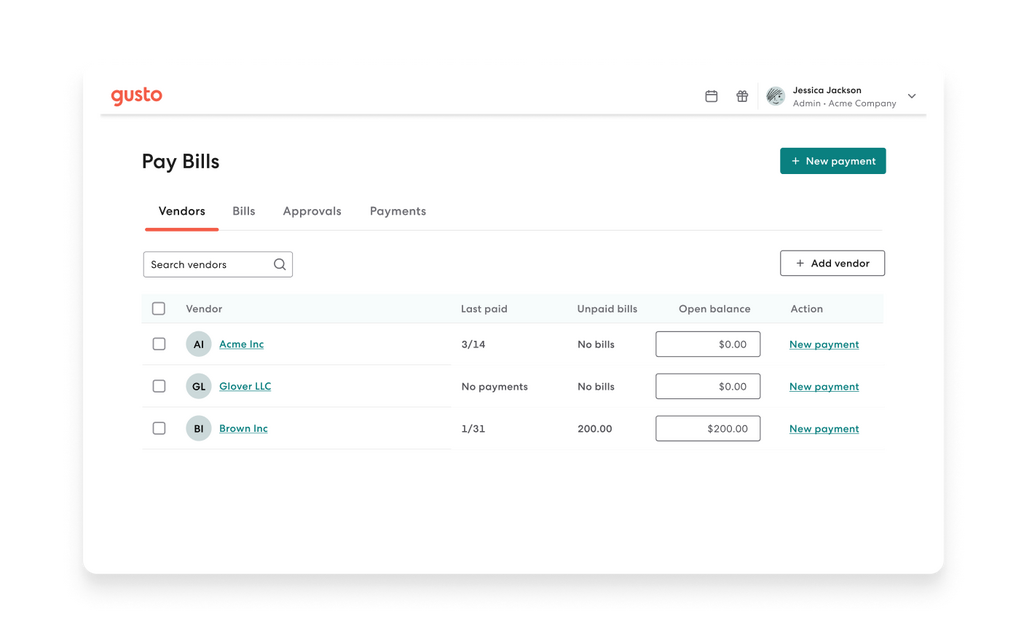
Gusto’s user-friendly interface extends to its billing section. Typically, administrators can access their past and current invoices by navigating to the “Billing” or “Company Settings” section within their Gusto dashboard. Here, you’ll usually find:
- Current Bill: A detailed breakdown of your upcoming or most recent charge.
- Payment History: An archive of all previous invoices, showing the date, amount, and payment status.
- Payment Method: Information about the credit card or bank account linked for payments.
Having this information readily available allows business owners and finance teams to reconcile Gusto charges with their bank statements, track expenses over time, and maintain accurate financial records. The ability to download these invoices, often in PDF format, further aids in audit preparedness and internal reporting.
Decoding the Line Items: What Each Charge Means
A typical Gusto invoice will break down your charges into several distinct line items, providing transparency on where your money is going. While the exact terminology might vary slightly, you can expect to see:
- Subscription Fee (or Base Fee): The fixed monthly charge for your chosen plan tier (e.g., Simple, Plus, Premium).
- Employee Fees: The total charge for all active employees during the billing cycle, calculated as the number of employees multiplied by the per-employee rate. This often includes prorated adjustments for employees added or removed during the month.
- Contractor Fees: If you pay contractors, this will be the total charge for active contractors.
- Benefits Administration Fees: Any additional charges for managing health insurance, 401(k)s, or other benefits.
- Add-On Service Fees: Charges for specific additional services, such as HR advisory hours, workers’ comp administration fees, or specific software integrations.
- Credits/Adjustments: Any prorated credits for terminated employees or other adjustments made to your account.
- Taxes: Applicable sales taxes on services, if any, based on your jurisdiction.
Carefully reviewing each line item allows you to verify accuracy and understand the composition of your monthly Gusto expense. If anything looks unfamiliar or incorrect, knowing what each item represents empowers you to quickly identify and address potential discrepancies.
Updating Payment Information and Resolving Discrepancies
Managing your Gusto account also includes ensuring your payment information is up-to-date and knowing how to address any billing issues.
- Updating Payment Information: You can usually update your credit card or bank account details directly within the billing section of your Gusto account. This is crucial to prevent service interruptions due to expired cards or changed bank accounts. Gusto often sends reminders when payment methods are nearing expiration.
- Resolving Discrepancies: If you spot an error on your bill or have a question about a specific charge, Gusto’s customer support is the first point of contact. They have access to your account details and can provide explanations or make corrections. Having a clear understanding of your billing history and the information discussed above will make these conversations more efficient and productive. Gusto is known for its responsive support, which is a valuable asset when navigating financial queries.
Optimizing Your Gusto Costs: Smart Financial Management
While Gusto’s pricing is transparent, businesses can still employ strategies to ensure they are getting the most value for their money and avoiding unnecessary expenses. Proactive financial management, when applied to your Gusto subscription, can lead to significant savings over time.
Choosing the Right Plan for Your Business Size
The most impactful decision you can make regarding your Gusto costs is selecting the appropriate plan tier. It’s a balance between feature needs and financial outlay.
- Avoid Over-Subscribing: If you’re a small business with just a few employees and simple payroll needs, a “Simple” plan might be perfectly adequate. Upgrading to “Plus” or “Premium” for features you don’t fully utilize means paying a higher base fee unnecessarily.
- Recognize Growth Triggers: Conversely, don’t undersell your needs. If your business is growing rapidly, or you find yourself constantly needing specific HR advice or time-tracking features, upgrading to a “Plus” plan might offer better overall value and efficiency, even with a higher base fee. The cost savings from increased efficiency and reduced compliance risk could outweigh the higher subscription fee.
- Review Annually: Business needs evolve. Conduct an annual review of your Gusto plan. Are you still using all the features of your current tier? Are there new features in a higher tier that would genuinely benefit your operations? This regular assessment ensures your plan remains aligned with your operational realities and financial goals.
Leveraging Annual Billing for Savings
Many SaaS providers, including Gusto, offer discounts for customers who choose annual billing over monthly. While paying a lump sum upfront requires a larger immediate cash outlay, it can result in a significant percentage saving over a 12-month period.
- Calculate the Savings: Before committing to annual billing, calculate the exact percentage discount. For well-established businesses with stable cash flow, this is often a straightforward decision that locks in savings.
- Consider Cash Flow: For newer or smaller businesses with tighter cash flow, the monthly payment option might be more manageable, even if it costs slightly more in the long run. The trade-off between immediate cash outflow and long-term savings needs careful consideration based on your unique financial position.
- Long-Term Commitment: Annual billing implies a commitment. Ensure you are satisfied with Gusto’s service and anticipate needing it for the full year before opting for this payment structure.
Strategic Use of Add-Ons
Gusto’s add-on services provide tremendous flexibility, but they also contribute to your overall cost. Strategic utilization is key.
- Needs-Based Selection: Only activate add-ons that genuinely address a critical business need. For example, if you offer health benefits, using Gusto for administration is often more efficient than manual processes. If you don’t, there’s no need for that particular add-on.
- Cost-Benefit Analysis: For each add-on, conduct a quick cost-benefit analysis. Does the efficiency gain, compliance assurance, or expert support provided by the add-on outweigh its monthly cost? For instance, professional HR advisory services might seem expensive, but preventing a costly compliance error could save your business much more.
- Bundling Opportunities: Sometimes, higher-tier plans include certain services that are add-ons at lower tiers. If you find yourself consistently adding multiple features, it might be more cost-effective to upgrade to a plan that bundles them.
The Financial Rationale: Why Understanding Gusto’s Billing Matters
Ultimately, a deep understanding of “when Gusto charges” transcends mere administrative knowledge; it underpins robust financial planning and contributes to the overall fiscal health of your business. Ignorance in this area can lead to budgetary miscalculations, cash flow surprises, and missed opportunities for cost optimization.
Budgeting and Cash Flow Forecasting
Accurate budgeting relies on predictable expenses. By knowing Gusto’s base fees, per-employee charges, and the impact of add-ons and employee changes, businesses can precisely forecast their monthly administrative costs. This precision is invaluable for:
- Annual Budgeting: Incorporating Gusto’s costs into your annual operating budget with confidence.
- Cash Flow Management: Anticipating the exact dates and amounts of charges helps manage your bank balance and ensures sufficient funds are available, preventing overdrafts or missed payments.
- Variance Analysis: Easily comparing actual Gusto expenses against budgeted figures, identifying discrepancies, and understanding their root causes.
Without this clarity, Gusto’s charges can become a fluctuating, unpredictable line item, hindering effective financial planning.
Compliance and Avoiding Surprises
A well-managed Gusto account, supported by a clear understanding of its billing, contributes to overall compliance. When you know what you’re paying for, you’re better equipped to ensure that all necessary payroll, tax, and HR services are being properly administered.
- Tax Compliance: Gusto handles many tax filings. Understanding your bill confirms these services are active and accounted for.
- Audit Readiness: Detailed invoices and payment histories are essential documentation for financial audits.
- Avoiding Service Disruptions: Knowing your billing cycle and keeping payment methods up-to-date prevents service interruptions that could impact payroll runs, leading to employee dissatisfaction and potential penalties.
Unexpected charges or missed payments can create administrative headaches and potentially lead to compliance issues, which are costly in terms of both time and money.

Making Informed Business Decisions
Finally, a thorough grasp of Gusto’s billing empowers business leaders to make more informed strategic decisions.
- Hiring Decisions: When considering new hires, businesses can factor in the exact additional per-employee cost of Gusto (alongside salary, benefits, and other overheads) to get a true picture of the all-in expense.
- Software Evaluation: Understanding Gusto’s value proposition relative to its cost allows for better comparison with alternative payroll and HR solutions in the market.
- Resource Allocation: By optimizing your Gusto plan and add-ons, you free up financial resources that can be reallocated to other critical areas of your business, such as marketing, product development, or employee training.
In the dynamic landscape of modern business, every dollar spent on operational tools must be justified and understood. Gusto provides an essential service, and by decoding its billing intricacies, businesses can ensure they are maximizing its value, maintaining fiscal health, and driving sustainable growth.
aViewFromTheCave is a participant in the Amazon Services LLC Associates Program, an affiliate advertising program designed to provide a means for sites to earn advertising fees by advertising and linking to Amazon.com. Amazon, the Amazon logo, AmazonSupply, and the AmazonSupply logo are trademarks of Amazon.com, Inc. or its affiliates. As an Amazon Associate we earn affiliate commissions from qualifying purchases.