
The evolution of the MacBook Pro has long served as a bellwether for the broader personal computing industry. Since the transition to Apple Silicon, the trajectory of these machines has shifted from incremental hardware updates to foundational leaps in computational efficiency and architectural prowess. In the current landscape, the “what’s new” factor of the MacBook Pro is defined by the maturation of the M-series chips, specifically the M3 family and the impending integration of even more advanced AI-centric hardware. For professionals in software development, high-end video production, and scientific research, these updates are not merely aesthetic; they represent a fundamental change in how high-performance workflows are managed on the go.

The Evolution of Silicon: From M3 to the Horizon of M4
At the heart of the latest MacBook Pro iterations is the transition to the 3-nanometer process technology. This move from 5-nanometer to 3-nanometer architecture allowed engineers to pack a significantly higher density of transistors into the same physical footprint. The result is not just a raw increase in clock speed, but a sophisticated leap in performance-per-watt efficiency.
The M3, M3 Pro, and M3 Max Architecture
The current lineup of MacBook Pros is powered by the M3 family of chips, which introduced several industry-first features for a laptop. The standard M3 offers a robust entry point for creative professionals, while the M3 Pro and M3 Max cater to increasingly demanding computational loads. The M3 Max, in particular, has redefined what is possible in a mobile workstation, supporting up to 128GB of unified memory. This allows for the manipulation of massive 3D scenes or the local execution of large language models (LLMs) that previously required a dedicated desktop or server-side processing.
One of the most significant architectural shifts in this generation is the introduction of Dynamic Caching. Unlike traditional GPUs that allocate local memory based on the most demanding task in a sequence, Dynamic Caching allocates the use of local memory in hardware in real-time. This ensures that only the exact amount of memory needed is used for each task, dramatically increasing GPU utilization and performance for demanding professional apps and games.
Thermal Efficiency and Energy Conservation
A recurring theme in the latest MacBook Pro updates is the mastery of thermals. Because the M-series chips are so efficient, the MacBook Pro can maintain peak performance for extended periods without the aggressive thermal throttling that plagued Intel-based predecessors. The 14-inch and 16-inch chassis are designed to maximize airflow, yet for many daily professional tasks, the fans rarely even spin up. This silent operation, coupled with battery life that now reaches up to 22 hours on certain models, has changed the expectation of what a “Pro” laptop should deliver. Users are no longer tethered to a power outlet to access the full performance of the machine; the MacBook Pro delivers the same benchmarks whether it is plugged into a studio display or used on a long-haul flight.
Display Excellence: Liquid Retina XDR and ProMotion Technology
The visual interface of the MacBook Pro remains one of its most compelling features. The Liquid Retina XDR (Extreme Dynamic Range) display has undergone refinements that make it a staple for color-critical work. By utilizing a mini-LED backlighting system, the display achieves a contrast ratio of 1,000,000:1, providing deep blacks and vibrant highlights that are essential for HDR video editing and high-resolution photography.
Sustained Brightness and Color Accuracy
Recent updates have improved the SDR (Standard Dynamic Range) brightness levels, now reaching up to 600 nits, which is a 20% increase over previous generations. For HDR content, the display can hit 1,000 nits of sustained full-screen brightness and a staggering 1,600 nits of peak brightness. This is particularly vital for outdoor use or in brightly lit studio environments. Each display is factory-calibrated to ensure color accuracy across the P3 wide color gamut, supporting over a billion colors and providing smooth gradients that eliminate banding in high-quality assets.
The Impact of ProMotion and Refresh Rates
ProMotion technology continues to be a standout feature, offering adaptive refresh rates up to 120Hz. By dynamically adjusting the refresh rate to match the movement of the content on the screen, ProMotion provides fluid scrolling and responsiveness while also conserving battery life when viewing static images or text. For video editors, the ability to lock the refresh rate to the specific frame rate of their footage (e.g., 24fps, 25fps, or 50fps) ensures a jitter-free editing experience that is crucial for professional delivery.
Design, Connectivity, and the Pro Workflow
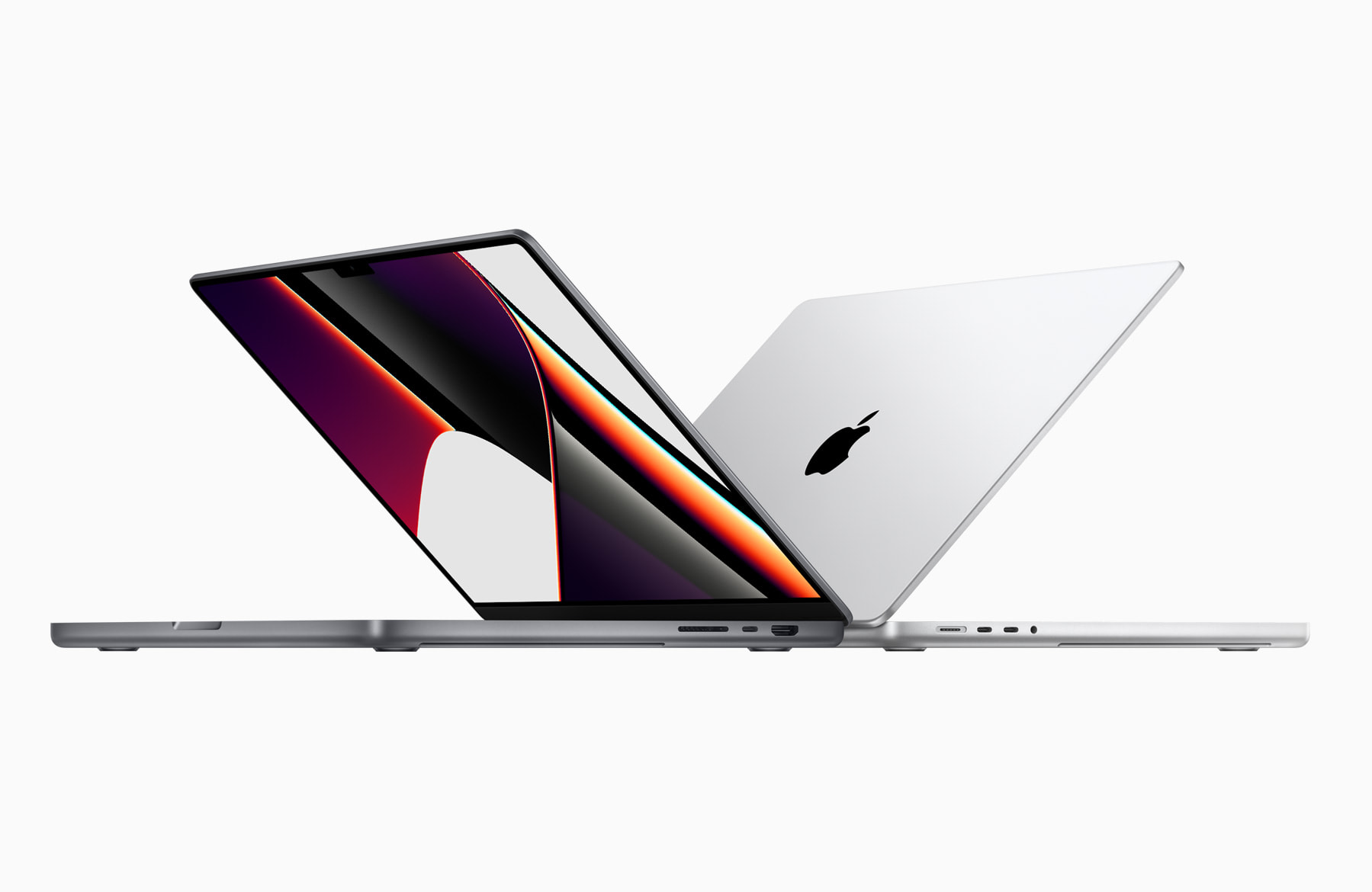
While the external silhouette of the MacBook Pro has remained relatively consistent, the functional design choices continue to prioritize the needs of the working professional. The “Pro” designation is reinforced by a physical build that emphasizes durability and connectivity.
Physical Build and Port Selection
The return of dedicated ports—including HDMI 2.1, an SDXC card slot, and MagSafe 3—marked a turning point in the MacBook Pro’s design philosophy. HDMI 2.1 support allows the latest models to drive high-resolution displays at up to 8K or 4K at 240Hz, catering to the needs of modern digital artists and gamers. The SDXC slot remains a non-negotiable tool for photographers and videographers who need to offload media quickly without the friction of external dongles.
Furthermore, the introduction of the “Space Black” finish for the M3 Pro and M3 Max models utilizes a breakthrough chemistry that forms an anodization seal to greatly reduce fingerprints. While a minor aesthetic update to some, for professionals who use their machines in client-facing environments, it represents a thoughtful refinement in material science.
Advanced Audio and Camera Systems
The MacBook Pro features a high-fidelity six-speaker sound system with force-canceling woofers, which produces a wide stereo soundstage and supports Spatial Audio. This allows for a surprisingly accurate monitoring experience when a dedicated pair of studio monitors is unavailable. Complementing the audio is a 1080p FaceTime HD camera that uses an advanced image signal processor with computational video to ensure the user looks sharp in various lighting conditions—a necessity in the era of remote collaboration.
Software Synergy: macOS and the Integration of AI
Hardware is only as effective as the software that leverages it. The latest versions of macOS have been engineered specifically to take advantage of the unified memory architecture and the Neural Engine found in the MacBook Pro.
Metal 3 and Hardware-Accelerated Ray Tracing
One of the most exciting technical updates is the support for hardware-accelerated ray tracing. By integrating this into the GPU of the M3 chips, the MacBook Pro can render shadows and reflections much faster, allowing for more realistic 3D environments and enhanced gaming visuals. This is coupled with mesh shading, which brings greater capability and efficiency to geometry processing, enabling more complex scenes in games and graphics-intensive apps.
Neural Engine and Machine Learning Workloads
The 16-core Neural Engine is the silent powerhouse behind many of the “new” features in the MacBook Pro. As AI becomes integrated into every professional tool—from Adobe Photoshop’s Generative Fill to Final Cut Pro’s scene removal—the Neural Engine handles these machine learning tasks locally and efficiently. This local processing is not only faster than cloud-based solutions but also offers superior privacy and security for sensitive professional projects.
Choosing the Right Model: Future-Proofing for Professionals
As the MacBook Pro lineup grows more diverse, the challenge for users is identifying which configuration aligns with their specific technical requirements. The “new” reality of Apple Silicon is that the bottleneck is rarely the CPU; instead, it is often the GPU cores or the amount of unified memory.
Identifying the Bottlenecks: RAM vs. GPU
For developers running multiple virtual machines or Docker containers, prioritizing unified memory is paramount. Since the memory is integrated into the chip itself, it offers incredibly low latency and high bandwidth, but it cannot be upgraded after purchase. Professionals are now opting for higher RAM configurations (up to 128GB) to ensure their machines can handle the data-heavy applications of the next five years.
For those in the visual arts, the core count of the GPU in the M3 Max is the primary differentiator. The ability to render complex 4K and 8K timelines in real-time without proxy files is a significant productivity gain that justifies the investment in higher-tier silicon.

The Long-Term Value Proposition
The current state of the MacBook Pro represents a pinnacle of mobile computing. The combination of the 3nm architecture, the Liquid Retina XDR display, and the seamless integration of macOS creates a tool that is both highly powerful and remarkably efficient. As we look forward, the trend is clear: the MacBook Pro is no longer just a laptop, but a sophisticated mobile laboratory capable of handling the world’s most demanding digital tasks. Whether you are a creative professional, a data scientist, or an engineer, the latest innovations in the MacBook Pro lineup offer a glimpse into a future where hardware limits are increasingly a thing of the past.
aViewFromTheCave is a participant in the Amazon Services LLC Associates Program, an affiliate advertising program designed to provide a means for sites to earn advertising fees by advertising and linking to Amazon.com. Amazon, the Amazon logo, AmazonSupply, and the AmazonSupply logo are trademarks of Amazon.com, Inc. or its affiliates. As an Amazon Associate we earn affiliate commissions from qualifying purchases.