
In the modern era of digital connectivity, privacy and security have transitioned from being optional luxuries to fundamental requirements. As we navigate the web, we often take for granted the invisible protocols that allow our browsers to translate a human-readable URL, such as “google.com,” into a machine-readable IP address. This system is known as the Domain Name System (DNS). However, for decades, DNS has remained one of the most vulnerable “weak links” in internet security.
Enter DoH, or DNS over HTTPS. This protocol is a transformative shift in how our devices communicate with the internet, aimed at closing a long-standing loophole that allowed internet service providers (ISPs), hackers, and government entities to eavesdrop on our browsing habits. By wrapping DNS queries in an encrypted HTTPS layer, DoH ensures that our digital footprints remain significantly more private.

1. The Fundamentals of DNS and the Shift to DoH
To understand the importance of DoH, one must first understand the traditional mechanism it seeks to replace. For over thirty years, the Domain Name System has operated largely in “plain text.” This means that even if you are visiting a secure website (indicated by the “HTTPS” padlock in your browser), your initial request to find that website is broadcasted openly.
How Traditional DNS Works (and Why it’s Vulnerable)
When you type a website name into your address bar, your computer sends a request to a DNS resolver—usually managed by your ISP. Because this request is unencrypted, anyone with access to the network path (such as a malicious actor on a public Wi-Fi network or the ISP itself) can see exactly which websites you are trying to reach.
This lack of encryption leads to several vulnerabilities. First, it enables “DNS Hijacking,” where an attacker intercepts your request and redirects you to a fraudulent website. Second, it allows for “DNS Filtering” or censorship, where a network administrator or government can block access to specific sites by simply refusing to resolve their IP addresses.
Enter DNS over HTTPS (DoH)
DNS over HTTPS (DoH) is a protocol for performing remote Domain Name System resolution via the HTTPS protocol. The goal is to increase user privacy and security by preventing eavesdropping and manipulation of DNS data by man-in-the-middle attacks.
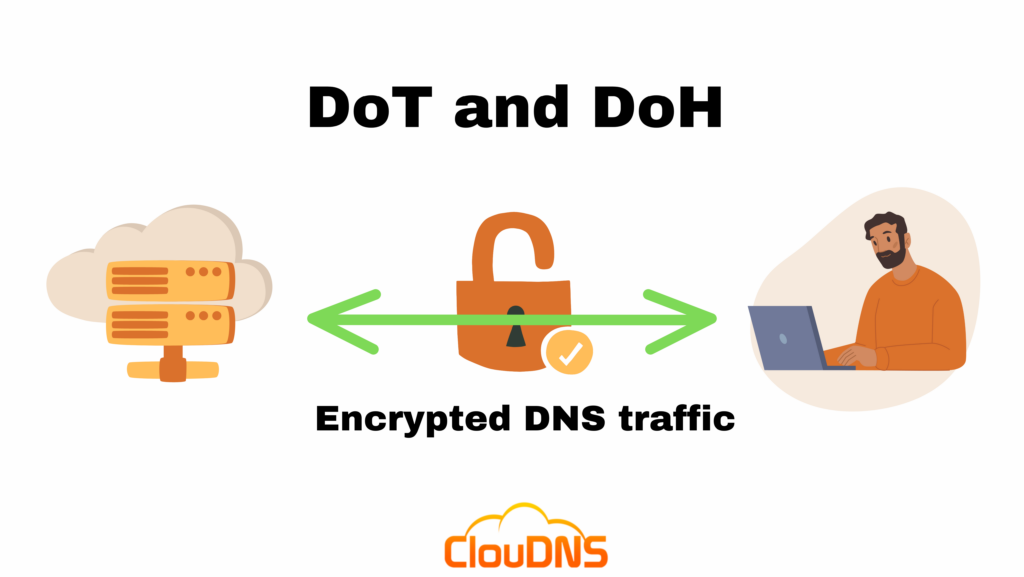
Instead of sending your request as a clear-text packet, DoH encrypts the DNS query and sends it through an existing HTTPS connection. To any outside observer, this DNS request looks like any other piece of encrypted web traffic. It blends in with the billions of other HTTPS packets moving across the web, making it nearly impossible for third parties to distinguish your DNS lookups from your actual web browsing content.
The Core Difference Between DoH and DoT (DNS over TLS)
While DoH is the most discussed protocol, it is often compared to its cousin, DoT (DNS over TLS). Both protocols use encryption to secure DNS, but they operate differently. DoT uses a dedicated port (Port 853) for its communications. This makes it easier for network administrators to identify and, if they choose, block DNS-over-TLS traffic.
DoH, conversely, uses Port 443—the same port used for all standard HTTPS web traffic. Because it shares this port, it is much harder to block without inadvertently breaking the entire internet connection for the user. This “hidden” nature is exactly what makes DoH a powerful tool for privacy advocates and a point of contention for network administrators.
2. Why DoH Matters for Digital Security and Privacy
The primary driver behind the adoption of DoH is the protection of the end-user. As the internet becomes more integrated into our daily lives, the metadata generated by our browsing habits becomes incredibly valuable—and incredibly dangerous if misused.
Preventing DNS Spoofing and Man-in-the-Middle Attacks
One of the most common cyber-attacks involves intercepting a DNS request to send a user to a “spoofed” or fake version of a website—perhaps a fake banking login page. Because traditional DNS has no way to verify the authenticity of the response, your computer blindly trusts the IP address it receives.
DoH utilizes the security certificates inherent in HTTPS to verify that the DNS resolver you are talking to is exactly who they say they are. This ensures that the IP address returned to your browser is legitimate, effectively neutralizing a wide range of phishing and redirection attacks.
Bypassing Censorship and Geofencing
In many regions around the world, internet censorship is enforced at the DNS level. When a user tries to access a restricted news site or social media platform, the ISP returns an error or a “null” IP address.
Because DoH encrypts the query, the ISP cannot see which domain the user is requesting. This allows users in restrictive environments to bypass local DNS blocks, gaining access to the open web. For journalists, activists, and citizens in such regions, DoH is more than just a technical protocol; it is a tool for the preservation of free speech and information access.
Protecting Your Browsing History from ISPs
Many people are surprised to learn that their Internet Service Provider often tracks and logs every website they visit. In many jurisdictions, ISPs are legally allowed to sell this anonymized data to advertisers. This creates a detailed profile of your interests, health concerns, political leanings, and financial status.
By implementing DoH, you move your DNS resolution away from your ISP’s servers to a dedicated, privacy-focused provider (like Cloudflare or Quad9). Since the queries are encrypted, your ISP can no longer see the names of the websites you are visiting, only that you are connected to a DoH provider. This significantly reduces the ISP’s ability to monetize your personal data.
3. The Controversy Surrounding DoH Implementation
Despite its clear benefits for individual privacy, the widespread adoption of DoH has met with significant pushback. The critics range from enterprise security professionals to government agencies, each citing valid concerns regarding how this protocol changes the architecture of the internet.
Challenges for Corporate Network Management
In a corporate environment, network administrators are responsible for ensuring that company devices are not accessing malicious sites or leaking sensitive data. Many enterprises use DNS monitoring to identify compromised machines that are communicating with “command and control” servers used by hackers.
When DoH is enabled on individual browsers, it bypasses the company’s central DNS server. This creates a “blind spot” for IT departments. If a browser is using an encrypted, external DNS resolver, the company’s security software can no longer see or block requests to known malware domains. This has led many organizations to disable DoH at the group policy level to maintain oversight.
The Debate Over Centralization
One of the most sophisticated arguments against DoH concerns the “centralization” of the internet. Traditionally, DNS is decentralized; thousands of ISPs handle their own DNS traffic. However, when browsers like Firefox or Chrome enable DoH by default, they often steer users toward a handful of giant providers like Google or Cloudflare.
Critics argue that this gives a few massive tech corporations an unprecedented amount of global DNS data. If a single major DoH provider goes down, it could potentially take out a massive portion of the internet. Privacy advocates counter this by noting that users can choose their own providers, but the reality is that most users stick with the defaults provided by their software.
Parental Controls and Content Filtering
Many home routers and software packages offer “Parental Controls” that work by filtering DNS requests to block adult content or gambling sites. Because DoH hides the DNS request from the router, these filters become ineffective. For parents relying on network-level blocks to protect their children, DoH represents a significant technical hurdle that requires more complex on-device management rather than a simple “set it and forget it” router configuration.
4. How to Enable and Use DoH Today
If you have decided that the privacy benefits of DoH outweigh the management challenges, enabling it is relatively straightforward. Most modern web browsers and operating systems now have built-in support for the protocol.
Enabling DoH in Major Browsers (Chrome, Firefox, Edge)
The easiest way to start using DoH is through your browser settings.
- Google Chrome: Navigate to Settings > Privacy and Security > Security. Under the “Advanced” section, enable “Use secure DNS.” You can choose your current provider or a custom list like Cloudflare (1.1.1.1) or Google (8.8.8.8).
- Mozilla Firefox: Firefox was a pioneer in this space. Go to Settings > General > Network Settings. Scroll down to “Enable DNS over HTTPS.” Firefox defaults to Cloudflare or NextDNS, which are both highly reputable.
- Microsoft Edge: Similar to Chrome, go to Settings > Privacy, search, and services. Scroll down to “Security” and toggle on “Use secure DNS.”
Operating System Level Support
While browser-level DoH is great, it only protects your web traffic. Other apps—like Spotify, Slack, or gaming clients—may still use traditional, unencrypted DNS.
- Windows 11: Windows 11 natively supports DoH. You can find this under Settings > Network & internet > Ethernet/Wi-Fi > DNS server assignment. Here, you can enter the IP addresses of a DoH-compatible resolver and set the encryption to “Encrypted only.”
- macOS and iOS: Apple supports encrypted DNS through “Configuration Profiles.” You can download profiles from providers like NextDNS or Cloudflare to enable system-wide DoH or DoT.
Choosing a Trusted DoH Provider
The most critical part of using DoH is choosing who resolves your queries. Since you are moving your trust away from your ISP, you should choose a provider with a transparent privacy policy.
- Cloudflare (1.1.1.1): Focused on speed and privacy, they claim to delete logs within 24 hours.
- Quad9 (9.9.9.9): A non-profit based in Switzerland that focuses on security, blocking known malicious domains at the DNS level.
- NextDNS: Offers a highly customizable experience, allowing you to block ads and trackers at the DNS level for all your devices.
5. The Future of Internet Protocols and DNS Evolution
DoH is not the final destination in the journey toward a private internet, but rather a significant milestone. It is part of a larger movement to encrypt every piece of metadata that could be used to track a user.
The Role of DoH in the Web 3.0 and IoT Era
As we move toward a world filled with Internet of Things (IoT) devices—from smart fridges to medical monitors—the security of DNS becomes even more critical. Many IoT devices are notoriously insecure. By implementing DoH at the network level, we can provide a layer of protection for these devices that they cannot provide for themselves.
Furthermore, as decentralized web technologies (often called Web 3.0) gain traction, DoH serves as a bridge, ensuring that even as we access legacy systems, our connection remains shielded from the prying eyes of the traditional internet infrastructure.
Final Thoughts: A New Standard for the Modern User
What is DoH? It is a response to an aging internet architecture that was built on trust in an era where trust is no longer a viable security strategy. While it introduces new challenges for network administrators and sparks debates about centralization, the net benefit to individual privacy is undeniable.
By encrypting the “phonebook of the internet,” DoH ensures that our journey across the web is not being logged, sold, or manipulated. As more browsers and operating systems adopt this protocol by default, we are moving toward a future where privacy is not something you have to configure, but something that is built into the very fabric of the digital world. For the tech-savvy user and the privacy-conscious citizen alike, understanding and utilizing DoH is an essential step in securing one’s digital life.
aViewFromTheCave is a participant in the Amazon Services LLC Associates Program, an affiliate advertising program designed to provide a means for sites to earn advertising fees by advertising and linking to Amazon.com. Amazon, the Amazon logo, AmazonSupply, and the AmazonSupply logo are trademarks of Amazon.com, Inc. or its affiliates. As an Amazon Associate we earn affiliate commissions from qualifying purchases.