
The landscape of home entertainment has shifted dramatically over the last decade. For years, the primary function of a television was passive consumption—watching broadcast news, films, or sports. However, the rise of high-performance consoles like the PlayStation 5 and Xbox Series X, alongside the increasing viability of living-room PC gaming, has redefined what we require from our screens. Choosing the right television for gaming is no longer just about screen size; it is a complex technical decision involving refresh rates, panel chemistry, and data throughput.

To determine what TV is better for gaming, one must look beyond the marketing buzzwords and understand the underlying hardware. This guide explores the essential technical specifications, panel technologies, and software features that separate a standard display from a top-tier gaming powerhouse.
The Pillars of Performance: Essential Technical Specifications
When evaluating a television for gaming, the technical specifications dictate the fluidity and responsiveness of the experience. Unlike cinema, where a consistent 24 frames per second (fps) is the standard, gaming requires high-speed data processing and minimal delay between a button press and the action on screen.
Refresh Rates and Variable Refresh Rate (VRR)
The refresh rate, measured in Hertz (Hz), indicates how many times per second the screen updates its image. Standard TVs often operate at 60Hz, which is sufficient for most media. However, modern gaming demands 120Hz. A higher refresh rate translates to smoother motion and reduced motion blur, which is critical in fast-paced titles like shooters or racing simulators.
Equally important is Variable Refresh Rate (VRR) technology. In gaming, the frame rate produced by the console or PC often fluctuates depending on the complexity of the scene. If the TV’s refresh rate is static while the game’s output varies, “screen tearing” occurs. VRR—including standards like HDMI Forum VRR, AMD FreeSync, and NVIDIA G-Sync—synchronizes the TV’s refresh rate to the game’s output in real-time, ensuring a tear-free, stutter-free experience.
Input Lag and Response Time
Input lag is the delay between the gaming console sending a signal and that signal appearing on the screen. For competitive gamers, every millisecond counts. High-end gaming TVs now feature “Auto Low Latency Mode” (ALLM), which automatically switches the TV into a dedicated “Game Mode” when a console is detected. This mode bypasses unnecessary image processing to bring input lag down to below 10 milliseconds.
Response time, often confused with input lag, refers to how quickly an individual pixel can change from one color to another (usually gray-to-gray). Slow response times result in “ghosting,” where a faint trail follows moving objects. Modern display technologies, particularly OLED, offer near-instantaneous response times, making them the gold standard for motion clarity.
HDMI 2.1 Connectivity
The physical port on the back of the TV is the gateway for all this data. To achieve 4K resolution at 120Hz with HDR, a TV must have HDMI 2.1 ports. Older HDMI 2.0 ports lack the bandwidth (18Gbps vs. 48Gbps) to handle these high-performance requirements simultaneously. When selecting a TV, it is vital to ensure it has at least two HDMI 2.1 ports—one for your console and another for an eARC soundbar, if applicable.
Display Panel Technologies: OLED vs. QLED vs. Mini-LED
The core technology of the panel defines the visual character of the game. Each technology has its strengths and weaknesses depending on the gaming environment and the genre of games played.
The Contrast King: OLED
Organic Light Emitting Diode (OLED) technology is widely considered the pinnacle of gaming displays. Unlike traditional LCDs that require a backlight, every pixel in an OLED panel is self-emissive. This means a pixel can turn off completely to produce perfect blacks.
In games with dark, atmospheric environments—such as Elden Ring or Dead Space—OLED provides an unmatched level of depth and immersion. Furthermore, because OLEDs do not use a backlight, they have the fastest response times in the industry. The primary drawback is “burn-in,” where static UI elements (like a health bar) can leave a permanent ghost image over thousands of hours, though modern software mitigates this through pixel shifting and cleaning cycles.
Brightness and Longevity: QLED and Mini-LED
Quantum Dot LED (QLED) TVs use a traditional LCD backlight with a layer of quantum dots to enhance color. While they cannot achieve the “perfect black” of OLED, they are significantly brighter. This makes QLED a better choice for “bright-room gaming,” where sunlight might wash out a dimmer OLED screen.
The latest evolution of this is Mini-LED. By using thousands of tiny LEDs as a backlight instead of a few dozen, Mini-LED displays offer “Full Array Local Dimming” (FALD). This allows the TV to dim specific areas of the screen while keeping others bright, mimicking the contrast of OLED while maintaining the high peak brightness necessary for impactful High Dynamic Range (HDR) effects. For gamers who play in sunlit living rooms, a high-end Mini-LED is often the superior choice.
HDR Standards and Visual Fidelity
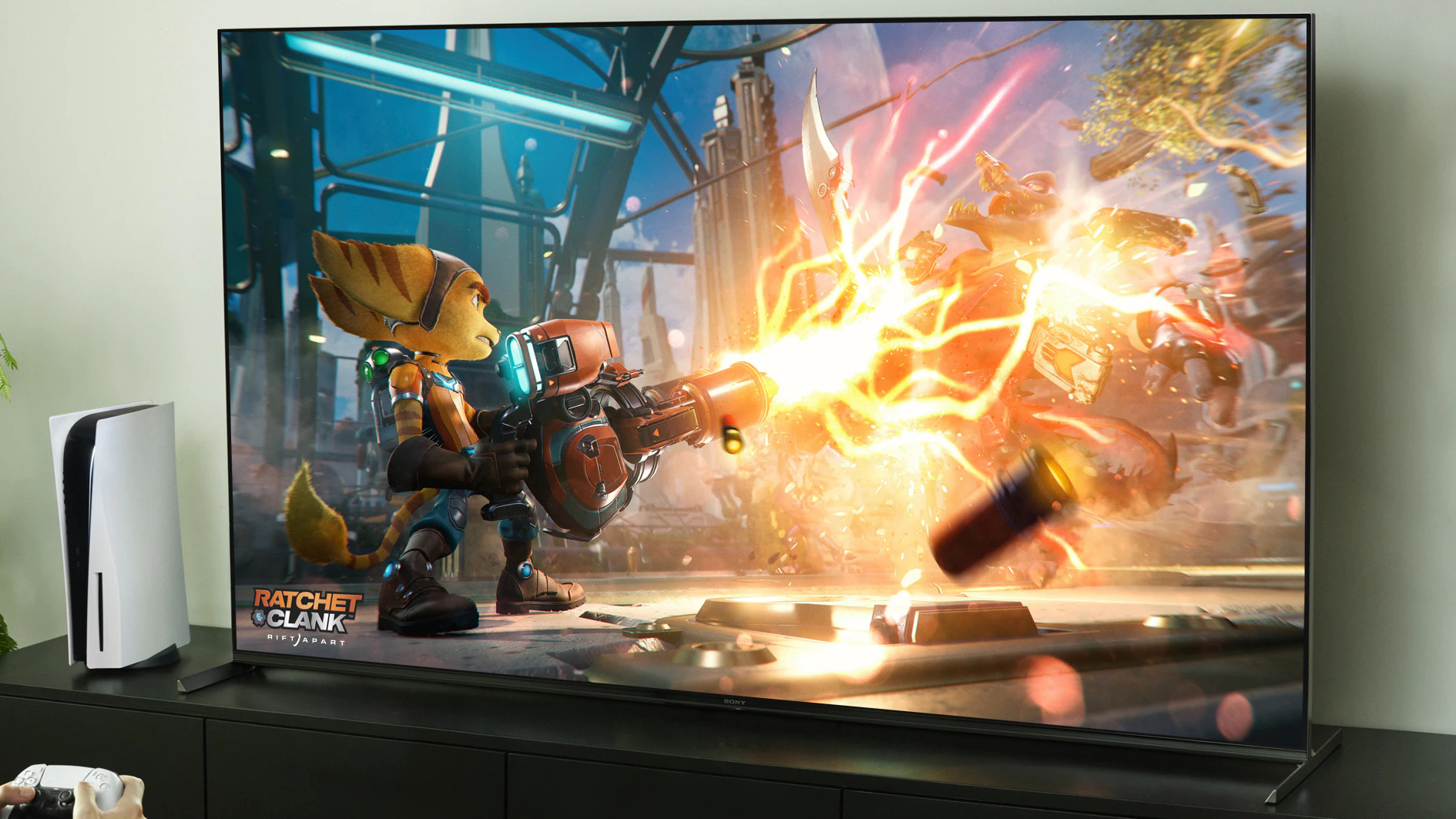
High Dynamic Range (HDR) is perhaps the most significant advancement in gaming visuals since the jump to 4K. It allows for a wider range of brightness and color, making explosions look more vibrant and shadows more detailed.
HDR10, Dolby Vision, and HGiG
While almost all modern TVs support HDR10, gamers should look for Dolby Vision and HGiG support. Dolby Vision for Gaming (currently a standout feature on Xbox Series X) dynamically adjusts the image metadata on a frame-by-frame basis to ensure the best possible picture.
HGiG (HDR Gaming Interest Group) is a set of guidelines that ensures the TV and the console are communicating correctly regarding the TV’s specific brightness capabilities. This prevents the “clipping” of highlights, ensuring that you can still see details in a bright sky or a glowing magical effect.
Local Dimming Zones
For non-OLED TVs, the number of local dimming zones is a critical metric. A TV with more zones can control light more precisely, reducing “blooming”—the distracting halo effect that occurs when bright text or a crosshair appears against a dark background. When researching a gaming TV, always look for “Full Array” rather than “Edge-Lit” technology.
Software Features and Integrated Gaming Hubs
Hardware is only half the battle; the software interface can significantly enhance the user experience. Leading manufacturers have moved toward creating dedicated “Game Dashboards” that allow users to monitor and tweak settings without leaving the game.
Dedicated Game Modes and Overlays
Modern gaming TVs from brands like LG, Samsung, and Sony include specialized overlays. These dashboards display real-time information such as the current FPS, whether VRR is active, and the black stabilizer levels (which can be adjusted to see enemies hiding in shadows). These tools give console players a level of control previously reserved for PC enthusiasts.
Cloud Gaming Integration
A burgeoning trend in tech is the integration of cloud gaming services directly into the TV’s operating system. Services like NVIDIA GeForce NOW and Xbox Cloud Gaming are now built into many smart TV platforms. This allows users to play high-fidelity games with nothing more than a Bluetooth controller and a stable internet connection. While native hardware is still preferred for the lowest latency, the inclusion of these “Gaming Hubs” makes the TV a more versatile tech hub for the household.
Choosing the Right TV for Your Console or PC
Ultimately, the “better” TV depends on the specific hardware you are connecting to it.
Tailoring for PS5 and Xbox Series X
The PlayStation 5 and Xbox Series X are designed to take advantage of 4K/120Hz and HDR. Sony’s TVs often feature “Perfect for PlayStation 5” branding, which includes “Auto HDR Tone Mapping” specifically calibrated for the console. Meanwhile, the Xbox Series X leans heavily into Dolby Vision and FreeSync. If you own both consoles, a TV with four HDMI 2.1 ports (rather than just two) becomes a vital convenience feature to avoid constant cable swapping.
Using a TV as a PC Monitor
For those using a TV as a secondary or primary PC monitor, pixel density and text clarity are paramount. Large 4K OLEDs (in the 42-to-48-inch range) have become popular for “desk gaming.” However, PC users must be wary of “Chroma Subsampling.” To ensure text looks sharp, the TV must support 4:4:4 chroma at 4K/120Hz. Without this, the fine lines of a PC interface will appear blurry or fringed with color.
Conclusion
In the current technological era, the answer to “what TV is better for gaming” is found at the intersection of panel physics and digital processing. An OLED panel remains the gold standard for those who prioritize contrast and response time in controlled lighting. Conversely, Mini-LED technology offers a compelling alternative for those who demand high-peak brightness and immunity to burn-in.
When shopping, prioritize HDMI 2.1, 120Hz refresh rates, and low input lag. By focusing on these core technical pillars, you ensure that your display is not a bottleneck, but rather a conduit for the high-fidelity experiences modern gaming hardware is capable of delivering. The right TV transforms gaming from a mere pastime into a truly immersive digital odyssey.
aViewFromTheCave is a participant in the Amazon Services LLC Associates Program, an affiliate advertising program designed to provide a means for sites to earn advertising fees by advertising and linking to Amazon.com. Amazon, the Amazon logo, AmazonSupply, and the AmazonSupply logo are trademarks of Amazon.com, Inc. or its affiliates. As an Amazon Associate we earn affiliate commissions from qualifying purchases.