
The NCAA Division I Men’s Basketball Tournament, colloquially known as March Madness, has evolved from a traditional television event into a high-tech digital showcase. For the modern viewer, the question of “what to watch March Madness on” is no longer just about finding a remote; it is about navigating a complex ecosystem of streaming protocols, hardware specifications, and software platforms. As broadcasting rights are split across multiple networks—CBS, TNT, TBS, and truTV—the tech-savvy fan must assemble a digital toolkit to ensure they don’t miss a single buzzer-beater.

From the rise of 4K streaming to the integration of artificial intelligence in real-time stats, the technology behind the tournament is as competitive as the games themselves. This guide explores the essential software, hardware, and network optimizations required to build the ultimate viewing experience.
The Best Streaming Platforms for High-Definition Hoops
Selecting the right software platform is the foundation of your March Madness setup. Because the tournament’s broadcast rights are fragmented, your choice must balance channel availability with user interface (UI) performance and streaming quality.
YouTube TV and the Power of Multiview
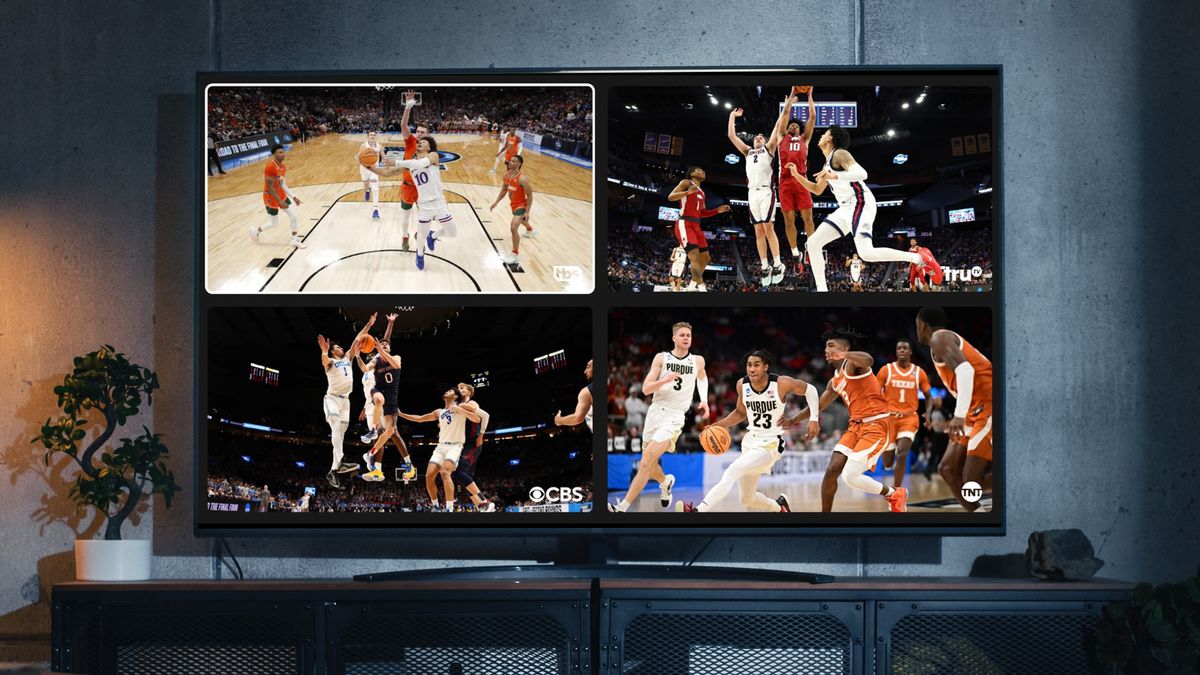
YouTube TV has emerged as a frontrunner for sports fans, largely due to its “Multiview” technology. This feature allows users to watch up to four different games simultaneously on a single screen. Unlike traditional picture-in-picture modes, YouTube TV’s Multiview is processed on the server side rather than the user’s device. This reduces the processing load on your smart TV or streaming stick, preventing the lag and crashes that often plague resource-heavy sports apps. Furthermore, YouTube TV supports 4K Plus add-ons, providing the highest possible bitrate for games broadcast in Ultra High Definition.
Hulu + Live TV and Integration
For those already entrenched in the Disney ecosystem, Hulu + Live TV offers a robust solution. Its primary advantage is the integration of ESPN+ and Disney+ into a single interface. While ESPN+ does not host the main tournament games (which are controlled by Warner Bros. Discovery and CBS), it provides extensive coverage of the conference tournaments and “Selection Sunday” analysis. From a technical standpoint, Hulu’s cloud DVR functionality is highly reliable, utilizing distributed server architecture to ensure that even if millions are recording the same game, the playback remains seamless.
Direct-to-Consumer Apps: Max and Paramount+
The shift toward direct-to-consumer (DTC) technology has changed the landscape for cord-cutters. Paramount+ serves as the digital home for games broadcast on CBS. Their “Premium” tier is essential for those seeking the highest framerates. On the other side, Warner Bros. Discovery’s “Max” (formerly HBO Max) features the B/R Sports Add-on, which streams games airing on TNT, TBS, and truTV. Max utilizes the VVC (Versatile Video Coding) and HEVC (High Efficiency Video Coding) standards to maintain visual fidelity even during high-motion basketball sequences where pixelation is common.
Maximizing the Experience with the NCAA March Madness Live App
While third-party streaming services provide the feed, the official NCAA March Madness Live app is the premier software for the dedicated analyst. Available across iOS, Android, and various smart TV platforms, the app is a masterclass in modern UI/UX design tailored for live sports.
Low-Latency Streaming and “FastBreak”
The biggest enemy of the digital sports fan is latency—the delay between the live action and the stream reaching your screen. The March Madness Live app utilizes advanced Content Delivery Networks (CDNs) to minimize this gap. One of its standout features is “FastBreak,” a whip-around coverage tool that uses automated switching logic to jump viewers to the most exciting game happening at any given moment. This is powered by real-time data feeds that trigger the stream switch based on score margins and clock status.
The Second-Screen Ecosystem
The app is designed to function as a “second-screen” companion. Through synchronized data overlays, viewers can access “ShotTracker” technology. This utilizes an array of sensors and AI-driven image recognition to map every shot taken on the floor in real-time. For users on tablets or smartphones, the app offers interactive brackets that update dynamically as games conclude, using API integrations that ensure your standings are refreshed within seconds of the final whistle.
Accessibility and Cross-Platform Sync
A key technical achievement of the official app is its cross-platform state persistence. If you start watching a game on your office workstation, you can transition to your mobile device or your living room Apple TV without losing your place or having to re-authenticate. This is managed through robust OAuth 2.0 implementations and cloud-based user profiles that track session data in real-time.
Hardware Optimization: Choosing the Right Screen and Device
The software is only as good as the hardware it runs on. To truly appreciate the athleticism of March Madness, your hardware must handle high refresh rates and offer superior color accuracy.

Streaming Sticks vs. Dedicated Boxes
While many smart TVs have built-in apps, dedicated streaming hardware often provides a superior experience due to faster processors and better RAM management. The Apple TV 4K (3rd Gen) is widely considered the gold standard for sports streaming because of its A15 Bionic chip, which handles high-bitrate video decoding effortlessly. Alternatively, the Amazon Fire TV Stick 4K Max supports Wi-Fi 6E, which is crucial for maintaining a stable connection in homes with many connected devices.
The Importance of Refresh Rates and Panel Tech
When watching fast-paced sports like basketball, motion blur is a significant concern. Fans should look for displays with a native 120Hz refresh rate. Technologies like MEMC (Motion Estimation, Motion Compensation) can artificially insert frames to smooth out the action, though many purists prefer the raw 120Hz output.
Regarding panel technology:
- OLED: Offers the best contrast for those watching in dark rooms, ensuring that the black uniforms and stadium shadows are perfectly defined.
- Mini-LED: This is often the better tech for March Madness viewing in bright living rooms. Mini-LED TVs can achieve much higher peak brightness, combating glare while maintaining local dimming zones that prevent “blooming” around the bright scoreboard overlays.
Audio Integration
Don’t overlook the audio hardware. While the squeak of sneakers and the roar of the crowd might seem secondary, a high-fidelity soundstage enhances immersion. Look for hardware that supports Dolby Atmos. Even for broadcasts that are only delivered in 5.1 surround sound, modern AV receivers and soundbars use spatial upscaling algorithms to create a more atmospheric environment, making you feel as though you are sitting courtside.
Solving the Latency Problem: Network Infrastructure
No matter how advanced your TV or app is, your experience will be dictated by your home network. Live sports streaming is one of the most bandwidth-intensive activities a home network can face.
Wired vs. Wireless Connections
Whenever possible, the primary viewing device should be connected via an Ethernet cable (Cat6 or Cat6a). Wired connections eliminate the “jitter” and interference inherent in Wi-Fi, which is often the cause of the dreaded “buffering” wheel. If your streaming device doesn’t have an Ethernet port, USB-to-Ethernet adapters are a cheap and effective tech upgrade.
Wi-Fi 6, 6E, and Mesh Networking
If a wired connection isn’t feasible, your router becomes the most important piece of tech in the house. Wi-Fi 6 (802.11ax) and the newer Wi-Fi 6E (which utilizes the 6GHz band) are game-changers for live streaming. They use a technology called OFDMA (Orthogonal Frequency Division Multiple Access), which allows the router to communicate with multiple devices simultaneously more efficiently.
For larger homes, a Mesh network (like Eero or Google Nest Wifi) ensures that your bandwidth doesn’t drop off as you move further from the modem. This is essential if you plan on hosting a viewing party where multiple guests are also using their phones to check scores and social media.
Optimizing Bandwidth for the Big Game
To ensure your stream gets the lion’s share of the bandwidth, you can access your router’s settings to enable Quality of Service (QoS). This allows you to prioritize traffic to your streaming device or smart TV, ensuring that a background software update on a laptop or a large download on a gaming console doesn’t throttle your March Madness feed.
Emerging Technologies: AI and the Future of the Tournament
The tech used to watch March Madness is moving toward a more personalized, interactive future driven by Artificial Intelligence and machine learning.
AI-Generated Highlights and Stats
Broadcasters are now utilizing AI to generate “near-instant” highlights. Using computer vision, AI can identify a “slam dunk” or a “three-pointer” and automatically clip the footage for social media or app notifications. This technology allows fans to stay updated on games they aren’t actively watching with high-quality video snippets delivered within seconds of the play occurring.
Personalized Viewing Experiences
We are seeing the beginning of AI-driven personalized feeds. Imagine a version of the March Madness Live app that understands your viewing habits and automatically creates a custom dashboard. It could highlight players from your local university or track specific “underdog” storylines based on your previous interaction data.
The Role of Augmented Reality (AR)
While still in its infancy, AR is beginning to play a role in how we digest sports data. Some apps now allow users to point their phones at their TV screens to see 3D player heat maps and advanced metrics superimposed over the live broadcast. This “spatial computing” approach, spearheaded by devices like the Apple Vision Pro, suggests a future where “what to watch March Madness on” might eventually mean a wearable headset that provides a 360-degree virtual courtside seat.
By understanding the synergy between streaming software, high-performance hardware, and robust network infrastructure, you can transform March Madness from a simple viewing habit into a cutting-edge digital experience. Whether you are leveraging YouTube TV’s multiview on a 120Hz Mini-LED display or tracking real-time AI analytics on the official app, the technology available today ensures that you are closer to the court than ever before.
aViewFromTheCave is a participant in the Amazon Services LLC Associates Program, an affiliate advertising program designed to provide a means for sites to earn advertising fees by advertising and linking to Amazon.com. Amazon, the Amazon logo, AmazonSupply, and the AmazonSupply logo are trademarks of Amazon.com, Inc. or its affiliates. As an Amazon Associate we earn affiliate commissions from qualifying purchases.