
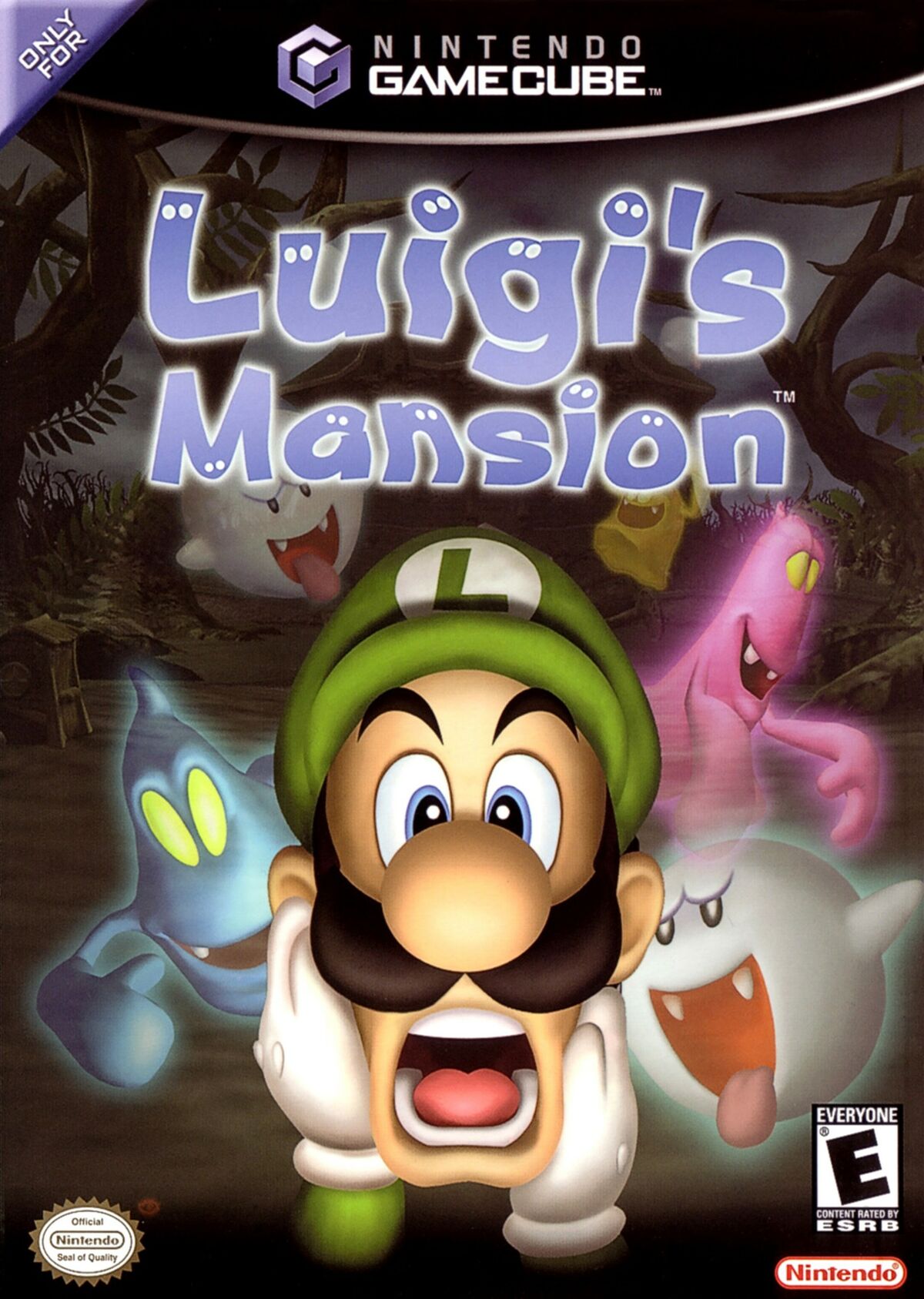
Luigi’s Mansion, the iconic 2001 launch title for the Nintendo GameCube, remains a masterclass in atmosphere, lighting, and physics-based gameplay. While the game was originally designed for a CRT television and a specific purple lunchbox-shaped console, modern PC hardware has transformed how we experience this classic. Achieving the “perfect” setup on a PC involves a synergy of specialized software, precise input peripherals, and graphical enhancements that push the game far beyond its original 480i limitations.
To play Luigi’s Mansion 1 on a PC effectively, you are not just looking for a way to run the code; you are looking to replicate or exceed the tactile response and visual fidelity of the original hardware. This guide breaks down the essential software, hardware, and configuration settings required to turn your PC into the ultimate ghost-hunting machine.
The Emulation Core: Dolphin and System Requirements
The heart of any GameCube experience on PC is the Dolphin Emulator. As an open-source project that has been in development for over two decades, Dolphin is the gold standard for GameCube and Wii emulation. It is renowned for its high compatibility and extensive feature set that allows for modern conveniences like save states, netplay, and high-definition rendering.
Choosing the Right Version
When downloading Dolphin, users are often met with a choice between “Stable” and “Development/Beta” versions. From a technical standpoint, the “Stable” versions are often years out of date. For Luigi’s Mansion, it is highly recommended to use the latest Beta or Development builds. These versions include optimizations for Vulkan and DirectX 12 backends, which are crucial for minimizing shader stutter—a common issue in Luigi’s Mansion due to its heavy use of transparency and lighting effects.
Hardware Specifications
Luigi’s Mansion is surprisingly demanding for an older title because of its complex lighting engine. To play the game at internal resolutions of 1080p or 4K, your hardware needs to meet certain thresholds:
- CPU: Single-core performance is the most critical factor. An Intel Core i5/i7 (10th Gen or newer) or an AMD Ryzen 5000 series processor will handle the game effortlessly.
- GPU: For a baseline experience, an integrated GPU (like Intel Iris Xe) can work, but for 4K upscaling and texture packs, a dedicated GPU like an NVIDIA RTX 3060 or AMD RX 6600 is ideal.
- Backend Selection: In Dolphin’s graphics settings, the Vulkan API is generally the best choice for both AMD and NVIDIA users on Windows and Linux, offering the best balance of speed and stability.
Input Perfection: The Quest for Analog Precision
Perhaps the most important aspect of “what to play with” is the controller. Luigi’s Mansion was built specifically around the GameCube controller’s unique architecture, and playing with a standard mouse and keyboard is highly discouraged as it strips away the nuance of the Poltergust 3000’s mechanics.
The Authentic Choice: GameCube Controller and Adapter
The Poltergust 3000 vacuum utilizes the GameCube controller’s analog triggers to varying degrees. The deeper you press the R-button, the more suction power Luigi exerts. Furthermore, the GameCube triggers feature a physical “click” at the bottom of the pull, which the game uses to toggle certain actions.
To replicate this on PC, the best peripheral is an original GameCube controller paired with a Wii U/Switch to PC USB Adapter (such as the official Nintendo adapter or the Mayflash 4-port adapter). Using Dolphin’s “Direct Connection” mode, the emulator can bypass the Windows driver layer and communicate directly with the adapter, providing 1:1 input accuracy and full analog trigger support without manual calibration.
Modern Alternatives: Xbox and PlayStation Controllers
If you prefer a modern gamepad, the Xbox Series X|S controller or the Sony DualSense are excellent alternatives. However, they require specific configuration in Dolphin:
- Analog Trigger Mapping: Since modern controllers lack the physical “click” of the GameCube trigger, you must map the “Threshold” setting in Dolphin. This ensures that a full pull of the Xbox trigger is recognized by the game as a full R-button press.
- DualSense Features: For those using a PS5 DualSense, the gyro sensors can be mapped to simulate the GameCube’s C-Stick for aiming the vacuum, providing a more “Splatoon-like” motion control experience that many modern players find more intuitive.

Visual Enhancements and Modern Software Optimizations
Playing Luigi’s Mansion on a PC allows you to bypass the technical constraints of 2001. With the right software tweaks, the game can look like a modern indie title or even a native remaster.
Internal Resolution and Anti-Aliasing
The original game ran at a resolution of 640×480. On a modern 1440p or 4K monitor, this results in significant pixelation. Within Dolphin’s “Enhancements” tab, you should set the Internal Resolution to at least 3x (1080p) or higher. Coupling this with 4x MSAA (Multi-Sample Anti-Aliasing) and Anisotropic Filtering (16x) will eliminate jagged edges on Luigi’s character model and the mansion’s architecture, making the environment look crisp and clean.
HD Texture Packs
One of the most transformative ways to play Luigi’s Mansion on PC is by using custom HD Texture Packs. The most famous of these is the “Luigi’s Mansion 4K Texture Pack” by creators like Henriko Magnifico. These packs replace the original low-resolution assets with AI-upscaled or hand-drawn textures.
- Installation: These are typically installed by placing the texture files in the
Load/Texturesfolder within your Dolphin directory. - Impact: This enhances everything from the fabric of Luigi’s overalls to the intricate patterns on the mansion’s wallpaper, bringing a level of detail that was previously invisible.
Widescreen Hacks and 60 FPS Patches
By default, Luigi’s Mansion is a 4:3 aspect ratio game. Dolphin offers a “Widescreen Hack” that forces the game into 16:9. While effective, it can occasionally cause “pop-in” on the edges of the screen where objects weren’t intended to be rendered. A more robust solution is using specific “Gecko Codes” or “Action Replay” codes that adjust the field of view (FOV) more naturally.
Furthermore, while the original game is capped at 30 frames per second, the PC community has developed 60 FPS patches. It is important to note that since the game’s physics are occasionally tied to the framerate, these patches can sometimes cause glitches in ghost behavior. For the most stable experience, 30 FPS with high-quality motion blur or Black Frame Insertion (BFI) on a high-refresh-rate monitor is often preferred by purists.
Technical Refinement: Overcoming Shader Stutter
A common technical hurdle when playing Luigi’s Mansion on PC is “shader compilation stutter.” As you move through the mansion and encounter new ghosts or lighting effects, the emulator must compile the shaders for your specific GPU. This often results in a micro-stutter the first time an effect appears.
Hybrid Ubershaders
To combat this, Dolphin introduced a feature called “Hybrid Ubershaders.” This technology uses a universal shader to render objects while the specific shader is being compiled in the background. Enabling this in the “Shader Compilation” settings is essential for a fluid, stutter-free experience. If you have a high-end GPU, selecting “Exclusive Ubershaders” will provide the smoothest possible output, though it requires significantly more graphical overhead.
Per-Game Configuration
Luigi’s Mansion has a specific “Bounding Box” requirement for certain puzzles (like the ones involving the floating mirrors or certain portrait ghosts). Within Dolphin, you must ensure that “Enable Bounding Box” is checked in the “General” tab of the graphics settings. Without this, certain graphical effects that the game uses to calculate object positions will fail, potentially soft-locking your progress.
Conclusion: The Ultimate Setup
To answer “what to play Luigi’s Mansion 1 with on PC” is to look at a combination of high-fidelity hardware and meticulously tuned software. The ideal technical setup involves:
- Dolphin Emulator (Latest Development Build): Configured with Vulkan and Hybrid Ubershaders.
- Input: An original GameCube controller via a Wii U/Switch USB adapter for perfect analog trigger suction control.
- Visuals: 3x Internal Resolution, an HD Texture Pack, and Widescreen Gecko codes.
- Audio: Setting the DSP HLE emulation to “LLE” (Low Level Emulation) if your CPU can handle it, which provides the most accurate recreation of the game’s iconic, creepy soundscape.
By leveraging these technical tools, the PC version of Luigi’s Mansion becomes more than just an emulation; it becomes the definitive way to experience the title, offering a level of clarity and responsiveness that the original hardware simply could not provide. Whether you are a speedrunner looking for frame-perfect inputs or a casual player wanting to see Luigi in 4K, these tech-driven optimizations ensure the mansion stays haunted in the best way possible.
aViewFromTheCave is a participant in the Amazon Services LLC Associates Program, an affiliate advertising program designed to provide a means for sites to earn advertising fees by advertising and linking to Amazon.com. Amazon, the Amazon logo, AmazonSupply, and the AmazonSupply logo are trademarks of Amazon.com, Inc. or its affiliates. As an Amazon Associate we earn affiliate commissions from qualifying purchases.