
Silicone, in its myriad forms, has become an indispensable material across nearly every facet of modern technology. From enhancing thermal conductivity in microprocessors to sealing critical components against environmental ingress, its properties—flexibility, heat resistance, electrical insulation, and adhesion—make it a material of choice for engineers and manufacturers alike. However, the very characteristics that make silicone so valuable can also present significant challenges when maintenance, repair, or upgrades necessitate its removal. Understanding effective and safe methods for taking silicone off tech devices is crucial for technicians, enthusiasts, and anyone looking to extend the lifespan or improve the performance of their electronic gadgets. This deep dive explores the technical nuances of silicone removal, focusing on common applications in electronics and the precision required to avoid damage.

The Ubiquitous Nature of Silicone in Modern Technology
Silicone’s presence in our daily tech extends far beyond what meets the eye. It’s an unseen hero, quietly enabling the functionality and durability of everything from smartphones to high-performance computing systems. Its versatility stems from its unique silicon-oxygen backbone, which imparts properties distinct from carbon-based organic polymers.
Silicone’s Role in Electronics
In the world of electronics, silicone serves several critical functions. Perhaps most notably, it forms the basis of many Thermal Interface Materials (TIMs), particularly thermal paste. This compound fills microscopic air gaps between a heat-generating component (like a CPU or GPU) and its heatsink, vastly improving heat transfer efficiency. Without it, components would quickly overheat and fail. Silicone is also extensively used in adhesives and sealants, providing strong, flexible bonds that can withstand temperature fluctuations, vibrations, and moisture. These are often found securing delicate components, waterproofing device enclosures, or dampening vibrations. Furthermore, silicone conformal coatings are applied to printed circuit boards (PCBs) to protect against dust, humidity, and chemical contaminants, enhancing reliability in harsh environments. Even many peripheral accessories, such as protective cases for phones and tablets, are made from silicone for its shock absorption and grip properties.
Challenges Posed by Silicone Residues
While beneficial, the very characteristics that make silicone useful—its durability, chemical inertness, and adhesive strength—can make its removal a formidable task. When thermal paste hardens, adhesives cure, or coatings dry, they can cling tenaciously to surfaces. Attempting to remove them improperly can lead to scratched PCBs, damaged components, or even permanent malfunction. Furthermore, some solvents that effectively dissolve silicone might also damage surrounding plastics, labels, or other sensitive electronic parts. The primary challenge lies in finding a removal method that is effective against the silicone without compromising the integrity of the underlying or adjacent tech components. This balance requires a precise understanding of both the silicone material in question and the substrate it adheres to.
Tackling Thermal Interface Materials (TIMs)
One of the most frequent reasons for needing to remove silicone in the tech realm is the maintenance of cooling systems. Over time, thermal paste can dry out, crack, or degrade, reducing its thermal conductivity and necessitating replacement. This is a common procedure for PC builders and repair technicians.
Why Thermal Paste Removal is Crucial
Effective thermal management is paramount for the longevity and performance of CPUs, GPUs, and other high-power semiconductors. Old or poorly applied thermal paste creates a barrier to efficient heat transfer, leading to higher operating temperatures, thermal throttling, reduced performance, and accelerated component degradation. Before applying a fresh layer of TIM, it is absolutely critical to remove all traces of the old paste to ensure optimal contact and performance from the new material. Any leftover residue can create air pockets or uneven surfaces, negating the benefits of new thermal paste.
Recommended Solvents for Thermal Paste
The key to safe thermal paste removal lies in using the right solvent.
Isopropyl Alcohol (IPA) – The Gold Standard
For most thermal pastes, especially those with a silicone base, Isopropyl Alcohol (IPA) is the preferred solvent. It’s readily available, relatively inexpensive, and evaporates quickly without leaving conductive residues. For electronic applications, it’s essential to use IPA with a high purity level, typically 90% concentration or higher (e.g., 91% or 99%). Lower concentrations contain more water, which can take longer to evaporate and potentially cause issues if not completely dry.
Application Method:
- Preparation: Ensure the system is powered off and unplugged. Disconnect the heatsink from the component.
- Saturation: Apply a small amount of high-purity IPA to a lint-free cloth, coffee filter, or specialized electronics cleaning wipe. Avoid direct spraying onto components, which can cause liquid to seep into crevices.
- Wiping: Gently wipe away the thermal paste from both the CPU/GPU die and the heatsink contact plate. Use light, circular motions. For stubborn, caked-on paste, a few drops of IPA directly onto the residue can help soften it before wiping.
- Final Clean: Use a fresh, clean part of the cloth (or a new cloth) with IPA to ensure all residue is gone, leaving a clean, mirror-like surface.
- Drying: Allow the components to air dry completely before reapplying new thermal paste and reassembling. IPA evaporates quickly, but patience ensures no moisture remains.
Specialized Thermal Paste Removers
Several manufacturers offer dedicated thermal paste removers. These products are often formulated with specific solvents that are particularly effective at breaking down the often complex compounds found in high-performance thermal pastes, which might include non-silicone elements. While generally more expensive than IPA, they can be highly effective for very stubborn or old paste residues. Always follow the manufacturer’s instructions precisely when using these specialized cleaners.
Tools and Techniques for Safe Removal
Beyond solvents, the right tools and techniques are vital to prevent damage:
- Lint-free cloths/wipes: Crucial for avoiding microscopic fibers that can interfere with new thermal paste application or leave debris. Coffee filters are an excellent, inexpensive alternative.
- Cotton swabs/Q-tips: Useful for reaching corners and edges of the CPU/GPU die or for cleaning fins on a heatsink.
- Plastic spudgers or scrapers: For very stubborn, dried-on paste, a soft plastic tool can help gently lift chunks without scratching the sensitive IHS (Integrated Heat Spreader) of a CPU or the bare die of a GPU. Never use metal tools.
- Patience and gentle force: Aggressive scrubbing or scraping can scratch the IHS, potentially impacting future thermal performance, or worse, damage the fragile die itself (on GPUs or older CPUs without an IHS).
Removing Silicone-Based Adhesives and Sealants from Devices
Beyond thermal paste, silicone is also used as an adhesive or sealant in many electronic devices, particularly those requiring environmental protection or vibration dampening. Removing these can be more challenging than thermal paste due to their stronger bonding properties and thicker application.
Identifying Silicone Adhesives in Gadgets

Silicone adhesives often appear as a flexible, rubbery material, typically white, clear, or grey, used to bond device enclosures, secure battery packs, or seal ports. They maintain flexibility even when cured and often resist many common organic solvents. Their presence is common in consumer electronics designed for durability or water resistance.
Mechanical Removal Techniques
For thicker beads of silicone adhesive, mechanical removal is often the first step.
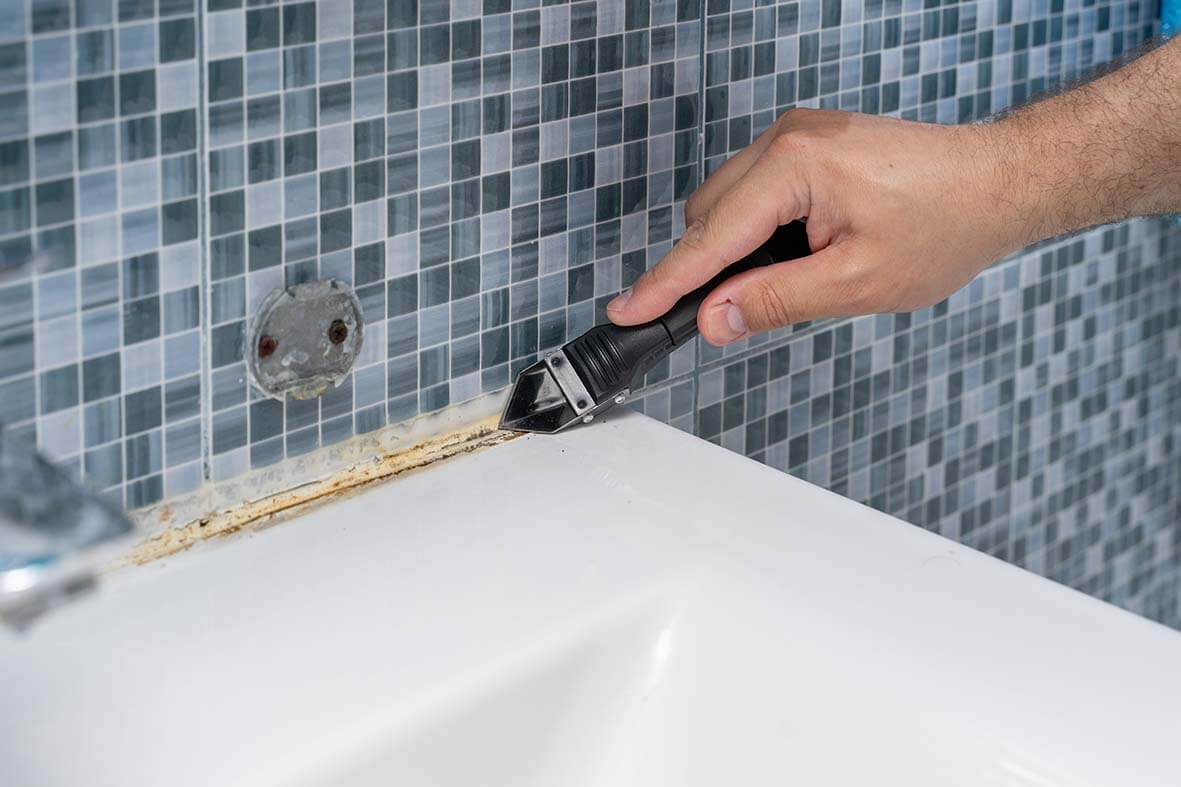
- Plastic Spudgers and Pry Tools: These non-conductive, non-marring tools are essential for carefully prying or scraping away silicone. Their flexibility allows them to conform to curves and edges without digging into delicate surfaces.
- Nylon or Plastic Blades: Small, thin plastic blades can be used to carefully cut through thicker sections of silicone, especially when separating bonded components.
- Heat (Cautiously): In some cases, applying gentle, localized heat with a heat gun (on a low setting and from a safe distance) can soften silicone adhesives, making them more pliable and easier to peel or scrape away. However, heat must be applied with extreme caution to avoid damaging sensitive electronic components, batteries, or plastics. Always keep the heat gun moving.
Chemical Approaches for Adhesives
Mechanical removal alone often leaves behind a thin film or residue. Chemical assistance is usually necessary for a clean finish.
Solvents for Stronger Bonds (with strong caveats)
While IPA is good for thermal paste, it’s generally ineffective against cured silicone adhesives. Stronger solvents might be needed, but these come with significant risks to other materials in the device.
- Mineral Spirits / Paint Thinner: Can sometimes soften silicone, but it’s an aggressive solvent.
- Naphtha (Lighter Fluid): Another potential solvent, but highly flammable.
- Toluene / Xylene: Very strong solvents, highly effective against many silicones, but extremely aggressive to plastics, paints, and rubber. Their use in electronics is generally discouraged outside of controlled professional environments due to material compatibility issues and health risks.
Crucial Warning: Before using any aggressive solvent, always test it on an inconspicuous area of the material (e.g., the chassis, a hidden plastic piece) to ensure it doesn’t cause melting, discoloration, or degradation. Most of these solvents are not safe for direct application on PCBs or near sensitive components.
Commercial Adhesive Removers
Several commercial products are marketed as silicone or adhesive removers. These are often formulated to be more effective than general solvents against silicone and may contain specific chemical compounds designed to break down the silicone polymer chains. Again, checking the product’s safety data sheet (SDS) and material compatibility claims is essential. These are typically used for industrial or construction applications, so their suitability for delicate electronics must be carefully vetted.
Safety Precautions and Material Compatibility
When dealing with silicone adhesives:
- Ventilation: Work in a well-ventilated area, especially when using strong solvents.
- Personal Protective Equipment (PPE): Wear gloves and eye protection.
- Component Protection: Mask off or protect any components or materials that could be damaged by the solvent or mechanical action.
- Slow and Steady: Rushing the process increases the risk of damaging the device.
Cleaning Silicone-Coated Components and Protective Layers
Silicone conformal coatings are applied to PCBs to protect them from moisture, chemicals, and dust. Their removal is usually only necessary for repair or rework.
Conformal Coatings and Their Removal
Removing a silicone conformal coating is a more intricate task than removing thermal paste. These coatings are designed to be durable and chemically resistant.
- Chemical Strippers: Specialized chemical strippers are available specifically for silicone conformal coatings. These are often proprietary formulas and must be used strictly according to manufacturer instructions. They work by breaking down the silicone polymer. Extreme care is needed to ensure the stripper does not damage the underlying components or the PCB itself.
- Micro-abrasive Blasting: For certain industrial applications, micro-abrasive blasting (using fine plastic beads or other media) can physically abrade the coating off. This is a highly specialized technique not suitable for home users.
- Mechanical Removal (Localized): For small areas needing rework, careful scraping with a sharp, non-conductive tool (like a fiberglass scratch brush or a scalpel, with extreme caution) can remove the coating locally. This requires a very steady hand and often a microscope.
The choice of method depends on the type of silicone coating, the sensitivity of the underlying components, and the extent of the area needing removal. Often, it’s a balance between chemical and mechanical processes.
Advanced Considerations and Preventing Damage
Precision in silicone removal in tech isn’t just about using the right chemical; it’s about a holistic approach to device handling and safety.
ESD Protection and Component Handling
Always remember that you are working with sensitive electronic components. Electrostatic Discharge (ESD) protection is paramount. Use an ESD wrist strap connected to a grounded point (e.g., the metal chassis of the computer or a grounded mat). Handle PCBs and components by their edges, minimizing contact with pins, solder joints, or exposed circuitry. Oils from your skin can also leave residues that can affect performance or attract dust.
Testing Compatibility and Residue Management
Before applying any new solvent or chemical to a critical component, always perform a compatibility test on a hidden or non-critical area if possible. This helps prevent unexpected damage like plastic melting or discoloration. After removal, ensure that all solvent residues are thoroughly evaporated and cleaned. Any leftover chemical residue could lead to corrosion, short circuits, or performance issues. High-purity IPA is excellent for final cleanup of solvent residues.
When to Seek Professional Assistance
For complex repairs, the removal of specialized silicone adhesives or coatings, or when you are unsure about the safety or efficacy of a particular method, it’s always best to seek professional assistance. Repair technicians have access to specialized tools, chemicals, and expertise that can safely handle intricate tasks, minimizing the risk of irreparable damage to valuable electronic devices. Attempting an aggressive removal method without proper knowledge can turn a minor issue into a costly repair or replacement.
aViewFromTheCave is a participant in the Amazon Services LLC Associates Program, an affiliate advertising program designed to provide a means for sites to earn advertising fees by advertising and linking to Amazon.com. Amazon, the Amazon logo, AmazonSupply, and the AmazonSupply logo are trademarks of Amazon.com, Inc. or its affiliates. As an Amazon Associate we earn affiliate commissions from qualifying purchases.