
In the ever-evolving landscape of digital communication, Zoom has become an indispensable tool for businesses, educators, and individuals alike. While most users are familiar with the desktop client or mobile app for joining and hosting meetings, a powerful, often overlooked component lies at the heart of Zoom’s comprehensive ecosystem: the Zoom Web Portal. Far more than just an online interface to start a meeting, the web portal serves as the central administrative hub, a sophisticated control panel that empowers account owners and administrators to manage every facet of their Zoom environment. It’s the critical backend that transforms Zoom from a simple meeting app into a scalable, secure, and customizable communication platform. Understanding its functions is key to leveraging Zoom’s full capabilities, ensuring optimal performance, robust security, and seamless integration for an entire organization.
Beyond the Meeting Room: Understanding the Core Functionality
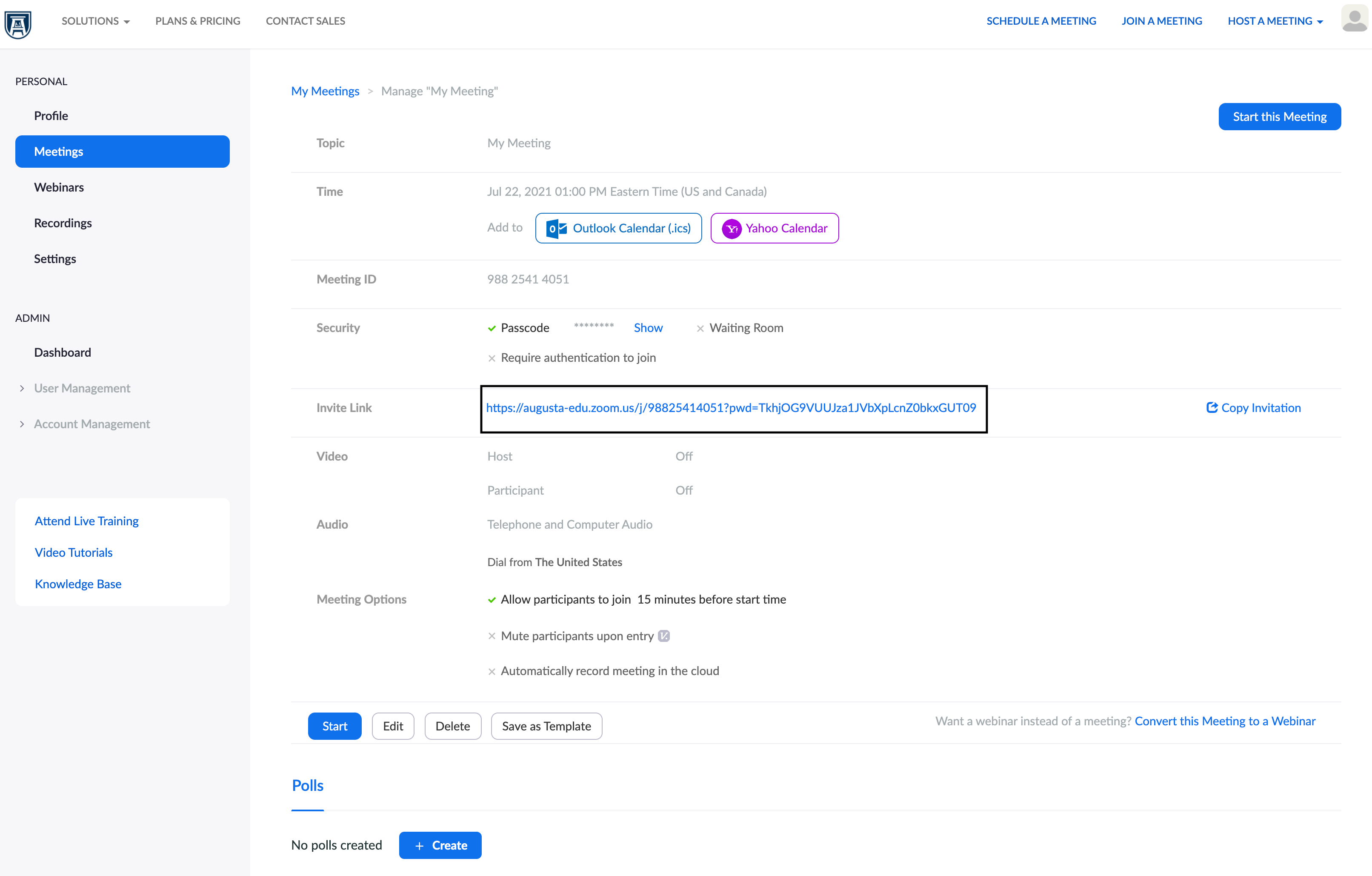
The Zoom Web Portal is where the strategic management of your Zoom account takes place, offering a comprehensive suite of tools that extend far beyond the immediate act of joining or starting a video call. It’s the nerve center for configuration, security, and administrative oversight.
Centralized Administration and User Management
For organizations large and small, managing user access and permissions is paramount. The web portal provides a single, intuitive interface for these critical tasks. Account owners and administrators can effortlessly add new users, assign specific roles, and manage user groups. This hierarchical control allows for granular permission settings, ensuring that each team member has access to the tools they need without compromising security or account integrity. For instance, an administrator can designate specific users as ‘hosts’ with scheduling privileges, while others might be limited to attendee roles. Furthermore, the ability to manage pending users, disable or delete accounts, and reset passwords directly from the portal streamlines IT operations and enhances accountability. This centralized approach drastically reduces administrative overhead and ensures consistency across the entire Zoom deployment.
Account Settings and Configuration
The sheer depth of customizable settings available through the Zoom Web Portal is astounding, enabling organizations to tailor their Zoom experience to precise requirements. From fundamental meeting options to advanced security protocols, everything is configurable here. Administrators can set default meeting settings, such as enabling waiting rooms, requiring passcodes, or automatically recording meetings, ensuring a consistent and secure experience for all users within the account. Branding elements, such as custom backgrounds for virtual waiting rooms or logos in email templates, can be uploaded and managed, reinforcing corporate identity. Furthermore, granular control over features like polling, breakout rooms, in-meeting chat, and file transfer allows admins to enable or disable functionalities based on organizational policy or specific use cases, thereby optimizing the user experience while maintaining control.
Billing and Plan Management
Financial oversight is another critical function housed within the Zoom Web Portal. This section provides a transparent view of the organization’s subscription plans, usage data, and billing history. Account owners can easily upgrade or downgrade their Zoom plans, add licenses for additional hosts, webinars, or Zoom Phone users, and manage payment methods. Detailed invoices are accessible, simplifying expense tracking and budgeting. This self-service capability eliminates the need for direct contact with Zoom sales for routine adjustments, empowering administrators to scale their Zoom services dynamically in response to business needs, whether it’s expanding capacity for a growing team or adding advanced features for a specific project.
Key Features for Enhanced Collaboration and Security
The strategic importance of the Zoom Web Portal becomes even clearer when examining its role in enabling advanced collaboration features and robust security measures, both critical for modern digital workplaces.
Meeting, Webinar, and Phone System Management
Beyond basic meeting setup, the portal offers sophisticated tools for managing large-scale events and communication infrastructure. For administrators, it’s possible to set up webinar licenses, assign alternative hosts, manage Q&A and polling settings, and review attendee reports post-event. This is crucial for marketing teams running large webinars or training departments conducting virtual workshops. Similarly, for organizations leveraging Zoom Phone, the portal is where extensions are managed, call routing policies are configured, phone numbers are provisioned, and usage analytics are reviewed. The ability to create meeting templates, which pre-configure settings for recurring meetings or specific types of events, saves time and ensures consistency across the organization. This holistic management capability ensures that all communication channels—from one-on-one video calls to global webinars and VoIP telephony—are centrally managed and optimized.
Security and Compliance Controls
In an era of heightened cybersecurity concerns, the Zoom Web Portal stands as the first line of defense for an organization’s virtual communications. It provides an extensive array of security controls that administrators can deploy to protect sensitive information and prevent unauthorized access. This includes configuring Single Sign-On (SSO) for streamlined and secure user authentication, enforcing advanced encryption standards, and setting data retention policies for recorded meetings and chat logs to meet regulatory compliance requirements. Admins can also manage cloud recording settings, determining where recordings are stored, who can access them, and for how long. Features like domain restrictions, which allow only users from specific email domains to join certain meetings, and the ability to lock meetings or remove participants, provide real-time control over meeting security. These tools are indispensable for maintaining data privacy and ensuring that Zoom usage aligns with organizational security policies and industry regulations.
Integrations and Add-ons
The Zoom ecosystem extends far beyond its core video conferencing capabilities, thanks to a vast marketplace of integrations and add-ons, all discoverable and often manageable via the web portal. Administrators can browse, install, and manage integrations with popular business applications such as calendar systems (Google Calendar, Outlook Calendar), CRM platforms (Salesforce), learning management systems (Canvas), and project management tools (Slack, Asana). These integrations streamline workflows, automate tasks, and enhance productivity by connecting Zoom with the tools teams already use. For example, scheduling a Zoom meeting directly from a CRM can automatically log the interaction, or a Slack integration can instantly notify a channel when a Zoom meeting starts. The portal provides oversight of these connections, ensuring compatibility and managing permissions for third-party applications accessing Zoom data.

Navigating the Portal: A User’s Perspective
While primarily an administrative tool, individual users within an organization also interact with the Zoom Web Portal, leveraging it for personal settings management, accessing recordings, and reviewing their own usage.
Personal Profile and Settings
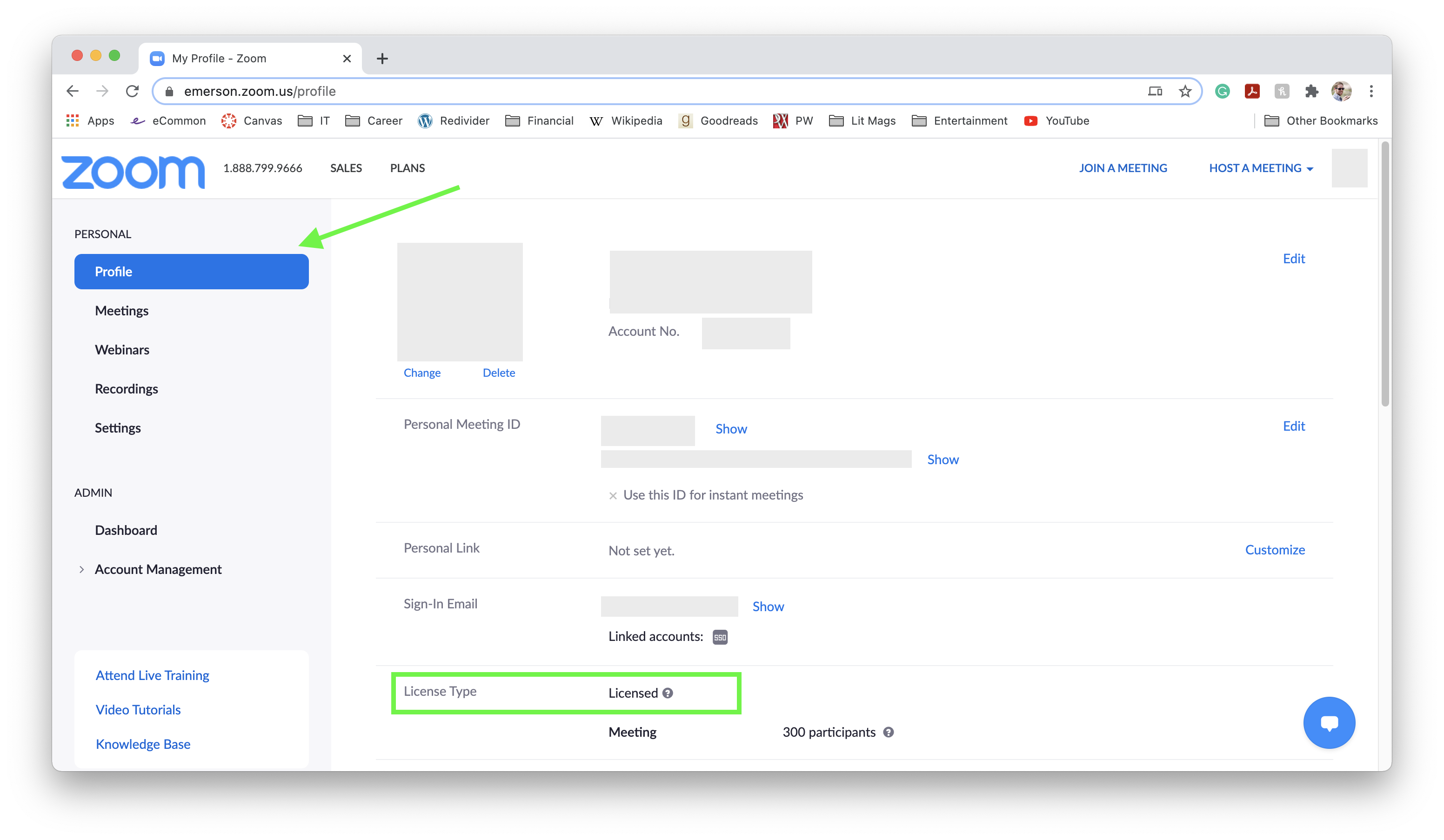
Every Zoom user has a personal profile within the web portal, distinct from their organization’s overall account settings. Here, individual users can customize their display name, profile picture, time zone, and personal meeting ID. More importantly, they can manage their own meeting settings, such as enabling their personal waiting room, setting specific audio and video preferences, and configuring notifications. This allows users to fine-tune their personal Zoom experience without requiring administrator intervention for minor adjustments. Users can also access and manage their cloud recordings, viewing, sharing, or deleting content they have personally created. This blend of individual customization within a centrally managed framework offers both flexibility and control.
Reporting and Analytics
For administrators, the reporting features are a goldmine of information, providing deep insights into how Zoom is being used across the organization. The web portal offers a comprehensive suite of reports, including usage reports detailing meeting duration, participant counts, and host activity; meeting quality reports for troubleshooting; and participant reports providing granular data on who attended which meeting and for how long. Webinar and Zoom Phone reports offer similar detailed analytics. This data is invaluable for capacity planning, performance monitoring, and understanding user engagement. Beyond administrators, individual users can often access their own personal usage reports, providing a snapshot of their own meeting history and activity, which can be useful for personal productivity tracking or billing purposes in professional contexts.
Branding and Customization (if applicable to the account type)
For organizations with specific account types (e.g., Business, Enterprise, Education), the Zoom Web Portal allows for a significant degree of branding and customization. This goes beyond just a profile picture or waiting room image. Administrators can configure vanity URLs for meetings (e.g., mycompany.zoom.us/j/meetingID), create custom landing pages for joining meetings, and tailor email templates for meeting invitations and notifications to match corporate branding guidelines. This ensures a consistent and professional brand image across all Zoom interactions, reinforcing organizational identity and providing a cohesive user experience for both internal and external stakeholders.
Who Benefits Most from the Zoom Web Portal?
While everyone who uses Zoom implicitly benefits from the robust infrastructure and controls managed through the web portal, certain roles and groups derive the most direct advantage from its comprehensive capabilities.
IT Administrators and Account Owners
Without question, IT administrators and Zoom account owners are the primary beneficiaries of the web portal. For them, it is the indispensable tool for managing the entire organizational Zoom environment. They are responsible for user provisioning, security policy enforcement, system configuration, troubleshooting, and ensuring compliance. The portal provides the necessary levers to maintain system stability, secure data, and optimize performance for hundreds or thousands of users. It empowers them to implement security best practices, integrate with existing enterprise systems, and troubleshoot issues proactively, making their role significantly more efficient and impactful.
Team Leaders and Department Heads
While not operating at the same global scale as IT administrators, team leaders and department heads can leverage specific aspects of the web portal for managing their respective groups. They might be granted specific permissions to manage meeting settings for their team, access usage reports for their department, or configure breakout room settings for team-specific training sessions. This delegated authority allows for localized management and customization, freeing up central IT resources while empowering departmental leaders to tailor Zoom usage to their team’s unique needs and workflows.
Event Organizers and Marketing Professionals
For those tasked with planning and executing virtual events—from large-scale corporate webinars to product launches and online conferences—the Zoom Web Portal is a critical asset. Marketing professionals and event organizers rely on its advanced webinar management features, branding options, registration customization, and post-event reporting. They can manage panelists, pre-assign roles, review Q&A logs, and analyze attendee engagement, all from the portal. The ability to integrate with marketing automation platforms and CRM systems further enhances their capacity to manage event logistics and follow-up activities effectively, turning virtual events into powerful lead generation and engagement tools.
Conclusion
The Zoom Web Portal is far more than a supplementary interface; it is the strategic backbone of any robust Zoom deployment. From meticulous user management and stringent security controls to expansive customization options and invaluable analytics, it provides account owners and administrators with the unparalleled power to shape their organization’s virtual communication landscape. For individual users, it offers a personalized space to manage settings and content, while for specialized roles like IT administrators, marketing professionals, and team leaders, it is an indispensable toolkit for efficiency, security, and strategic advantage. Understanding and actively utilizing the Zoom Web Portal is not just about managing a software; it’s about unlocking the full potential of a global communication platform, ensuring that every interaction is secure, seamless, and perfectly aligned with organizational objectives. It transforms Zoom from a simple meeting application into a sophisticated, scalable enterprise solution.
aViewFromTheCave is a participant in the Amazon Services LLC Associates Program, an affiliate advertising program designed to provide a means for sites to earn advertising fees by advertising and linking to Amazon.com. Amazon, the Amazon logo, AmazonSupply, and the AmazonSupply logo are trademarks of Amazon.com, Inc. or its affiliates. As an Amazon Associate we earn affiliate commissions from qualifying purchases.