
In the vast, interconnected landscape of the 21st century, we interact with the internet through user-friendly labels—domain names like Google.com or Wikipedia.org. However, beneath this layer of human-readable text lies a complex, numerical infrastructure that powers every click, stream, and download. At the heart of this infrastructure is the IP address. If a domain name is the name of a business, the site IP is its exact physical coordinate on the global map of servers.
Understanding what a site IP is, how it functions, and how to manage it is essential for developers, cybersecurity professionals, and tech enthusiasts alike. This guide explores the technical foundations of IP addresses, their relationship with the Domain Name System (DNS), and the critical role they play in modern web performance and security.
Decoding the Anatomy of a Site IP Address
An IP (Internet Protocol) address is a unique numerical identifier assigned to every device connected to a computer network. When we talk about a “site IP,” we are specifically referring to the address of the server (or group of servers) that hosts a website’s files and databases.
IPv4 vs. IPv6: The Evolution of Connectivity
For decades, the standard for web addressing was IPv4 (Internet Protocol version 4). These addresses are composed of four sets of numbers ranging from 0 to 255, separated by periods (e.g., 192.168.1.1). While this system allowed for approximately 4.3 billion unique addresses, the explosion of the Internet of Things (IoT) and mobile devices led to “IP exhaustion.”
To solve this, IPv6 was introduced. These addresses use a 128-bit format, represented as eight groups of four hexadecimal digits (e.g., 2001:0db8:85a3:0000:0000:8a2e:0370:7334). IPv6 provides an almost infinite number of addresses, ensuring that every smart device and web server can have a unique identity for the foreseeable future.
Public vs. Private IPs: Where the Website Resides
It is important to distinguish between public and private IP addresses. A site IP is a public IP. It is reachable via the open internet and is routed globally. In contrast, a private IP address is used within a local network (like your home or office Wi-Fi) and is not visible to the outside world. When you type a URL into your browser, your request travels through your local network out to the public IP of the web server, which then sends the data back to your router’s public IP.
How to Find the IP Address of Any Website
Finding the IP address of a website is a fundamental skill for network troubleshooting, server migration, and security auditing. While we usually rely on DNS to do the heavy lifting, there are several ways to manually “ping” a site to reveal its numerical coordinates.
Using Command-Line Tools (Ping and NSLookup)
The most direct way to find a site’s IP is through the command-line interface (CLI) on your computer.
-
The Ping Command: By opening the Command Prompt (Windows) or Terminal (macOS/Linux) and typing
ping example.com, your computer sends a small packet of data to the server. The server responds, and the utility displays the IP address it communicated with. -
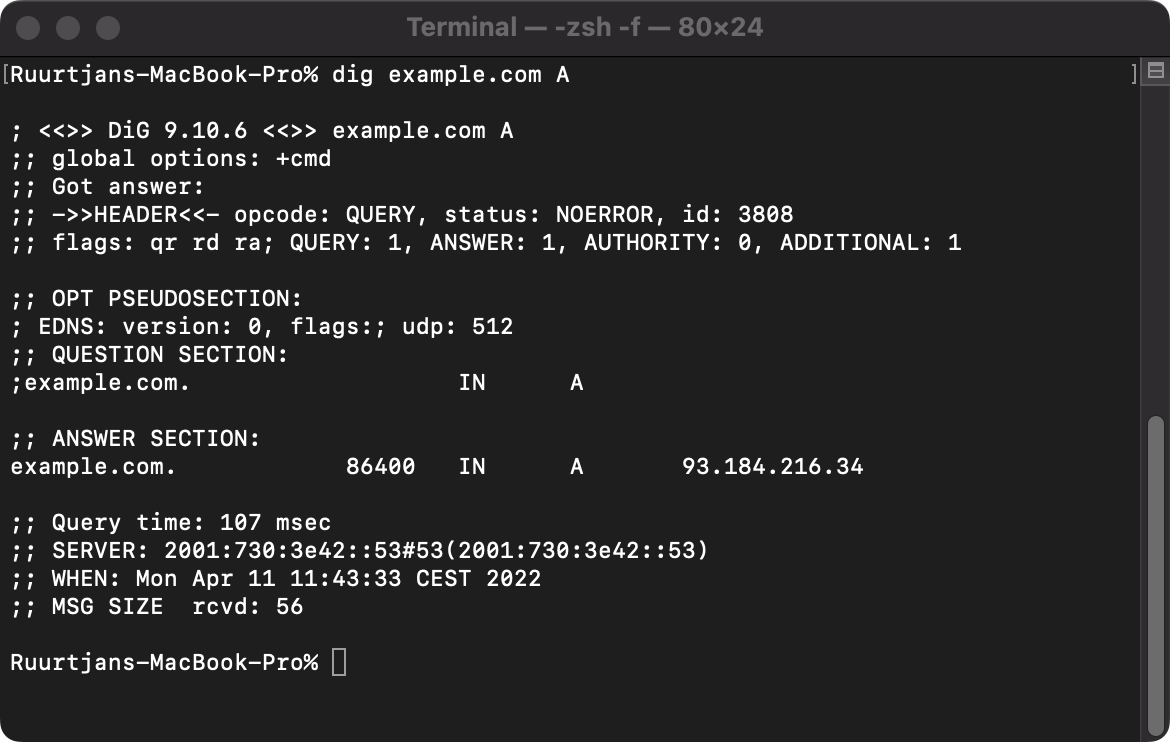
NSLookup: For more detailed information, the
nslookupcommand is invaluable. Typingnslookup example.comqueries the DNS servers directly to show you the IP addresses associated with that domain. This is particularly useful for identifying if a site is using multiple IPs for load balancing.
Leveraging Online IP Lookup Services
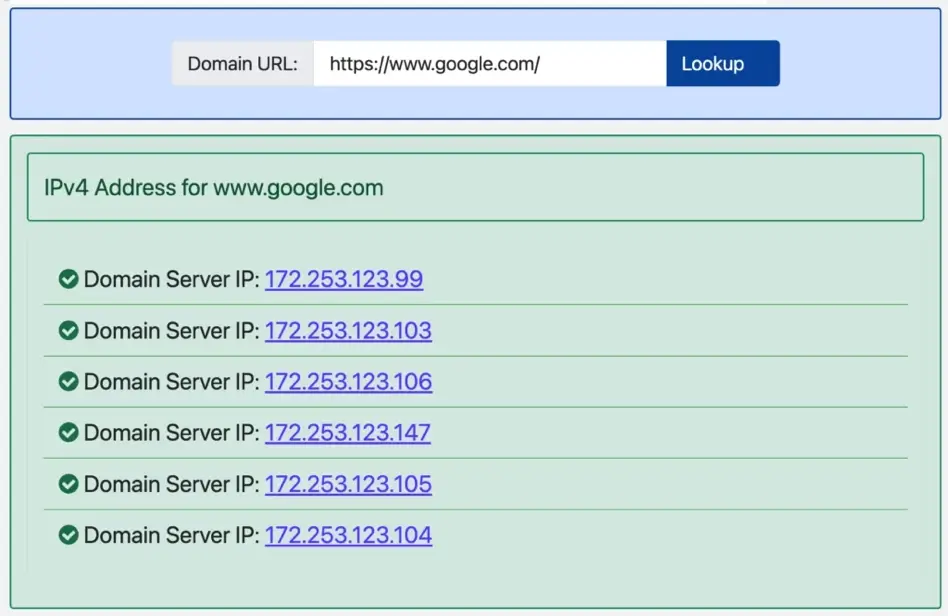
For those who prefer a graphical interface, numerous web-based tools provide IP lookups. Websites like “Whois.com” or “WhatIsMyIP.com” allow users to enter a domain name and receive a comprehensive report. These reports often include not just the IP address, but also the hosting provider, the physical location of the data center, and the ASN (Autonomous System Number) which identifies the network operator.
Browser-Based Inspection Methods
Modern web browsers also offer tools to see the IP address of the site you are currently visiting. By using the “Developer Tools” (F12) and navigating to the “Network” tab, you can refresh the page and click on the primary domain request. Under the “Headers” section, the “Remote Address” field will display the specific IP and port used to establish the connection.

The Interplay Between DNS and IP Addresses
The relationship between a domain name and a site IP is governed by the Domain Name System (DNS). Often described as the “phonebook of the internet,” DNS is what allows humans to use words while computers use numbers.
The “Phonebook of the Internet”: How DNS Resolution Works
When you enter a URL, a multi-step “resolution” process begins. Your computer first checks its local cache to see if it remembers the IP. If not, it asks a recursive resolver (usually provided by your ISP). The resolver then queries Root Servers, TLD (Top Level Domain) servers, and finally the Authoritative Name Servers for the specific domain. Each step brings the requester closer to the definitive IP address of the site. This process happens in milliseconds, but it is the invisible glue holding the web together.
Understanding A Records and CNAMEs
Within the DNS settings of a website, different types of records manage how traffic is directed:
-
A Records: The most basic record, which maps a domain name directly to an IPv4 address.
-
AAAA Records: Similar to an A record, but it maps a domain to an IPv6 address.
-
CNAME (Canonical Name): Instead of pointing to an IP, a CNAME points one domain to another domain. This is often used to point a subdomain (like
blog.example.com) to a main domain or a third-party service like Shopify or Zendesk.
Shared vs. Dedicated IP Addresses: Impact on Performance and Security
In the world of web hosting, not all IP addresses are utilized the same way. The choice between a shared and a dedicated IP can have significant technical implications.
The Shared Hosting Environment and Neighbors
Most entry-level websites operate on a Shared IP. This means that dozens, or even hundreds, of different websites are all hosted on the same server and share the same IP address. The server uses “Host Headers” to determine which website’s files to serve when a request arrives.
The primary risk of a shared IP is “neighbor noise.” If one website on that IP is flagged for sending spam or hosting malware, the IP address could be blacklisted. This might affect the email deliverability or search engine visibility of every other “innocent” website sharing that same address.
Why Your Business Might Need a Dedicated IP
A Dedicated IP means that a single website has its own unique address. While no longer strictly required for SSL/TLS certificates (thanks to SNI technology), dedicated IPs offer several technical advantages:
-
Direct Access: You can access your server via the IP address without waiting for DNS propagation.
-
Reputation Control: You are the only one responsible for the reputation of that IP, which is crucial for high-volume email marketing.
-
Specific Software Requirements: Certain legacy applications or high-end security configurations require a dedicated IP to function correctly.
Security and Technical Implications of Site IPs
From a technical standpoint, the site IP is a critical component of a company’s security posture. It is both a point of entry and a potential vulnerability.
IP Reputation and Email Deliverability
Mail servers across the globe maintain “reputation scores” for IP addresses. If your site IP has been associated with malicious activity, your outgoing emails will likely end up in spam folders. Tech administrators must constantly monitor blacklists (such as Spamhaus or Barracuda) to ensure their site IP remains in good standing. If an IP becomes “burned,” migrating to a new one can be a lengthy and technical process.
Using IP Addresses for Troubleshooting and Geo-Location
For developers, the site IP is a primary diagnostic tool. If a website is “down,” the first step is usually to check if the IP is reachable via a ping test. This helps determine if the issue lies with the DNS configuration or the actual web server hardware.
Furthermore, IP addresses allow for Geo-Location. By analyzing the IP, services can determine the approximate physical location of the server. This is used by Content Delivery Networks (CDNs) like Cloudflare or Akamai to route users to the “edge server” closest to them, significantly reducing latency. When you access a major global site, the IP you see might be different from the IP a user sees in another country, as the site uses “Anycast” IP routing to optimize speed.
In conclusion, while the average user may never need to see a site IP, it remains the fundamental bedrock of web technology. From the transition to IPv6 to the nuances of DNS resolution and IP reputation, understanding these numerical identifiers is key to navigating and securing the modern digital landscape. Whether you are troubleshooting a server or optimizing for global performance, the site IP is the definitive source of truth in a world of domain aliases.
aViewFromTheCave is a participant in the Amazon Services LLC Associates Program, an affiliate advertising program designed to provide a means for sites to earn advertising fees by advertising and linking to Amazon.com. Amazon, the Amazon logo, AmazonSupply, and the AmazonSupply logo are trademarks of Amazon.com, Inc. or its affiliates. As an Amazon Associate we earn affiliate commissions from qualifying purchases.