
In the modern landscape of commerce, the difference between a thriving enterprise and a failing venture often boils down to one critical factor: financial clarity. For decades, business owners and accounting professionals have sought a unified solution to bridge the gap between daily operations and long-term fiscal health. QuickBooks, developed by Intuit, has emerged as the definitive answer to this search. At its core, QuickBooks is a comprehensive financial management suite designed to automate bookkeeping, track expenses, manage payroll, and provide real-level insights into a company’s financial trajectory.
This article explores QuickBooks through the lens of business finance, examining how it functions as an essential tool for maintaining liquidity, ensuring tax compliance, and driving strategic growth.
1. Navigating the QuickBooks Ecosystem: Tailoring Tools to Financial Needs
The versatility of QuickBooks lies in its diverse product ecosystem. Because financial requirements vary wildly between a freelance graphic designer and a multi-state manufacturing firm, QuickBooks offers distinct versions tailored to different scales of operation.
QuickBooks Online: The Cloud-Based Finance Hub
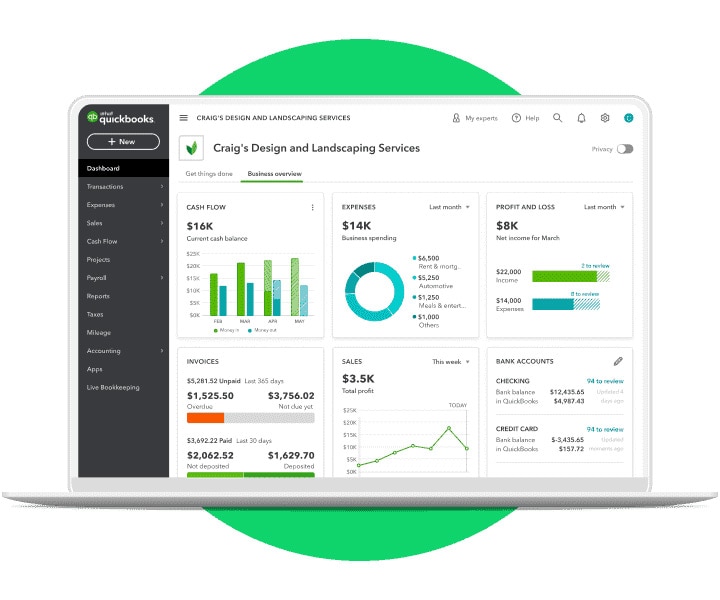
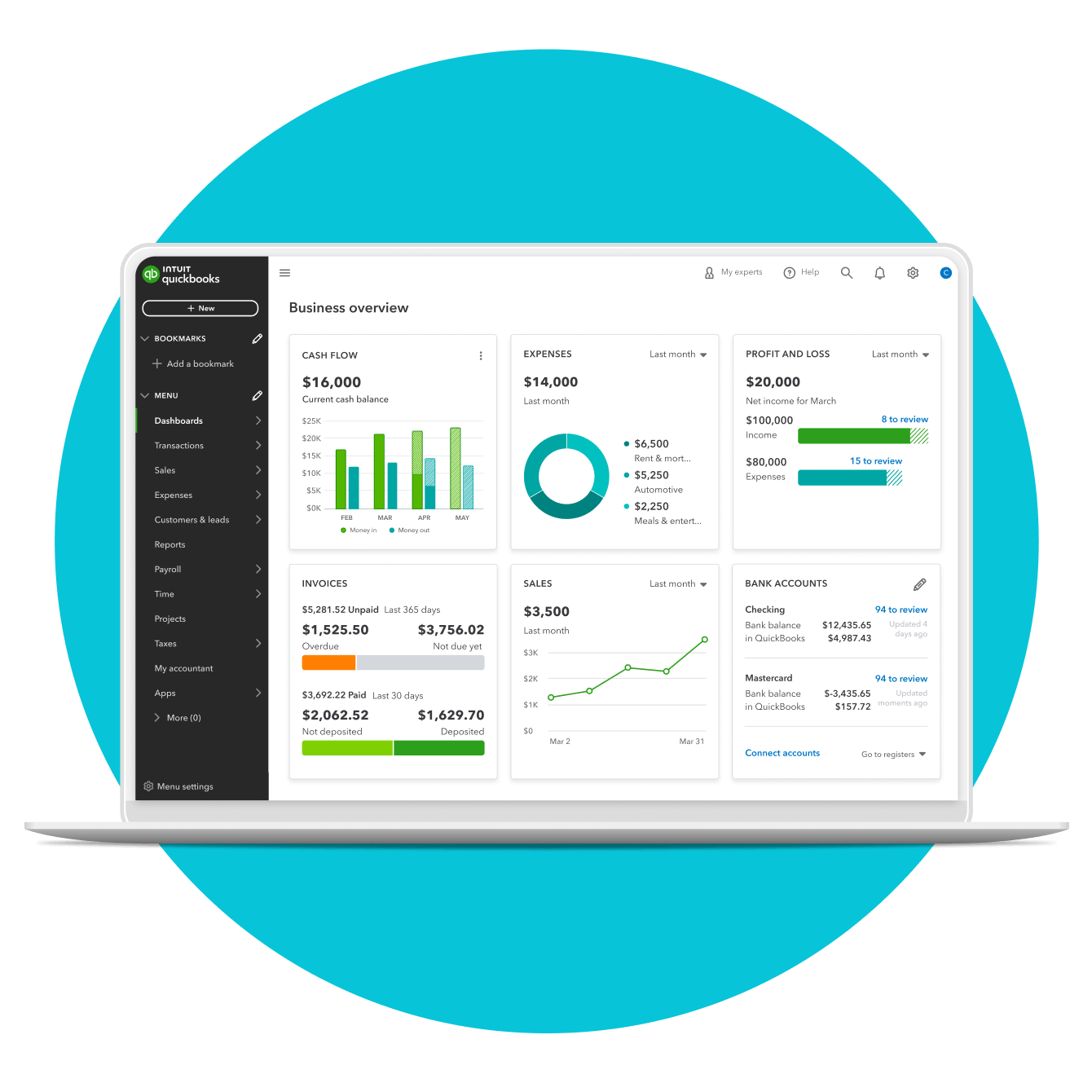
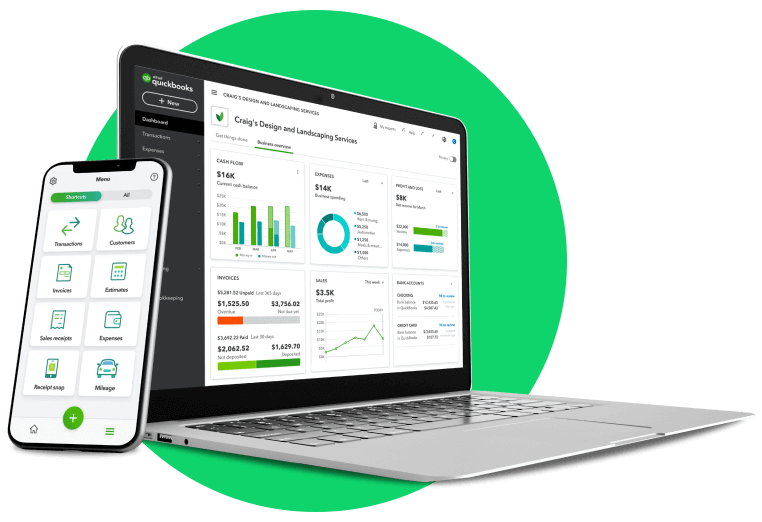
QuickBooks Online (QBO) has become the standard for modern small-to-medium businesses (SMBs). Operating on a SaaS (Software as a Service) model, it allows business owners to access their financial data from any location. From a financial management perspective, QBO’s primary advantage is its real-time data synchronization. By linking directly to business bank accounts and credit cards, the software provides a live snapshot of cash flow, allowing for agile decision-making that traditional, static ledgers cannot support.
QuickBooks Desktop: Robust Power for Complex Accounting
While the world is moving toward the cloud, QuickBooks Desktop remains a powerhouse for businesses with complex inventory needs or those operating in industries with niche accounting requirements, such as construction or manufacturing. It offers deep-dive reporting capabilities and advanced job costing features. For a Chief Financial Officer (CFO), the Desktop version provides a granular level of control over the “General Ledger” that is often necessary for high-volume transactions and intricate audit trails.
QuickBooks Self-Employed: Managing the “Side Hustle” Economy
For independent contractors and freelancers, the primary financial challenge is often separating personal expenses from business deductions. QuickBooks Self-Employed is a specialized tool within the Money niche that focuses on tax readiness. It tracks mileage, categorizes business versus personal spending, and calculates quarterly estimated tax payments, ensuring that the user is never caught off guard by the IRS at year-end.
2. Streamlining Business Finance Operations and Cash Flow
Managing money is not just about counting it; it is about controlling the flow. QuickBooks serves as a central nervous system for a company’s capital, automating the tedious processes that once required a team of bookkeepers.
Automated Reconciliation and Bank Feeds
One of the most significant hurdles in business finance is bank reconciliation—the process of ensuring that your internal records match your bank statements. QuickBooks automates this by pulling “Bank Feeds” directly into the software. This reduces human error and ensures that the “Books” are always accurate. When a business has an accurate view of its available capital, it can better manage its “Burn Rate” and ensure it has enough runway for future projects.
Optimizing Accounts Receivable and Payable
Profit on paper is meaningless if a business lacks liquidity. QuickBooks addresses this through its sophisticated Accounts Receivable (AR) and Accounts Payable (AP) modules. By automating invoicing, setting up recurring payments, and providing “Pay Now” buttons for clients, the software accelerates the “Cash Conversion Cycle.” On the flip side, the AP features allow business owners to track upcoming bills, manage vendor relationships, and avoid late fees, thereby protecting the company’s credit score and cash reserves.
Integrated Payroll and Tax Compliance
Payroll is often a company’s largest expense and its greatest legal liability. QuickBooks integrates payroll directly into the accounting workflow. This ensures that every dollar paid to an employee is correctly categorized for tax purposes. The software automatically calculates, files, and pays local, state, and federal payroll taxes. In the world of business finance, this “compliance-as-a-service” model is invaluable, as it mitigates the risk of costly IRS penalties and audits.
3. Financial Reporting: Data-Driven Insights for Strategic Growth
The true power of QuickBooks is not found in the data entry, but in the data output. For an entrepreneur or an investor, the reports generated by QuickBooks are the primary instruments used to measure the health and viability of a business.
The Profit and Loss Statement (P&L)
The P&L statement is the heartbeat of any business. QuickBooks generates this report with a single click, allowing owners to see their total income minus their expenses over a specific period. By analyzing the P&L through QuickBooks, a business owner can identify “cost leaks”—areas where expenses are exceeding projections—and make immediate corrections to maintain profitability.
Balance Sheets and Cash Flow Forecasting
While the P&L shows performance, the Balance Sheet shows stability. It lists assets, liabilities, and equity. For businesses seeking a loan or outside investment, a clean balance sheet generated by QuickBooks is an essential document. Furthermore, the software’s forecasting tools allow managers to project future cash flow based on historical data. This foresight is critical for planning capital expenditures (CAPEX), such as purchasing new equipment or expanding into new markets.
Custom Reporting for Niche KPIs
Every industry has specific Key Performance Indicators (KPIs). A retail store might focus on “Inventory Turnover,” while a law firm focuses on “Billable Hours.” QuickBooks allows for custom report building, enabling finance professionals to track the specific metrics that drive their unique business model. This level of insight transforms the software from a simple record-keeping tool into a strategic asset.
4. Scaling Revenue Through Advanced Financial Features
As a business grows, its financial needs evolve from simple “tracking” to complex “optimization.” QuickBooks offers several advanced features designed to help businesses scale their revenue and manage more complicated financial structures.
Inventory Management and Cost of Goods Sold (COGS)
For businesses that sell physical products, managing inventory is a delicate balancing act. Too much inventory ties up cash; too little leads to lost sales. QuickBooks tracks inventory levels in real-time, alerts the owner when stock is low, and automatically calculates the Cost of Goods Sold (COGS). Accurate COGS tracking is vital for determining the “Gross Margin” of products, helping businesses decide which items are worth promoting and which should be discontinued.
Integration with Payment Gateways and E-commerce
In the digital economy, revenue comes from multiple streams—Shopify, Amazon, PayPal, and brick-and-mortar point-of-sale (POS) systems. QuickBooks acts as an aggregator, pulling sales data from these various platforms into one central financial repository. This holistic view of revenue ensures that nothing falls through the cracks and that the business can accurately assess its “Customer Acquisition Cost” (CAC) across different channels.
Multi-User Access and Accountant Collaboration
Financial management is rarely a solo endeavor. QuickBooks allows for multi-user access with varying levels of permission. A business owner can give their CPA (Certified Public Accountant) direct access to the books, allowing for seamless tax preparation and year-round financial advising. This collaborative environment ensures that the business is always following “Generally Accepted Accounting Principles” (GAAP), which is crucial for maintaining the integrity of the company’s financial standing.
Conclusion: The Ultimate Financial Tool for Modern Business
QuickBooks is far more than just a software application; it is a foundational pillar of modern business finance. By providing the tools necessary to manage day-to-day transactions while simultaneously offering high-level strategic insights, it empowers business owners to move beyond “surviving” and into “thriving.”
Whether you are a freelancer trying to optimize your tax deductions or a growing corporation managing a complex supply chain, QuickBooks provides the visibility and control required to master your money. In an era where data is the new currency, having a robust, reliable, and automated financial management system like QuickBooks is not just an advantage—it is a necessity for any serious professional committed to fiscal excellence and long-term business success.
aViewFromTheCave is a participant in the Amazon Services LLC Associates Program, an affiliate advertising program designed to provide a means for sites to earn advertising fees by advertising and linking to Amazon.com. Amazon, the Amazon logo, AmazonSupply, and the AmazonSupply logo are trademarks of Amazon.com, Inc. or its affiliates. As an Amazon Associate we earn affiliate commissions from qualifying purchases.