
In the landscape of modern business finance, few names carry as much weight as QuickBooks. Developed by Intuit, this software suite has become the gold standard for small to medium-sized businesses (SMBs) seeking to manage their books with precision. However, within the QuickBooks ecosystem, there is a distinct divide between its cloud-based offering, QuickBooks Online, and its original, locally installed powerhouse: QuickBooks Desktop.
QuickBooks Desktop is a comprehensive accounting software package designed to be installed on a local computer or a private network. Unlike cloud-native applications, it stores its data files locally (or on a local server), providing a robust, feature-rich environment for business owners, accountants, and bookkeepers who require deep functionality, complex inventory management, and industry-specific tools. For many financial professionals, QuickBooks Desktop remains the preferred choice for maintaining high levels of data control and processing power.
The Architecture of Professional Business Accounting
To understand QuickBooks Desktop, one must first understand its architectural philosophy. It is built on a traditional double-entry accounting framework, ensuring that every financial transaction is balanced. This reliability is the bedrock of business finance, allowing for the generation of accurate balance sheets, profit and loss statements, and cash flow reports.
Defining the Desktop Environment
QuickBooks Desktop operates as a standalone application. While modern versions (QuickBooks Desktop Plus) require a subscription and offer certain connected services—such as bank feeds and automated data backups—the core processing happens on the user’s hardware. This architecture is particularly advantageous for businesses located in areas with unreliable internet connections or for those who handle massive volumes of transactions that might cause a web browser to lag.
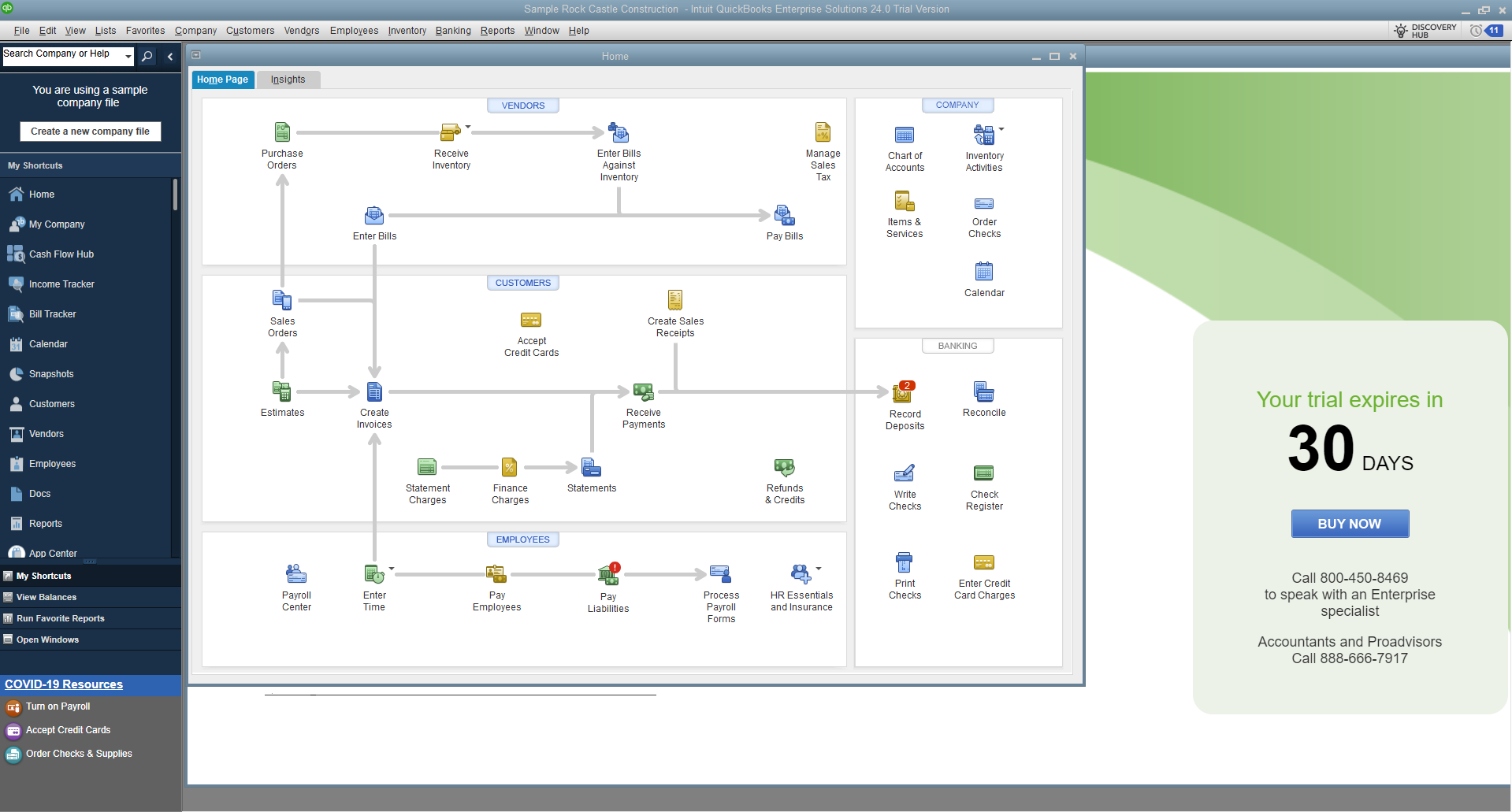
The interface of QuickBooks Desktop is centered around a “Home Map,” a visual flowchart that guides users through the typical accounting cycle: from vendors and purchases to customers and sales, and finally to employees and payroll. This structural clarity helps non-accountants visualize how money moves through their organization, ensuring that no step in the financial process is overlooked.
QuickBooks Desktop vs. QuickBooks Online: A Financial Comparison
The decision between Desktop and Online is often the most significant choice a business owner makes when setting up their financial infrastructure. QuickBooks Online offers mobility and ease of access, but QuickBooks Desktop offers depth.
For businesses with complex accounting needs, Desktop provides more sophisticated features, such as the ability to have multiple company files open at once and a more powerful reporting engine. Furthermore, Desktop allows for “Batch Enter Transactions,” a massive time-saver for businesses migrating data or dealing with high-volume monthly entries. From a financial perspective, the Desktop version is often viewed as a “power user” tool, whereas the Online version is a “convenience” tool.
Core Financial Capabilities and Operational Efficiency
The primary reason businesses choose QuickBooks Desktop over other financial tools is its sheer depth of features. It is designed to handle the “heavy lifting” of business finance, providing tools that go far beyond simple invoicing and expense tracking.
Robust Inventory Management
For retail, wholesale, and manufacturing businesses, inventory is often the largest asset on the balance sheet. QuickBooks Desktop excels in this area. It allows for detailed tracking of inventory parts, non-inventory parts, and assemblies.
One of its standout features is the ability to track “Inventory Assemblies,” which is essential for businesses that take raw materials and turn them into finished goods. The software automatically calculates the cost of goods sold (COGS) based on the components used, providing an accurate picture of profit margins. Advanced versions also support “Average Costing,” “First-In, First-Out (FIFO)” tracking, and multi-location inventory management, giving business owners granular control over their physical assets and financial valuation.
Job Costing and Project Profitability
In industries like construction, landscaping, or professional consulting, understanding the profitability of individual projects is vital. QuickBooks Desktop’s job costing features are widely considered superior to most entry-level accounting software.
Users can assign every expense—from labor hours to materials—to a specific “Job.” When it comes time to review the numbers, the software generates “Job Estimates vs. Actuals” reports. This allows management to see exactly where a project went over budget, which subcontractors are the most cost-effective, and whether their pricing models are sustainable. By turning raw data into project-specific insights, QuickBooks Desktop acts as a strategic financial advisor.

Comprehensive Reporting and Data Analysis
Data is only as valuable as the insights you can extract from it. QuickBooks Desktop features a reporting engine with over 100 pre-built reports. These range from standard financial statements to niche reports like “Sales by Item Detail” or “Unpaid Bills by Vendor.”
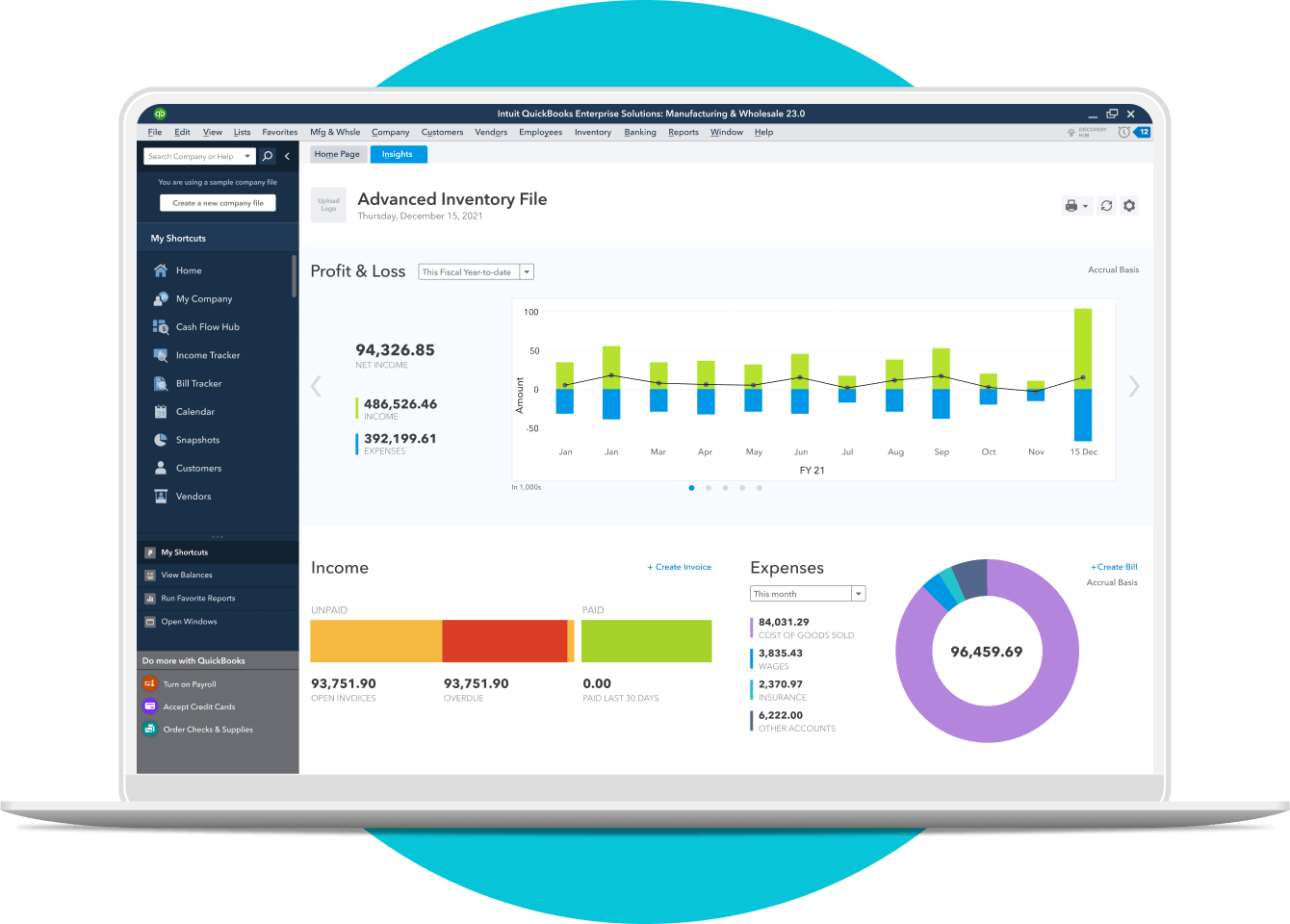
The true power, however, lies in customization. Users can filter, sort, and memorize reports to fit their specific business needs. For a CFO or a business owner, this means the ability to monitor Key Performance Indicators (KPIs) in real-time. Whether it’s tracking the “Days Sales Outstanding” (DSO) to improve cash flow or analyzing seasonal sales trends to prepare for a busy quarter, the reporting depth in QuickBooks Desktop provides the clarity needed for high-level financial decision-making.
Navigating the Different Tiers: Pro, Premier, and Enterprise
QuickBooks Desktop is not a one-size-fits-all solution. It is segmented into different versions, each catering to different levels of business complexity and financial scale.
QuickBooks Desktop Pro and Premier
QuickBooks Pro is the entry-level desktop version, suitable for small businesses that need standard accounting features, such as invoicing, bill tracking, and basic reporting. It supports up to three concurrent users.
QuickBooks Premier takes this a step further by offering industry-specific versions. These include tailored editions for General Contractors, Manufacturing & Wholesale, Professional Services, Retail, and Nonprofits. Each edition includes specialized reports and chart of accounts templates unique to that sector. For example, the Nonprofit edition includes tools for tracking donations and generating “Statement of Functional Expenses” reports required for tax compliance.
QuickBooks Desktop Enterprise for Scaling Organizations
At the top of the hierarchy is QuickBooks Desktop Enterprise. This version is designed for businesses that have outgrown the Pro or Premier versions. It can support up to 40 concurrent users and handle up to one million individual items, customers, or vendors.
Enterprise includes “Advanced Inventory” (supporting barcode scanning and bin location tracking) and “Advanced Pricing” (allowing for complex rule-based pricing strategies). It also features enhanced security through individual user permissions, ensuring that sensitive financial data—such as payroll information or bank account details—is only accessible to authorized personnel. For a growing company, Enterprise provides the scalability of an ERP (Enterprise Resource Planning) system without the astronomical costs typically associated with such software.
The Strategic Value of On-Premise Financial Management
Beyond the features and the interface, the choice to use QuickBooks Desktop often comes down to a business’s strategic approach to its financial data and security.
Data Security and Ownership
In an era of frequent data breaches and cloud outages, many businesses prefer the security of local data storage. With QuickBooks Desktop, the company’s financial “source of truth” resides on a machine they own. This gives the business total control over when the software is updated and how the data is backed up. For companies dealing with sensitive financial information or those in highly regulated industries, the ability to keep data behind a physical firewall is a significant advantage in risk management.
Furthermore, owning the data locally ensures that if a subscription ends or an internet connection fails, the historical records remain accessible. This “data sovereignty” is a key consideration for long-term financial planning and audit preparedness.
Streamlining Tax Season and Audit Compliance
Tax compliance is one of the most stressful aspects of business finance. QuickBooks Desktop simplifies this by maintaining a meticulous audit trail. Every change to every transaction is logged, showing who made the change and when. This transparency is invaluable during an IRS audit or a professional financial review.
Because the software is the industry standard, almost every CPA and tax professional is proficient in its use. Business owners can easily export their data into an “Accountant’s Copy,” which allows the accountant to make necessary adjustments and journal entries for tax purposes while the business owner continues to do daily work in the live file. This seamless collaboration ensures that the year-end closing process is efficient, reducing accounting fees and minimizing the risk of costly tax errors.
Ultimately, QuickBooks Desktop is more than just a digital ledger; it is a comprehensive financial ecosystem. By providing deep functionality in inventory, job costing, and reporting, it empowers business owners to move beyond simple bookkeeping and into the realm of strategic financial management. For the business that demands control, precision, and the ability to scale, QuickBooks Desktop remains a cornerstone of the modern financial toolkit.
aViewFromTheCave is a participant in the Amazon Services LLC Associates Program, an affiliate advertising program designed to provide a means for sites to earn advertising fees by advertising and linking to Amazon.com. Amazon, the Amazon logo, AmazonSupply, and the AmazonSupply logo are trademarks of Amazon.com, Inc. or its affiliates. As an Amazon Associate we earn affiliate commissions from qualifying purchases.