
In today’s rapidly evolving digital landscape, the ability to automate repetitive tasks is no longer a luxury but a necessity for individuals and businesses alike. Whether you’re a developer streamlining testing processes, a marketer analyzing website performance, or an entrepreneur seeking to optimize online income streams, automation plays a pivotal role. At the forefront of this automation revolution lies a powerful duo: Python and Selenium.
Python, a versatile and beginner-friendly programming language, has become the go-to choice for countless applications, from web development and data science to artificial intelligence. Its clear syntax and extensive libraries make it an accessible yet potent tool for tackling complex challenges. Selenium, on the other hand, is a suite of tools specifically designed for automating web browsers. It allows you to interact with web pages programmatically, mimicking human actions like clicking buttons, filling out forms, and navigating through websites.
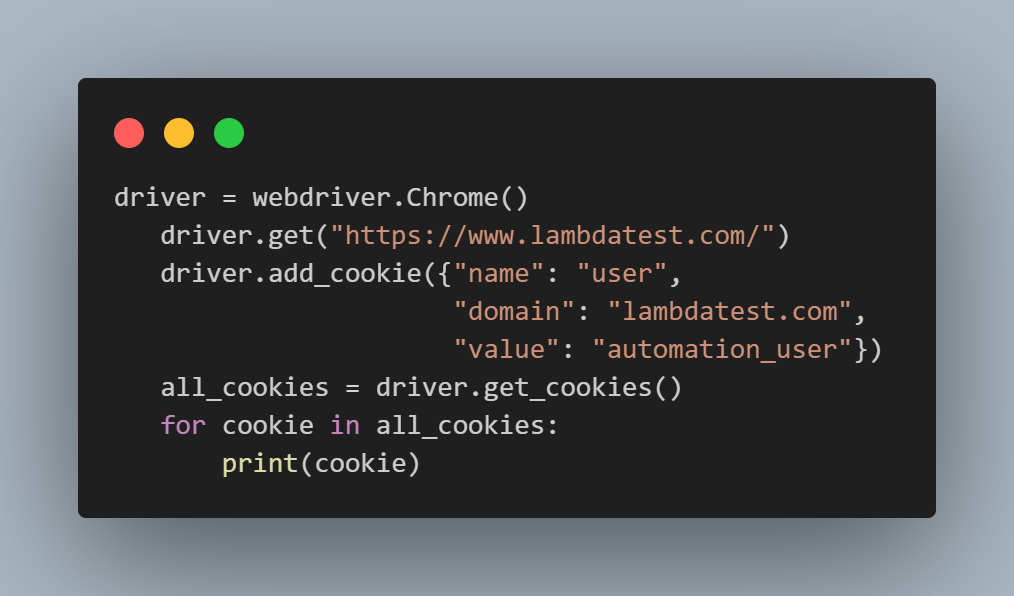
When combined, Python and Selenium create an incredibly powerful and flexible platform for web automation. This synergy unlocks a world of possibilities, enabling you to build sophisticated scripts that can automate a wide range of tasks, ultimately saving you time, reducing errors, and enhancing productivity across various domains. This article will delve into what Python Selenium is, explore its core functionalities, and illustrate its applications across the technological, branding, and financial spheres.
The Power Duo: Understanding Python and Selenium
Before we dive into the combined might of Python Selenium, it’s essential to understand the individual strengths of its components.
Python: The Foundation of Automation
Python’s popularity in the automation world stems from several key attributes:
- Readability and Simplicity: Python’s syntax is designed to be easily understood, resembling natural language. This makes it less intimidating for beginners and allows for faster development and easier maintenance of code.
- Extensive Libraries and Frameworks: Python boasts a vast ecosystem of libraries that cater to almost any programming need. For web automation, libraries like
requests(for making HTTP requests) andBeautifulSoup(for parsing HTML) can complement Selenium, but Selenium itself is the primary tool for browser interaction. - Cross-Platform Compatibility: Python runs on Windows, macOS, and Linux, meaning your Selenium scripts can be developed and executed on any operating system without modification.
- Large and Active Community: The massive Python community provides abundant resources, tutorials, forums, and support, making it easy to find solutions to problems and learn new techniques.
Selenium: Automating the Web Experience
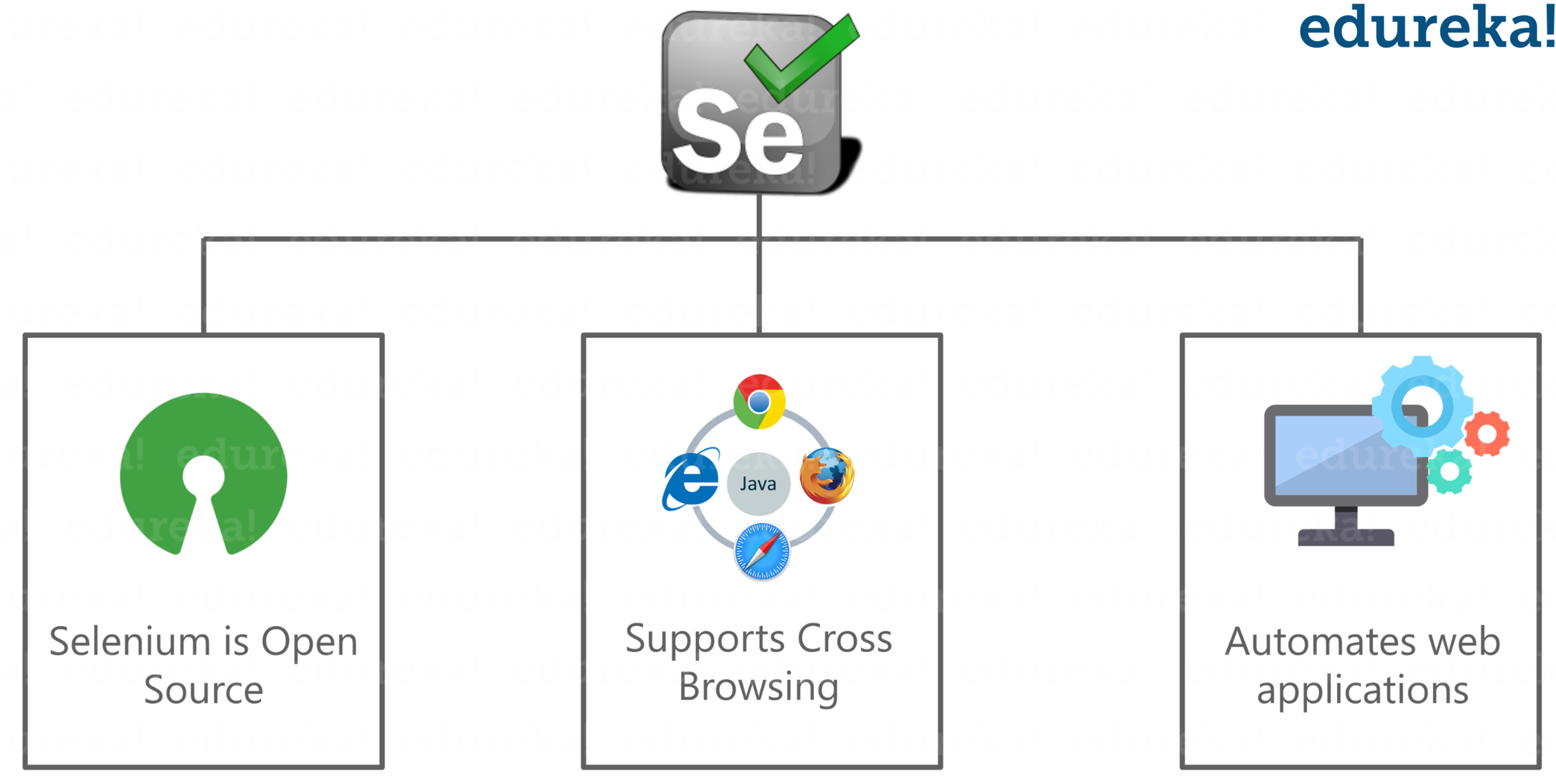
Selenium is not a single tool but a collection of components designed to automate browser interactions:
- Selenium WebDriver: This is the core API that enables direct communication with web browsers. It provides a set of commands to control browser actions, such as navigating to a URL, finding elements on a page, and simulating user input. WebDriver is the primary interface you’ll interact with when using Python Selenium.
- Selenium IDE (Integrated Development Environment): This is a browser extension that allows for record-and-playback functionality. While useful for quick script generation or learning, it’s generally less powerful and flexible than WebDriver for complex automation.
- Selenium Grid: This allows you to run tests across multiple machines and browsers simultaneously, significantly speeding up the testing process for larger projects.
When we talk about “Python Selenium,” we are primarily referring to using the Python programming language to control and interact with web browsers via the Selenium WebDriver API.
Harnessing Python Selenium: Core Functionalities and Applications
The true value of Python Selenium lies in its ability to perform a wide array of tasks that would be tedious or impossible to do manually. Let’s explore some of its core functionalities and how they translate into practical applications across our key website topics.
Automating Browser Interactions
This is the fundamental capability of Python Selenium. It allows you to:
- Navigate to URLs: Open any webpage with a simple command.
- Locate Web Elements: Find specific components on a webpage using various locators such as ID, name, XPath, CSS selectors, and class names. This is crucial for interacting with buttons, input fields, links, and other elements.
- Simulate User Actions:
- Typing Text: Enter data into input fields, search bars, and text areas.
- Clicking Buttons and Links: Trigger actions by simulating clicks.
- Selecting Dropdown Options: Interact with select menus.
- Handling Forms: Fill out entire forms with pre-defined data.
- Scrolling: Navigate down or up a page.
- Taking Screenshots: Capture visual representations of web pages for documentation or debugging.
- Extracting Data: Read and store information displayed on web pages.
- Waiting for Elements: Implement intelligent delays to ensure web pages and their elements load completely before attempting to interact with them, preventing errors.
- Executing JavaScript: Run custom JavaScript code within the browser context.
Applications Across Key Topics
The power of these functionalities extends to numerous real-world scenarios across the topics your website covers.
1. Tech: Streamlining Development and Enhancing Digital Security
In the realm of technology, Python Selenium is an indispensable tool for software developers and IT professionals.
Automating Software Testing
- Functional Testing: Selenium is the cornerstone of automated functional testing. Developers can write Python scripts to simulate user interactions with their web applications. These scripts verify that features work as intended, identify bugs early in the development cycle, and ensure a consistent user experience. This drastically reduces the time and effort required for manual testing, allowing for more frequent releases and higher quality software.
- Regression Testing: As software evolves, it’s crucial to ensure that new changes haven’t broken existing functionality. Python Selenium scripts can be run automatically after every code commit to perform regression testing, catching unintended side effects before they impact users.
- Cross-Browser Testing: Different browsers can render web pages and execute JavaScript differently. Selenium Grid, when orchestrated with Python, enables the execution of test scripts across multiple browsers (Chrome, Firefox, Edge, Safari, etc.) and operating systems simultaneously, ensuring your application functions flawlessly for all users.
- Performance Testing (Basic): While not a dedicated performance testing tool, Selenium can be used to measure the load times of specific page elements or the time taken for certain user flows, providing basic insights into application responsiveness.
Enhancing Digital Security
- Security Auditing: Python Selenium can be employed to automate certain security checks. For instance, scripts can be written to scan websites for common vulnerabilities, such as weak password policies, exposed sensitive information in the HTML, or insecure forms.
- Monitoring for Malicious Activity: Companies can use Selenium to periodically check their websites for unauthorized content, defacements, or phishing attempts. If changes are detected, alerts can be triggered.
- Automated Vulnerability Discovery (Ethical Hacking): Security researchers can use Selenium to automate the process of probing web applications for known vulnerabilities, such as cross-site scripting (XSS) or SQL injection flaws, in a controlled and ethical manner.
AI Tools and Productivity
- Data Scraping for AI Training: Many AI models require vast amounts of data for training. Python Selenium can be used to programmatically scrape data from websites, such as product descriptions, user reviews, or news articles, which can then be used to train machine learning models.
- Automating Repetitive Tasks: Beyond testing, Selenium can automate mundane tasks like logging into multiple systems, filling out online forms for data entry, or periodically checking for updates on specific web pages, freeing up valuable time for more strategic work.
2. Brand: Amplifying Marketing and Understanding Reputation
For businesses and individuals focused on building and maintaining their brand, Python Selenium offers powerful tools for market research, competitive analysis, and reputation management.
Market Research and Competitive Analysis
- Price Monitoring: Businesses can use Selenium to automatically track competitor pricing on e-commerce sites, enabling them to stay competitive and adjust their own pricing strategies in real-time.
- Product Information Gathering: Automatically collect details about competitor products, such as features, specifications, and customer reviews, to inform product development and marketing efforts.
- Trend Analysis: Scrape data from industry news sites, forums, and social media platforms to identify emerging trends, understand consumer sentiment, and stay ahead of the curve.
- SEO Monitoring: Automate the process of checking search engine rankings for target keywords, tracking competitor SEO strategies, and identifying opportunities for optimization.
Reputation Management
- Sentiment Analysis: Scrape customer reviews from various platforms (e.g., e-commerce sites, review aggregators, social media) and use Python libraries to analyze the sentiment (positive, negative, neutral) of these reviews. This provides invaluable insights into brand perception and areas for improvement.
- Brand Mentions Monitoring: Automatically check for mentions of your brand or key personnel across the web. While dedicated tools exist, Selenium can be a cost-effective way to supplement these or build custom monitoring solutions.
- Online Presence Audit: Periodically check your brand’s presence on different platforms to ensure consistency in branding, accurate information, and a positive user experience.
Marketing Campaign Optimization
- A/B Testing Analysis (Basic): While more sophisticated tools are available, Selenium can be used to automate the retrieval of conversion data from web analytics platforms to perform basic analyses of A/B test results.
- Ad Performance Tracking: Scrape data from advertising platforms (where APIs are not readily available or suitable) to track ad performance metrics and inform campaign adjustments.
3. Money: Optimizing Online Income and Financial Management
For individuals and businesses looking to manage their finances, generate online income, or optimize their financial operations, Python Selenium can be a game-changer.
Online Income Generation and Optimization
- Affiliate Marketing Automation: Automate tasks like finding affiliate programs, scraping product information and prices from affiliate networks, and even generating reports on performance.
- E-commerce Data Aggregation: For online store owners, Selenium can be used to automatically aggregate sales data, inventory levels, and customer information from various platforms or even from internal dashboards, streamlining business operations.
- Lead Generation: Automate the process of collecting contact information from lead generation websites or directories, which can then be used for marketing outreach.
- Arbitrage Opportunities: In certain markets, Selenium can be used to identify price discrepancies across different platforms, potentially uncovering arbitrage opportunities for profit. (Note: This requires careful consideration of ethical implications and platform terms of service).
Personal Finance and Investing
- Stock Market Data Scraping: Automatically collect historical and real-time stock prices, company financial reports, and news articles from financial websites to aid in investment research.
- Portfolio Tracking: While many financial platforms offer APIs, for those that don’t, Selenium can be used to scrape portfolio performance data from investment portals.
- Budgeting and Expense Tracking: While not a direct budgeting tool, Selenium can be used to automate the extraction of transaction data from online banking statements or credit card portals for import into personal finance management software.
- Real Estate Market Analysis: Scrape property listings, prices, and market trends from real estate websites to inform investment decisions.
Business Finance
- Invoice and Report Generation (Basic): For small businesses, Selenium can automate the process of extracting data from internal systems or external platforms to pre-populate invoice templates or generate basic financial reports.
- Supplier and Vendor Monitoring: Automatically check for price changes or product availability from key suppliers.
Getting Started with Python Selenium
To embark on your Python Selenium journey, you’ll need a few things:
- Python Installation: Download and install Python from the official Python website.
- Selenium Library: Install the Selenium Python library using pip, Python’s package installer:
pip install selenium - WebDriver: Download the appropriate WebDriver executable for your chosen browser (e.g., ChromeDriver for Chrome, GeckoDriver for Firefox). This acts as the bridge between your Python script and the browser. You’ll need to specify the path to this executable in your script.
- An Integrated Development Environment (IDE) or Text Editor: Tools like VS Code, PyCharm, or even a simple text editor will be used to write your Python code.
A basic Python Selenium script might look like this:
from selenium import webdriver
from selenium.webdriver.common.by import By
from selenium.webdriver.chrome.service import Service
import time

# Specify the path to your ChromeDriver executable
# service = Service('/path/to/your/chromedriver') # Update this path
# driver = webdriver.Chrome(service=service)

# For simpler setups, you might use:
driver = webdriver.Chrome() # Ensure chromedriver is in your PATH or installed via webdriver_manager

driver.get("https://www.example.com")
time.sleep(5) # Wait for the page to load

# Example: Find an element by its ID and print its text
# element = driver.find_element(By.ID, "some_element_id")
# print(element.text)

driver.quit()
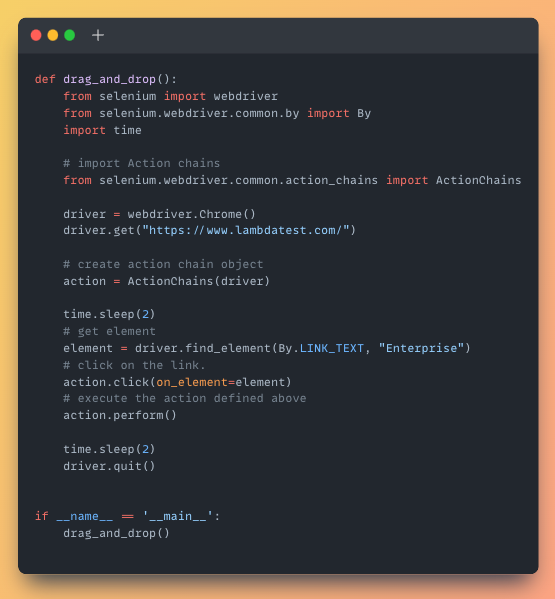
This simple example demonstrates opening a website, waiting, and then closing the browser. The real power comes from combining find_element with various locators and performing actions on those elements.
Conclusion
Python Selenium is a formidable force in the world of web automation, offering unparalleled flexibility and power. By combining the ease of use and extensive capabilities of Python with the browser control of Selenium, you can unlock significant efficiencies and new opportunities across technology development, brand management, and financial operations. Whether you’re looking to automate tedious testing, gain deeper market insights, or streamline your online income streams, mastering Python Selenium is a valuable investment that will undoubtedly propel your productivity and innovation forward in the digital age. Its applications are vast and ever-expanding, making it a crucial skill for anyone looking to thrive in today’s interconnected world.
aViewFromTheCave is a participant in the Amazon Services LLC Associates Program, an affiliate advertising program designed to provide a means for sites to earn advertising fees by advertising and linking to Amazon.com. Amazon, the Amazon logo, AmazonSupply, and the AmazonSupply logo are trademarks of Amazon.com, Inc. or its affiliates. As an Amazon Associate we earn affiliate commissions from qualifying purchases.