
In the dynamic world of digital creation, a fundamental understanding of file formats is crucial for anyone involved in graphic design, web development, photography, or any discipline that relies on visual assets. Among these formats, the PSD file stands out as a cornerstone, inextricably linked with the industry-standard software, Adobe Photoshop. But what exactly is a PSD file, and why is it so important? This article delves deep into the nature, capabilities, and significance of PSD files within the broader technological landscape, exploring their unique characteristics and their indispensable role in modern digital workflows.
The Genesis and Core Nature of PSD Files
The PSD (Photoshop Document) file format is proprietary to Adobe Systems and serves as the native format for saving projects in Adobe Photoshop. Unlike many other image file formats designed for final output and distribution, such as JPEG or PNG, a PSD file is fundamentally a working document. Its primary purpose is to preserve all the intricate details and editable layers of a design project, allowing for maximum flexibility and non-destructive editing.
Layer-Based Architecture: The Foundation of PSD’s Power
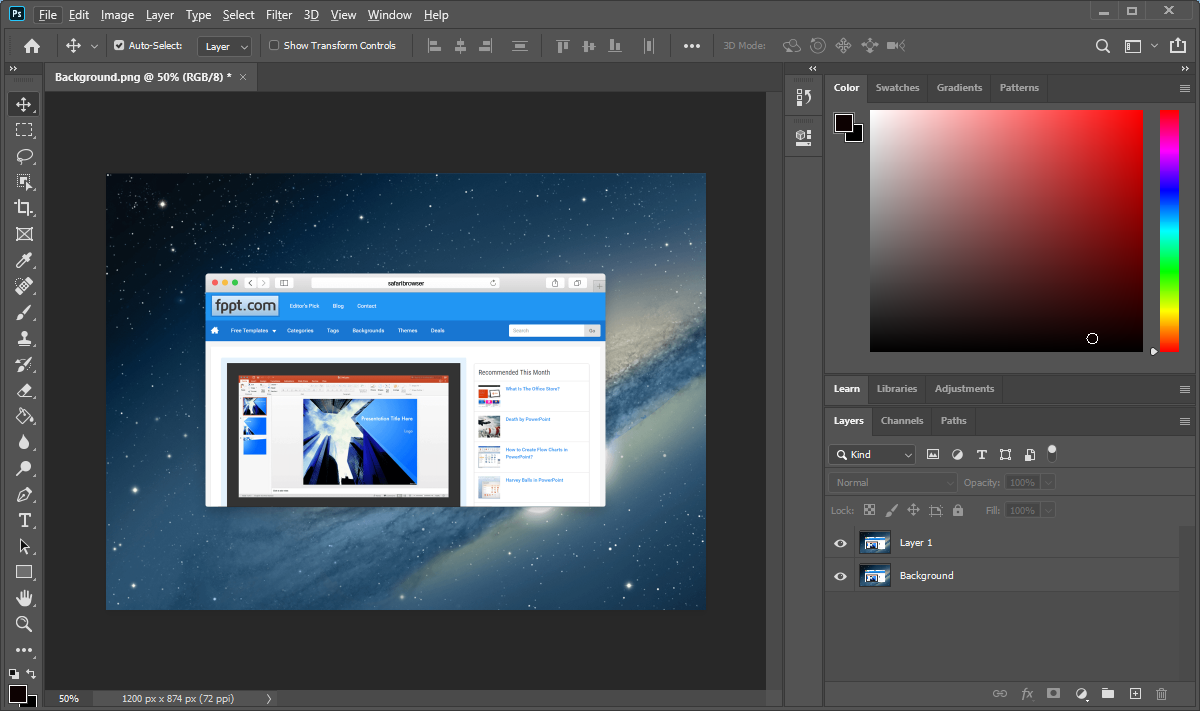
At the heart of the PSD file’s functionality lies its layer-based architecture. When you create or edit an image in Photoshop, each element—whether it’s text, an image adjustment, a shape, a brush stroke, or a vector graphic—can be placed on its own independent layer. These layers are stacked on top of each other, and Photoshop renders them to create the final composite image.
The immense advantage of this layered structure is that each layer can be edited, moved, resized, color-corrected, or manipulated independently without affecting any other layer. This is a stark contrast to “flattened” image formats where all elements are merged into a single layer, making it extremely difficult or impossible to make granular changes later on. For example, if you decide to change the color of a specific object in a flattened image, you would likely have to start the editing process again from scratch. With a PSD, you simply select the relevant layer, make your adjustment, and the rest of the image remains untouched. This non-destructive workflow is paramount for efficient design and iteration.
Beyond Pixels: Supporting Rich Data
A PSD file is more than just a collection of pixel data. It is designed to store a wealth of information that goes far beyond what is visible in the final rendered image. This rich data can include:
- Adjustment Layers: These special layers allow you to apply color and tonal adjustments (like brightness, contrast, hue, saturation, curves, and levels) non-destructively. You can modify or even remove these adjustments at any time.
- Layer Masks: Masks control the visibility of a layer. They allow you to selectively hide or reveal parts of a layer without permanently deleting any pixels. This is critical for compositing images and creating complex effects.
- Vector Data: If the project includes vector shapes created in Photoshop (e.g., using the shape tools), this vector data is preserved within the PSD, allowing for infinite scalability without loss of quality.
- Text Layers: Text created in Photoshop is stored as editable text layers. This means you can easily change the font, size, color, and wording of any text element long after it was initially added.
- Smart Objects: Smart Objects are layers that contain raster or vector image data from other sources. They retain their source content with all its original characteristics, enabling you to scale, transform, and apply filters non-destructively. Any changes made to the original source will be reflected in the Smart Object.
- Layer Styles: Effects like drop shadows, bevels, glows, and strokes are saved as editable layer styles, allowing for easy modification or removal.
- Color Profiles and Metadata: PSD files can also contain embedded color profiles, crucial for consistent color reproduction across different devices, and metadata related to the image and its creation.
This comprehensive data storage makes the PSD file the ultimate canvas for creative exploration and refinement.
The Technical Advantages and Workflows Enabled by PSD
The unique characteristics of PSD files directly translate into significant technical advantages and streamline various digital workflows. Their ability to retain editability is the driving force behind their widespread adoption in professional environments.
Non-Destructive Editing and Iteration
As previously highlighted, the non-destructive nature of PSD files is arguably their most significant advantage. In any creative process, revisions and iterations are inevitable. Whether it’s a client request for a change, an artistic decision to experiment with a different color scheme, or a need to refine the composition, the ability to go back into the layers of a PSD file and make targeted modifications is invaluable. This saves immense amounts of time and effort compared to starting over or working with flattened images. Designers can confidently experiment with different ideas, knowing that their original work remains intact and accessible.
Seamless Collaboration and Version Control
In team-based environments, the PSD format facilitates efficient collaboration. A complex design project can be broken down into distinct layers, each potentially managed by different individuals or contributing to specific aspects of the design. When shared, a PSD file provides a clear roadmap of the project’s structure, making it easier for collaborators to understand and contribute.
Furthermore, PSD files are crucial for effective version control. When saving iterations of a design, using a clear naming convention for PSD files (e.g., “Brochurev1.psd,” “Brochurev2clientfeedback.psd”) allows teams to track progress, revert to previous versions if necessary, and maintain a clear history of the project’s evolution. This is particularly important in industries with strict deadlines and evolving project requirements.
Integration with the Adobe Creative Suite Ecosystem
The PSD file format is deeply integrated within the Adobe Creative Suite (now Creative Cloud) ecosystem. This means that PSD files can be seamlessly imported and utilized in other Adobe applications such as:
- Adobe Illustrator: While Illustrator is primarily a vector graphics editor, it can import PSD files. This allows vector elements from Photoshop to be incorporated into Illustrator projects, and vice versa. Illustrator can often retain editable text and vector shapes from the PSD.
- Adobe After Effects: For motion graphics and visual effects, After Effects can import PSD files with their layers intact. This allows designers to animate individual layers of a Photoshop composition, bringing static designs to life. Each layer in the PSD can be treated as a separate element in After Effects.
- Adobe Premiere Pro: For video editing, PSD files can be used as graphic overlays or titles, with layers preserved for animation or integration into video sequences.
- Adobe InDesign: For page layout and publishing, InDesign can import PSD files, maintaining their layers and editability to a certain extent, making it easy to incorporate complex visual elements into print and digital publications.
This interoperability between Adobe applications significantly enhances workflow efficiency, reducing the need for complex file conversions and data loss.
Support for High Resolution and Color Depth
PSD files are capable of handling high-resolution images and a wide range of color depths (e.g., 8-bit, 16-bit, or 32-bit per channel). This is essential for professional photography, print design, and any application where image fidelity and detail are paramount. High color depth allows for a broader spectrum of colors and smoother tonal transitions, crucial for subtle gradients and accurate color representation.
When to Use and When to Avoid PSD Files
While the PSD file format is incredibly powerful, it’s essential to understand its intended purpose and when it is most and least appropriate.
Optimal Use Cases for PSD Files
The PSD file format is the undisputed champion in the following scenarios:
- Ongoing Design Projects: Whenever you are actively working on a design, illustration, photo manipulation, or web graphic in Photoshop, saving it as a PSD is the standard and most beneficial practice. This ensures you can revisit and refine your work at any stage.
- Complex Compositions: For projects involving multiple layers, masks, adjustment layers, text elements, and special effects, a PSD file is indispensable for maintaining organization and editability.
- Client Approvals and Revisions: When submitting design drafts to clients for feedback, providing a PSD allows for easy incorporation of their requested changes.
- Asset Preparation for Other Adobe Software: As mentioned, when preparing graphics for After Effects, Premiere Pro, or InDesign, a layered PSD is the ideal starting point.
- Archiving Master Files: For creative professionals, PSD files serve as master archives of their original artwork, preserving the highest level of detail and editability for future use or repurposing.
When Other File Formats Are More Suitable
Conversely, there are several situations where exporting your work from a PSD to a different format is necessary:
- Web Delivery: For websites, the large file size and the nature of editable layers make PSD files impractical. Images intended for web display should typically be exported as optimized JPEGs (for photographic images) or PNGs (for graphics with transparency or sharp lines).
- Sharing for Viewing: If you simply need to share an image for viewing purposes without the need for further editing, a flattened format like JPEG is more appropriate due to smaller file sizes.
- Printing (Final Output): While PSDs can be printed, for professional printing, it’s often recommended to export to formats like TIFF or PDF, which are specifically designed for print workflows and can embed font information and maintain layout integrity more reliably.
- Cross-Platform Compatibility (when Photoshop is not available): If the recipient of the file does not have Adobe Photoshop or compatible software, a PSD file will be unreadable. In such cases, a widely compatible format like JPEG, PNG, or GIF is necessary.
When exporting from a PSD, Photoshop offers a “Save As” or “Export” option that allows you to choose various formats and customize settings like resolution, compression, and color space, tailoring the output to your specific needs.
Understanding PSD File Size and Optimization
A common characteristic of PSD files is their potential for large file sizes. This is a direct consequence of storing all the rich data associated with layers, masks, and other editable elements. While this is beneficial for editing, it can pose challenges for storage and transfer.
Factors Influencing PSD File Size
Several factors contribute to the size of a PSD file:
- Dimensions and Resolution: Larger image dimensions (width and height) and higher resolutions (measured in pixels per inch or PPI) naturally lead to more pixel data, thus increasing file size.
- Number of Layers: Each layer adds to the complexity of the file. The more layers present in a Photoshop document, the larger the PSD will be.
- Layer Complexity: Layers that contain a lot of intricate detail, such as detailed brushwork, high-frequency textures, or complex selections, will occupy more space than simple solid-color layers.
- Use of Smart Objects and Linked Files: While Smart Objects offer flexibility, embedding large external files within them can increase the PSD’s size.
- Adjustment Layers and Layer Styles: While generally more efficient than destructive edits, complex adjustment layer stacks or numerous layer styles can contribute to file bloat.
- History States: Photoshop’s history panel stores a record of your editing steps. While useful for undoing actions, storing a very long history can increase file size.
Strategies for PSD File Optimization
Fortunately, there are several strategies to manage and optimize PSD file sizes without compromising essential editability:
- Delete Unused Layers: Regularly review your layers panel and delete any layers that are no longer needed or are just experimental placeholders.
- Merge Layers Judiciously: For elements that are complete and unlikely to require further individual editing, consider merging them. However, do this with caution, as it reduces flexibility. It’s often best to do this on a duplicate of the layer or after saving a separate version of the PSD.
- Rasterize Smart Objects (with caution): If a Smart Object is no longer needed for its scalability or non-destructive editing capabilities, you can rasterize it. This converts the Smart Object into a regular pixel layer, which can sometimes reduce file size. Again, this is a destructive action and should be done with careful consideration.
- Reduce History States: In Photoshop’s preferences, you can limit the number of history states saved. A lower number will reduce file size but also limit how far back you can undo.
- Optimize Color Channels: Ensure you are only using the necessary color channels. For instance, if an image is intended only for web use, it might be more efficient to work in RGB and avoid unnecessary CMYK channels until the final export for print.
- Save as Photoshop Large Document Format (PSDT): For extremely large documents that exceed Photoshop’s standard file size limits, Adobe offers the PSDT format, which uses a different file structure. This is generally for very specialized, massive projects.
- Regularly Save Copies: Instead of continually adding to a single, ever-growing PSD, save intermediate versions with clear naming conventions. This also acts as a form of backup.
By understanding the factors that influence PSD file size and implementing these optimization techniques, creative professionals can maintain efficient workflows, manage storage space effectively, and ensure smoother file transfers.
The Enduring Relevance of PSD in the Digital Creative Landscape
In an era characterized by rapid technological advancements and evolving digital tools, the PSD file format has demonstrated remarkable resilience and enduring relevance. Its foundational principles—layer-based editing, non-destructive workflows, and rich data preservation—remain critical for creative professionals.
The continuous evolution of Adobe Photoshop itself, with new features and enhancements being added regularly, ensures that the PSD format continues to adapt and remain at the forefront of digital image manipulation and design. From intricate digital paintings and complex photo manipulations to sophisticated UI/UX mockups and motion graphics pre-production, the PSD file is the indispensable working document that empowers creators to bring their visions to life with unparalleled control and flexibility. Understanding the nuances of the PSD file is not just about knowing a file extension; it’s about grasping the core philosophy of modern digital artistry and workflow efficiency.
aViewFromTheCave is a participant in the Amazon Services LLC Associates Program, an affiliate advertising program designed to provide a means for sites to earn advertising fees by advertising and linking to Amazon.com. Amazon, the Amazon logo, AmazonSupply, and the AmazonSupply logo are trademarks of Amazon.com, Inc. or its affiliates. As an Amazon Associate we earn affiliate commissions from qualifying purchases.