
In the expansive landscape of PC gaming, few titles have maintained the cultural and technical relevance of Minecraft. However, as the game has evolved from a simple voxel-based sandbox into a complex engine with infinite world generation and sophisticated lighting mechanics, the demands on hardware have increased exponentially. For many users, particularly those on mid-range or legacy systems, the vanilla Java Edition of Minecraft often suffers from optimization bottlenecks. This is where OptiFine enters the conversation.
OptiFine is a third-party optimization mod for Minecraft: Java Edition that acts as a comprehensive “engine overhaul.” It allows the game to run faster, look better, and provides a level of granular control over the software’s graphical settings that the developers at Mojang do not provide natively. From doubling framerates to enabling cinematic-quality lighting through shaders, OptiFine has transitioned from a niche utility to a fundamental requirement for the modern Minecraft experience.

Enhancing Graphical Fidelity and Performance Optimization
The primary draw of OptiFine is its dual ability to increase performance (FPS) and enhance visual quality. In the world of software optimization, these two goals are often at odds, yet OptiFine bridges the gap through sophisticated rendering techniques.
Framerate Stability and FPS Boosting
At its core, OptiFine rewrites portions of Minecraft’s rendering engine to be more efficient. For many players, installing the mod results in an immediate and significant increase in frames per second (FPS). It achieves this by implementing “Smart Animations” and “Fast Math” functions. Smart Animations ensure that the game only renders animations for objects currently within the player’s field of view, drastically reducing CPU and GPU overhead. Fast Math utilizes optimized trigonometric functions to speed up the calculation of world geometry.
Furthermore, OptiFine introduces “Lag Spike Recovery,” a technical feature that helps the game manage memory allocation more effectively, preventing the jarring stutters often associated with Java’s garbage collection processes.
Advanced Shaders and Visual Realism
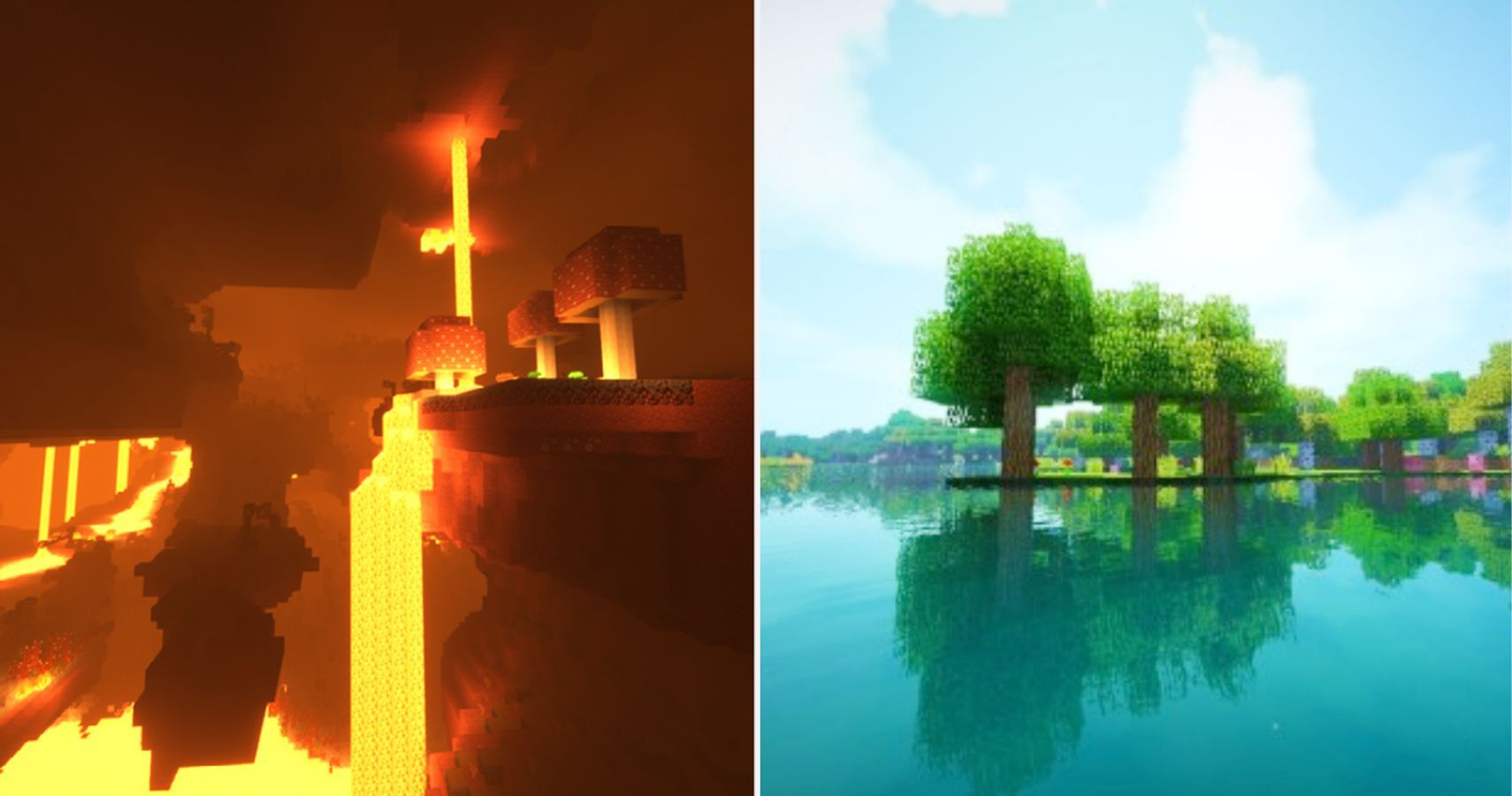
Beyond mere performance, OptiFine is the industry standard for enabling “Shaders.” Shaders are external configuration files that tell the graphics card how to render light, shadows, and water in a more realistic manner. Without OptiFine, Minecraft’s lighting is relatively static and flat.
By integrating the Shaders API, OptiFine allows users to transform the game’s aesthetic into something resembling a modern triple-A title. Features like volumetric lighting (god rays), dynamic shadows that move with the sun’s position, and realistic water reflections are all made possible through this software. This has birthed a massive sub-community of digital artists and creators who use Minecraft as a medium for high-fidelity cinematography.
Core Technical Features of OptiFine
What sets OptiFine apart from other “performance mods” is the sheer depth of its configuration menu. It provides a technical interface that allows users to toggle almost every visual element within the game’s code.
Dynamic Lighting and HD Textures
One of the most popular technical features in OptiFine is Dynamic Lighting. In the vanilla game, a torch only emits light when it is placed on a block. OptiFine changes this by allowing the game engine to track light sources in real-time. This means a torch held in a player’s hand, or a glowing piece of coal dropped on the ground, will illuminate the environment as it moves.
Additionally, OptiFine provides native support for HD Textures. Standard Minecraft uses 16×16 pixel textures; OptiFine allows the software to efficiently process textures up to 512×512 or higher without the massive performance hit usually associated with high-resolution assets. It also introduces “Connected Textures,” a feature that allows adjacent blocks of the same type (like glass or stone) to merge their textures seamlessly, removing the grid-like borders for a more polished look.
Customization Through Extended Video Settings
The “Video Settings” menu in a standard Minecraft installation is notoriously sparse. OptiFine expands this into several sub-menus, including “Quality,” “Performance,” and “Other.”
- Quality Settings: These allow for features like Mipmapping (smoothing distant textures), Antialiasing (removing jagged edges), and Anisotropic Filtering (improving texture clarity at sharp angles).
- Performance Settings: Users can toggle “Fast Render,” which uses an optimized rendering algorithm, and “Lazy Chunk Loading,” which distributes the loading of new world segments over several ticks to prevent “hiccups” during exploration.
- Details Settings: This allows players to turn off specific particles, clouds, or even individual layers of the sky to wring every bit of power out of their hardware.
Installation and Technical Compatibility
Because OptiFine is a modification to the base game’s Java Archive (.jar) files, its installation requires a basic understanding of software directories and the Java Runtime Environment (JRE).
Integrating with the Minecraft Launcher
OptiFine is typically distributed as an executable .jar file. When run, it creates a new “Version Profile” within the official Minecraft Launcher. This is a clean method of installation because it does not overwrite the base game files; instead, it creates a parallel instance that the launcher can call upon. For the average user, this means they can easily switch between a “Vanilla” experience and an “OptiFine” experience with a single click in the launcher dropdown menu.
Forge and Fabric Compatibility
The Minecraft modding ecosystem is largely divided between two major “Mod Loaders”: Forge and Fabric. OptiFine was originally designed to be a standalone mod or to work with Forge. When used with Forge, OptiFine acts as a “drop-in” mod, allowing it to work alongside thousands of other gameplay-altering mods.
However, as the community has shifted toward the Fabric loader for its lightweight nature, OptiFine’s closed-source code has made direct compatibility more difficult. While “OptiFabric” exists as a compatibility bridge, this tension has led to the development of alternative tech stacks, which are important to understand in the context of Minecraft’s technological evolution.
The Future of Minecraft Optimization and Alternatives
While OptiFine has reigned supreme for over a decade, the tech landscape of Minecraft optimization is changing. Newer software solutions are beginning to challenge OptiFine’s dominance, particularly in the realm of open-source development.
The Rise of Sodium and the Caffeine Suite
In recent years, a new suite of optimization tools has emerged for the Fabric loader, most notably Sodium, Lithium, and Phosphor. Unlike OptiFine, which attempts to be an “all-in-one” solution, these tools focus on specific technical areas. Sodium, for instance, focuses almost entirely on the rendering engine, often outperforming OptiFine in raw FPS gains on modern hardware by utilizing modern OpenGL features that OptiFine (which supports older versions) sometimes neglects.
For many tech-savvy players, the choice between OptiFine and the “Caffeine Suite” depends on the objective. If the goal is pure, unadulterated performance on a high-end machine, Sodium is often preferred. However, OptiFine remains the “Swiss Army Knife” of the community because it includes the Zoom function, Shaders support, and Connected Textures all in one package, whereas the Fabric ecosystem requires multiple separate mods to achieve the same feature parity.
OptiFine’s Role in Modern Modding Ecosystems
Despite the competition, OptiFine remains an essential piece of software for the majority of the player base. Its “Cape” system—where users who donate to the project receive a cosmetic cape visible to other OptiFine users—has created a social network of sorts within the game. From a technical standpoint, its longevity is a testament to its robust architecture.
As Minecraft continues to update (moving into versions 1.20 and beyond), the developers of OptiFine face the Herculean task of de-compiling and re-optimizing the game’s code with every release. This cycle ensures that the mod stays relevant as a bridge between Mojang’s vision and the community’s desire for high-performance, high-fidelity gameplay.

Conclusion: Why OptiFine Remains a Technical Milestone
OptiFine is more than just a mod; it is a sophisticated piece of middleware that has fundamentally altered how Minecraft is played and perceived. By giving players the tools to bypass the limitations of the Java Virtual Machine and the base game’s rendering pipeline, it has democratized high-end gaming experiences for those on budget hardware while providing the “eye candy” necessary for the game to compete with modern titles.
For any user looking to dive deeper into the technical side of Minecraft, understanding OptiFine is the first step. It represents a masterclass in community-driven software optimization, proving that with the right tools, even a game made of blocks can be pushed to the bleeding edge of digital performance and visual art. Whether you are seeking a stable 60 FPS on a laptop or trying to run a 512x resource pack with path-traced shaders, OptiFine remains the most versatile tool in the Minecraft technologist’s toolkit.
aViewFromTheCave is a participant in the Amazon Services LLC Associates Program, an affiliate advertising program designed to provide a means for sites to earn advertising fees by advertising and linking to Amazon.com. Amazon, the Amazon logo, AmazonSupply, and the AmazonSupply logo are trademarks of Amazon.com, Inc. or its affiliates. As an Amazon Associate we earn affiliate commissions from qualifying purchases.