
In the high-stakes world of digital content creation, the relationship between hardware and software is the foundation of productivity. For years, PC enthusiasts and professionals focused primarily on the raw power of the Graphics Processing Unit (GPU). However, as creative workflows evolved from simple photo editing to complex 3D rendering, 8K video production, and AI-assisted design, it became clear that hardware is only as effective as the software that manages it. This realization led to the birth of the NVIDIA Studio Driver—a specialized software stack designed specifically for the needs of artists, designers, and developers.
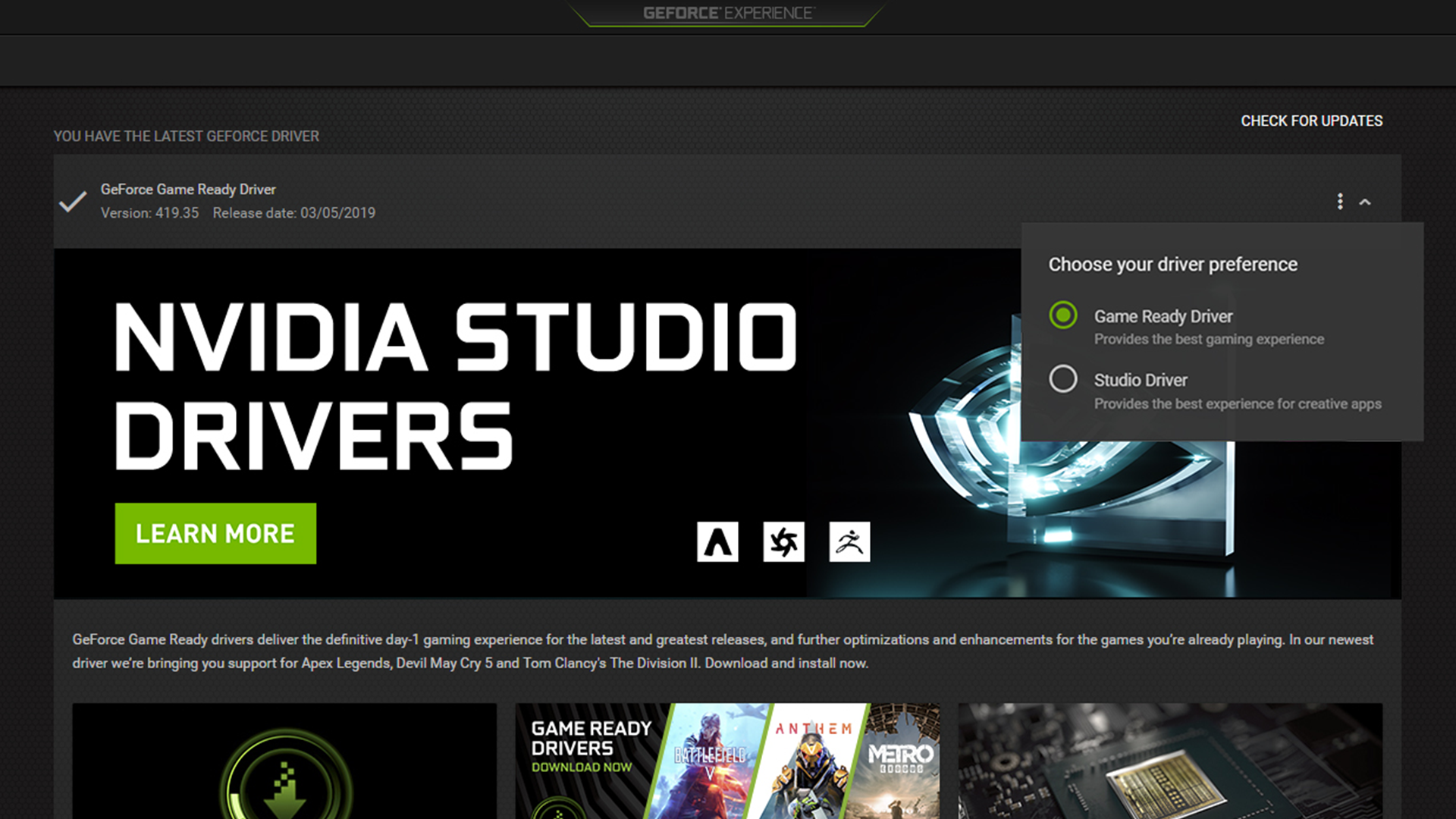
Unlike standard drivers that prioritize the latest video game releases, the NVIDIA Studio Driver is built on a foundation of stability and cross-application performance. It serves as the bridge between powerful NVIDIA RTX hardware and the creative software suites developed by industry giants like Adobe, Autodesk, and Blackmagic Design. Understanding what the Studio Driver is, how it differs from its gaming counterpart, and how it optimizes professional workflows is essential for anyone looking to maximize their creative output.
Understanding the Core Purpose of NVIDIA Studio Drivers
At its simplest level, a driver is a piece of software that tells your computer’s operating system how to communicate with its hardware. For a GPU, the driver is responsible for translating the complex mathematical requirements of a software application into visual instructions the hardware can execute. While gaming drivers are optimized for the rapid-fire, unpredictable frame rates of the latest AAA titles, NVIDIA Studio Drivers are engineered for reliability and precision.
Stability Over Speed
In a professional environment, a system crash isn’t just an annoyance; it’s a loss of billable hours and potentially corrupted data. The primary mandate of the NVIDIA Studio Driver is “mission-critical” stability. Creative professionals often work with massive files—Gigabytes of texture data, hours of high-bitrate video, or millions of polygons in a 3D scene. These workloads put a unique strain on GPU memory (VRAM) and processing cores.
NVIDIA Studio Drivers undergo a significantly more rigorous testing process than standard drivers. While Game Ready Drivers are updated frequently to provide “Day 0” support for new games, Studio Drivers are released on a slower cadence. This allows for extensive testing against hundreds of versions of top creative applications. Before a Studio Driver is released, it is put through “torture tests” across various multi-app workflows, ensuring that having Premiere Pro, After Effects, and Photoshop open simultaneously won’t result in a system failure.
The Rigorous Testing Process
The development of a Studio Driver involves a collaboration between NVIDIA and software vendors like Adobe, Maxon, and Blender. This partnership ensures that when a new version of a program like DaVinci Resolve is released, the Studio Driver has already been tuned to handle its specific API calls and memory management requirements. This proactive testing minimizes the “flickering,” “clipping,” or unexpected shutdowns that can sometimes occur with gaming drivers when they encounter the non-linear workloads of creative software.
Studio Driver vs. Game Ready Driver: Key Differences
One of the most common questions among PC users is whether they should choose the Game Ready Driver (GRD) or the Studio Driver (SD). While both are free and compatible with most modern NVIDIA GPUs, they serve two very different masters.
Optimization for Professional Software
The Game Ready Driver is built for enthusiasts who want the highest possible frame rates and the lowest latency in the latest games. These drivers often include optimizations for specific game engines, such as Unreal Engine 5 or Frostbite, to ensure that the lighting and shadows are rendered as fast as possible.
Conversely, the Studio Driver is optimized for the creative suite. When you use an application like Adobe Premiere Pro, the Studio Driver prioritizes “hardware acceleration” for features like the Mercury Playback Engine. This allows the GPU to take over the heavy lifting of video decoding and encoding from the CPU. In 3D applications like Maya or Cinema 4D, the Studio Driver focuses on viewport fluidity and accurate ray-traced previews. The goal is not just “speed” in terms of frames per second, but “responsiveness” in the user interface and “reliability” during long render sequences.
Update Cadence and Reliability
Frequency is another major differentiator. Game Ready Drivers are released almost every time a major game title hits the market. This can result in several updates per month. While this is great for gamers, it can be a nightmare for a production studio that needs a “frozen” environment for the duration of a project.
Studio Drivers are updated less frequently, usually once a month or once every few months. These updates are timed to align with major updates in creative software (such as the Adobe Creative Cloud seasonal updates). This slower release cycle ensures that each update is substantial, stable, and highly vetted. For a professional, the “newest” driver is rarely as important as the “most stable” driver.
How NVIDIA Studio Drivers Power Modern Creative Workflows
The true value of the Studio Driver becomes apparent when you look at specific creative tasks. Modern GPUs are no longer just “graphics” cards; they are massive parallel processors capable of accelerating AI, video, and 3D mathematics.
Accelerated 3D Rendering and Ray Tracing
For 3D artists, the NVIDIA Studio Driver unlocks the full potential of RTX hardware. This includes dedicated Ray Tracing (RT) Cores and Tensor Cores. When working in an application like Blender or V-Ray, the Studio Driver optimizes the path-tracing algorithms, allowing for real-time or near-real-time previews of lighting and materials.
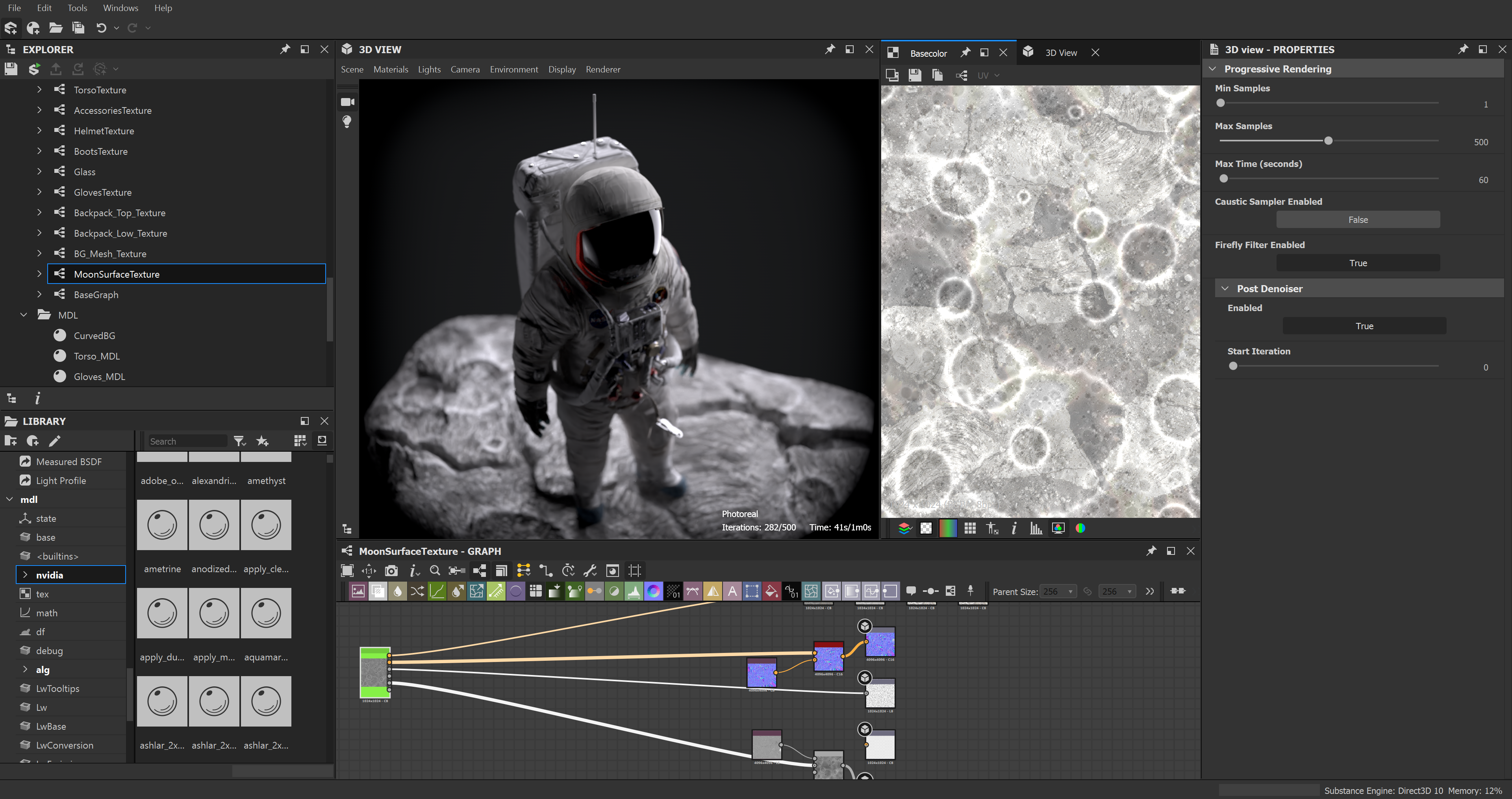
In the past, an artist would have to wait minutes or hours to see how a change in lighting affected a scene. With Studio Driver optimizations and RTX hardware, those changes are visible instantly in the viewport. This “live” feedback loop is perhaps the single greatest productivity boost for the modern digital artist, and it is made possible by the driver’s ability to efficiently manage the GPU’s compute resources.
Video Editing and Encoding Enhancements
In the world of video production, time is money. The NVIDIA Studio Driver enhances the NVENC (NVIDIA Encoder) and NVDEC (NVIDIA Decoder). These are dedicated parts of the GPU chip designed solely for handling video.
When using a Studio Driver, video editors experience smoother playback of high-resolution RAW footage. In applications like DaVinci Resolve, the driver helps accelerate the “Neural Engine,” which handles tasks like automatic face recognition, object removal, and “Super Scale” upscaling. Furthermore, when it comes time to export the final project, the Studio Driver ensures that the hardware encoder is working at peak efficiency, often cutting render times down from hours to minutes compared to CPU-only encoding.
AI-Driven Tools and Neural Filters
We are currently in the midst of an AI revolution in design. Adobe Photoshop’s “Neural Filters,” which allow for complex photo manipulation with a single click, rely heavily on GPU acceleration. The NVIDIA Studio Driver provides the necessary instructions for the GPU’s Tensor Cores to process these AI workloads. Whether it’s removing noise from a low-light photograph or using AI to generate missing parts of an image, the Studio Driver ensures these processes are fast and don’t crash the host application.
Hardware Requirements and Compatibility
While the Studio Driver is a software component, it is deeply tied to NVIDIA’s hardware ecosystem. Understanding which GPUs support these drivers is crucial for making an informed purchase.
The Power of the RTX Ecosystem
While NVIDIA Studio Drivers can run on older GTX cards, they are fundamentally designed for the NVIDIA RTX platform. The RTX 30-series and 40-series (and the professional RTX A-series) cards feature the dedicated hardware necessary to take full advantage of the driver’s optimizations. This includes the aforementioned RT and Tensor cores, as well as large pools of high-speed VRAM.
For creative work, VRAM is often more important than core clock speed. High-resolution textures and 8K video timelines require significant memory. The Studio Driver is particularly adept at managing this memory, preventing “Out of Memory” errors that can plague lower-end systems during intensive renders.
Laptop vs. Desktop Performance
The NVIDIA Studio brand also extends to hardware certification. “NVIDIA Studio Laptops” are a category of mobile workstations that come pre-installed with Studio Drivers and meet specific hardware requirements (such as color-accurate displays and high-performance RTX GPUs).
On these mobile platforms, the Studio Driver also manages power consumption. Through technologies like Max-Q, the driver balances the power draw of the GPU to ensure that creative professionals can work on the go without instantly draining their battery or causing the system to throttle due to heat. This intelligent power management is vital for maintaining consistent performance during long rendering sessions on a laptop.
Maximizing Performance: Best Practices for Creative Professionals
Installing the driver is only the first step. To truly benefit from the NVIDIA Studio ecosystem, professionals should follow a set of best practices to ensure their system remains optimized.
Managing Drivers via NVIDIA App
NVIDIA has recently moved toward a more unified experience with the new NVIDIA App (replacing GeForce Experience). Within this app, users can easily toggle between the Game Ready Driver and the Studio Driver. If you use your computer for both high-end gaming and professional work, you can switch between the two. However, for a dedicated work machine, it is recommended to stay on the Studio Driver permanently.
When installing a new Studio Driver, it is often beneficial to perform a “Clean Install.” This option, found in the installation menu, removes old driver files and registry entries before installing the new version, reducing the risk of software conflicts.
Configuring Application-Specific Settings
The NVIDIA Control Panel allows users to customize how the GPU interacts with specific programs. For example, you can force “High Performance” mode for Adobe Premiere Pro while allowing the GPU to power down during simple web browsing. Furthermore, many creative applications have their own internal settings that must be enabled to utilize the Studio Driver. In Photoshop, this is found under “Performance > Graphics Processor Settings.” In Blender, users must select “OptiX” in the System settings to utilize the hardware acceleration provided by the driver.
The Future of the Studio Ecosystem
The NVIDIA Studio Driver is more than just a piece of software; it is part of an evolving ecosystem that includes tools like NVIDIA Omniverse for 3D collaboration, NVIDIA Broadcast for high-quality streaming, and NVIDIA Canvas for AI-powered painting. As these tools become more integrated into the standard creative workflow, the role of the Studio Driver will only grow in importance.
By prioritizing stability, deep integration with creative software, and the efficient use of AI and ray-tracing hardware, the NVIDIA Studio Driver has become an indispensable tool for the modern creator. It transforms a standard PC into a professional workstation, providing the reliability needed to turn ambitious visions into digital reality. Whether you are an aspiring YouTuber or a veteran VFX artist, the Studio Driver is the silent engine that keeps your creative process moving forward without interruption.
aViewFromTheCave is a participant in the Amazon Services LLC Associates Program, an affiliate advertising program designed to provide a means for sites to earn advertising fees by advertising and linking to Amazon.com. Amazon, the Amazon logo, AmazonSupply, and the AmazonSupply logo are trademarks of Amazon.com, Inc. or its affiliates. As an Amazon Associate we earn affiliate commissions from qualifying purchases.