
In the dynamic world of PC gaming, where cutting-edge hardware constantly pushes the boundaries of visual fidelity and performance, software plays an equally crucial role in unlocking a system’s full potential. At the heart of this symbiotic relationship for NVIDIA GPU users lies a powerful, often misunderstood, application: NVIDIA GeForce Experience. More than just a driver updater, GeForce Experience is a comprehensive utility designed to enhance the gaming experience, streamline system maintenance, and provide a suite of innovative features that cater to both casual players and hardcore enthusiasts. It acts as a bridge between your NVIDIA GeForce graphics card and the vast library of PC games, ensuring optimal settings, seamless performance, and convenient access to tools that can transform how you play, capture, and share your gaming moments.
Beyond Just a Driver Updater: Unpacking its Core Purpose
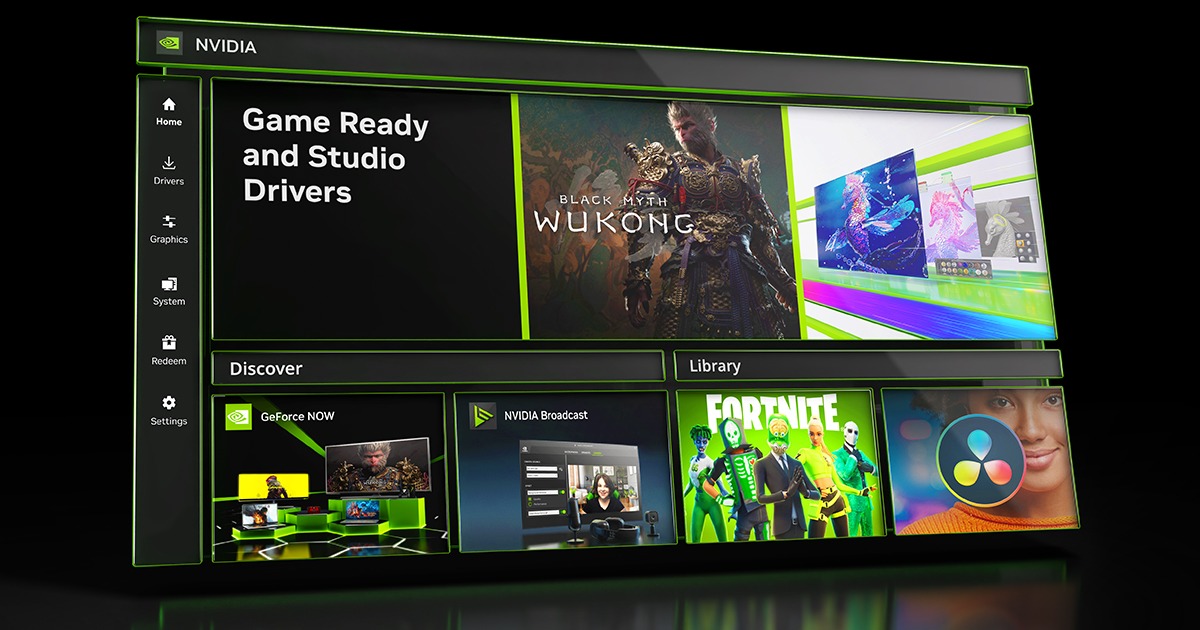
Many users initially encounter NVIDIA GeForce Experience as the primary vehicle for installing and updating their graphics drivers. While this is an undoubtedly critical function, reducing the software to merely a driver utility would be a disservice to its expansive capabilities. GeForce Experience is fundamentally about optimizing and enriching the entire PC gaming ecosystem for NVIDIA GPU owners.
The Nexus of Hardware and Software
At its core, GeForce Experience is a sophisticated software application that leverages the power of your NVIDIA GeForce graphics card. It analyzes your system’s hardware configuration – including CPU, RAM, and monitor – and combines this data with an extensive cloud-based database of game profiles. This intelligent synergy allows the software to make informed recommendations and adjustments, ensuring that your hardware is being utilized efficiently and effectively with the games you play. It’s not just about raw power; it’s about intelligent application of that power to deliver the best possible experience tailored to your specific setup. Without this intelligent software layer, even the most powerful GPU might struggle to deliver consistent, optimized performance across a diverse range of games, each with its unique demands and graphical settings.
Optimizing Your Gaming Rig
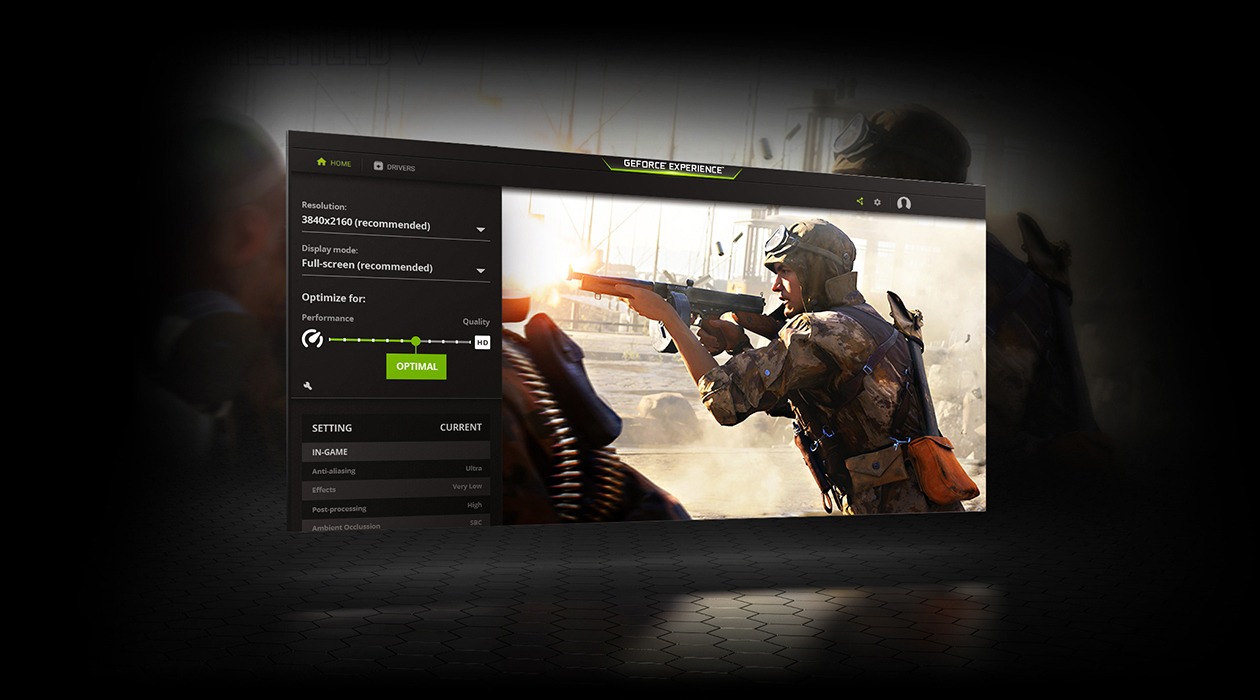
One of the most compelling features of GeForce Experience is its ability to automatically optimize game settings. For many gamers, diving into a game’s graphics options can be an overwhelming task, fraught with technical jargon and the need for trial-and-error to find the sweet spot between visual quality and smooth frame rates. GeForce Experience eliminates this guesswork. It scans your installed games and, based on your specific GPU model, CPU, and monitor resolution, recommends optimal in-game settings. These recommendations are derived from NVIDIA’s rigorous testing across thousands of hardware configurations, ensuring that you get the best balance of visual fidelity and performance without manual tweaking. With a single click, you can apply these optimized settings, confident that your system is running the game as intended by the developers, or even better, tuned specifically for your machine. This not only saves time but also guarantees a more consistent and enjoyable gaming experience, free from the frustrations of constant stuttering or pixelated graphics due to incorrect settings.
Staying Current with Drivers
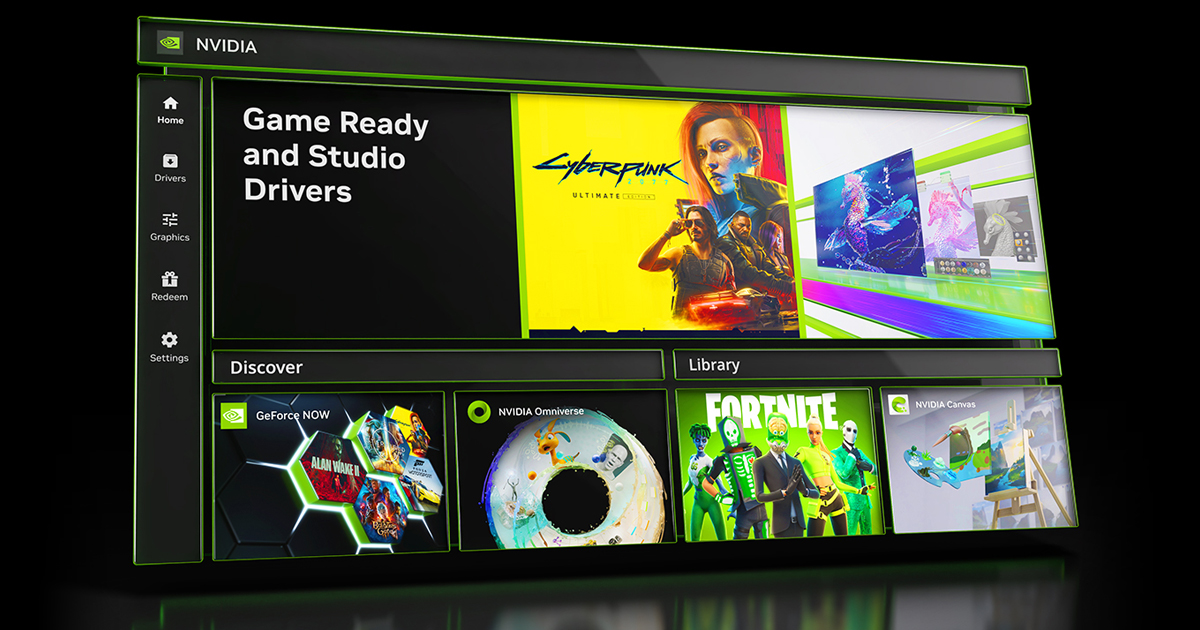
While not its sole purpose, the driver management aspect of GeForce Experience remains critically important. Graphics drivers are the foundational software layer that allows your operating system and games to communicate effectively with your GPU. NVIDIA frequently releases “Game Ready Drivers” that are specifically optimized for new game releases, major game updates, or new technologies. These drivers often include performance enhancements, bug fixes, and support for the latest graphical APIs. GeForce Experience simplifies the process of staying updated. It automatically notifies you when new drivers are available and allows for a quick, seamless installation process directly within the application. This ensures that your system always has the latest optimizations and fixes, preventing potential performance issues or compatibility problems with new titles. The convenience of one-click updates means less time troubleshooting and more time gaming, all while knowing your system is running with the most stable and performant drivers available.
Elevating the Gaming Experience
Beyond just initial setup and optimization, NVIDIA GeForce Experience actively works to enhance the ongoing gaming experience through a suite of advanced features designed to improve performance, facilitate content creation, and expand gameplay possibilities.
Game Optimization with One Click
Reiterating its importance, the one-click optimization feature goes beyond just initial setup. As new game patches are released or as your hardware configuration subtly changes (e.g., a new monitor), GeForce Experience intelligently re-evaluates and offers updated recommendations. This ensures that your games remain optimally tuned over time, without you needing to constantly monitor performance benchmarks or dive deep into game settings. The beauty lies in its simplicity and effectiveness, providing a consistent, high-quality visual and performance experience across your entire game library, adapting as both games and drivers evolve.
Capturing and Sharing Your Epic Moments (ShadowPlay/Ansel)
For many gamers, the thrill isn’t just in playing but also in sharing their most memorable achievements and spectacular failures. GeForce Experience integrates powerful recording and screenshot tools through features like NVIDIA ShadowPlay (now part of the in-game overlay). ShadowPlay allows for background recording, meaning you can retroactively save the last 30 seconds to 20 minutes of gameplay with the press of a hotkey, ensuring you never miss an unexpected kill streak or a hilarious glitch. It records at high quality with minimal performance impact, thanks to the dedicated hardware encoder on NVIDIA GPUs. For still images, NVIDIA Ansel takes game photography to an unprecedented level. Available in supported titles, Ansel lets you pause the game, freely re-position the camera, apply post-process filters, capture ultra-high-resolution screenshots, and even take 360-degree panoramas or stereoscopic images. These tools transform every game into a potential canvas for creative expression and make sharing your gaming prowess effortless across social media platforms.
GameStream: Gaming Beyond Your PC
The flexibility of modern gaming extends beyond the desk. NVIDIA GameStream is a feature that allows you to stream games from your powerful GeForce-equipped PC to a compatible device, such as an NVIDIA SHIELD TV or SHIELD Tablet, or even another PC. This means you can play your PC games in your living room on a big screen or from another room, without having to move your gaming rig. GameStream leverages your home network to transmit the video and audio of your game, while controller inputs are sent back to your PC, creating a seamless console-like experience. It brings a new dimension of freedom to PC gaming, making your extensive game library accessible from virtually anywhere within your home network, perfect for casual couch gaming or shared entertainment.
NVIDIA Reflex and Other Performance Enhancements
Beyond raw frame rates, input latency (the delay between your mouse click and the action appearing on screen) is a critical factor, especially in competitive esports titles. NVIDIA Reflex, another innovative feature integrated into GeForce Experience (and supported by compatible games and GPUs), aims to reduce system latency significantly. It optimizes the entire rendering pipeline from CPU to GPU, ensuring that your actions register almost instantaneously. This provides a tangible competitive advantage, allowing for quicker reactions and more precise aiming. Alongside Reflex, GeForce Experience often includes optimizations and settings that can indirectly improve performance, such as providing access to experimental features or advanced driver settings that might further fine-tune your GPU’s output for specific scenarios, pushing the boundaries of what your hardware can achieve.
Essential Tools for the Modern Gamer
GeForce Experience is more than just a collection of features; it’s a hub that centralizes various tools and functionalities that simplify and enhance the day-to-day life of a PC gamer.
The In-Game Overlay: Quick Access and Customization
At the heart of many of GeForce Experience’s features is its versatile in-game overlay. Accessible with a simple hotkey (Alt+Z by default), this overlay provides instant access to a wealth of tools without needing to alt-tab out of your game. From here, you can launch ShadowPlay to record or broadcast gameplay, access NVIDIA Ansel, monitor your system’s performance metrics (like FPS, GPU utilization, and temperatures) using the Performance Monitor, and even quickly access the Freestyle Game Filters. It acts as a command center, putting essential controls and information at your fingertips, minimizing interruptions and keeping you immersed in the game. The overlay is also customizable, allowing users to enable or disable specific features based on their preferences, ensuring it’s a help, not a hindrance.
Freestyle Game Filters: Personalizing Visuals
NVIDIA Freestyle allows gamers to apply post-processing filters to their games in real-time, directly through the in-game overlay. Imagine adding a retro film noir look to a modern shooter, boosting saturation and contrast in a vibrant RPG, or even applying colorblind modes to make games more accessible. Freestyle offers a wide array of filters, from color correction and sharpening to special effects like depth of field or painting styles. These filters process on the GPU, providing immediate visual feedback with minimal impact on performance. This feature empowers players to customize the visual aesthetics of their favorite games beyond what the developers originally intended, offering a personalized graphical experience that can make old games feel new again or enhance the atmosphere of current titles.
NVIDIA Broadcast Integration (for specific GPUs)
For content creators and streamers, NVIDIA Broadcast is a game-changer. While not strictly part of the core GeForce Experience application, GeForce Experience often acts as a gateway or companion to it, especially for enabling its features if you have an RTX GPU. NVIDIA Broadcast leverages AI to transform your webcam, microphone, and speakers into a smart studio. It can perform AI-powered noise removal from your microphone input, remove or replace your webcam background without a green screen, and even automatically reframe your webcam feed to keep you in the center of the shot. For streamers and online meeting participants, this integration dramatically improves production quality and professionalism, making high-end streaming accessible with minimal setup.
Driver Updates and Game-Ready Drivers
The consistent delivery of Game Ready Drivers via GeForce Experience is crucial for maintaining optimal performance. These drivers are not merely incremental updates; they are often engineered in collaboration with game developers to ensure peak performance, stability, and bug-free experiences upon a game’s release. For instance, a new Game Ready Driver might include specific optimizations for a highly anticipated title, offering performance boosts of 10-20% or more, or enabling support for new technologies like DLSS (Deep Learning Super Sampling) or ray tracing. GeForce Experience ensures that these vital updates are easy to find and install, safeguarding your gaming investment and continuously improving your experience.
Is GeForce Experience Right for You? Weighing the Pros and Cons
While the benefits of NVIDIA GeForce Experience are substantial, whether it’s an indispensable tool depends on individual user needs and preferences. Understanding both its advantages and potential drawbacks can help you decide if it deserves a permanent spot on your system.
Advantages: Convenience, Performance, and Features
The primary advantages of GeForce Experience are its unparalleled convenience and the tangible performance benefits it offers. The one-click game optimization feature saves countless hours of tweaking and ensures that games run at their best on your specific hardware. The seamless driver update mechanism keeps your system current and optimized for new releases. Features like ShadowPlay and Ansel transform content creation, making it effortless to capture and share high-quality gaming moments. GameStream adds flexibility, allowing games to be enjoyed in various locations within your home. For gamers who prioritize ease of use, consistent performance, and access to advanced features, GeForce Experience is an incredibly valuable application that enhances every facet of the PC gaming journey. It democratizes advanced settings and powerful recording tools, making them accessible to a broader audience.
Potential Drawbacks: Resource Usage and Privacy Considerations
Despite its many benefits, GeForce Experience isn’t without its detractors. Some users report that the application consumes a small amount of system resources even when not actively in use, potentially impacting performance on very low-end systems (though this impact is generally negligible on modern gaming rigs). There have also been occasional privacy concerns raised regarding the data collection practices, as GeForce Experience gathers anonymous hardware and software configuration data to provide its optimization services. While NVIDIA states this data is used solely to improve their services and is anonymized, some users prefer to avoid any form of telemetry. Furthermore, some users might prefer manual control over every game setting and driver installation, finding the automated aspects of GeForce Experience unnecessary or intrusive. For those who meticulously manage every aspect of their system, the “set it and forget it” approach might not appeal.
Who Benefits Most from GeForce Experience?
NVIDIA GeForce Experience is most beneficial for the vast majority of NVIDIA GeForce GPU owners.
-
Casual and Mid-Range Gamers: Those who want to enjoy their games without spending hours tweaking settings will find the one-click optimization invaluable.
-
Content Creators and Streamers: ShadowPlay, Ansel, and the integration potential with NVIDIA Broadcast provide powerful tools for capturing and producing high-quality content.
-
Gamers Seeking Convenience: Users who appreciate automated driver updates and easy access to performance monitoring and visual customization will find it indispensable.
-
Players with NVIDIA SHIELD Devices: GameStream significantly enhances the value of SHIELD hardware by bringing the PC gaming library to the living room.
In conclusion, NVIDIA GeForce Experience is far more than a simple driver utility; it’s a comprehensive software suite designed to unlock and amplify the full potential of your NVIDIA GeForce graphics card. By intelligently optimizing games, simplifying driver management, and providing a rich array of features for capturing, sharing, and even streaming gameplay, it significantly enhances the overall PC gaming experience. While some users might opt for a minimalist approach, for most NVIDIA GPU owners, GeForce Experience stands as an essential companion, transforming a powerful piece of hardware into a truly immersive and convenient gaming platform.
aViewFromTheCave is a participant in the Amazon Services LLC Associates Program, an affiliate advertising program designed to provide a means for sites to earn advertising fees by advertising and linking to Amazon.com. Amazon, the Amazon logo, AmazonSupply, and the AmazonSupply logo are trademarks of Amazon.com, Inc. or its affiliates. As an Amazon Associate we earn affiliate commissions from qualifying purchases.