
In the modern financial landscape, the ability to access your accounts at a moment’s notice is not just a convenience—it is a necessity. PNC Bank, one of the largest financial institutions in the United States, provides a robust digital ecosystem through its Virtual Wallet and online banking platforms. However, the first hurdle to managing your wealth, paying bills, or checking transaction history is often the most basic one: remembering your User ID.
A User ID serves as the primary gateway to your financial life. Unlike a PIN or a physical debit card, your User ID is a unique alphanumeric string that verifies your identity within PNC’s secure servers. If you find yourself asking “What is my User ID?” you are not alone. Thousands of users navigate this hurdle daily, and understanding the recovery process—as well as the security implications behind it—is a vital component of modern financial literacy.
The Fundamentals of PNC Online Banking Identity
To manage your money effectively, you must first understand the architecture of your digital credentials. PNC Bank distinguishes between several types of identification, and confusing them is a common reason why users experience login failures.
The Difference Between Your User ID and Account Number
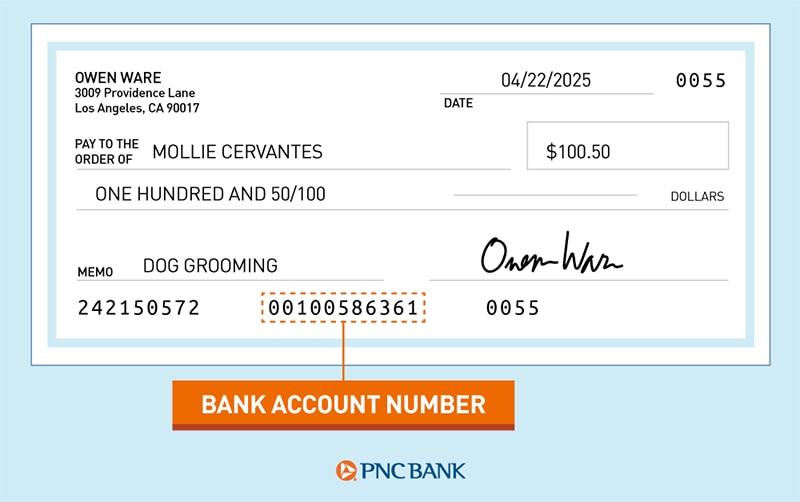
It is a frequent misconception among new banking customers that their User ID is the same as their account number. In reality, they serve two entirely different purposes. Your account number is a permanent identifier for a specific pot of money (such as a checking or savings account) used for routing transfers and deposits. Your User ID, however, is a customizable credential designed solely for authentication. For security reasons, PNC recommends that your User ID never match your account number or your Social Security Number (SSN).
When and How Your User ID Was Created
Typically, a PNC User ID is established during the initial enrollment process. This might have occurred when you first opened your account at a physical branch, or when you registered for the PNC Virtual Wallet online. During setup, the bank provides a temporary ID or asks you to create a unique one. If you have been a customer for several years, your User ID might be an old email address or a specific name you chose long ago that no longer reflects your current digital habits.
Why Your User ID is Essential for Financial Tool Integration
In the age of fintech, your PNC credentials do more than just let you check your balance. They are the keys used to link your bank account to third-party financial tools like budgeting apps, investment platforms, and tax preparation software. Losing track of your User ID doesn’t just lock you out of the PNC app; it can disrupt your entire automated financial workflow.
Step-by-Step Guide: Recovering a Lost PNC User ID
If you have forgotten your User ID, PNC has established a secure, multi-layered recovery process designed to verify your identity without compromising your financial data. You can perform this recovery via a desktop browser or the PNC Mobile app.
Preparation: Information You Will Need
Before attempting to recover your credentials, ensure you have the following information readily available. PNC requires these details to ensure that a malicious actor isn’t attempting to gain unauthorized access to your funds:
-
Your Social Security Number (SSN) or Tax Identification Number (TIN).
-
Your PNC account number (found on a physical check or a paper statement).
-
Your PNC Voice ID or the PIN associated with your debit card.
The Online Recovery Process
-
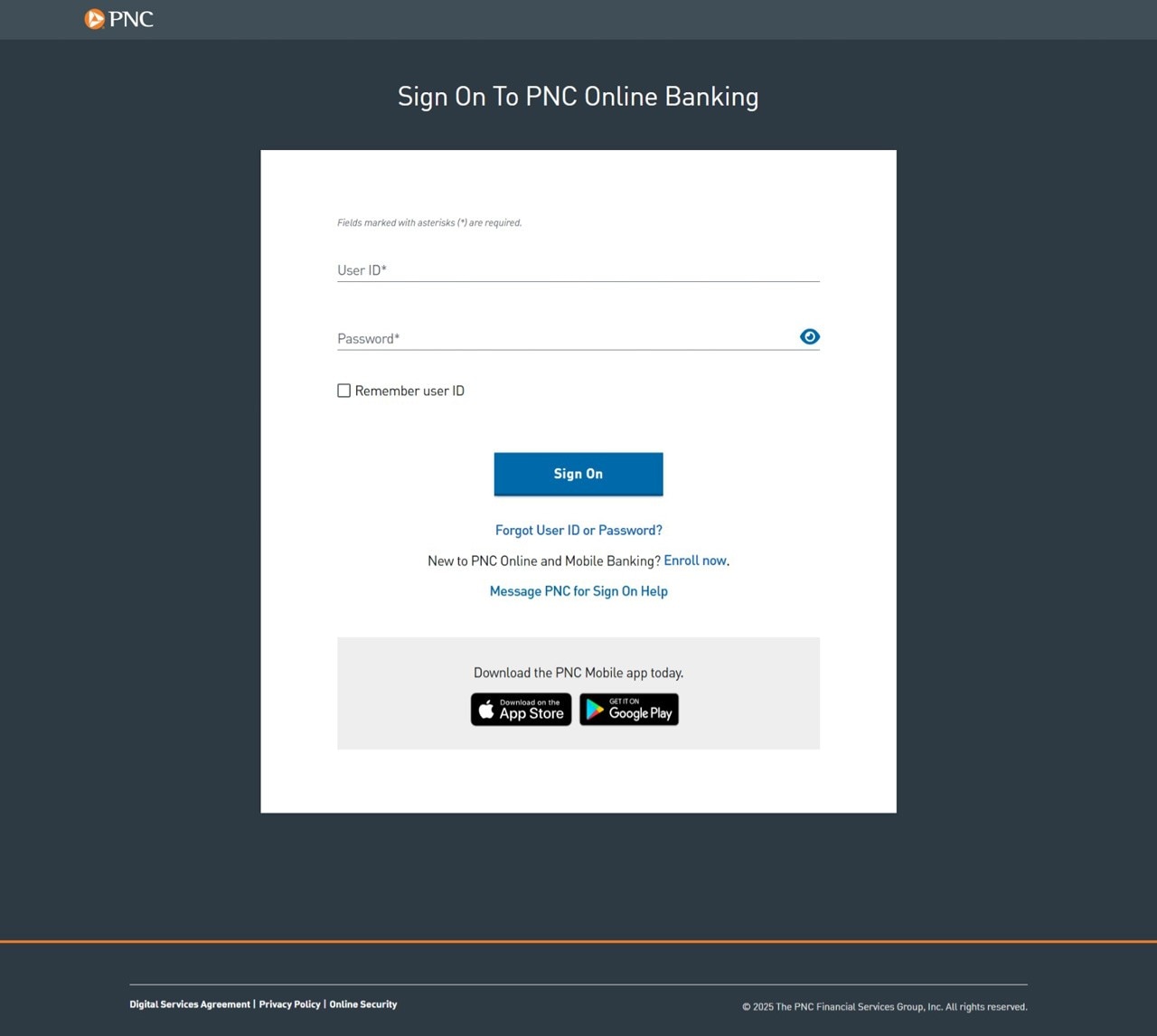
Navigate to the Login Page: Visit the official PNC website. Look for the “Sign On” box and click the link labeled “Forgot User ID and/or Password?”
-
Select the Recovery Type: You will be prompted to choose what you need to recover. Select the “I forgot my User ID” option.
-
Identity Verification: Enter your Social Security Number and your account number. The system will cross-reference this with their internal records.
-
Secondary Authentication: PNC may ask for your debit card PIN or send a one-time passcode (OTP) to the mobile phone number or email address on file. This is a critical security step known as out-of-band authentication.
-
Retrieval: Once verified, the system will display your User ID on the screen or send it to your registered email address.
Using the PNC Mobile App for Recovery
The process on the PNC Mobile app is very similar. On the landing screen, tap “Trouble Signing In?” and follow the prompts for “Forgot User ID.” The mobile app is often preferred by users because it can utilize biometric data (like FaceID or fingerprint scanning) if those features were previously enabled, potentially streamlining the verification process.
Security Protocols: Safeguarding Your Financial Identity
While recovering a User ID is straightforward, the incident should serve as a reminder to audit your overall digital security. Your bank account is the most sensitive point in your digital life; its protection requires more than just a strong password.
Characteristics of a Secure User ID
If the recovery process allows you to change your User ID, or if you are setting one up for the first time, avoid common pitfalls. Do not use your name, your birthday, or any part of your address. Sophisticated hackers use “social engineering” and “dictionary attacks” to guess User IDs. A secure User ID should be unique to PNC—meaning you shouldn’t use the same ID for your bank that you use for social media or retail websites.
The Role of Two-Factor Authentication (2FA)
Recovering a User ID often involves receiving a code on your phone. This is part of PNC’s security infrastructure. Two-factor authentication ensures that even if someone manages to find your User ID and guess your password, they cannot access your money without physical possession of your mobile device. Ensure that your contact information in the PNC system is always up to date so that these security codes reach you instantly.
Managing Credentials with Professional Tools
To avoid the “What is my User ID?” dilemma in the future, many financial experts recommend using an encrypted password manager. Tools like 1Password or Dashlane allow you to store your User ID, password, and even your security question answers in a secure, encrypted vault. This removes the need for memorization while significantly increasing your security posture.
Beyond the Login: Maximizing Your Digital Banking Security
Once you have regained access to your PNC account, it is a prudent time to review your account settings and financial health tools. Digital banking is about more than just seeing numbers; it’s about utilizing the technology to grow your net worth.
Monitoring for Unauthorized Access
After recovering a User ID, check your “Last Login” details, which PNC usually displays on the main dashboard. If you see a login time that doesn’t align with your activity, it could indicate that your credentials have been compromised. In such cases, you should immediately change your password and contact PNC’s fraud department.
Setting Up Alerts
PNC offers a variety of alerts that can be sent to your phone or email. These include:
-
Transaction Alerts: Be notified whenever a purchase over a certain dollar amount is made.
-
Balance Alerts: Receive a notification if your account drops below a specific threshold.
-
Security Alerts: Get notified immediately if your User ID or password is changed.
These alerts provide a “set it and forget it” layer of financial security that ensures you are the first to know if something goes wrong.
The Virtual Wallet Advantage
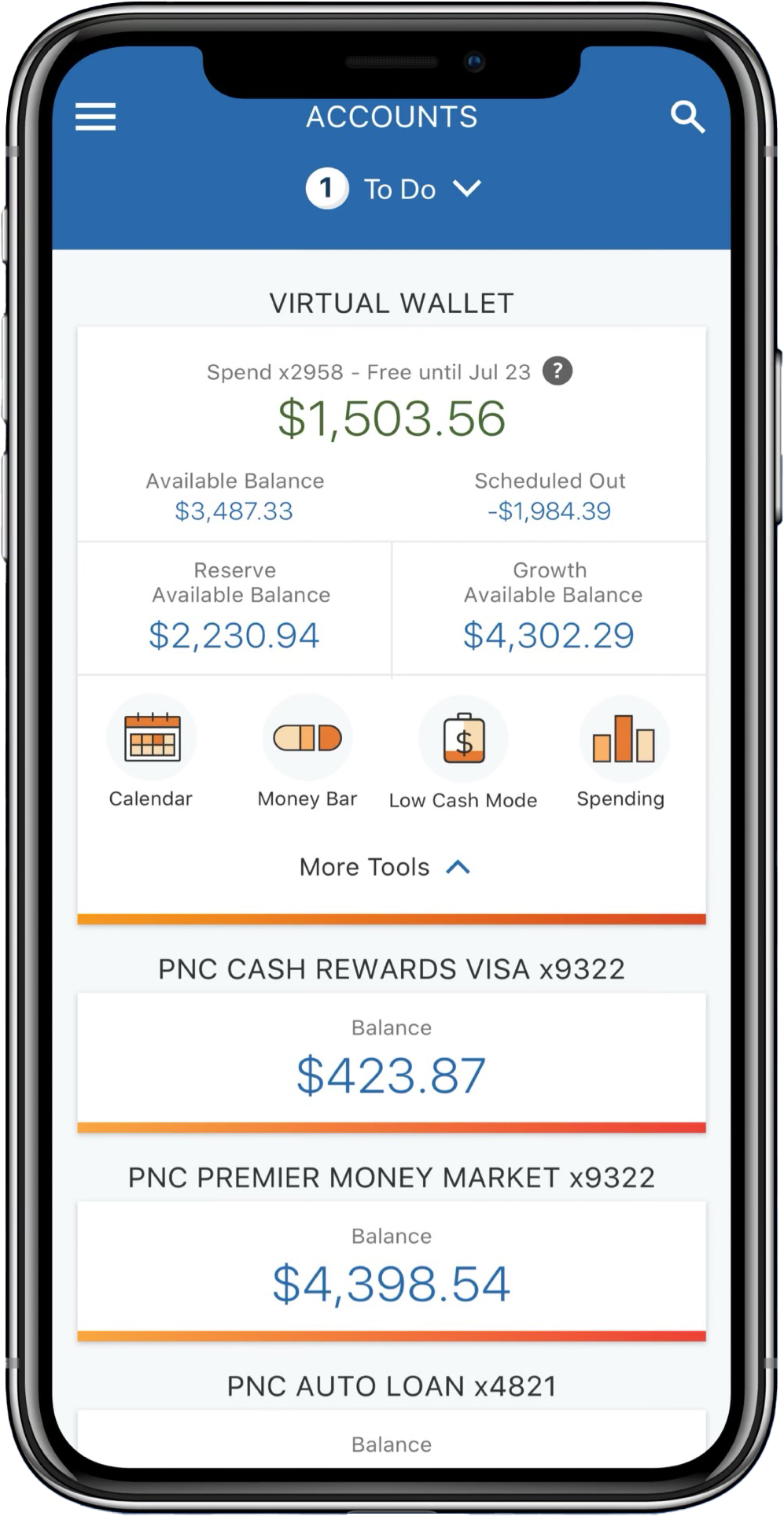
PNC’s Virtual Wallet is a unique financial tool that divides your money into “Spend,” “Reserve,” and “Growth” accounts. Understanding your login credentials allows you to use the “Calendar” and “Money Bar” features effectively. These tools help you visualize your upcoming bills against your current balance, preventing overdrafts and helping you allocate funds toward your savings goals.
Troubleshooting and Common Access Challenges
Sometimes, even with the correct User ID, you may find yourself unable to access your account. Understanding these common roadblocks can save you hours of frustration with customer service.
Account Lockouts
If you attempt to log in too many times with the wrong User ID or password, PNC will temporarily lock your account to protect your funds from a brute-force attack. Usually, these locks last for 24 hours. However, if you need immediate access to pay a bill or transfer money, you must call PNC Customer Service at 1-888-PNC-BANK (1-888-762-2265). Be prepared to answer several security questions to prove your identity.
Browser and Cache Issues
Occasionally, the problem isn’t your User ID, but your browser. If the PNC website isn’t loading correctly or the “Submit” button isn’t working during the recovery process, try clearing your browser’s cache and cookies. Alternatively, try using a different browser or an Incognito/Private window. Outdated browser extensions, particularly ad-blockers, can sometimes interfere with the secure scripts used by banking websites.
Maintaining Your Financial Connection
Your User ID is the bridge between your physical labor and your digital wealth. By keeping this credential secure, unique, and accessible, you ensure that your financial journey remains uninterrupted. Whether you are saving for a home, investing in the market, or simply managing daily expenses, your digital identity is the foundation upon which your financial success is built. Treat it with the same care you would treat the cash in your wallet, and you will find that digital banking becomes a powerful ally in your quest for financial stability.
aViewFromTheCave is a participant in the Amazon Services LLC Associates Program, an affiliate advertising program designed to provide a means for sites to earn advertising fees by advertising and linking to Amazon.com. Amazon, the Amazon logo, AmazonSupply, and the AmazonSupply logo are trademarks of Amazon.com, Inc. or its affiliates. As an Amazon Associate we earn affiliate commissions from qualifying purchases.