
In the rapidly evolving landscape of remote and hybrid work, the hardware we use—webcams, headsets, and docking stations—has become the primary bridge between professionals and their collaborators. However, high-end hardware is only as effective as the software that controls it. Enter Logi Tune, a sophisticated software application developed by Logitech designed to interface seamlessly with their professional-grade peripherals.
Logi Tune is more than just a driver or a settings menu; it is a comprehensive control center intended to optimize the user experience for video conferencing and digital collaboration. By providing a centralized interface for fine-tuning audio-visual settings, managing schedules, and keeping hardware up to date, Logi Tune has positioned itself as an essential tool for the modern digital professional.
Understanding Logi Tune: The Control Center for Modern Peripherals
At its core, Logi Tune is a desktop and mobile application that allows users to customize their Logitech webcams, headsets, and Logi Dock stations. In an era where “Zoom fatigue” and technical glitches can derail productivity, having a dedicated software layer to manage peripheral performance is a significant advantage.
The Core Concept of Logi Tune
Logi Tune serves as a bridge between the physical hardware and the operating system. While most peripherals are “plug-and-play,” they often operate on default settings that may not be optimal for every environment. Logi Tune unlocks the full potential of the hardware, allowing for granular adjustments that the operating system’s native settings usually overlook. It provides a visual dashboard where users can see all their connected Logitech professional devices in one place.
Bridging the Gap Between Hardware and Software
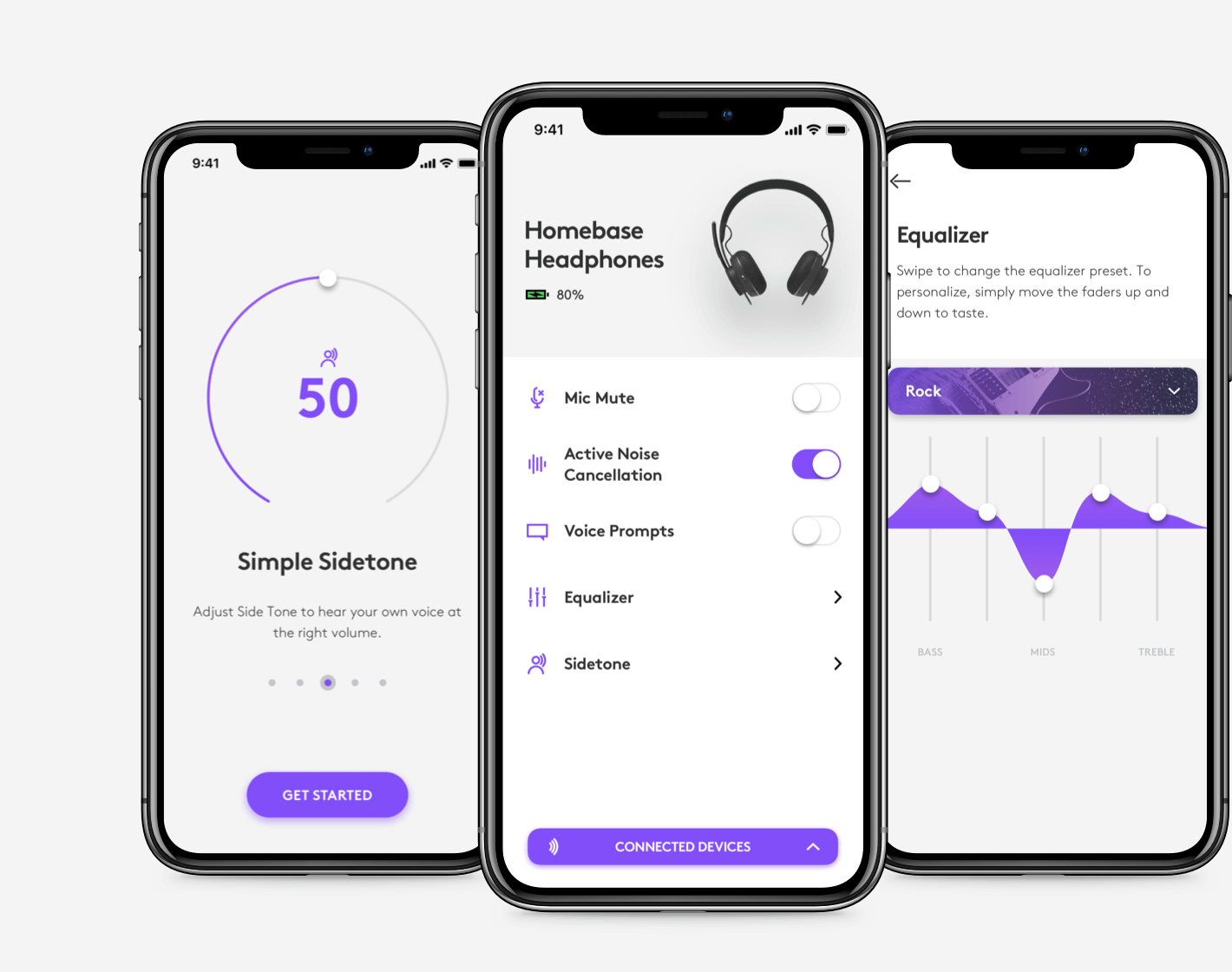
The software is designed with a “user-first” philosophy. Instead of burying settings deep within system menus, Logi Tune offers a clean, intuitive interface that can be accessed via a small window or a tray icon. This ensures that during a live meeting, a user can quickly adjust their camera zoom or mute their mic without fumbling through complex menus. This real-time control is critical for maintaining a professional appearance and flow during high-stakes digital interactions.
System Requirements and Compatibility
Logi Tune is built for cross-platform utility, supporting both Windows and macOS. Additionally, a mobile version exists for iOS and Android, specifically designed to manage Logitech’s Bluetooth headsets. The software is optimized to run in the background with minimal CPU and RAM usage, ensuring that it doesn’t interfere with resource-heavy video conferencing apps like Microsoft Teams, Zoom, or Google Meet.
Advanced Audio and Visual Customization Features
One of the primary reasons tech-savvy professionals install Logi Tune is the level of visual and auditory control it provides. Standard webcams and headsets often suffer from poor lighting or “tinny” audio if left on factory settings. Logi Tune provides the digital toolkit to fix these issues.
Optimizing Your Video Presence
For webcams like the Logitech Brio or the C920 series, Logi Tune offers professional-grade adjustments. Users can control the Field of View (FOV), allowing them to choose between a wide angle to show a white-board or a narrow crop to hide a cluttered home office. Beyond FOV, the software provides toggles for autofocus, auto-white balance, and HDR. For those working in tricky lighting conditions, the ability to manually adjust brightness, contrast, and color saturation ensures a clear, professional image regardless of the time of day.
Precision Audio Tuning
The audio component of Logi Tune is equally robust. When paired with Zone Wireless or Zone Vibe headsets, the software introduces a full Graphic Equalizer (EQ). Users can choose from presets like “Default,” “Volume Boost,” or “Podcast,” or they can manually adjust frequencies to suit their hearing preferences. This is particularly useful for professionals who spend hours on calls and need to prioritize voice clarity while minimizing background hiss.
Sidetone Management and Noise Cancellation
A standout technical feature within Logi Tune is Sidetone control. Sidetone allows you to hear your own voice through the headset while you speak. Without it, users often find themselves shouting because the passive or active noise cancellation of the headset isolates them too much. Logi Tune allows users to calibrate exactly how much of their own voice they hear, leading to a more natural conversational tone. Furthermore, users can toggle Active Noise Cancellation (ANC) features directly from the app dashboard.
Streamlining Workflow and Collaboration

Beyond hardware adjustments, Logi Tune aims to improve the actual workflow of the user. It integrates with calendar services to transform the way we approach our daily schedule of meetings.
Meeting Integration and Notifications
One of the most praised features of Logi Tune is its ability to sync with Google Calendar and Microsoft Outlook. Once synced, a small unobtrusive notification appears on the desktop when a meeting is about to start. More importantly, it features a “One-Touch Join” button. Instead of searching through emails or calendar invites for a link, users can jump directly into their Zoom or Teams call from the Logi Tune interface.
Logi Dock Integration
For users with the Logi Dock, the software becomes even more powerful. Logi Tune acts as the brain of the dock, allowing users to customize the touch-sensitive buttons on the hardware. You can program the dock to join a meeting, mute the microphone, or turn the camera on/off with a single physical tap. The software also controls the ambient lighting on the base of the dock, which can flash to notify the user of an upcoming call or a muted status.
Firmware Updates and Device Longevity
From a technical maintenance perspective, Logi Tune serves as the delivery mechanism for firmware updates. Hardware bugs, security vulnerabilities, or performance optimizations are often addressed through these updates. Logi Tune automatically checks for the latest firmware for all connected devices, ensuring that your expensive hardware remains compatible with the latest versions of macOS or Windows and continues to function at peak performance.
Logi Tune for the Enterprise: Desk Booking and Fleet Management
In recent updates, Logitech has expanded Logi Tune from a personal utility to an enterprise solution. As companies transition to “hot-desking” and flexible office spaces, the software has evolved to meet these logistical challenges.
Optimizing Hybrid Workspaces
Logi Tune now includes a Desk Booking feature. In an office with shared desks, employees can use the Logi Tune mobile or desktop app to see which desks are available in real-time and reserve them. This tech-driven approach to office management reduces the friction of returning to a physical office. Employees can see where their teammates are sitting, fostering better collaboration in a hybrid environment.
Centralized Management for IT Teams
When combined with Logitech Sync, Logi Tune allows IT administrators to manage a fleet of devices. While Logi Tune is the user-facing app, it sends data back to the centralized Sync portal. This allows IT teams to ensure that every employee in the organization is running the latest firmware and that the hardware is being utilized correctly. This “Proactive Insights” capability is a game-changer for large-scale digital security and asset management.
How Logi Tune Compares to Logi Options+ and G HUB
A common point of confusion in the Logitech ecosystem is the existence of multiple software platforms. To understand Logi Tune, one must understand its specific niche compared to other Logitech tools.
Differentiation by Use Case
Logitech offers three main software branches:
- Logi Options+: Designed for mice and keyboards (like the MX Master series). It focuses on productivity shortcuts and gesture controls.
- Logitech G HUB: Designed for gaming peripherals. It focuses on RGB lighting, high-polling rates, and macro mapping for games.
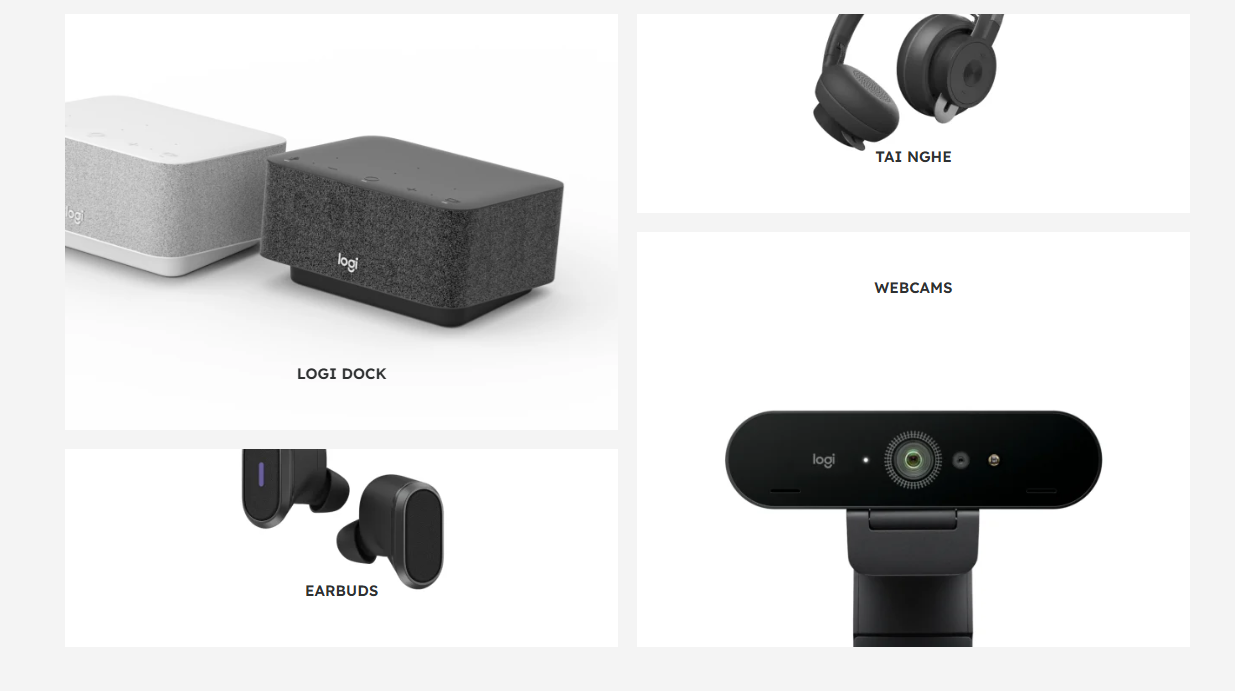
- Logi Tune: Designed specifically for communication and collaboration. Its primary focus is on webcams, headsets, and the Logi Dock.
Choosing the Right Tool for Your Hardware
While there is some overlap, Logi Tune is the only one optimized for the “Video Collaboration” (VC) line of products. If your goal is to look better on a video call or manage a cluttered meeting schedule, Logi Tune is the correct choice. It is stripped of the “bloat” associated with gaming software and the complex macro-mapping of productivity software, focusing instead on the specific needs of a professional communicator.
Conclusion: The Digital Edge in a Virtual World
In the modern tech stack, the value of a peripheral is no longer determined solely by its hardware specs. The software ecosystem surrounding that hardware is what determines the actual day-to-day utility. Logi Tune represents a shift in how we interact with our tools—moving away from passive hardware and toward an integrated, intelligent environment.
By providing granular control over audio and video, simplifying the process of joining meetings, and offering innovative solutions for desk management in the hybrid office, Logi Tune has become a vital component of the professional digital experience. For anyone using Logitech’s professional-grade headsets or cameras, installing Logi Tune isn’t just a recommendation; it is a necessary step in mastering the technology that defines our working lives.
aViewFromTheCave is a participant in the Amazon Services LLC Associates Program, an affiliate advertising program designed to provide a means for sites to earn advertising fees by advertising and linking to Amazon.com. Amazon, the Amazon logo, AmazonSupply, and the AmazonSupply logo are trademarks of Amazon.com, Inc. or its affiliates. As an Amazon Associate we earn affiliate commissions from qualifying purchases.