
Intuit QuickBooks stands as a cornerstone in the realm of business finance, a comprehensive software suite meticulously designed to empower individuals and organizations, from solopreneurs to sprawling enterprises, in managing their financial health with unparalleled efficiency. At its core, QuickBooks demystifies the often-complex world of accounting, transforming daunting financial tasks into streamlined, manageable processes. This financial tool is not merely a digital ledger; it is a holistic ecosystem engineered to provide clear insights into a business’s monetary flows, obligations, and assets, fostering informed decision-making and sustainable growth. For anyone seeking to master their financial destiny, understanding QuickBooks is a crucial first step toward operational excellence and fiscal stability.
The Foundation of Fiscal Management: Core Financial Features
QuickBooks excels in centralizing and automating the fundamental aspects of business finance, ensuring accuracy, compliance, and clarity across all monetary operations. Its robust feature set addresses the full spectrum of financial management needs, moving beyond simple bookkeeping to offer strategic insights.
Streamlining Invoicing and Accounts Receivable
One of the most critical aspects of any business is getting paid, and QuickBooks simplifies this process dramatically. It allows users to create professional, customized invoices quickly, sending them via email, print, or even directly through payment links.
- Customizable Invoices: Businesses can tailor invoices with their branding, terms, and specific product/service details, enhancing professionalism and clarity.
- Automated Reminders: QuickBooks intelligently tracks outstanding invoices and can send automated payment reminders, significantly reducing collection times and improving cash flow.
- Online Payment Integration: Integration with various payment gateways (e.g., QuickBooks Payments, PayPal, Stripe) enables customers to pay directly from the invoice, accelerating the receipt of funds and minimizing manual data entry.
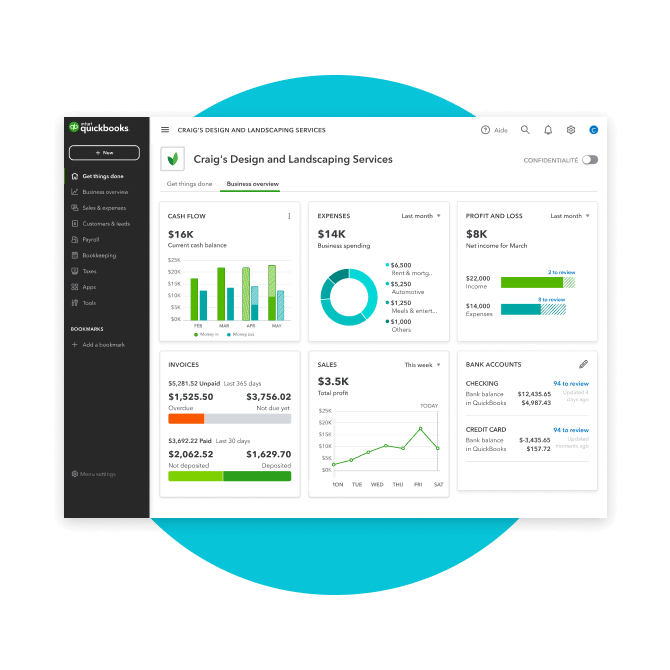
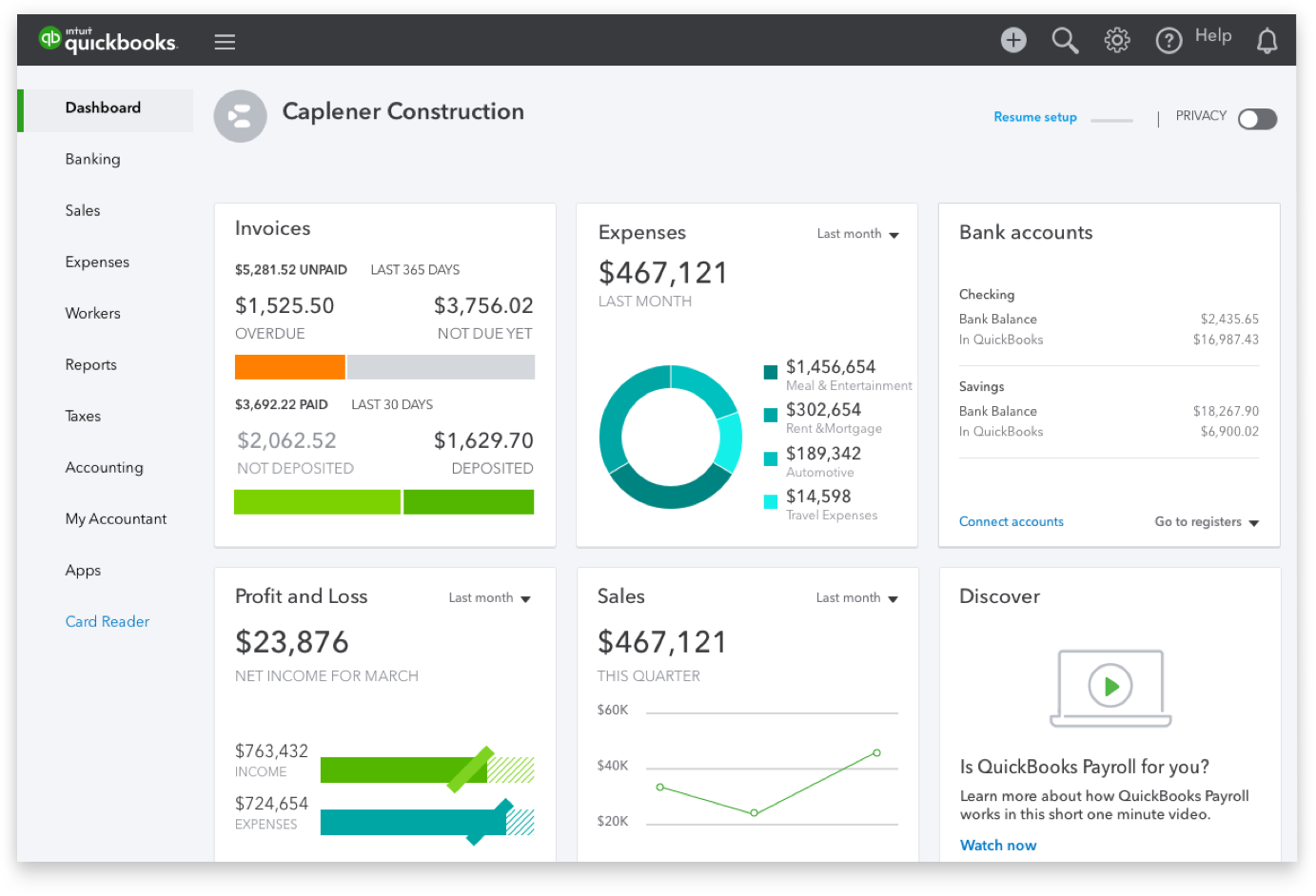
- Accounts Receivable Tracking: A clear dashboard provides an overview of who owes what, by when, helping businesses prioritize collection efforts and project future cash inflows.
Mastering Expense Tracking and Accounts Payable
Controlling expenditures is just as vital as collecting revenue. QuickBooks offers sophisticated tools to monitor and manage every dollar spent, providing a granular view of operational costs and improving budgeting accuracy.
- Automated Expense Categorization: Users can connect bank accounts and credit cards, allowing QuickBooks to automatically import and categorize transactions, saving significant time and reducing manual errors.
- Receipt Capture: The mobile app allows for snapping photos of receipts, which are then attached to transactions, ensuring audit readiness and simplifying expense reconciliation.
- Bill Management: QuickBooks facilitates tracking bills from vendors, scheduling payments, and managing accounts payable efficiently. This helps avoid late fees, build good vendor relationships, and maintain healthy cash reserves.
- Budgeting Tools: Businesses can create detailed budgets and track actual spending against budgeted amounts, providing essential insights for cost control and financial planning.
Simplifying Payroll and Employee Compensation
Managing employee compensation, including wages, taxes, and benefits, is a complex financial responsibility. QuickBooks offers integrated payroll solutions that streamline this intricate process, ensuring compliance and accuracy.
- Automated Tax Calculations: The payroll feature automatically calculates federal, state, and local taxes, as well as deductions for benefits, ensuring compliance with ever-changing tax laws.
- Direct Deposit: Employees can receive their paychecks via direct deposit, eliminating the need for physical checks and speeding up payment delivery.
- Tax Form Generation: QuickBooks generates necessary tax forms (e.g., W-2s, 1099s, quarterly tax filings) making tax season significantly less burdensome for businesses.
- Time Tracking: Some versions include time tracking functionality, allowing employees to log hours, which can then be directly integrated into payroll processing.
Unlocking Financial Intelligence: Reporting and Insights
Beyond transaction processing, QuickBooks empowers businesses with a suite of reporting tools that transform raw financial data into actionable intelligence. These insights are indispensable for strategic planning, performance evaluation, and maintaining a competitive edge.
Comprehensive Financial Reporting
The ability to generate accurate and timely financial reports is paramount for understanding a business’s health and trajectory. QuickBooks offers a wide array of standard and customizable reports.
- Profit & Loss (Income Statement): This fundamental report shows a company’s revenues and expenses over a period, revealing its net profit or loss. It’s crucial for assessing profitability and operational efficiency.
- Balance Sheet: A snapshot of a company’s assets, liabilities, and equity at a specific point in time. It provides a comprehensive view of financial position and solvency.
- Cash Flow Statement: Illustrates how cash is generated and used by a company over a period, categorized into operating, investing, and financing activities. Essential for understanding liquidity.
- Accounts Receivable/Payable Aging: These reports show overdue invoices and bills, categorized by how long they’ve been outstanding, enabling proactive management of cash flow.
- Sales Reports: Detailed breakdowns of sales by customer, item, or service, helping identify top performers, understand buying patterns, and refine sales strategies.
Driving Business Performance with Analytics
QuickBooks moves beyond mere reporting to provide analytical tools that help businesses interpret their financial data and make forward-looking decisions.
- Customizable Dashboards: Users can create personalized dashboards that display key performance indicators (KPIs) relevant to their business, offering an at-a-glance view of financial health.
- Budget vs. Actual Reports: These reports compare planned financial figures with actual results, highlighting areas where performance deviates and requiring attention. This is invaluable for financial discipline.
- Job Costing & Project Profitability: For service-based businesses or those managing multiple projects, QuickBooks can track income and expenses per job, revealing true profitability and aiding in future bidding strategies.
- Tax-Ready Reports: All financial data organized within QuickBooks can be easily converted into formats suitable for tax preparation, simplifying the often-stressful tax season and ensuring compliance.

The QuickBooks Ecosystem: Tailored Financial Solutions
Intuit has developed QuickBooks into a versatile ecosystem, offering various versions and integrations designed to cater to diverse business sizes, operational models, and financial complexities. This adaptability underscores its position as a leading financial management tool.
QuickBooks Online vs. Desktop Versions
The primary distinction in the QuickBooks lineup lies between its cloud-based (Online) and locally installed (Desktop) solutions, each offering distinct advantages for different business needs.
- QuickBooks Online (QBO): A subscription-based, cloud-hosted platform offering anytime, anywhere access to financial data. Its advantages include automatic updates, robust mobile apps, and seamless collaboration with accountants. It’s ideal for businesses needing flexibility, remote access, and integration with a wide array of cloud-based applications.
- QuickBooks Desktop: A traditional software installed directly on a computer. It offers powerful features, often preferred by businesses with very specific reporting needs, complex inventory, or a preference for local data storage and less reliance on internet connectivity. Versions like Pro, Premier, and Enterprise cater to increasing levels of complexity.
Specialized Editions for Diverse Financial Needs
Within both Online and Desktop platforms, QuickBooks offers different tiers and specialized editions, each crafted to address the unique financial challenges of various business types.
- QuickBooks Self-Employed: Tailored for freelancers and independent contractors, focusing on tracking income and expenses, separating business and personal finances, and simplifying tax estimation (e.g., Schedule C).
- QuickBooks Online Simple Start, Essentials, Plus, and Advanced: These tiers progressively offer more features, from basic invoicing and expense tracking (Simple Start) to comprehensive inventory, project profitability, multi-user access, and advanced reporting capabilities (Plus and Advanced).
- QuickBooks Desktop Enterprise: Designed for larger businesses with significant financial transaction volumes, multiple users, and complex industry-specific needs (e.g., manufacturing & wholesale, contractor, retail).
Integration with a Broader Financial Landscape
A key strength of QuickBooks lies in its ability to integrate with a vast ecosystem of third-party applications and financial services, enhancing its utility and creating a holistic financial management hub.
- Banking Integration: Direct feeds from banks and credit card companies automate transaction import and reconciliation.
- Payment Processors: Seamless integration with services like QuickBooks Payments, PayPal, and Square for efficient online and in-person payment processing.
- CRM and E-commerce Platforms: Connections with customer relationship management (CRM) systems and e-commerce platforms (e.g., Shopify, Salesforce) help synchronize sales data with financial records.
- Industry-Specific Apps: A marketplace of hundreds of applications designed for specific industries (e.g., field service management, time tracking, expense management) that integrate with QuickBooks, further tailoring its financial capabilities.
The Indispensable Role of QuickBooks in Business Finance
In an increasingly competitive and complex economic landscape, effective financial management is not merely an administrative task; it is a strategic imperative. Intuit QuickBooks provides the robust framework necessary for businesses to achieve financial clarity, maintain compliance, and foster sustainable growth.
Empowering Financial Decision-Making
By consolidating all financial data into an organized, accessible format, QuickBooks empowers business owners and managers to make informed decisions. The rich reporting capabilities allow for identification of trends, evaluation of profitability, and assessment of cash flow health. This deep understanding of financial performance is critical for strategic planning, resource allocation, and identifying opportunities for expansion or areas needing improvement. Without such clarity, businesses operate in the dark, risking financial missteps that could jeopardize their future.
Ensuring Compliance and Mitigating Risk
Navigating tax regulations and financial compliance can be a significant burden for businesses. QuickBooks simplifies this by maintaining accurate records, automating calculations, and generating the necessary reports and forms for tax filings. This meticulous record-keeping not only ensures compliance with local, state, and federal regulations but also minimizes the risk of audits, penalties, and legal issues. By providing an indisputable trail of financial transactions, QuickBooks acts as a crucial safeguard, offering peace of mind to business owners and their financial teams.
Fostering Scalability and Efficiency
As a business grows, its financial complexities inevitably multiply. QuickBooks is designed to scale with a business, offering advanced features and specialized versions that can accommodate increasing transaction volumes, additional employees, and more intricate operational structures. By automating repetitive financial tasks—from invoicing to reconciliation—QuickBooks frees up valuable time and resources. This enhanced efficiency allows business owners and their teams to focus on core competencies, strategic initiatives, and customer engagement, rather than getting bogged down in administrative minutiae. Ultimately, by streamlining financial operations, QuickBooks contributes directly to operational efficiency and the overall financial health of an organization, making it an indispensable partner in the journey toward business success.
aViewFromTheCave is a participant in the Amazon Services LLC Associates Program, an affiliate advertising program designed to provide a means for sites to earn advertising fees by advertising and linking to Amazon.com. Amazon, the Amazon logo, AmazonSupply, and the AmazonSupply logo are trademarks of Amazon.com, Inc. or its affiliates. As an Amazon Associate we earn affiliate commissions from qualifying purchases.