
In the vast and ever-evolving landscape of digital tools, certain software applications rise to prominence, becoming indispensable pillars for entire industries. Among these titans, Adobe InDesign stands as the undisputed champion of desktop publishing and page layout. For anyone venturing into the realms of graphic design, publishing, marketing, or professional communication, understanding “what is InDesign” is not merely academic; it’s a prerequisite for creating polished, professional, and impactful print and digital media.
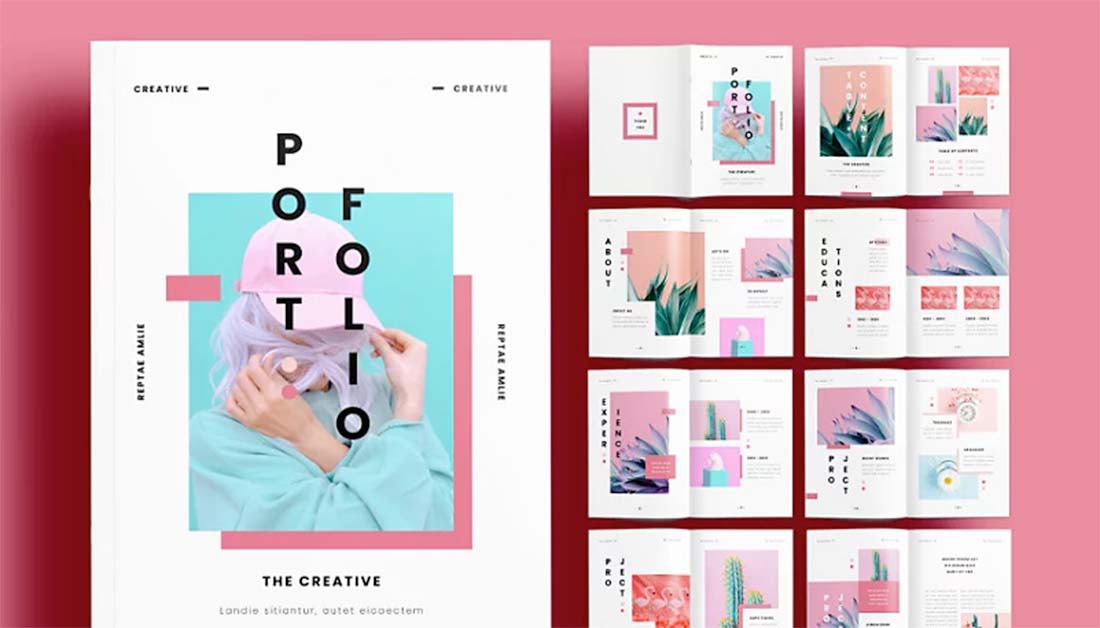
At its core, Adobe InDesign is a sophisticated page layout software developed by Adobe Systems. It provides a robust environment for designers, publishers, and marketers to arrange text, graphics, and other visual elements into visually cohesive and aesthetically pleasing layouts. Unlike word processors, which are designed primarily for text creation, or image editors like Photoshop, which focus on raster graphics, InDesign specializes in the precise placement and manipulation of content across multiple pages, making it the go-to tool for everything from brochures and magazines to books and interactive PDFs. Its strength lies in its ability to handle complex layouts with meticulous typographic control, ensuring consistency and quality across any multi-page document.
The Essence of InDesign: A Digital Canvas for Layout and Design
Adobe InDesign is more than just a program; it’s a creative ecosystem designed for the precise arrangement of content. It bridges the gap between raw content and polished presentation, offering an unparalleled level of control over every element on a page.
Beyond Word Processors: The Power of Page Layout
While programs like Microsoft Word or Google Docs are excellent for drafting reports or writing essays, they falter when it comes to complex page layouts, sophisticated typography, and high-quality print production. InDesign, however, is built from the ground up for this very purpose. It provides a structured environment where designers can define page sizes, margins, columns, and grids with absolute precision. This architectural foundation allows for the seamless integration of text boxes, image frames, and vector graphics, ensuring that every element aligns perfectly and adheres to a consistent design aesthetic. Its robust layout capabilities ensure that even the most intricate designs remain organized and manageable, a critical feature for long-form publications.
A Brief History and Its Place in the Creative Suite
InDesign was first released in 1999, emerging as Adobe’s response to QuarkXPress, which was then the dominant desktop publishing software. Over the years, InDesign steadily gained market share, largely due to its integration with other Adobe Creative Suite (now Creative Cloud) applications like Photoshop, Illustrator, and Acrobat. This seamless interoperability became a significant advantage, allowing designers to move assets effortlessly between different programs, creating a unified and efficient workflow. Today, InDesign is an integral part of the Creative Cloud ecosystem, constantly updated with new features and enhancements that reflect the evolving demands of digital and print media.
Core Capabilities: Text, Graphics, and Interactivity
InDesign’s versatility stems from its comprehensive feature set. It offers unparalleled control over typography, allowing users to fine-tune character spacing, line height, font styles, and optical kerning to achieve perfect readability and visual appeal. When it comes to graphics, InDesign acts as a smart container, linking to external image and vector files rather than embedding them directly, which keeps file sizes manageable and updates effortless. Furthermore, InDesign has increasingly embraced interactivity, enabling the creation of digital publications with hyperlinks, buttons, videos, and other rich media elements, making it suitable for eBooks, interactive PDFs, and digital magazines.
Who Uses InDesign and Why It’s Indispensable
The broad utility of Adobe InDesign means it’s adopted by a diverse range of professionals and organizations seeking to produce high-quality visual communications. Its precise control and efficiency make it indispensable across various sectors.
Graphic Designers and Publishers: Crafting Visual Narratives
For graphic designers, InDesign is a fundamental tool. They use it to lay out magazines, newspapers, brochures, annual reports, posters, and books. Its ability to manage large documents with thousands of pages, integrate complex graphics, and maintain consistent branding through styles and master pages is invaluable. Publishers rely on InDesign to prepare manuscripts for print, ensuring perfect pagination, typography, and image placement, streamlining the entire production process from concept to final print.
Marketers and Businesses: Professional Communications
Businesses and marketing teams leverage InDesign to create compelling collateral that reinforces their brand identity. This includes company newsletters, presentations, flyers, advertisements, and pitch decks. The software enables them to maintain brand consistency across all materials, ensuring that colors, fonts, and logos are accurately represented. For in-house marketing departments, InDesign provides the power to produce agency-quality materials without outsourcing, leading to cost savings and greater creative control.
Educators and Students: Learning the Art of Layout
In academic settings, InDesign is used by educators to teach principles of design, typography, and publishing. Students utilize it for creating portfolios, academic journals, reports, and visual presentations that require a professional layout. Learning InDesign equips students with a critical skill set for careers in design, marketing, journalism, and communications, preparing them for the demands of professional creative environments.
Key Benefits: Precision, Efficiency, and Scalability
The primary benefits of using InDesign are its precision, efficiency, and scalability. Its tools allow for pixel-perfect placement and alignment, crucial for professional-grade output. Features like master pages, object styles, and paragraph styles dramatically increase efficiency by automating repetitive tasks and ensuring consistency across large documents. Moreover, InDesign can handle projects of any scale, from a single-page flyer to a multi-volume book series, adapting to the needs of diverse projects without compromising performance or quality.
Diving Deeper into InDesign’s Feature Set
To truly appreciate InDesign’s power, it’s essential to understand some of its key features that enable such sophisticated control and efficient workflows.
Master Pages and Styles: Ensuring Consistency and Speed
Master pages are perhaps one of InDesign’s most powerful features. They allow users to create templates for recurring elements (like page numbers, headers, footers, and logos) that automatically appear on assigned pages. This ensures consistent branding and layout across entire documents, saving immense amounts of time. Similarly, paragraph, character, and object styles enable designers to define and apply specific formatting attributes with a single click. Changes to a style automatically update every instance it’s applied to, making global design revisions swift and error-free.
Text Handling: Typography, Flow, and Advanced Features
InDesign offers unparalleled control over text. Users can meticulously adjust leading (line spacing), kerning (space between specific characters), tracking (overall character spacing), and word spacing. It supports sophisticated OpenType features, allowing access to stylistic alternates, ligatures, and swashes. Furthermore, InDesign intelligently handles text flow, enabling text to wrap around objects, flow from one text frame to another across pages, and even intelligently reformat to fit new layouts—a crucial feature for responsive digital publications.
Graphic Integration: Working Seamlessly with Other Adobe Tools
A cornerstone of InDesign’s strength is its seamless integration with other Adobe applications. Images prepared in Photoshop and vector graphics created in Illustrator can be linked directly into InDesign. This “linking” rather than “embedding” ensures that any changes made to the original Photoshop or Illustrator file are automatically reflected in the InDesign document, maintaining live updates and reducing file size. This interoperability creates a highly efficient and collaborative creative workflow.
Exporting for Print and Digital: Versatility in Output
InDesign supports a wide array of export options, catering to both print and digital deliverables. For print, it offers advanced PDF export settings, allowing users to define color spaces, resolution, compression, and bleed settings—all critical for professional print production. For digital, it can export interactive PDFs, EPUBs (for eBooks), HTML, and even publish directly to services like Adobe Digital Publishing Suite, enabling dynamic and engaging digital experiences across various devices.
InDesign in the Modern Digital Landscape
While traditionally associated with print, InDesign has evolved significantly to meet the demands of the digital age, expanding its capabilities to cater to interactive and multi-platform content.
Interactive Documents: From PDFs to Digital Magazines
The shift towards digital consumption has pushed InDesign to become a robust tool for interactive content. Designers can embed multimedia (audio, video), create interactive buttons, add hyperlinks, build navigation menus, and implement form fields within documents. This transforms static PDFs into engaging experiences and empowers the creation of dynamic digital magazines and brochures that can be consumed on tablets and smartphones, offering a richer user experience than traditional print.
Responsive Layouts and Multi-Device Publishing
With content being consumed on a multitude of devices with varying screen sizes, the concept of responsive design has become paramount. InDesign offers features like Liquid Layout and Alternate Layouts, which help designers adapt content to different orientations and screen dimensions without having to manually recreate each layout from scratch. This significantly streamlines the process of publishing across desktops, tablets, and mobile phones, ensuring content looks great everywhere.
Integration with Adobe Creative Cloud Ecosystem
InDesign’s membership in the Adobe Creative Cloud ecosystem offers immense benefits. Creative Cloud Libraries allow users to share assets—colors, character styles, logos—across InDesign, Photoshop, Illustrator, and other apps, ensuring brand consistency and quick access to frequently used elements. Version control, cloud storage, and collaborative features further enhance team workflows, making it easier for multiple designers to work on a project simultaneously or share assets seamlessly.
The Future of Desktop Publishing: AI and Automation’s Role
The future of desktop publishing, and InDesign’s role within it, is increasingly tied to advancements in artificial intelligence and automation. We can anticipate more intelligent layout suggestions, automated content repurposing for different platforms, and AI-driven image and text formatting. Features like Adobe Sensei, Adobe’s AI framework, are already starting to integrate into Creative Cloud apps, promising to further streamline repetitive tasks and empower designers to focus on higher-level creative decision-making.
Mastering InDesign: Tips for Beginners and Pros
Whether you’re just starting or looking to refine your skills, mastering InDesign involves understanding its fundamentals and continuously exploring its advanced capabilities.
Fundamental Skills: Understanding the Workspace
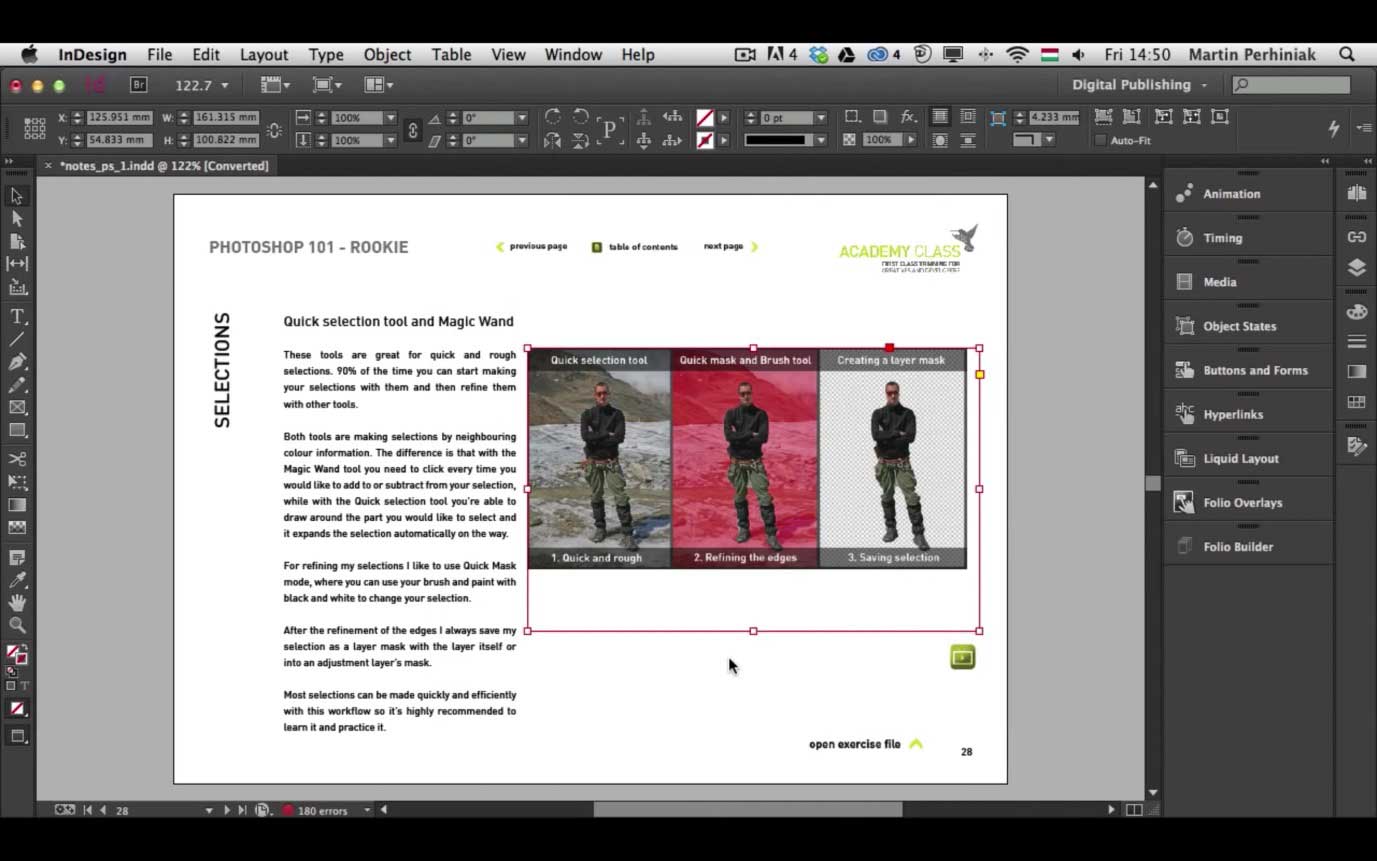
For beginners, the first step is to familiarize yourself with the InDesign workspace. Understand the role of panels (Pages, Layers, Properties, Styles), tools (Selection, Type, Frame tools), and menus. Learning keyboard shortcuts for frequently used actions will dramatically speed up your workflow. Start with simple projects like flyers or business cards to grasp the basics of text framing, image placement, and fundamental typography.
Leveraging Templates and Resources
InDesign offers a variety of built-in templates, and countless third-party templates are available online. Using templates can be an excellent way for beginners to understand how professional documents are structured and to jumpstart projects. Additionally, Adobe provides extensive tutorials, and there’s a vast community of InDesign users sharing tips, tricks, and resources that can help both novices and experienced users alike.
Continuous Learning: Staying Ahead with New Features
Adobe regularly updates InDesign with new features and improvements. Staying current with these updates is crucial for leveraging the software’s full potential. Follow Adobe blogs, participate in online forums, and engage with design communities to learn about new functionalities, best practices, and innovative workflows. The design landscape is dynamic, and continuous learning is key to remaining proficient.
Best Practices for Efficient Workflows
For professionals, developing efficient workflows is paramount. This includes establishing a consistent folder structure for projects, using master pages and styles religiously, working with layers to organize content, and understanding the nuances of preflighting for print production. Efficient asset management, precise typography, and a deep understanding of output requirements are hallmarks of a seasoned InDesign user.
Conclusion: InDesign’s Enduring Legacy and Future
Adobe InDesign has solidified its position as the definitive software for desktop publishing and page layout. From meticulously crafted books and magazines to dynamic interactive digital experiences, InDesign empowers designers and communicators to bring their visions to life with unparalleled precision and control. Its deep integration within the Adobe Creative Cloud, continuous innovation, and adaptability to new media formats ensure its relevance in a rapidly changing digital world. As technology continues to evolve, InDesign too will transform, embracing AI and new capabilities to further streamline the creative process, but its core mission—to meticulously arrange content into beautiful, impactful layouts—will undoubtedly remain its enduring legacy. Understanding and mastering InDesign is not just learning a piece of software; it’s unlocking the power to create professional, compelling visual narratives that resonate across every medium.
aViewFromTheCave is a participant in the Amazon Services LLC Associates Program, an affiliate advertising program designed to provide a means for sites to earn advertising fees by advertising and linking to Amazon.com. Amazon, the Amazon logo, AmazonSupply, and the AmazonSupply logo are trademarks of Amazon.com, Inc. or its affiliates. As an Amazon Associate we earn affiliate commissions from qualifying purchases.