
In the ever-evolving landscape of technology, understanding the nuances of our digital devices is crucial for maximizing their efficiency, longevity, and our own productivity. From the sleek smartphones in our pockets to the powerful desktops on our desks, computers offer a gateway to information, entertainment, and work. Among the various power management features designed to optimize how these machines operate, “hibernation” stands out as a particularly intriguing and often misunderstood mode. But what exactly is hibernation on a computer, and how does it differ from other power-saving states? This article will delve deep into the concept of computer hibernation, exploring its technical underpinnings, practical applications, and its relevance across the diverse domains of Tech, Brand, and Money.
The Fundamentals of Computer Power States
Before we can truly grasp hibernation, it’s essential to understand the spectrum of power states available to modern computers. These states are designed to balance performance with energy consumption, allowing users to tailor their device’s behavior to their specific needs.
Sleep Mode: A Quick Respite
The most commonly encountered power state is Sleep Mode. When you put your computer to sleep, it enters a low-power state where most of its components are powered down, but its RAM (Random Access Memory) remains active, holding onto your current session – open applications, documents, and browser tabs. This allows for incredibly fast wake-up times, as your computer doesn’t need to reload everything from scratch. It’s akin to taking a short nap; you can quickly get back to where you left off.
However, Sleep Mode still consumes a small amount of power to keep the RAM energized. This means that if the power source is interrupted (e.g., a power outage or unplugging a laptop), any unsaved work could be lost because the RAM would lose its data. Sleep mode is ideal for short breaks, allowing you to quickly pause your work and resume it seamlessly without a significant delay.
Hibernation: A Deeper Slumber
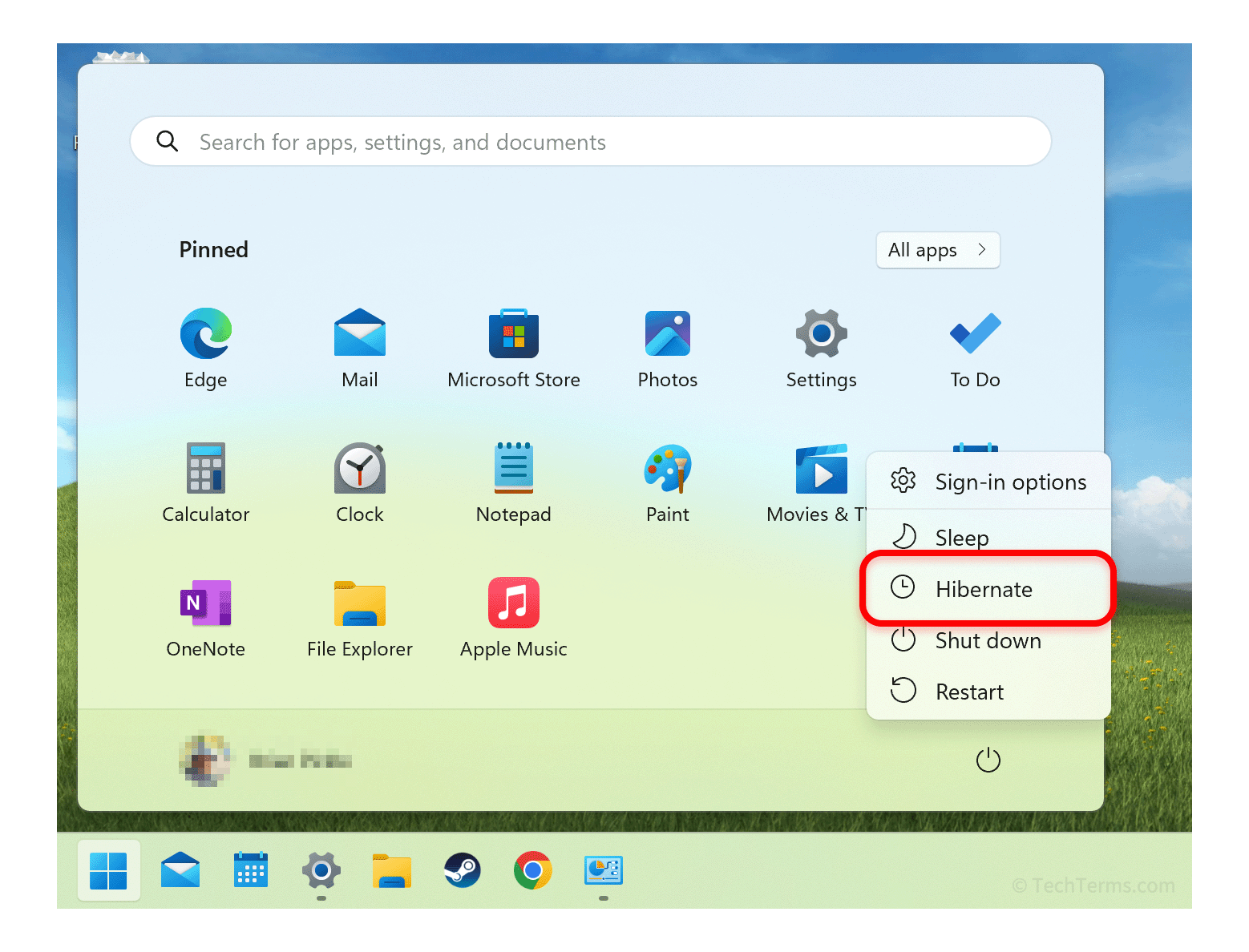
Hibernation, on the other hand, takes energy saving a step further. When you initiate hibernation, your computer saves the entire contents of its RAM to a special file on your hard drive or SSD, typically named hiberfil.sys on Windows systems. Once this data is securely stored, the computer completely powers down, effectively shutting off all power to its internal components, including the RAM.
This complete power-off state means that hibernation consumes virtually no energy. It’s the equivalent of a full shutdown, but with the added advantage of resuming your session exactly where you left it. When you power your computer back on, it reads the data from the hiberfil.sys file and restores your RAM to its previous state, bringing all your open applications and documents back just as you had them.
Hybrid Sleep: The Best of Both Worlds?
Many modern operating systems, particularly Windows, offer a feature called Hybrid Sleep. This mode combines the benefits of both Sleep and Hibernation. When a computer in Hybrid Sleep loses power, it automatically saves the contents of its RAM to the hard drive, just like in hibernation. This ensures that even if there’s an unexpected power interruption, your session is preserved. When power is restored, the computer will wake up from Sleep mode if it’s still available, offering a quick resume. If it had to power down completely due to power loss, it will then boot from the hibernated state. Hybrid Sleep is often enabled by default on laptops and is a good all-around choice for most users.
The Technical Mechanics of Hibernation
Understanding the technical process behind hibernation reveals its efficiency and why it’s a valuable tool.
The hiberfil.sys File: The Memory Bank
The core of hibernation lies in the hiberfil.sys file. This hidden system file is created by the operating system and resides on your primary drive (usually C:). Its size is dynamically adjusted by the OS but is typically set to a percentage of your installed RAM. When hibernation is initiated, the operating system meticulously copies every byte of data currently stored in your RAM into this hiberfil.sys file. This process involves the following steps:
- Saving RAM Contents: The operating system identifies all the data in RAM that constitutes your current active session – running programs, open files, browser windows, etc.
- Writing to Disk: This data is then systematically written to the designated
hiberfil.sysfile on your storage drive. This is an I/O (Input/Output) intensive operation. - Power Down: Once the write operation is confirmed as complete and successful, the operating system sends a signal to the hardware to completely shut down all power.
When the computer is powered back on, the boot process recognizes that hibernation was initiated. It then performs the reverse process:
- Reading from Disk: The computer reads the data from the
hiberfil.sysfile. - Restoring RAM Contents: This data is then written back into the RAM.
- Resuming Session: With RAM restored, the operating system can then resume your previous session, making it appear as though the computer never shut down.
This entire process, while efficient in its power saving, does take longer than waking from Sleep mode because of the disk read/write operations. The time taken for hibernation and resuming is dependent on the speed of your storage drive (SSD vs. HDD) and the amount of RAM you have.
Disk Space Considerations
A crucial aspect of hibernation is its reliance on disk space. The hiberfil.sys file can occupy a significant portion of your hard drive, often a percentage of your total RAM. For users with limited storage, especially on older machines or netbooks, this can be a concern. Fortunately, in most operating systems, you can disable hibernation if disk space is a premium, though this means losing the ability to use this particular power-saving feature.
Hibernation in the Context of Tech Trends

The concept of hibernation is deeply intertwined with the broader trends in the technology sector. As devices become more powerful and battery life remains a constant pursuit, efficient power management is paramount.
Extending Laptop Battery Life
For portable devices like laptops, hibernation is a godsend. While Sleep mode offers quick access, it still drains the battery. Hibernation, by completely cutting off power, allows users to save their work and carry their laptops for extended periods without worrying about battery depletion. This is invaluable for students, business travelers, and anyone who relies on their laptop away from a power outlet. The move towards more energy-efficient processors and solid-state drives (SSDs) further enhances the effectiveness of hibernation, as these components consume less power and have faster read/write speeds, making the hibernation and resume process quicker.
The Rise of SSDs and Performance
The widespread adoption of Solid-State Drives (SSDs) has significantly improved the performance of hibernation. Because SSDs offer vastly superior read and write speeds compared to traditional Hard Disk Drives (HDDs), the process of saving RAM to disk and restoring it is considerably faster. This makes hibernation a more practical and less time-consuming option for users with SSD-equipped machines, bridging the gap in resume speed between Sleep and a full shutdown.
Cloud Computing and Persistent Sessions
While hibernation is a device-level feature, the broader trend of cloud computing also offers a form of persistent sessions. Services like cloud desktops or virtual machines often maintain the state of your work even when you disconnect. This doesn’t directly replace hardware hibernation but reflects a similar user desire: to pick up where you left off without interruption. However, for local work and sensitive data, hardware hibernation remains a vital and secure option.
Hibernation and Your Brand
The efficient use of technology, including power management features like hibernation, can subtly influence how individuals and organizations are perceived.
Personal Branding: The Efficient Professional
For individuals, demonstrating an understanding and effective use of technology can be a part of their personal brand. A professional who seamlessly transitions between tasks, quickly resumes work after a break, and conserves their device’s battery without compromising productivity projects an image of efficiency and preparedness. Using hibernation judiciously – perhaps for overnight periods or when stepping away for longer durations – showcases a thoughtful approach to resource management. This implies reliability and a forward-thinking mindset, key elements in building a strong personal brand.
Corporate Identity: Sustainability and Efficiency
For businesses, the adoption of energy-efficient practices, including the proper configuration and use of power management features like hibernation across their fleet of computers, aligns with corporate social responsibility and sustainability goals. It demonstrates a commitment to reducing energy consumption, which can translate into cost savings and a positive environmental impact. This can be a valuable component of a company’s corporate identity, signaling a responsible and modern organization. Furthermore, ensuring employees understand and utilize these features can contribute to a more productive and cost-effective IT infrastructure. Case studies of companies that have implemented smart energy policies often highlight such initiatives.
Hibernation’s Impact on Your Money
The financial implications of hibernation are twofold: direct cost savings through reduced energy consumption and indirect benefits related to productivity and device longevity.
Saving on Energy Bills
While individual computers might not consume vast amounts of electricity, collectively, the energy saved by widespread use of hibernation can be significant. For households, a computer left in Sleep mode overnight still draws power. Hibernating it completely eliminates this standby power consumption, contributing to lower electricity bills. For businesses with hundreds or thousands of workstations, the cumulative energy savings from implementing hibernation policies can be substantial, directly impacting the bottom line.
Enhancing Productivity and Uptime
The most significant financial benefit often comes from enhanced productivity. By allowing users to resume their work exactly where they left off, hibernation minimizes the time lost to rebooting and reloading applications. This regained time can be channeled back into productive tasks, directly contributing to increased output and, therefore, revenue or efficiency. For businesses, even a few minutes saved per employee per day can translate into significant economic gains over time. Moreover, by protecting unsaved work during unexpected power interruptions, hibernation prevents the loss of valuable data and the time/cost associated with recreating it, contributing to overall business continuity and financial stability.
Device Longevity
While not its primary function, efficient power management can indirectly contribute to the longevity of computer hardware. By reducing the overall strain on components through controlled power cycles, devices may experience less wear and tear over their lifespan. This can lead to reduced hardware replacement costs, offering further financial benefits.
Conclusion
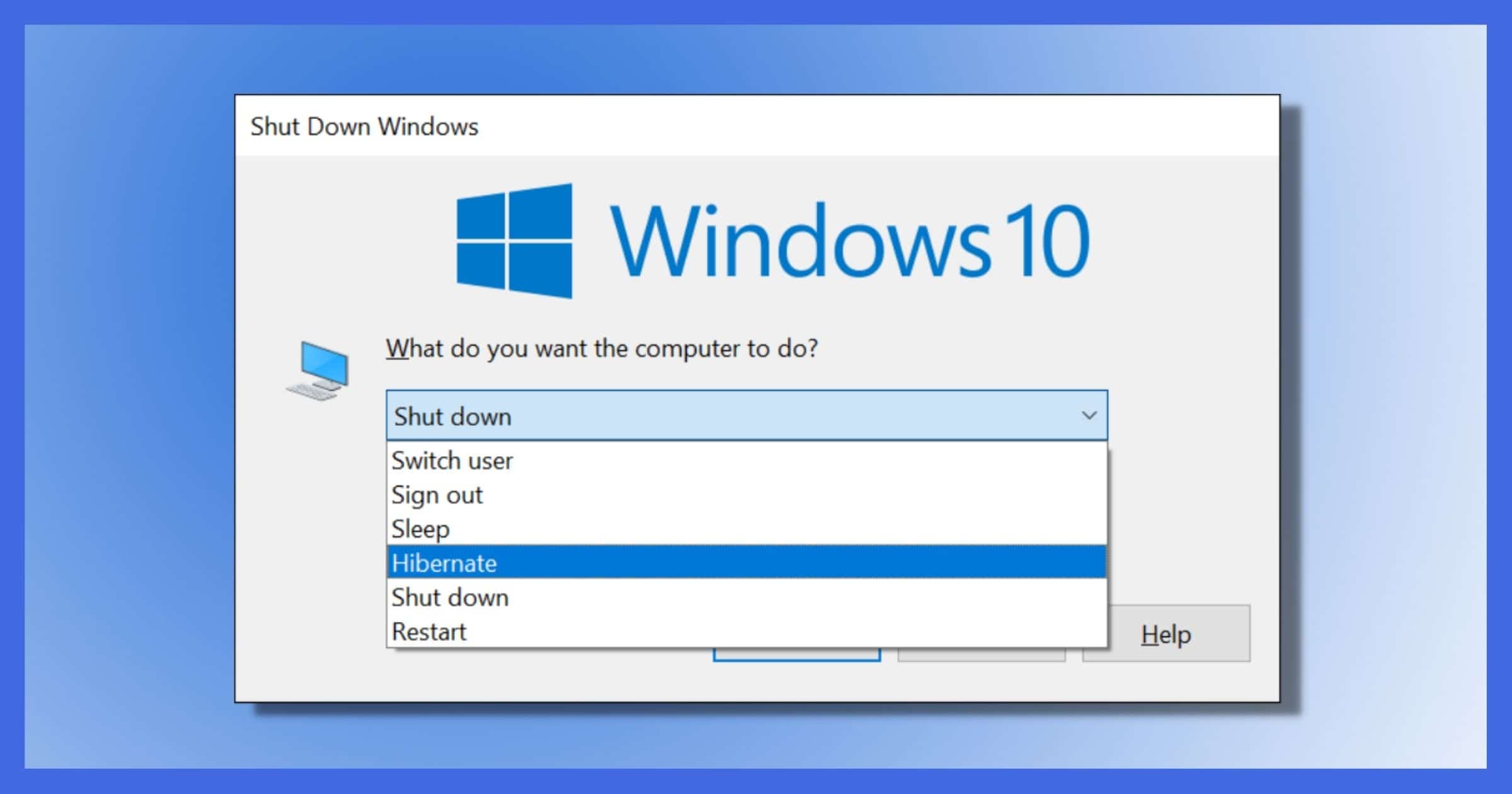
Hibernation on a computer is more than just a power-saving mode; it’s a sophisticated feature that bridges the gap between full shutdown and immediate resume. By saving the contents of RAM to disk and completely powering down the system, it offers significant energy savings and ensures that your digital workspace is preserved, ready for immediate resumption. In the interconnected world of Tech, Brand, and Money, understanding and effectively utilizing hibernation can lead to tangible benefits. From extending the battery life of our devices and bolstering personal and corporate brands with an image of efficiency, to directly impacting our finances through energy savings and increased productivity, hibernation plays a vital role in optimizing our digital experiences. As technology continues to advance, features like hibernation will remain essential tools for managing our computing resources intelligently and sustainably.
aViewFromTheCave is a participant in the Amazon Services LLC Associates Program, an affiliate advertising program designed to provide a means for sites to earn advertising fees by advertising and linking to Amazon.com. Amazon, the Amazon logo, AmazonSupply, and the AmazonSupply logo are trademarks of Amazon.com, Inc. or its affiliates. As an Amazon Associate we earn affiliate commissions from qualifying purchases.