
The iPhone is a marvel of modern engineering, integrating high-performance silicon with a sophisticated operating system to deliver a seamless user experience. However, even the most advanced hardware is beholden to the laws of thermodynamics and chemical energy. For many users, the transition from a device that lasts two days to one that struggles to make it to dinner time is a source of significant frustration.
Understanding what is draining your iPhone battery requires a deep dive into the intersection of software efficiency, hardware demands, and the physical limitations of lithium-ion technology. This guide provides a technical analysis of the primary culprits behind power consumption and offers professional strategies to reclaim your device’s longevity.

1. Analyzing the Software Culprits: iOS Features and App Behavior
While hardware consumes the power, software dictates how and when that power is used. iOS is designed to be efficient, but user settings and poorly optimized third-party applications can create significant “vampire drain.”
Background App Refresh and Push Notifications
One of the most common causes of unexpected battery depletion is Background App Refresh. This feature allows apps to check for updates and new content even when they are not actively in use. While convenient for apps like Weather or News, having dozens of apps constantly polling servers in the background creates a cumulative load on the processor and the Wi-Fi/Cellular antennas.
Similarly, Push Notifications require a persistent connection to the Apple Push Notification service (APNs). Every time your screen lights up with a notification, the processor wakes from a low-power state, the display draws current, and the radio transmits data. For users with high social media engagement, this cycle can repeat hundreds of times a day, leading to a “death by a thousand cuts” for battery life.
Location Services and System Services
GPS is one of the most power-intensive components in an iPhone. When an app requests your precise location, it activates the GPS chip, which must communicate with multiple satellites to triangulate your position. Many apps request “Always” access to location data when “While Using” would suffice.
Furthermore, hidden within the Privacy settings are “System Services.” These are background processes like “Significant Locations,” “iPhone Analytics,” and “Routing & Traffic.” While these improve the Apple ecosystem’s intelligence, they act as a constant drain on resources. Auditing these settings is a critical first step in technical optimization.
High-Performance Apps and Media Consumption
Not all apps are created equal. Video streaming services (YouTube, Netflix, TikTok) and high-fidelity games (Genshin Impact, Resident Evil) utilize the GPU (Graphics Processing Unit) and the NPU (Neural Processing Unit) extensively. These components generate heat, and heat is the enemy of battery efficiency. When the device gets hot, internal resistance increases, causing the battery to drain even faster to maintain the same level of performance.
2. Display and Connectivity: The Silent Power Consumers
The physical components you interact with most—the screen and the cellular radio—are often the largest consumers of mAh (milliampere-hours).
Screen Brightness and Always-On Display
For iPhones equipped with OLED (Organic Light Emitting Diode) displays, the relationship between pixels and power is direct. In an OLED panel, each pixel produces its own light. When displaying true black, the pixel is completely powered off, consuming zero energy. This is why “Dark Mode” is not just an aesthetic choice but a power-saving strategy.
Conversely, high brightness levels—especially in outdoor environments—require the pixels to draw massive amounts of current. The “Always-On Display” (AOD) featured on Pro models uses a variable refresh rate (as low as 1Hz) to minimize impact, but it is still a constant draw. Users prioritizing maximum uptime should consider disabling AOD or limiting its complexity.
5G vs. LTE: The Cost of Connectivity
The advent of 5G brought gigabit speeds to the palm of our hands, but it came at a cost to efficiency. 5G modems, particularly in areas with weak signal, require more power to maintain a stable connection compared to the more mature LTE (4G) infrastructure. If your iPhone is constantly switching between 5G and LTE because of “Auto” settings, the “signal hunting” process will rapidly deplete the battery. In many regions, forcing the device to “LTE Only” can result in a 10-15% improvement in daily battery life without a noticeable dip in real-world performance.
Wi-Fi, Bluetooth, and AirDrop Optimization
Modern iPhones use a “U1” or “U2” Ultra Wideband chip for spatial awareness and AirDrop. While Bluetooth Low Energy (BLE) is remarkably efficient, keeping “Personal Hotspot,” AirDrop (set to “Everyone”), and Wi-Fi searching active in the background adds to the total power envelope. When the iPhone is in an area with no known Wi-Fi networks, the radio continuously broadcasts “probes” to find a connection, which is significantly more taxing than staying connected to a stable home or office network.
3. Understanding Battery Health and Hardware Degradation
Sometimes the drain isn’t caused by what you are doing, but by what the battery is no longer capable of doing.
The Chemistry of Lithium-Ion Batteries
iPhone batteries utilize lithium-ion technology because it charges faster, lasts longer, and has a higher power density. However, these batteries are consumable components that chemically age. As the battery ages, the amount of charge it can hold diminishes, leading to shorter periods of use between charges. This is measured as “Maximum Capacity” relative to when the battery was new.
Peak Performance Capability and Throttling
When a battery’s chemical age reaches a certain point, its internal impedance increases. It may struggle to provide the “peak” instantaneous power required by the CPU during intensive tasks. To prevent the device from unexpectedly shutting down, iOS employs “Performance Management.” This feature dynamically throttles the processor to match the battery’s declining capabilities. If your iPhone feels sluggish and the battery is draining quickly, it is likely that the battery can no longer support the hardware’s power demands.
Charging Habits: Heat and Lifecycle Management
The way you charge your iPhone impacts its long-term health. Heat is the primary catalyst for chemical degradation. Using high-wattage fast chargers or wireless chargers generates significant ambient heat. Apple’s “Optimized Battery Charging” is a vital software feature that learns your daily routine and waits to finish charging past 80% until you need it, reducing the time the battery spends at a high state of charge, which is chemically stressful.
4. Advanced Troubleshooting and Technical Maintenance
If standard optimizations fail to resolve the drain, a deeper look into the OS environment is required.
Software Updates and “Indexing” Myths
Users often complain of battery drain immediately following an iOS update. In most cases, this is not a bug but a temporary increase in background activity. After an update, iOS re-indexes the entire file system for Spotlight search, optimizes the Photo library, and performs database maintenance. This “post-update indexing” can take 24 to 48 hours to complete. If the drain persists beyond this window, it may point to a software conflict or a corrupt installation.
Utilizing iOS Analytics and Battery Graphs
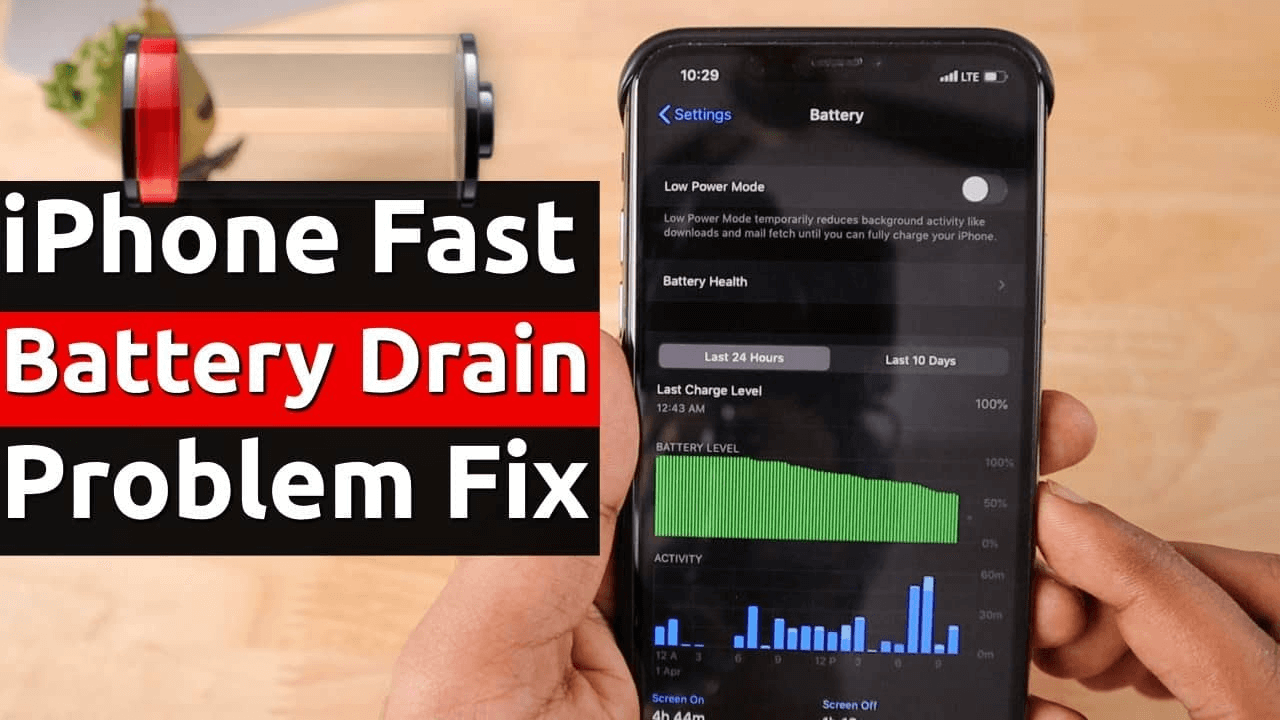
To truly diagnose the drain, one must use the built-in diagnostic tools. In the “Battery” section of the Settings app, iOS provides a 24-hour and 10-day breakdown of power usage. By analyzing the “Activity by App” list, you can identify outliers. For instance, if an app shows 40% usage but only 5 minutes of “on-screen” time, that app is malfunctioning in the background and should be deleted or restricted.
Resetting Settings vs. Full Restore
When software issues become systemic, a “Reset All Settings” can often resolve underlying configuration conflicts without erasing user data. However, if the battery drain is caused by a corrupted OS image, a “DFU (Device Firmware Update) Restore” via a Mac or PC is the gold standard for troubleshooting. This wipes the device and reinstalls a fresh copy of iOS, ensuring no legacy software “ghosts” are dragging down performance.

Conclusion
The drain of an iPhone battery is rarely caused by a single factor but is usually the result of a combination of high-demand settings, environmental factors, and natural hardware aging. By managing Background App Refresh, optimizing display settings, and monitoring Battery Health, users can significantly extend their device’s daily uptime.
In a world where we are increasingly dependent on mobile technology, maintaining the efficiency of our gadgets is paramount. If your iPhone continues to show rapid depletion despite these optimizations and its health is below 80%, a professional battery replacement is the most effective way to restore your device to its peak performance, ensuring it remains a reliable tool rather than a constant source of anxiety.
aViewFromTheCave is a participant in the Amazon Services LLC Associates Program, an affiliate advertising program designed to provide a means for sites to earn advertising fees by advertising and linking to Amazon.com. Amazon, the Amazon logo, AmazonSupply, and the AmazonSupply logo are trademarks of Amazon.com, Inc. or its affiliates. As an Amazon Associate we earn affiliate commissions from qualifying purchases.