
In the ever-evolving landscape of technology, we often hear terms thrown around that, while crucial to how our devices function, remain a bit of a mystery. One such term is RAM. You might see it mentioned in computer specifications, during upgrade discussions, or even when troubleshooting performance issues. But what exactly is computer RAM, and why is it so vital to your digital experience? This article, drawing from the core principles of technology, brand, and money, will demystify RAM, explaining its function, its impact on performance, and how understanding it can even influence your purchasing decisions and overall digital productivity.

The Heartbeat of Your Computer: RAM’s Fundamental Role
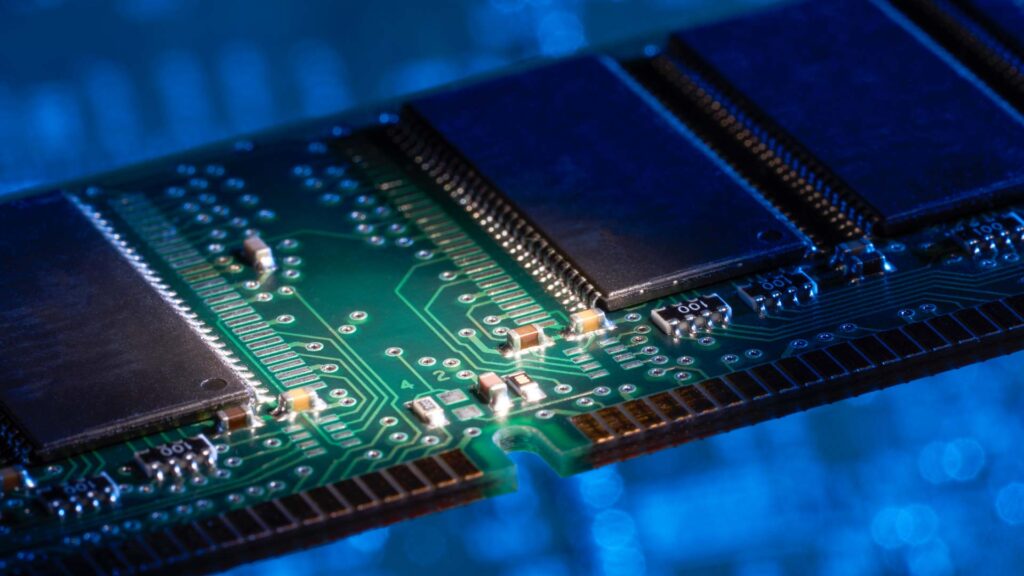
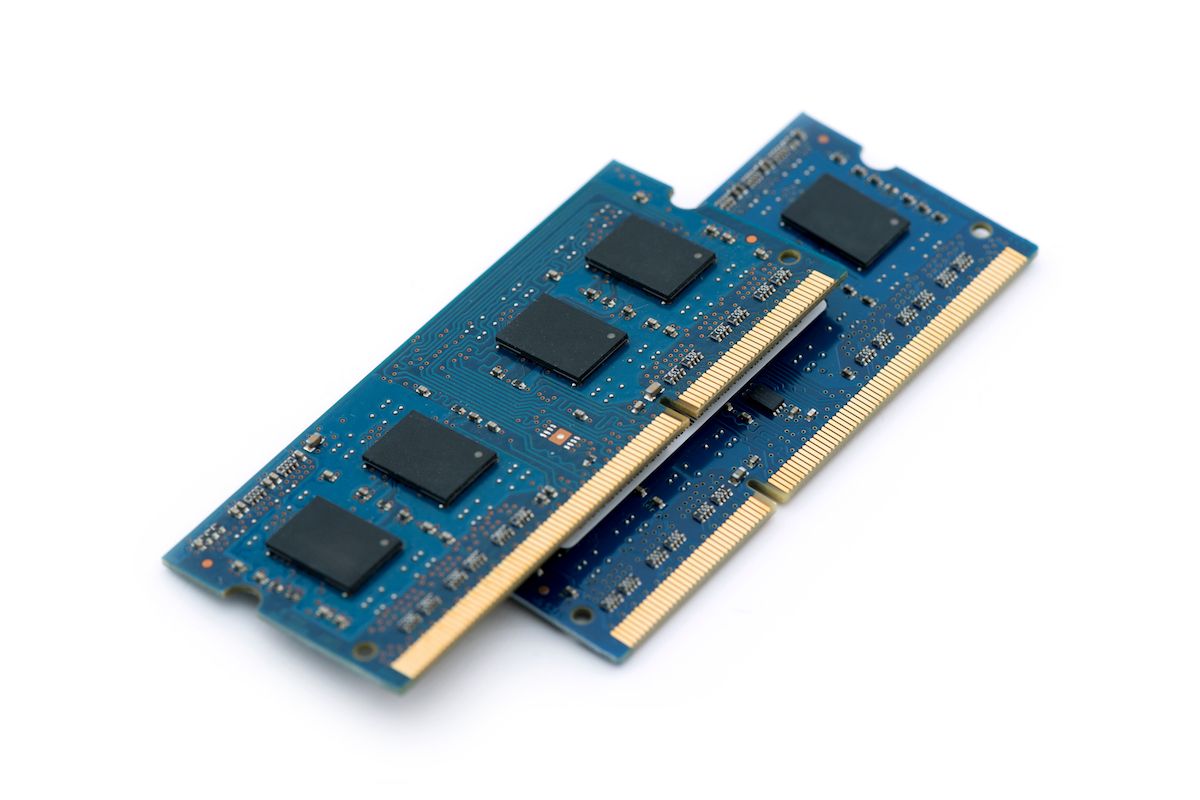
RAM, which stands for Random Access Memory, is a type of computer memory that can be read from and written to in any order, hence the “random access.” Think of it as your computer’s short-term memory, a temporary workspace where it stores data and instructions that its processor (CPU) needs to access quickly and efficiently. Unlike your computer’s long-term storage, like a hard drive (HDD) or solid-state drive (SSD), which holds your files and operating system even when the power is off, RAM is volatile. This means that when you turn off your computer, all the data stored in RAM is lost.
Imagine you’re a chef preparing a complex meal. Your pantry and refrigerator are like your hard drive or SSD – they store all your ingredients, but retrieving them takes time. Your countertop, where you chop vegetables, mix sauces, and assemble dishes, is like your RAM. It’s where you have all the ingredients and tools you’re actively using readily available for immediate access. The more countertop space you have, the more ingredients you can have out, and the more tasks you can juggle simultaneously without constantly running back to the pantry.
The processor constantly retrieves data from RAM, performs operations on it, and then writes the results back to RAM. This constant back-and-forth is what makes your computer feel responsive. The faster RAM is, and the more of it your computer has, the more information the CPU can process at any given moment, leading to a smoother and more efficient computing experience.
How RAM Fuels Your Digital Activities: From Browsing to AI
The type of activities you engage in on your computer directly dictates how much RAM you need and how its performance impacts your experience.
The Everyday User: Browsing, Documents, and Casual Apps
For individuals primarily using their computer for everyday tasks like web browsing, word processing, checking emails, and light multimedia consumption, the demands on RAM are generally moderate. When you open a web browser, it loads specific data and instructions into RAM to display websites. Each tab you open consumes a portion of this memory. Similarly, a word processor needs RAM to hold the document you’re working on, including formatting and any embedded images.
If you have enough RAM, switching between these applications is seamless. You can have multiple browser tabs open, a document editor running, and an email client without experiencing significant slowdowns. However, if your RAM is insufficient, your computer will start to struggle. It might resort to using a portion of your slower hard drive or SSD as virtual memory (more on this later), which significantly slows down performance. Websites will load sluggishly, switching between applications will feel clunky, and you might even encounter programs crashing.
The Power User: Gaming, Creative Work, and Multitasking
For users who engage in more demanding activities, RAM becomes a critical bottleneck.
- Gaming: Modern video games are incredibly complex. They require RAM to store game assets like textures, models, audio files, and game logic. Insufficient RAM can lead to stuttering, low frame rates, and long loading times, significantly diminishing the gaming experience. Many games even specify a minimum and recommended RAM amount for optimal performance.
- Creative Professionals: Graphic designers, video editors, and 3D animators rely heavily on RAM. Editing high-resolution images, rendering complex video sequences, or working with large 3D models can consume vast amounts of memory. The more RAM you have, the larger and more complex your projects can be, and the faster you can render and export your work. Imagine trying to edit a 4K video with only 4GB of RAM – it would be an exercise in extreme patience.
- Heavy Multitasking: Power users often have numerous applications running simultaneously. This includes multiple browser windows with dozens of tabs, virtual machines, development environments, and resource-intensive software. Each of these applications, and indeed each open file or document within them, occupies RAM. Having ample RAM allows for seamless switching and responsiveness even under such heavy loads.
The Dawn of AI Tools and Their RAM Appetite
The rise of Artificial Intelligence (AI) tools, from sophisticated image generators to powerful language models, is placing even greater demands on computing resources, particularly RAM. Running these AI models, especially locally on your machine rather than through cloud-based services, requires them to load substantial amounts of data and complex algorithms into memory. The more parameters an AI model has, and the more intricate its computations, the more RAM it will consume. For enthusiasts looking to experiment with or even develop AI applications, having a generous amount of RAM is no longer a luxury but a necessity. This directly ties into the “Tech” aspect of our website, showcasing how advancements in one area (AI) drive the need for robust foundational components like RAM.
Beyond the Basics: Types and Performance Metrics of RAM
Not all RAM is created equal. Understanding the different types and how their performance is measured can help you make informed decisions.
Types of RAM: DDR Generations and Their Evolution
The most common type of RAM found in modern computers is DDR SDRAM (Double Data Rate Synchronous Dynamic Random-Access Memory). The “Double Data Rate” signifies that it can transfer data on both the rising and falling edges of the clock signal, effectively doubling the data transfer rate compared to older, single data rate memory.
Over the years, DDR technology has evolved through several generations, each offering improvements in speed, efficiency, and capacity:
- DDR3: An older standard, still found in some older systems.
- DDR4: The prevalent standard for many years, offering significant improvements over DDR3.
- DDR5: The latest generation, delivering even higher speeds, greater capacity, and improved power efficiency.
When purchasing RAM, you’ll often see specifications like “DDR4-3200” or “DDR5-6000.” The “DDR” part indicates the generation, and the number following it represents the transfer speed in megahertz (MHz). A higher number generally means faster data transfer.
RAM Speed and Latency: The Nuances of Performance
Beyond the generation and raw speed, two other critical factors influence RAM performance:
- Speed (Frequency): As mentioned, this is measured in MHz and dictates how many data transfers can occur per second. Higher clock speeds mean faster data access.
- Latency (Timings): This refers to the delay between when the CPU requests data from RAM and when that data is actually available. Latency is expressed as a series of numbers, like CL16-18-18-38. The first number, CL (CAS Latency), is the most important, representing the number of clock cycles it takes for the memory controller to access data. Lower latency values are generally better, as they indicate less delay.
It’s a balancing act between speed and latency. A very high-speed RAM module with high latency might not perform as well as a slightly slower module with much lower latency. For most users, the difference between various latency timings within the same DDR generation might be negligible, but for performance-critical applications like competitive gaming or professional content creation, these subtle differences can matter.
Dual-Channel and Quad-Channel Memory: Amplifying Performance
To further boost performance, modern motherboards support multi-channel memory configurations. The most common is dual-channel, where two RAM modules work in tandem to effectively double the memory bandwidth. This means the CPU can access data from both modules simultaneously, leading to a significant improvement in overall system responsiveness, especially in applications that are memory-intensive.
Similarly, high-end desktop (HEDT) platforms and servers can support quad-channel memory, where four RAM modules operate in unison, providing even greater bandwidth. To take advantage of multi-channel configurations, you typically need to install RAM modules in specific slots on your motherboard, as outlined in its manual. This is a key consideration when purchasing RAM, as buying a single stick of RAM might not unleash the full potential of your system.
RAM and Your Wallet: Making Smart Investment Decisions
Understanding RAM isn’t just about technical specifications; it’s also about making smart financial decisions that align with your technology needs and budget.
Matching RAM to Your Needs and Budget
The amount of RAM you need is directly proportional to your typical usage.
- 4GB RAM: Barely sufficient for basic browsing and email. Not recommended for modern computing.
- 8GB RAM: A good starting point for general users, offering decent performance for everyday tasks and light multitasking.
- 16GB RAM: The sweet spot for most users, providing excellent performance for gaming, multitasking, and most creative applications. This is often considered the recommended standard for a smooth and versatile computing experience.
- 32GB RAM and above: Essential for professional content creators, heavy gamers, virtual machine users, and those working with AI models or extremely large datasets.
When purchasing a new computer or upgrading an existing one, resist the temptation to always opt for the absolute maximum RAM. While more RAM is generally better, there’s a point of diminishing returns for the average user. Spending an extra $200 on RAM that you’ll never fully utilize might be better allocated to a faster CPU, a larger SSD, or a better graphics card. This is where understanding your usage patterns becomes crucial for personal finance and investing in your technology.
The “Future-Proofing” Dilemma and RAM Upgrades
Many consumers wonder about “future-proofing” their systems by installing more RAM than they currently need. While it’s true that software demands tend to increase over time, constantly buying the “latest and greatest” can be an expensive cycle.
Instead of overspending initially, consider your upgrade path. Many laptops and desktops have easily accessible RAM slots, allowing for straightforward upgrades down the line. If you’re buying a system with 8GB of RAM, and you anticipate needing 16GB in a year or two, factor in the cost of that upgrade then. The cost of RAM modules often decreases over time, so you might be able to get more for your money by waiting. This strategic approach to upgrades can save you money and ensure your system remains relevant for longer.
This relates to business finance principles as well. Businesses often plan for technology refreshes and consider the total cost of ownership, including upgrade paths and potential obsolescence. For individuals, it’s about making prudent financial choices that optimize value.
Brand Reputation and RAM Reliability
When it comes to components like RAM, brand reputation plays a significant role. Established manufacturers often have a reputation for producing reliable and high-quality memory modules. Companies like Corsair, G.Skill, Crucial, and Kingston have built trust over years of providing consistent performance and durability.
While it might be tempting to opt for a no-name, significantly cheaper RAM module, this can be a risky gamble. Lower-quality RAM can lead to system instability, errors, and even hardware failure. Investing in reputable brands, even if slightly more expensive, often translates to greater peace of mind and a more stable computing experience. This is where corporate identity and reputation in the tech industry become valuable indicators for consumers. Reviews and case studies from trusted tech publications can further guide your decision-making process.
Conclusion: RAM as the Foundation of Your Digital Productivity and Brand
Understanding computer RAM is more than just grasping a technical acronym. It’s about recognizing the fundamental engine that drives your digital interactions. From the seamless browsing of a casual user to the complex workflows of a creative professional and the groundbreaking advancements in AI, RAM is the silent workhorse.
By comprehending its role, the different types, and performance metrics, you can make informed decisions about purchasing new hardware, upgrading existing systems, and ultimately optimizing your digital productivity. This knowledge empowers you to invest wisely, ensuring your technology serves your needs effectively and efficiently, solidifying your personal digital brand and your ability to leverage technology for your financial and professional goals. So the next time you see “RAM” in a spec sheet, you’ll know it’s not just a number, but a critical component shaping your entire computing experience.
aViewFromTheCave is a participant in the Amazon Services LLC Associates Program, an affiliate advertising program designed to provide a means for sites to earn advertising fees by advertising and linking to Amazon.com. Amazon, the Amazon logo, AmazonSupply, and the AmazonSupply logo are trademarks of Amazon.com, Inc. or its affiliates. As an Amazon Associate we earn affiliate commissions from qualifying purchases.